



Settings and Security
After this lesson you'll be able to trigger your agent from any external app, manage conversation sessions, and chain multiple agents via API calls.

API
ASCN Agent provides an API for integration with external systems: start conversations, send messages, and receive responses programmatically.
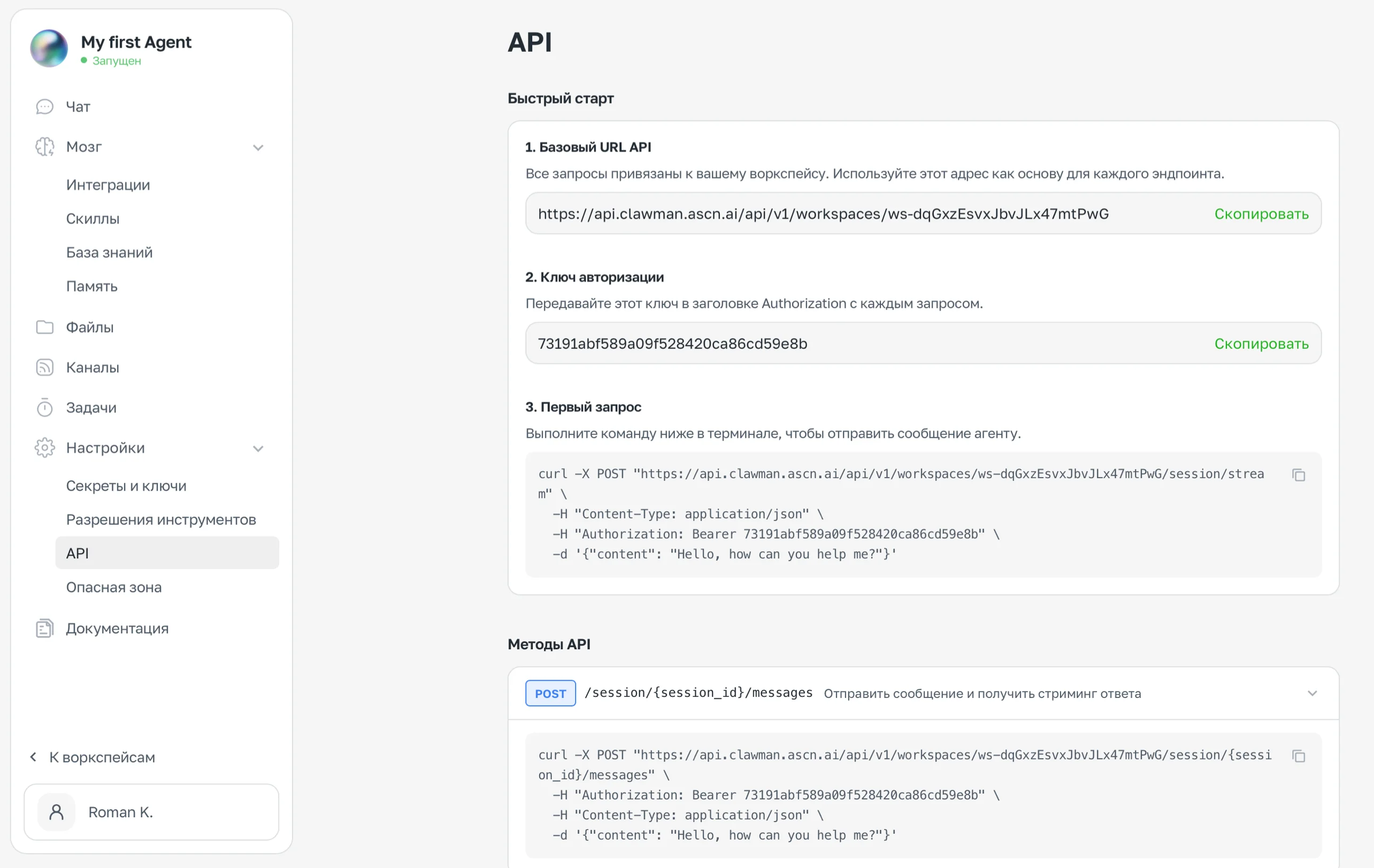
Settings → API section — Base URL, authorization key, and a sample request
How to get API access
- Open Settings → API
- Copy the Base URL — it is unique to each workspace
- Copy the Authorization Key
- Use the key in the
Authorization: Bearer ...header with every request
Basic example
curl -X POST "https://api.clawman.ascn.ai/api/v1/workspaces/{workspace_id}/session/{session_id}/messages" \
  -H "Content-Type: application/json" \
  -H "Authorization: Bearer {API_KEY}" \
  -d '{"content": "Check my email and send me a summary"}'
API methods
| Method | Endpoint | Description |
|---|---|---|
POST | /session/{session_id}/messages | Send a message and receive a streaming response |
What is session_id: every conversation with an agent is a session. session_id is the unique identifier of a specific dialog. You can start a new session (new conversation) or continue an existing one by passing its ID. If you want to start a fresh conversation each time — generate a new UUID for session_id.
Use cases
Integration with your application. Send tasks to the agent from your product and receive results via the API.
Connecting multiple agents. There is no direct link between agents, but you can use the API as a bridge — one agent sends data to another via an API request.
Webhooks and automations. Connect ASCN Agent to Zapier, Make, or your own scripts via the API.
The Base URL and authorization key are tied to a specific workspace. Each agent has its own.
Credits
ASCN runs on credits — they are deducted every time the agent does something. There are two independent types.
Two types of credits
| Type | What consumes them |
|---|---|
| Message credits | Every chat message, scheduled task execution |
| Integration credits | Calls to Gmail, Calendar, Drive, and others; trigger activations; serverless functions |
Both types are refreshed monthly according to your plan.
Where to check your balance
Your current credit balance is in your account on ascn.ai. See the Plan or Billing section in your account settings.
How to manage spending
The most expensive patterns:
- A trigger on every new email in an active inbox — consumes integration credits with every incoming message
- Frequent scheduled tasks (every 15 minutes) — consume message credits predictably, but quickly
How to reduce spending:
- Replace triggers on frequent events with scheduled tasks — for example, check email once an hour instead of on every new message
- For urgent notifications, keep a trigger only for VIP senders and include everyone else in a morning summary
- Combine multiple checks into a single task (email + calendar in one run)
Scheduled tasks consume credits predictably — you know exactly how many runs per day. Triggers depend on activity in your connected services.
What happens when credits run out
- The agent stops responding in chat and Telegram
- Scheduled tasks stop running
- Triggers stop firing
All data, settings, and history are preserved — once you top up your balance, everything resumes automatically.
Plans and top-ups
Current plans and top-up options are available on ascn.ai.