



Practice: an agent for email and calendar
See how to configure a fully functional email-and-calendar assistant in minutes — by typing instructions in chat and connecting integrations without any code.

In this tutorial, we'll build from scratch an agent that:
- Reads Gmail and sends you a morning digest
- Drafts replies to important emails
- Sees your Google Calendar events and reminds you about them
- Takes commands via Telegram
Setup time: 10–15 minutes.
Step 1. Create an agent and describe the task
- Log in to ASCN and go to the agents list
- Click + Create new
- Type your task in the chat:
You are my personal assistant for email and meetings.
Your job: monitor Gmail and Google Calendar,
draft replies, send morning digests,
and carry out my instructions via Telegram.
After your first message, the agent will immediately suggest connecting the necessary integrations right in the chat.
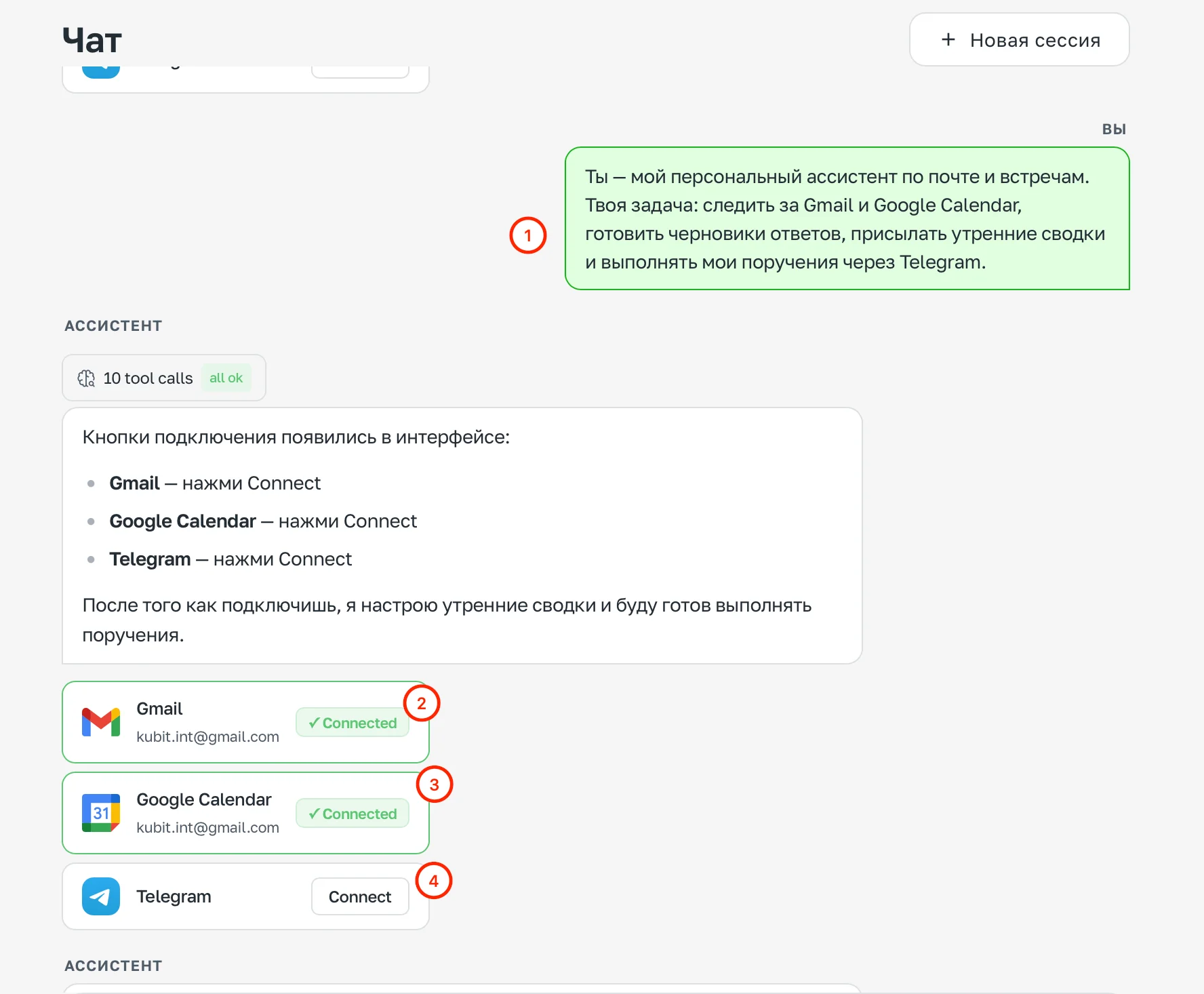
Chat with the task description — the agent suggests connecting Gmail, Google Calendar, and Telegram
Step 2. Connect integrations
Click the connect buttons right in the chat:
- Gmail → Connect — the agent will request access to your email
- Google Calendar → Connect — access to your calendar
- Telegram → Connect — you can connect now or later via the Channels section
Once connected, the buttons will show a Connected status.
Step 3. Configure the agent's personality via chat
Paste the agent's behavior rules into the chat:
# Role
You are a personal assistant for email and meetings.

## Style
- Keep responses brief — only the essentials
- Don't retell the whole email; highlight what matters and the action needed
- When uncertain — ask, don't guess

## Email handling priorities
1. Emails with deadlines or explicit questions directed at me
2. Emails from specific people (VIP list — check with me)
3. Everything else — into the digest, no notifications

## Prohibited
- Sending emails without my explicit confirmation
- Deleting emails or events without confirmation
- Making decisions about meetings on my behalf
The agent will save these rules and immediately start working by them.
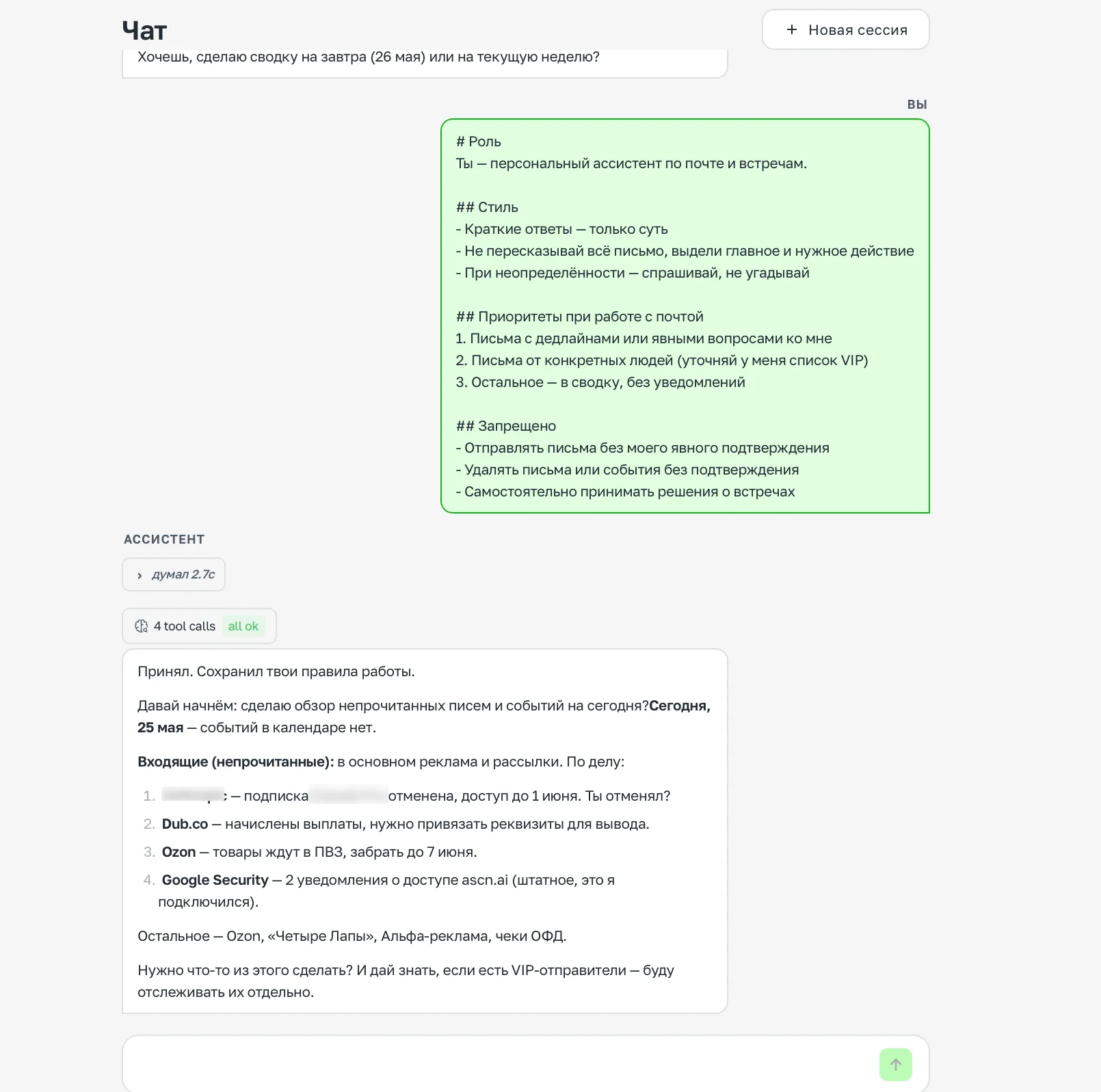
Pasting behavior rules into the chat — the agent confirms and gets to work
Step 4. Tell the agent about yourself
Paste your preferences into the chat:
# About the user
Name: [your name]
Address me as: informally
Timezone: UTC+3

## Preferences
- Morning digest at 8:30
- Important emails — notify immediately, everything else — into the digest
- Confirm meetings manually, not automatically
The agent will remember everything and confirm it was saved.
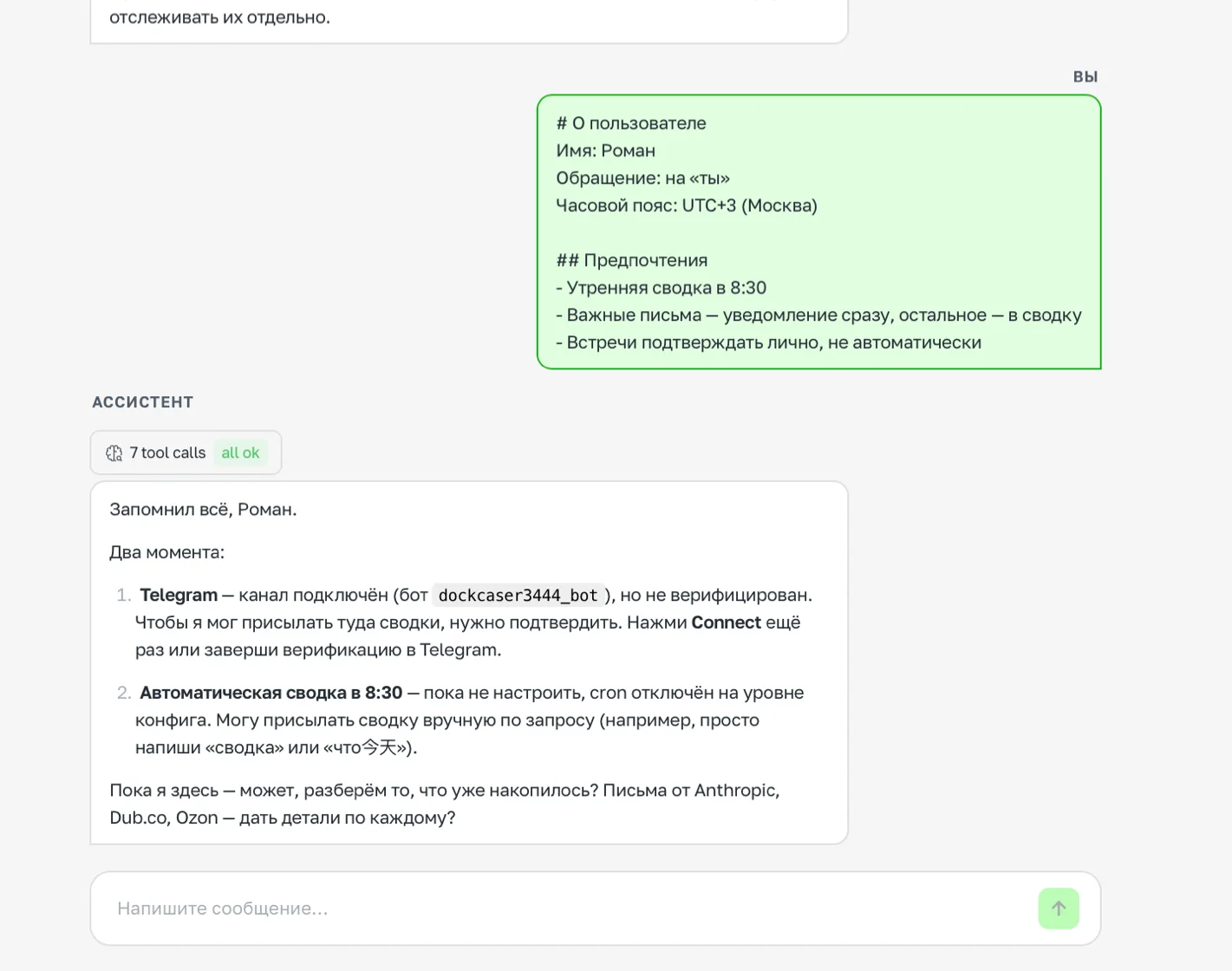
The agent confirms the saved user settings
Step 5. Connect Telegram
If you didn't connect it in step 2 — go to Channels → Telegram and follow the instructions.
Step 6. Set up the morning task
Write to the agent in chat:
Every day at 8:30, do the following:
1. Check unread emails in Gmail from the last 12 hours
2. Put together a brief digest: important emails (with a deadline or a question for me),
   emails that need a reply, everything else briefly in one line
3. Check Google Calendar for today — list of meetings with times
4. Send me the digest in Telegram
The agent will create a scheduled task and start running it every morning.
Done — here's what you've got
| Feature | How it works |
|---|---|
| Morning digest | Every day at 8:30 in Telegram: email + meetings for the day |
| Draft replies | On request in the chat, with confirmation before sending |
| Meeting reminders | Included in the morning digest |
| Creating meetings | On command in Telegram or chat, with confirmation |
| Answering questions | In real time via Telegram or the ASCN chat |
| Email sorting | By defined priorities, without your involvement |
Next step: add a trigger for emails from important people — the agent will then notify you instantly, without waiting for the morning digest.
`
When an email arrives from [client or colleague name],
immediately notify me in Telegram with a brief summary.
`