



Setting Up a Schedule and Trigger
Make the automation truly autonomous: a scheduled morning task plus an instant trigger that fires the moment an important email arrives.

The digest looks great. Now it's time to make the agent run it on its own — without any input from you. Twice over: on a schedule every morning, and instantly when an important email arrives.
Part 1: Scheduled Task
A scheduled task is an instruction that tells the agent to run at a specific time every day.
Type in the chat:
Run this task every day at 8:00: check Gmail and Google Calendar, compile the morning digest following the instructions in IDENTITY.md, and send it to me in Telegram.
The agent will confirm that the task has been created.
To verify — open the tasks section. You'll see a task with a run time of 8:00 and a status of "Active".
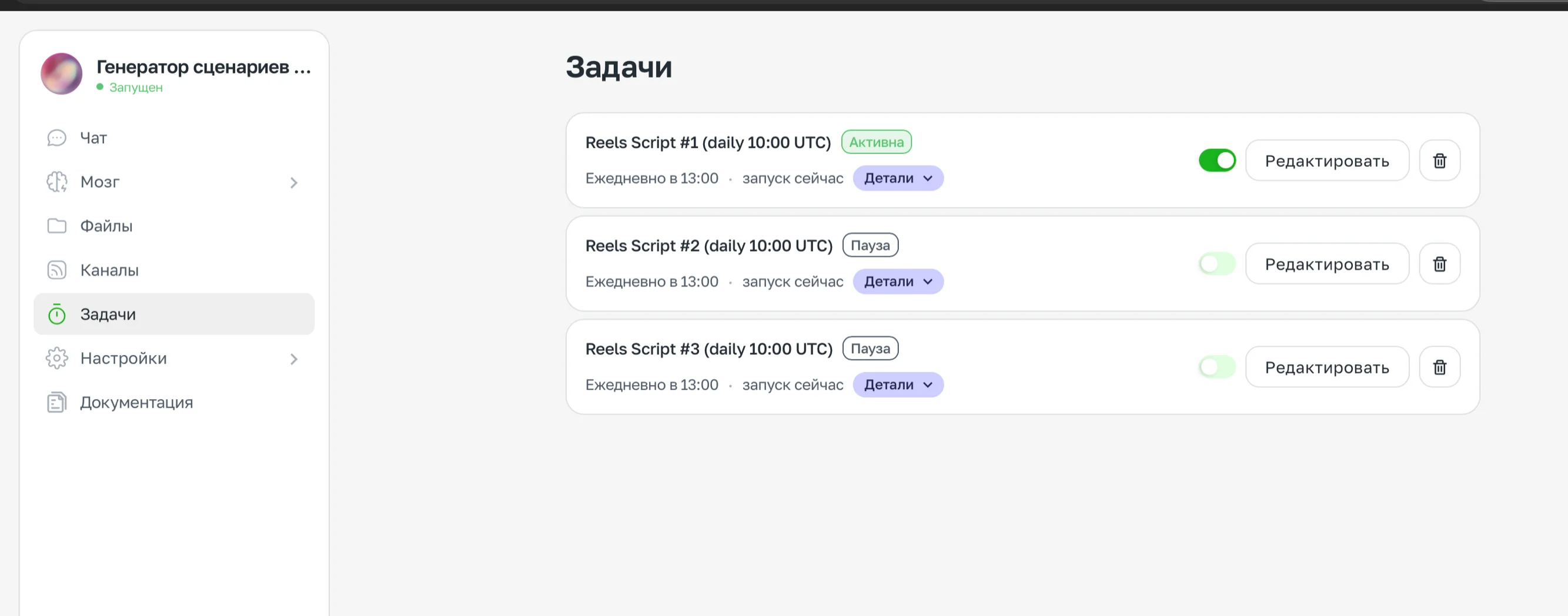
Tasks
Part 2: Trigger for an Important Email
A schedule is great. But what if an important email arrives at 2:00 PM? Waiting until the next morning is not the right approach.
A trigger solves this problem: the agent monitors new emails in real time and reacts instantly.
Write to the agent: