



- Русский
- English
- Português
Best AI Agents in 2026: 25 Top AI Agents for Business, Ranked by Job

The best AI agents in 2026 are the ones that finish a job without you sitting next to them: ASCN.ai for running business tasks on a schedule with 100+ ready agents, ChatGPT (Work and dots) and Claude Cowork for people who already live in those apps, Manus and Genspark for one-off deliverables like sites, slides and research, and specialist agents such as Fin for support or AiSDR for outbound. Which one is "best" depends on the job, so this hub ranks 25 AI agents by job and links to our detailed rating for each one.
We opened every official pricing and product page on November 25, 2026, took the screenshots that day and wrote down three things vendors rarely put side by side: where the agent runs, whether it can work on a schedule while you are away, and what unit you pay for.
Contents:
- Key takeaways
- What an AI agent is
- How we compared AI agents
- AI agents comparison table
- Which AI agent for which job
- The 10 best AI agents in 2026
- Best AI agents for business by job
- A ready brief to test any AI agent
- How to choose an AI agent
- FAQ
- Conclusion
Key takeaways: the best AI agent for each job
For a business that wants one agent to run many jobs on a schedule, the best AI agent in 2026 is ASCN.ai: a cloud assistant with ready agents for sales, support, reports and content, from $0 to $29 a month. For a single person who wants an agent inside a familiar app, pick ChatGPT or Claude at $20 a month. For one task done well, pick a specialist.
- ASCN.ai: a personal AI assistant with its own cloud computer, 100+ ready AI agents, 3,000+ integrations and 10+ models; works on a schedule and reports in Telegram, Slack or WhatsApp. Free plan, paid from $29/mo.
- ChatGPT: ChatGPT Work uses a browser and your desktop apps from $20/mo; dots, an always-on agent with its own cloud computer, comes with Pro from $100/mo.
- Claude: Cowork works in your folders and apps and runs scheduled tasks on any paid plan from $20/mo; Claude Code is in the same plan.
- Manus and Genspark: general agents that turn one prompt into a site, a deck, a spreadsheet or cited research. Free tiers on daily credits.
- Gemini, Microsoft 365 Copilot, Perplexity: agents inside Chrome, Microsoft 365 and a research browser.
- Specialists: Fin ($0.99 per resolved conversation) for support, AiSDR ($1.50 per prospect) for outbound, Devin and GitHub Copilot for code, Smith.ai for phone calls.
What an AI agent is, and how it differs from a chatbot and automation
An AI agent is software that gets a goal instead of a question, plans the steps itself, uses tools such as a browser, files, email or a CRM to complete them, and returns a finished result. OpenAI's documentation describes the same split: an agent is a model, plus tools, plus guardrails and human oversight.
A chatbot answers. It replies to the message you sent and waits; any action after the answer is yours. An automation repeats. It runs the same fixed steps for the same trigger and stops when a case doesn't fit the rule. An agent decides the next step. If a website changed or a file is missing, it tries another route, and it should ask you before anything risky: sending, paying or deleting.
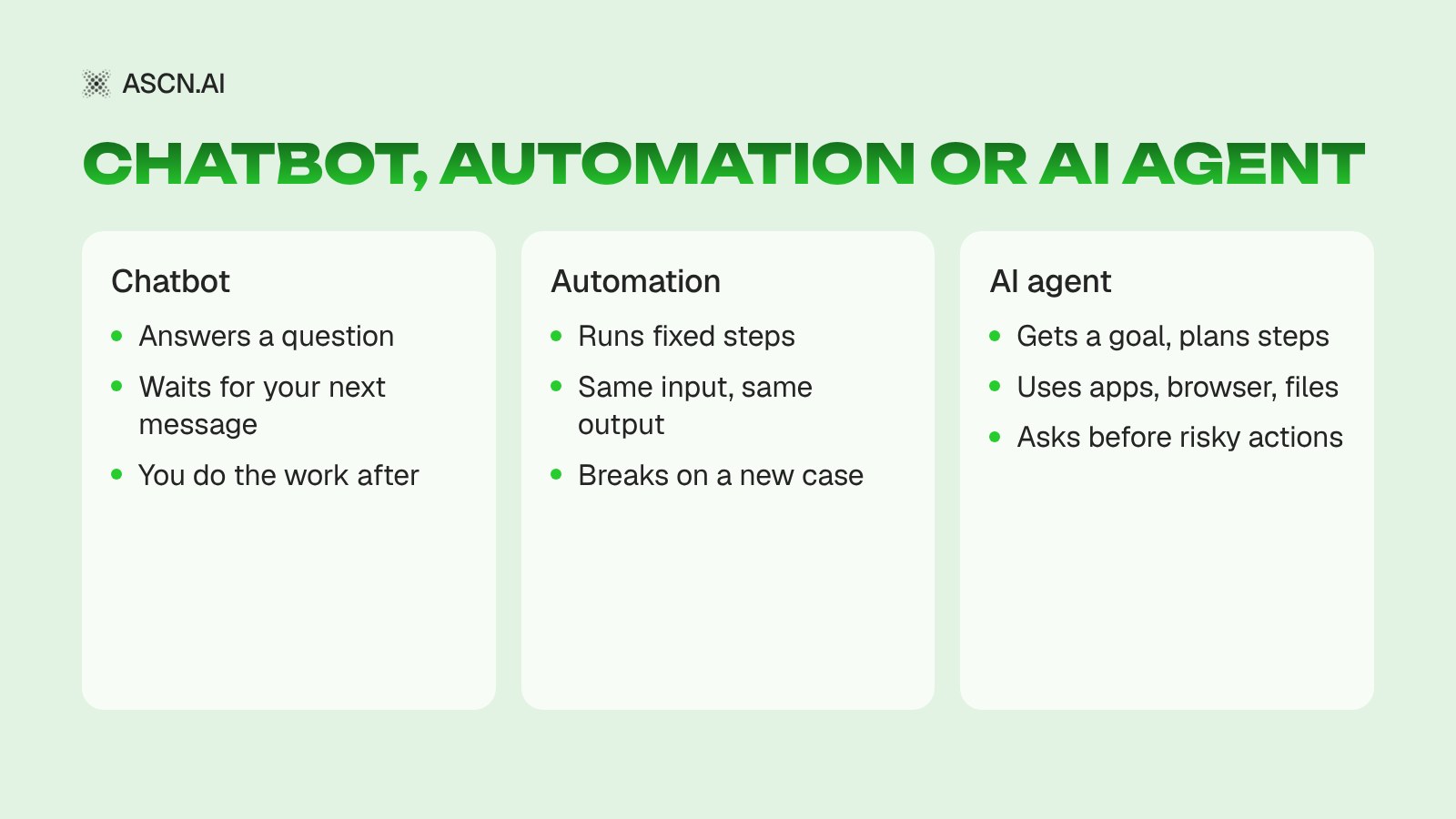
"Agentic AI" is the umbrella term for systems built this way; "generative AI" is the model that writes text or images inside them. Two practical consequences follow. Agents take longer and cost more per task than a chat reply, because each step calls a model and a tool. And the place where the agent runs matters: an agent in its own cloud computer (ASCN.ai, ChatGPT dots, Manus, Perplexity Computer) keeps working when your laptop is closed, while an agent that drives your desktop needs that computer on. If all you need is answers in a website chat, a chatbot is enough; see our AI chatbot rating.
How we compared AI agents
The current top results are written by vendors that rank themselves first, and most of them list builders and frameworks (n8n, CrewAI, LangChain) next to ready agents. We kept to agents you can give a job today without writing code, and checked them the same way.
- One date. Pricing and product pages of the general-purpose agents were opened on November 25, 2026, and every screenshot here was taken that day. Prices of the function agents come from our category ratings, checked on November 19 and 23, 2026.
- Six criteria. Where the agent runs (cloud computer, your browser, your desktop, a helpdesk); whether it works on a schedule or in the background; approval before risky actions; channels and integrations; entry price and billing unit (seat, credit, outcome); free plan or trial.
- Official sources only. If a vendor page doesn't mention a criterion, the table says "Not stated" instead of guessing.
We did not benchmark output quality across 25 agents: vendors run different models, and a single test task favors whoever is tuned for it. Instead, the test brief below lets you run the same job on two or three shortlisted agents and score them on criteria that matter for a business.
AI agents comparison table
Entry prices run from $0 to $500 a month, but the unit matters more than the number: ChatGPT, Claude and Gemini charge a flat subscription with usage limits, Manus, Genspark and Lindy sell credits, Fin and HubSpot charge per resolved conversation, and AiSDR per prospect.
| AI agent | Job | Runs in | Price from | Best for |
|---|---|---|---|---|
| ASCN.ai | Any business task | Own cloud computer | Free, $29/mo | Teams running many jobs |
| ChatGPT Work, dots | General | Browser, desktop, cloud | Free, $20/mo | ChatGPT users |
| Claude Cowork | General | Your files, apps | $20/mo | Documents and files |
| Manus | General | Cloud | Free, $100/mo | Sites, slides, research |
| Genspark | General | Cloud workspace | Free, $24.99/mo | Slides, sheets, docs |
| Google Gemini | General | Chrome, Google apps | Free, $4.99/mo | Google users |
| Microsoft 365 Copilot | General | Microsoft 365 | $21/user/mo | Microsoft 365 teams |
| Perplexity | Research | Comet browser, cloud | Free, $20/mo | Cited research |
| Lindy | Inbox, meetings | Slack, iMessage | $49.99/user/mo | Executive assistant work |
| Fin | Support | Any helpdesk | $0.99/outcome | Pay per resolution |
| Zendesk AI agents | Support | Zendesk | $55/agent/mo | Zendesk users |
| HubSpot Customer Agent | Support | HubSpot | $0.50/resolution | HubSpot users |
| AiSDR | Sales | Email, LinkedIn | $1.50/prospect | Pay per contact |
| Reply.io Jason AI | Sales | Multichannel | $500/mo | Managed AI SDR |
| Artisan | Sales | Email, LinkedIn | On request | Outbound teams |
| Claude Code | Coding | Terminal, IDE | $20/mo | Developers |
| OpenAI Codex | Coding | Web, CLI, IDE | Free, $20/mo | ChatGPT users who code |
| GitHub Copilot | Coding | GitHub, IDEs | Free, $10/mo | Teams on GitHub |
| Devin | Coding | Cloud, Slack | Free, $20/mo | Delegated tickets |
| Julius AI | Data | Cloud workspace | $20/mo | Spreadsheet analysis |
| Search Atlas OTTO | SEO | Your site | $99/mo | On-page SEO fixes |
| Sintra | Marketing | Web app | $97/mo | Solo marketing help |
| Smith.ai | Phone calls | Phone | Free, $150/mo | Calls with human backup |
| Reception by ElevenLabs | Phone calls | Phone, web chat | $29/mo | Booking by phone |
| Base44 Superagents | Personal ops | Cloud, WhatsApp | Free, $16/mo | Personal errands |
Official pricing pages, November 25, 2026 (function agents: November 19 and 23, 2026). Monthly billing unless marked. Perplexity Pro price from its App Store listing.
The second table covers the ten agents we review in detail and the criteria that decide whether an agent can work without you.
| AI agent | Schedule or background | Approval before actions | Free plan | Verdict |
|---|---|---|---|---|
| ASCN.ai | Yes, 24/7 from Start | Yes, for risky actions | Yes | Best all-round for business |
| ChatGPT | Scheduled tasks; dots on Pro | Asks before using an app | Yes, limited Work | Best if you live in ChatGPT |
| Claude Cowork | Scheduled tasks | Per app; deletes need approval | No Cowork on Free | Best for files |
| Manus | 2 automations free, 20 on Pro | Not stated | 300 credits/day | Best for deliverables |
| Genspark | Not stated | Not stated | 100 credits/day | Best office suite |
| Gemini | Not stated | Not stated | Yes, Deep Research | Cheapest browser agent |
| Microsoft 365 Copilot | Not stated | Not stated | No | Best inside Microsoft 365 |
| Perplexity | Computer runs tasks | Not stated | Search only | Best for research |
| Lindy | Scheduled routines | Approvals built in | $50 credits, 7 days | Best in Slack and inbox |
| Fin | Answers 24/7 | Hands off to humans | 14-day trial | Best pay-per-result support |
"Not stated" means the vendor's page doesn't say. Checked November 25, 2026.
Which AI agent for which job
The matrix starts from the job: a first pick, an alternative and the detailed rating where we compared every option for that job on price and features.
| Job | First pick | Also consider | Detailed rating |
|---|---|---|---|
| Many business tasks on a schedule | ASCN.ai | Lindy, ChatGPT dots | AI employees |
| Customer support | Fin | ASCN.ai, Zendesk, HubSpot | Support agents |
| Outbound sales, AI SDR | ASCN.ai | AiSDR, Jason AI, Artisan | Sales tools |
| Phone calls and booking | Smith.ai | Reception by ElevenLabs | AI receptionists |
| SEO and content | Search Atlas OTTO | ASCN.ai, Sintra | SEO tools |
| Coding | Claude Code | Codex, Copilot, Devin | Coding agents |
| Research with sources | Perplexity | Gemini Deep Research, Manus | AI aggregators |
| Data and reports | Julius AI | ASCN.ai, Copilot Analyst | AI apps |
| Build your own agent | ASCN.ai | Lindy, Base44 | Agent builders |
If you are choosing between the two big assistants, our Claude vs ChatGPT comparison goes through models, limits and plans.
The 10 best AI agents in 2026
The first eight are general-purpose agents that take any task; the last two show what a specialist does better than a generalist. ASCN.ai comes first because it is the only one in this group built around ready business agents that run on a schedule in the cloud.
1. ASCN.ai: a personal AI assistant with its own cloud computer
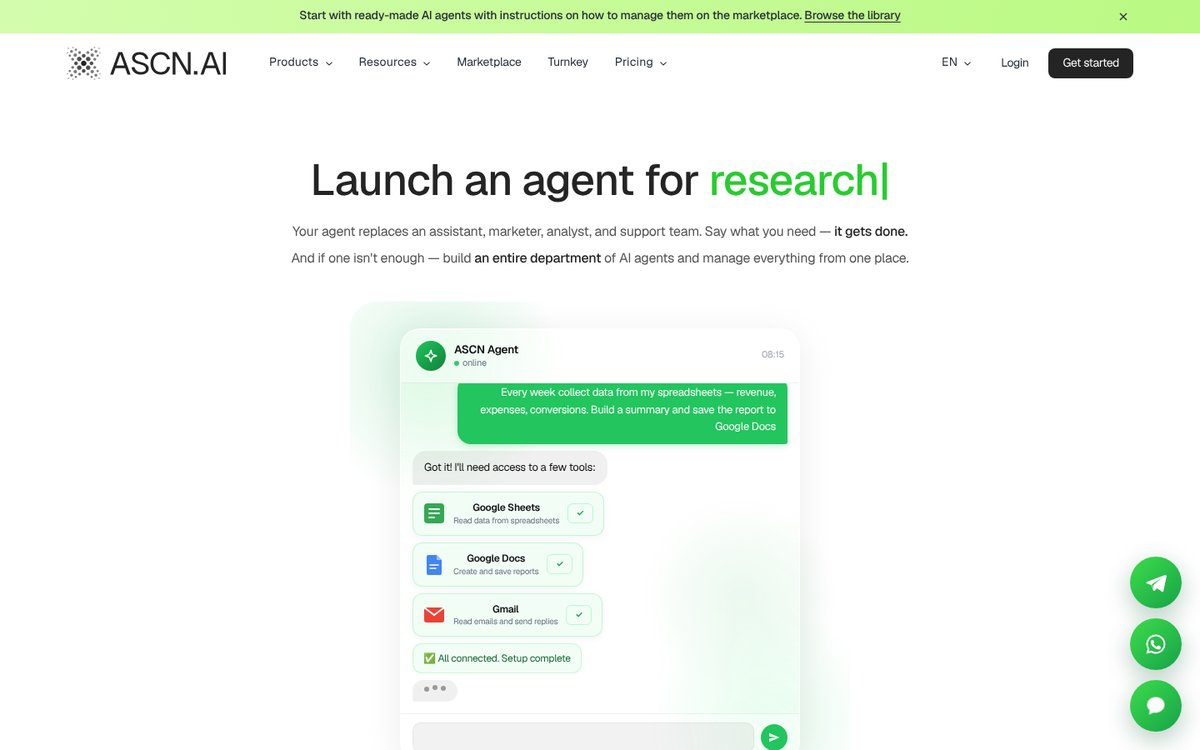
ASCN.AI gives you a personal AI assistant with its own cloud computer. It does the work on its own: finds information, works with documents, and helps with sales, marketing and other tasks. Nothing to install, no code, no servers. The platform already has more than 100 ready AI agents: pick one or create your own, explain the job, and it starts working. It brings together the best AI models, 3,000+ integrations, free step-by-step training and the option to launch your own AI service under your brand.
Best for: founders and small teams that want one place for many recurring jobs: leads, customer messages, reports, content.
The ready agents cover typical business work. Personal Assistant triages your inbox, drafts replies in your voice, logs tasks and sends a morning brief to Telegram. The B2B Lead Generation agent finds companies that match your ICP, writes personal emails, sends them from Gmail after your approval and keeps every lead in Google Sheets. Messenger Concierge answers customers in Telegram, takes orders and bookings and notifies you. The KPI Reports agent pulls numbers from Google Sheets, Search Console and GitHub and posts a report and a dashboard to Slack or Telegram on schedule.
Agents run on a schedule or on events (a new lead, Friday morning, no reply for three days), remember context between sessions and ask for confirmation before risky actions. You talk to them in the ASCN chat, Telegram, Slack or WhatsApp, and switch the model in one click: Claude, GPT, Gemini, DeepSeek, Qwen, Kimi or Xiaomi MiMo.
Pricing:
- Free: $0, 500 credits a week, 1 active agent.
- Start: $29/mo, 10,000 credits, 5 agents; round-the-clock work starts on this plan.
- Personal $99/mo, Business $299/mo. Visa, Mastercard or USDT.
Good to know: credit use depends on the model and the length of each task, so there is no fixed price per task.
Verdict: the strongest choice for a business that wants agents doing real work every day, with ready templates instead of a blank page.
2. ChatGPT: Work, browser and dots
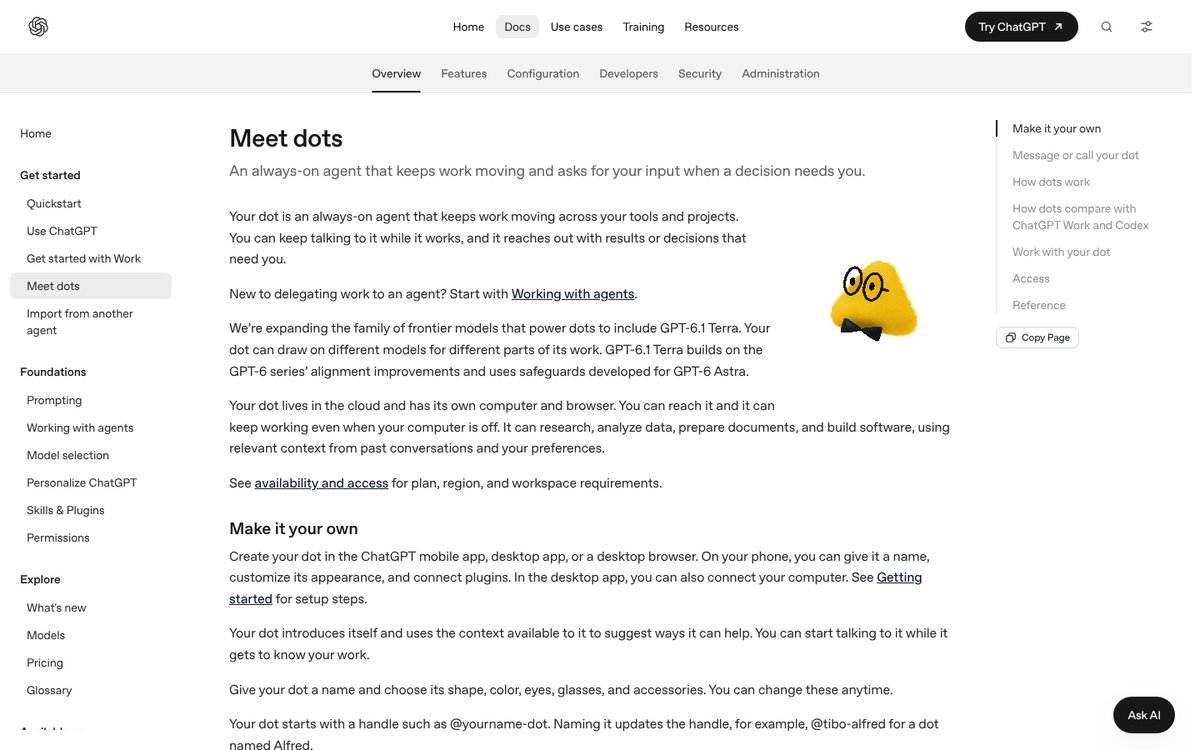
OpenAI's agent features now sit in two places. ChatGPT Work opens websites in a built-in browser, takes actions on them and, in the desktop app for macOS and Windows, can operate other apps through Computer Use; it asks permission before it uses an app. Dots is an always-on agent that "lives in the cloud and has its own computer and browser" and keeps working when your computer is off.
Best for: people who already work in ChatGPT and want it to act on websites and files after the answer.
Pricing: Free $0 with limited ChatGPT Work on desktop; Go $8; Plus $20 with scheduled tasks and Work on desktop, web and mobile; Pro from $100 ($100, $200 or $500 tiers) with dots; Business $25 per user monthly or $20 billed annually. Dots are available on Pro and rolling out to select Plus users, outside the EEA, UK and Switzerland.
Limitations: the always-on agent is a Pro feature, and agent tasks count toward usage limits, so heavy daily work pushes you to the $100+ tiers.
Verdict: the most familiar agent; dots is the closest OpenAI gets to an assistant that works while you sleep.
3. Claude Cowork
Claude Cowork "completes tasks you can steer from anywhere". It works directly in the folders and tools you choose, uses connectors first and your screen only as a last resort, asks permission for each application and needs your approval to delete anything. When a task needs a website, it opens a separate browser in a side panel. Tasks can be scheduled at any cadence and keep running when the laptop is closed.
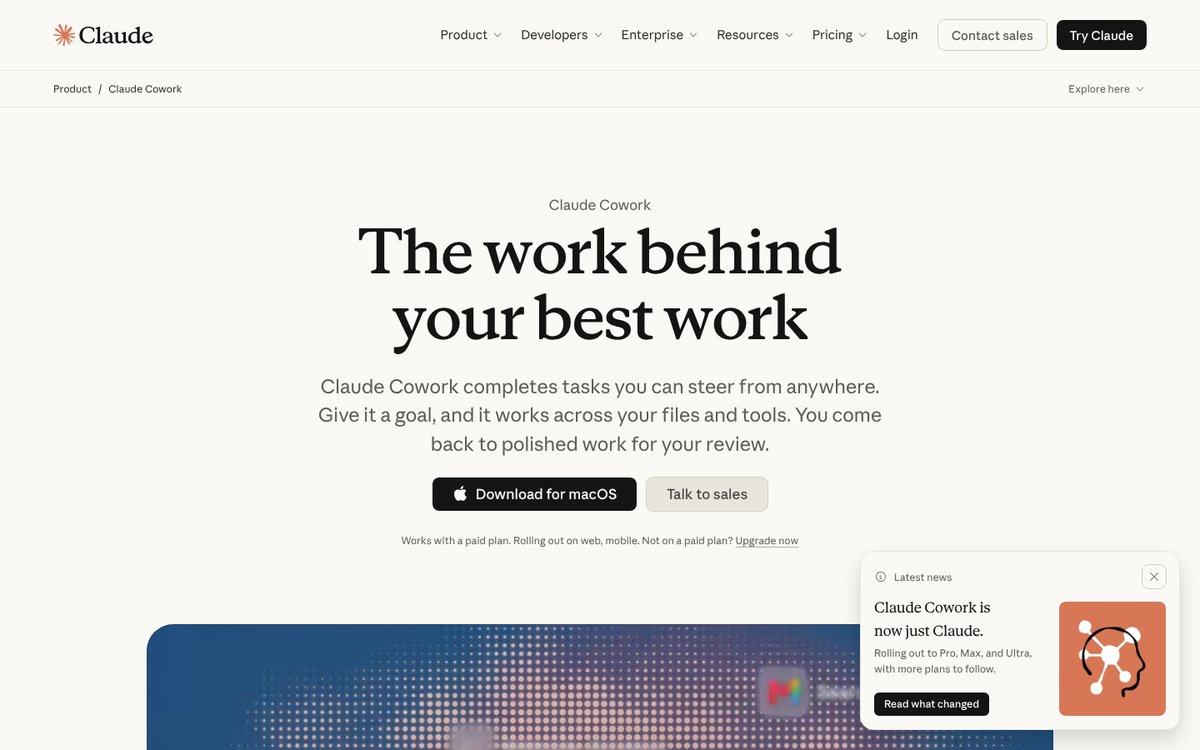
Best for: work with documents, spreadsheets and decks on your own computer, where you want to see every file the agent touches.
Pricing: Cowork works with a paid plan. Pro $20/mo or $17 billed annually (includes Claude Code and Claude in Chrome); Max $100; Ultra $200; Team $25 per seat monthly or $20 annually.
Limitations: access to local folders and apps needs the desktop app; the page lists a macOS download.
Verdict: the most careful file agent here, with permissions you can follow step by step.
4. Manus
Manus turns one prompt into a finished deliverable: a website, slides, cited research across hundreds of sources (Wide Research), images or video. It runs several tasks in parallel and supports automations that repeat a task.
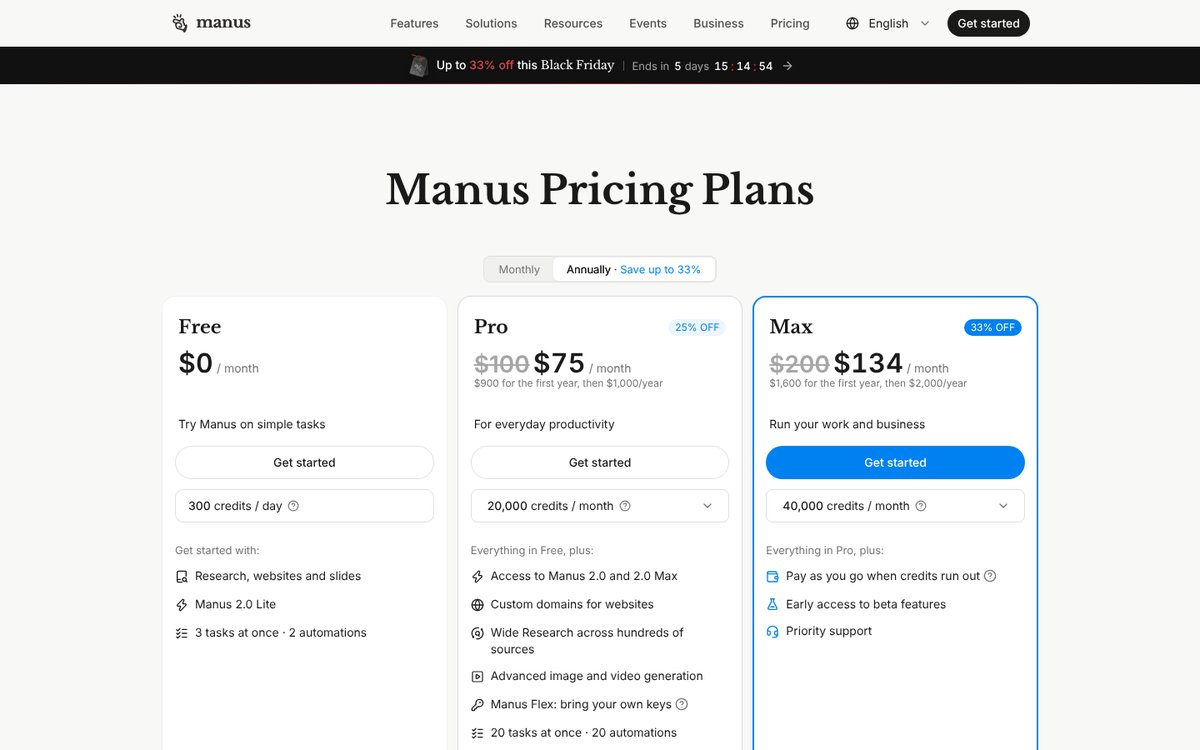
Best for: one-off outputs where you want a finished artifact you can send.
Pricing:
- Free: $0, 300 credits a day, 3 tasks at once, 2 automations.
- Pro: $100/mo, 20,000 credits, 20 tasks at once, 20 automations, bring your own API keys.
- Max: $200/mo, 40,000 credits, pay as you go when credits run out.
A Black Friday offer on November 25 cut the first month and the first year of annual billing (Pro $75/mo billed annually).
Limitations: credits per task vary with the job, so budget from your own first week of use. Some 2026 roundups still quote Manus at $20 a month; the official page shows $100 for Pro.
Verdict: the strongest "make me a finished thing" agent; less suited to ongoing operations.
5. Genspark
Genspark is an AI workspace built around a Super Agent plus task agents: AI Slides, AI Sheets, AI Docs, GenMail, Genspark Code, AI Meeting Notes and a Custom Agent.
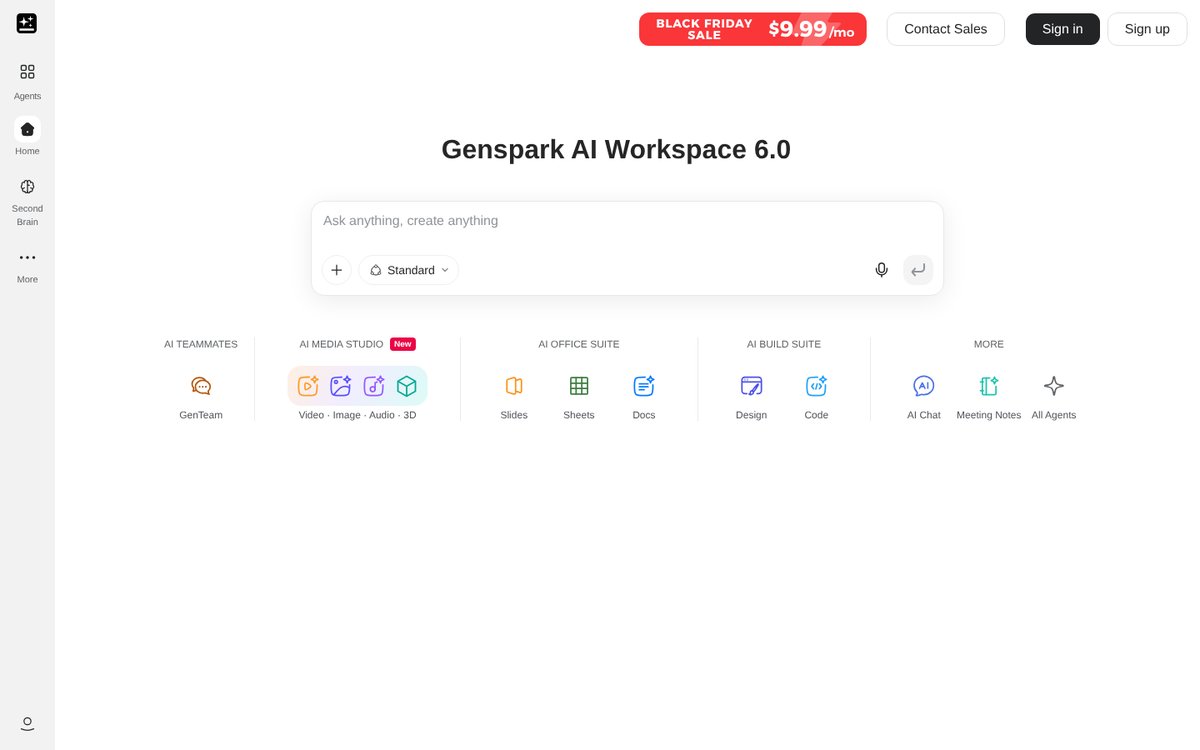
Best for: office deliverables: a deck, a spreadsheet model, a document or a meeting summary from a single request.
Pricing: Free with 100 credits a day up to a lifetime allowance (no downloads or exports); Plus $24.99/mo or $19.99 billed annually, from 10,000 credits; Pro $249.99/mo or $199.99 annually, from 125,000 credits; Team $40 per seat. Plus and Pro get a weekly free quota for Super Agent text and image tasks in Standard mode.
Limitations: on Free every agent turn uses credits and files can't be exported, so it works as a trial.
Verdict: the best agent for slides and spreadsheets among the generalists.
6. Google Gemini: Chrome auto browse and Agent Mode
Google puts its agent into Chrome. Chrome auto browse "helps complete tasks for you" on websites, and Agent Mode is in early access on Ultra. Deep Research is available even on the free plan.
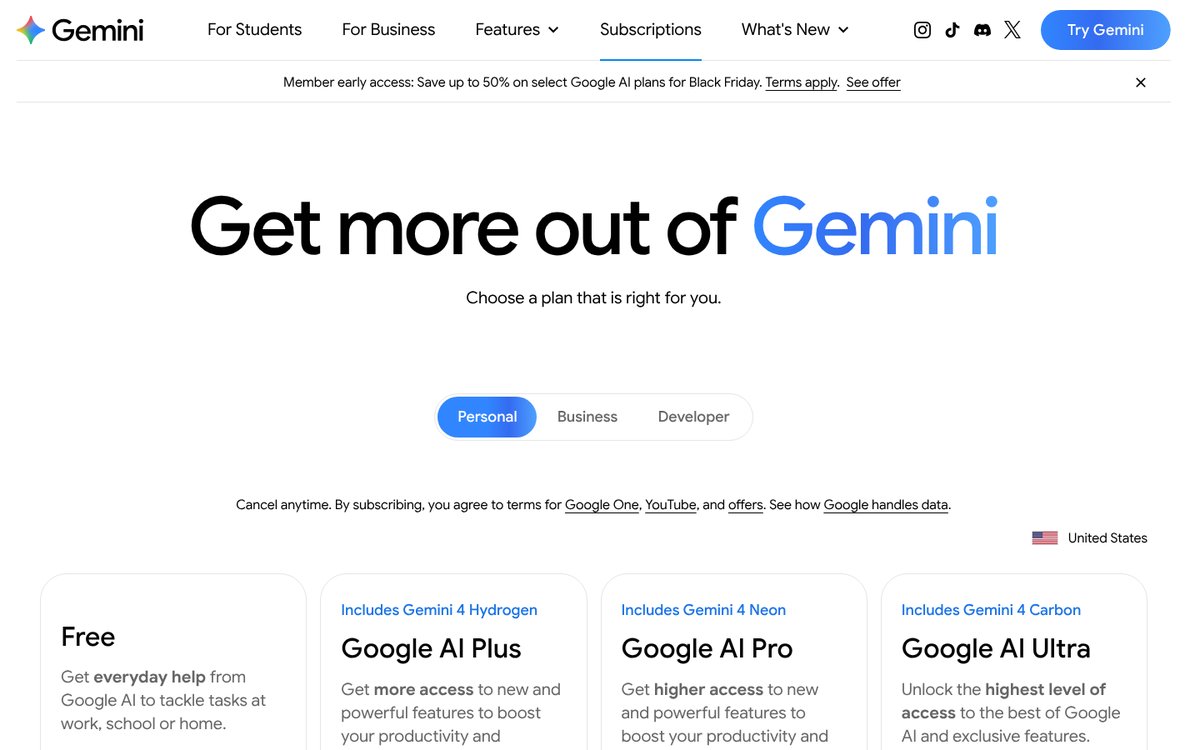
Best for: people who work in Chrome, Gmail and Google Docs and want web tasks done in the browser they already use.
Pricing: Free $0 with Deep Research; Google AI Plus $4.99/mo with Chrome auto browse; AI Pro $19.99 with more access; AI Ultra $99.99 or $199.99 with Agent Mode. Gemini for Google Workspace starts at $14 per seat.
Limitations: Chrome auto browse is available in the US and India only.
Verdict: the cheapest entry to a browser agent; Agent Mode is still an Ultra-tier preview.
7. Microsoft 365 Copilot
Copilot brings pre-built agents into Microsoft 365: Researcher, Analyst and Facilitator, plus Sales, Service and Finance agents, access to Cowork, and Agent Builder and Copilot Studio for your own agents. Chat is grounded in your work data in Outlook, Teams, Word and Excel.
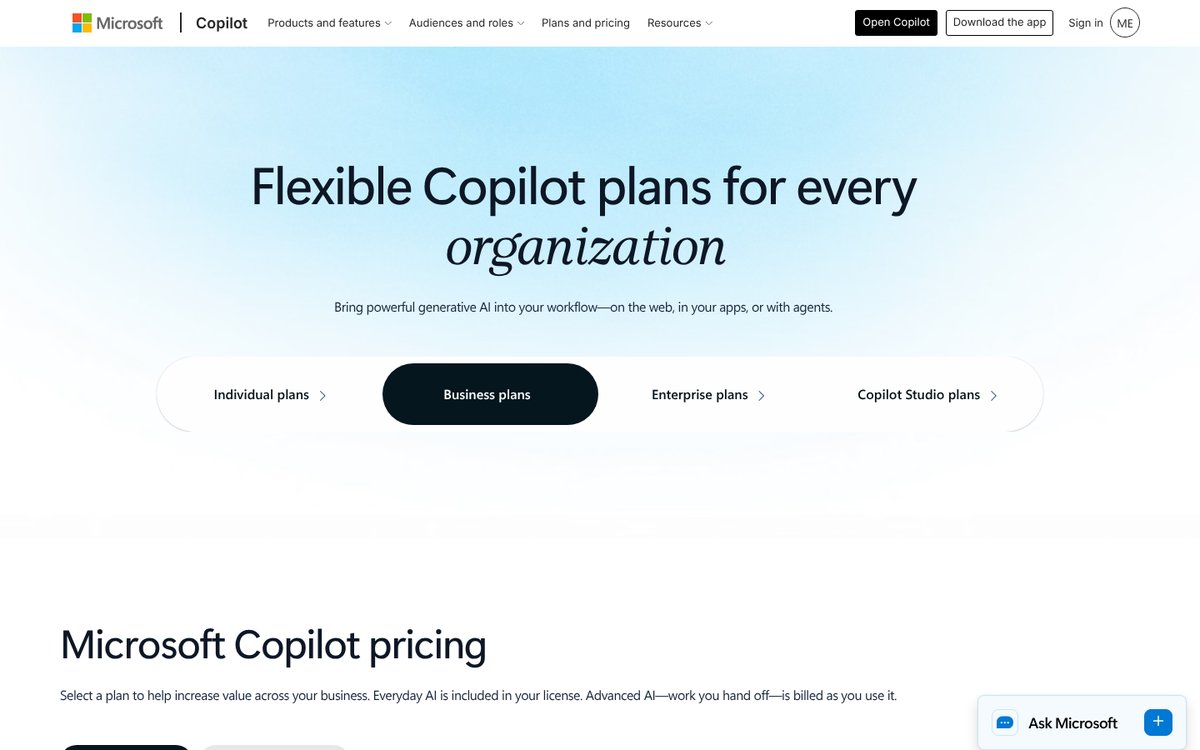
Best for: companies whose documents, mail and meetings already live in Microsoft 365.
Pricing: Microsoft 365 Copilot Business add-on $21 per user a month paid yearly (shown from $18 on November 25); Business Standard with Copilot $23.50; Business Premium with Copilot $32. Usage-based billing applies to some advanced AI features.
Limitations: annual commitment per user, and the value depends on how much of your work is inside Microsoft 365.
Verdict: the natural pick for Microsoft shops; little reason to choose it outside that stack.
8. Perplexity: Comet and Computer
Perplexity has two agents. Comet Assistant works inside the Comet browser and completes tasks on websites. Perplexity Computer is "an independent digital worker that completes tasks and workflows for you" in the cloud, on paid plans. Perplexity's site is behind a bot check, so this entry has no screenshot.
Best for: research where every claim needs a source, and web tasks that start from a search.
Pricing: Free (no browser agent queries); Pro $20/mo per its App Store listing, with monthly Comet Assistant limits and no monthly Computer credits; Max $200/mo or $2,000/yr with the highest limits and 10,000 Computer credits a month; Enterprise Pro from $40 per seat.
Limitations: heavy Computer use needs Max or purchased credits.
Verdict: the best research agent; for daily operations, look at the cloud agents above.
9. Lindy
Lindy is an assistant agent that lives in Slack and iMessage: it manages inboxes, drafts replies in your voice, prepares and follows up meetings, and runs scheduled routines with approvals built in. It connects to 3,000+ integrations and MCP.
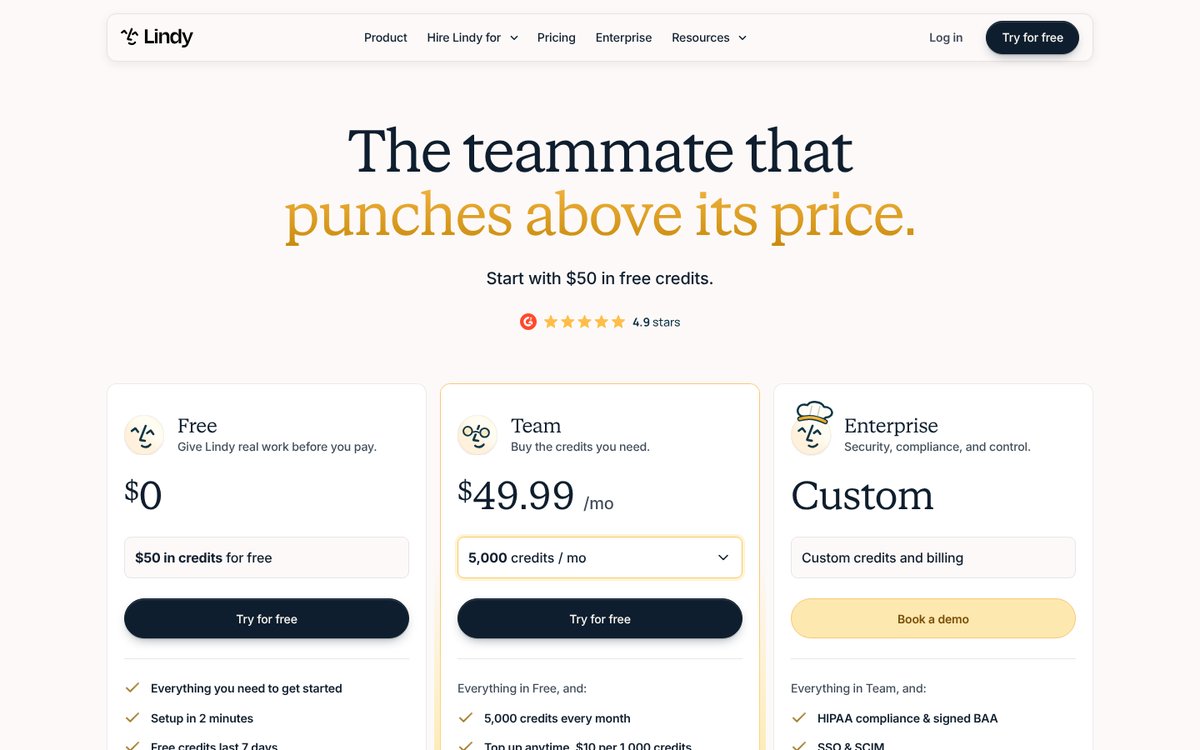
Best for: executive-assistant work for people who live in Slack and email.
Pricing: Free with $50 in credits for 7 days; Team $49.99/mo per active user with 5,000 credits; top-ups $10 per 1,000 credits; Enterprise custom with HIPAA and BAA.
Limitations: every active user is billed, and research-heavy tasks use more credits.
Verdict: a polished personal assistant; more expensive per person than a shared team agent.
10. Fin
Fin is a customer support agent for chat, email, voice, social channels and Slack. It works with the Intercom helpdesk or with Zendesk, Salesforce, Freshdesk and others. Salesforce completed its acquisition of Fin in September 2026.
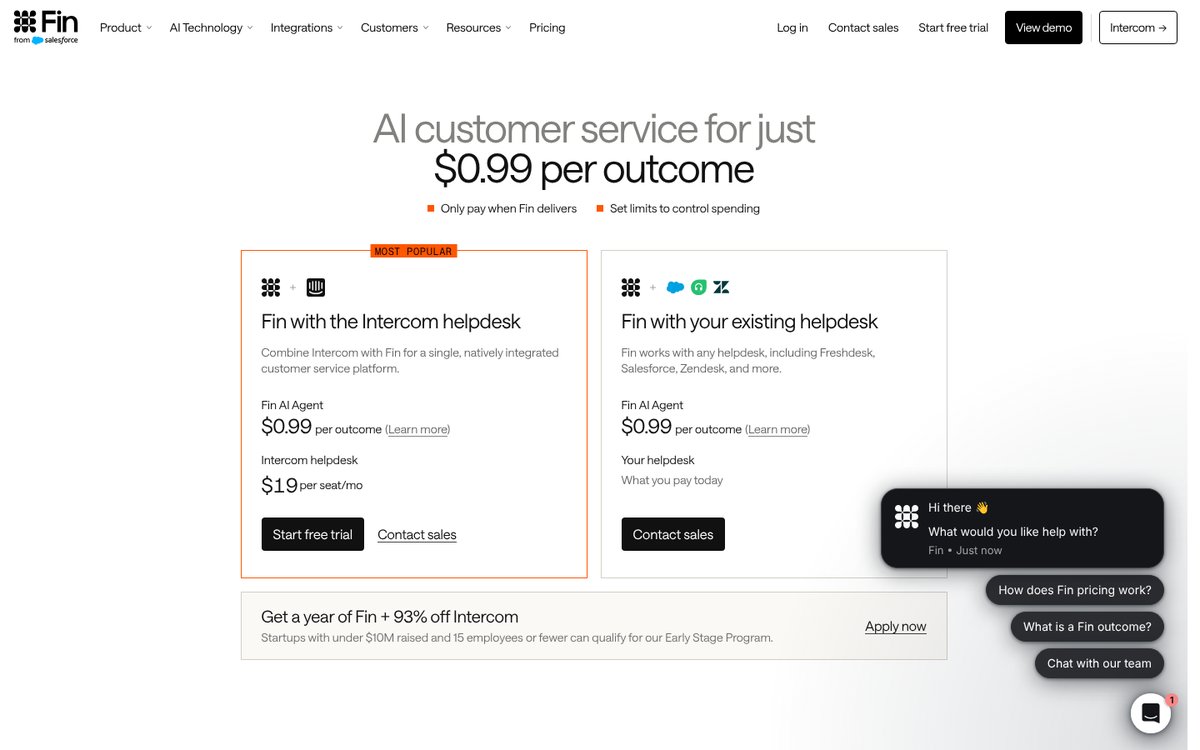
Best for: support teams that want to pay only for conversations the agent resolves.
Pricing: $0.99 per outcome, $1.99 per voice outcome, at most one outcome per conversation; nothing is charged if Fin can't answer or the customer asks for a human. Intercom helpdesk seats $19/mo. 14-day trial, no card.
Limitations: it is a support agent only; sales or back-office work needs another tool.
Verdict: the clearest pricing model in support. The full comparison of 13 support agents is in our AI customer support rating.
Best AI agents for business by job
General agents can try any task, but a specialist knows the workflow of one function: the helpdesk, the sales sequence, the repository. Each group below has 1–2 lines per agent and a link to the detailed rating where we compared every option on price and features.
Customer support
- Zendesk AI agents: from Suite Team, $55 per agent a month billed annually, extra automated resolutions $1.50. Best for teams already on Zendesk. Verdict: strong inside Zendesk, costly as a standalone.
- HubSpot Customer Agent: $0.50 per resolution in HubSpot Credits, requires Service Hub Professional ($90 per seat annually). Best for HubSpot CRM users. Verdict: cheapest per resolution if you already pay for HubSpot.
Fin is reviewed above. Detailed rating: best AI agents for customer support.
Sales and AI SDRs
- AiSDR: $1.50 per person prospected, pay as you go; answers replies in 5–10 minutes or in co-pilot mode. Best for predictable per-contact cost. Verdict: the clearest pricing among AI SDRs.
- Reply.io Jason AI: from $500 a month; email, LinkedIn, calls, SMS and WhatsApp. Best for multichannel outbound. Verdict: a managed SDR for teams with volume.
- Artisan: Ava, an AI BDR that researches buyers, writes and books meetings; price on request. Best for outbound plus inbound teams. Verdict: enterprise-style buying process.
Detailed rating: best AI sales tools and AI SDRs.
Coding
- Claude Code: included in Claude Pro at $20 a month, not on Free. Best for developers who work in the terminal. Verdict: our first pick for coding.
- OpenAI Codex: on every ChatGPT plan; Plus ($20) adds Codex on the web, in the CLI, in the IDE extension and on iOS. Best for ChatGPT subscribers. Verdict: the easiest start if you already pay for ChatGPT.
- GitHub Copilot: Free; Pro $10 a month adds Copilot in the cloud, code review and third-party agents (Claude Code and Codex). Best for teams on GitHub. Verdict: the cheapest paid coding agent.
- Devin: Free; Pro $20 a month with cloud agents; Teams $80 a month for up to 100 users; works from Slack, Linear and Jira. Best for handing over whole tickets. Verdict: the most "delegate and forget" option for code.
Detailed rating: best AI coding agents.
Research and data
- Julius AI: from $20 a month for 2,000 credits; analyzes spreadsheets and files, builds charts, reports and presentations, and uses browser agents for research; Business connects Postgres, BigQuery and Snowflake. Best for analysis without writing code. Verdict: the most focused data agent here.
For research with sources, Perplexity (above) and the free Gemini Deep Research are the first picks. If you want several models for research in one subscription, see our AI aggregator rating.
Marketing and SEO
- Search Atlas OTTO: Starter $99 a month with OTTO SEO and Atlas Agent, 7-day trial; applies on-page fixes on your site. Best for SEO work at scale. Verdict: the most hands-on SEO agent.
- Sintra: 12 AI employees for marketing tasks; monthly plan $97, shown at a 50% discount on November 25, 14-day money-back. Best for solo founders who need marketing help. Verdict: broad but light.
ASCN.ai covers content with ready agents such as SMM Content Factory, which finds trends, writes posts per network, adds images and publishes after your approval. Detailed rating: best AI SEO tools.
Phone calls and receptionist
- Smith.ai AI Receptionist: Free for 25 calls; Pro $150 for 75 calls; can transfer to a live receptionist. Best for businesses that need human backup. Verdict: the safest choice for phone work.
- Reception by ElevenLabs: Basic $29 a month for 75 minutes, 14-day trial; books against staff availability and adds web chat. Best for appointment businesses. Verdict: the lowest entry price for a voice agent.
Detailed rating: best AI receptionists.
Personal operations
- Base44 Superagents: connects to your tools, browses the web, remembers context and runs scheduled jobs and triggers; you can start it on WhatsApp. Free with 25 message credits a month, paid from $16 a month billed annually. Best for personal errands. Verdict: a quick start for one person.
For a team that wants several role-based agents (sales, support, SMM) under one account, compare platforms in our AI employees rating; if you prefer to assemble your own, see the AI agent builders rating.
A ready brief to test any AI agent
The fastest way to choose between two or three agents is to give them the same recurring job and compare what comes back. This brief asks for a weekly competitor watch: it needs scheduling, several sources, a strict format and read-only limits, which is where agents differ. Every source in it is free, needs no key and answered our test request on November 25, 2026. Replace the words in capitals with your own.
Goal: every Monday at 8:00 in TIME_ZONE, find what changed at my competitors in the last 7 days and send me a short brief.
Competitors: COMPANY_1 and its website, COMPANY_2 and its website, COMPANY_3 and its website.
Sources, free, no keys:
1. Each competitor's website: pricing page, product or changelog page, blog. Save the text of the pricing page every week.
2. Wayback Machine: archive.org/wayback/available?url=SITE/pricing×tamp=DATE_7_DAYS_AGO (format YYYYMMDD). Compare plans, prices and limits with today's page.
3. Google News RSS: news.google.com/rss/search?q="COMPANY"&hl=en-US&gl=US&ceid=US:en, items from the last 7 days.
4. Hacker News: hn.algolia.com/api/v1/search_by_date?query=COMPANY&tags=story, stories from the last 7 days.
5. If the company is listed in the US: SEC EDGAR full-text search efts.sec.gov/LATEST/search-index?q="COMPANY"&forms=8-K, filings from the last 7 days.
Method: sort every change into pricing, product, people and funding, or press. A change counts only with a source URL and a date.
Level: High = price or plan change, new product in our segment, acquisition. Medium = new feature, partnership, senior hire. Low = blog post, minor update.
Format: a Telegram message under 250 words titled "Competitor watch, week of DATE". One line per change: level, company, what changed (old → new), source URL, date. Then "What I suggest": up to 3 actions, only for High items.
Also add every change to a Google Sheet: date, company, group, change, old value, new value, source URL, level.
Limits: if a source fails or has no snapshot, write "no data from SOURCE" and continue. Never guess prices, dates or numbers. Don't contact anyone, don't post anything, don't change anything in my accounts.
If nothing changed, send "No changes found" and the list of sources you checked.
If I reply "deeper COMPANY", run the same check for that company for the last 30 days.
Score each agent after two Mondays on five points: did it run on time without you; does every line have a URL and a date; did it write "no data" instead of guessing; did it stay read-only; how many credits or how much of the plan limit one run used. In ASCN.ai the same brief becomes a scheduled agent in one chat message, and the KPI Reports and Personal Assistant agents use the same pattern for your own numbers and inbox.
How to choose an AI agent
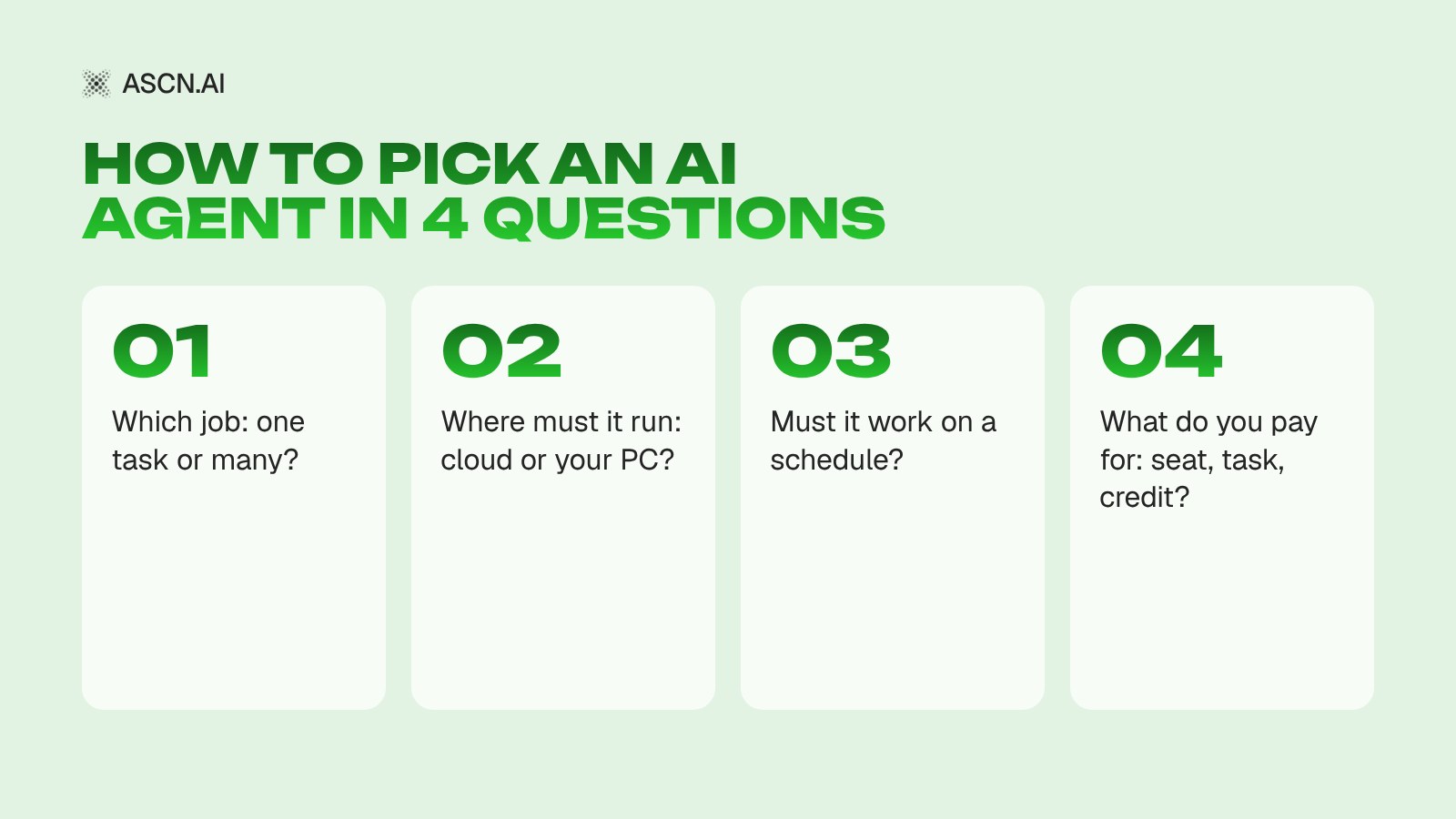
- One job or many? For one function with a clear metric (resolved tickets, booked meetings, merged pull requests), a specialist is usually cheaper per result. For many small recurring jobs, one platform with ready agents saves you five subscriptions.
- Where must it run? If the agent should work at night or while you travel, it needs its own cloud computer (ASCN.ai, ChatGPT dots, Manus, Perplexity Computer). If it must touch files on your laptop, Claude Cowork or ChatGPT Work fit better.
- Does it work on a schedule? Check the plan, not the homepage: ASCN.ai runs 24/7 from Start, Manus gives 2 automations on Free and 20 on Pro, Claude schedules tasks on paid plans only.
- What do you pay for? Seats grow with headcount, credits grow with task length, outcomes grow with success. Run the test brief for two weeks and look at real usage before you commit to annual billing.
The one rule we would not break: give an agent permission to send, pay or delete only after it has run a week with your approval on every action.
FAQ
What is the best AI agent?
For business use, ASCN.ai is the best AI agent in 2026 if you want many tasks handled on a schedule with ready agents, from $0 or $29 a month. ChatGPT and Claude are the best personal agents at $20 a month, Manus is best for finished deliverables, and Fin is best for support.
Is ChatGPT the best AI agent right now?
ChatGPT is the most widely used, and with ChatGPT Work and dots it can browse, use desktop apps and work in the cloud. It is not the best fit for everything: the always-on agent needs Pro from $100 a month, and business workflows with ready templates, messengers and schedules are easier on a platform built for them.
How do AI agents work?
An AI agent receives a goal, breaks it into steps, calls tools for each step (a browser, a file, an email account, an API), checks the result and adjusts. Good agents pause for your approval before risky actions and report back when the job is done or when they need a decision.
Are there free AI agents?
Yes, with limits. ASCN.ai has a free plan with 500 credits a week and one active agent; Manus gives 300 credits a day; Genspark 100 credits a day; Gemini Deep Research is free; GitHub Copilot and Devin have free tiers for code. Free plans are for trying an agent; scheduled 24/7 work usually starts on a paid plan.
What are the best AI agents for small business?
Start with the job that costs you the most hours: customer messages, lead follow-up or weekly reports. ASCN.ai covers these with ready agents from $29 a month, Fin or HubSpot cover support if you already use a helpdesk, and Smith.ai covers phone calls. Our small business playbook shows five agents to launch in a week.
What is the difference between an AI agent and a chatbot?
A chatbot answers a message and waits for the next one. An AI agent takes a goal, plans the steps and completes them with tools such as a browser, email or a CRM, often on a schedule. Agentic AI describes this way of working; generative AI is the model inside that writes the text.
Are AI agents safe for business use?
They are as safe as the permissions you give them. Use agents that ask before sending, paying or deleting, give them separate accounts or keys without withdrawal rights, keep a log of every action, and check the vendor's data policy: several vendors in this list let you opt out of model training or say they don't train on business data.
Which AI agent is best for coding?
Claude Code, included in Claude Pro at $20 a month, is our first pick for developers. GitHub Copilot Pro at $10 a month is the cheapest and can run Claude Code and Codex agents inside GitHub, and Devin suits teams that hand over whole tickets from Slack or Jira.
Conclusion
Pick the agent by the job and by where it has to run. For one-off deliverables, Manus and Genspark are the strongest; for work inside your own apps, ChatGPT and Claude; for a single function, the specialists in each group above. If you want an assistant that runs many business jobs every day in its own cloud computer, with 100+ ready agents, Telegram, Slack and WhatsApp, create a free ASCN.ai account and start from a ready agent. More about the platform: ASCN Agent.
Best AI Agents for Customer Support in 2026: 13 Tools Compared by Real Cost
Best AI Agent Builders in 2026: 8 Platforms Compared by Build Method and Price
Best AI Employees in 2026: 8 Platforms Ranked by Price, Channels and Roles