



- Русский
- English
- Português
Personal Assistant: AI triages your email and briefs you by morning
An AI agent triages your inbox, drafts replies in your voice, logs tasks and deadlines to your tracker, and sends a morning brief to Telegram. You run it in plain chat.
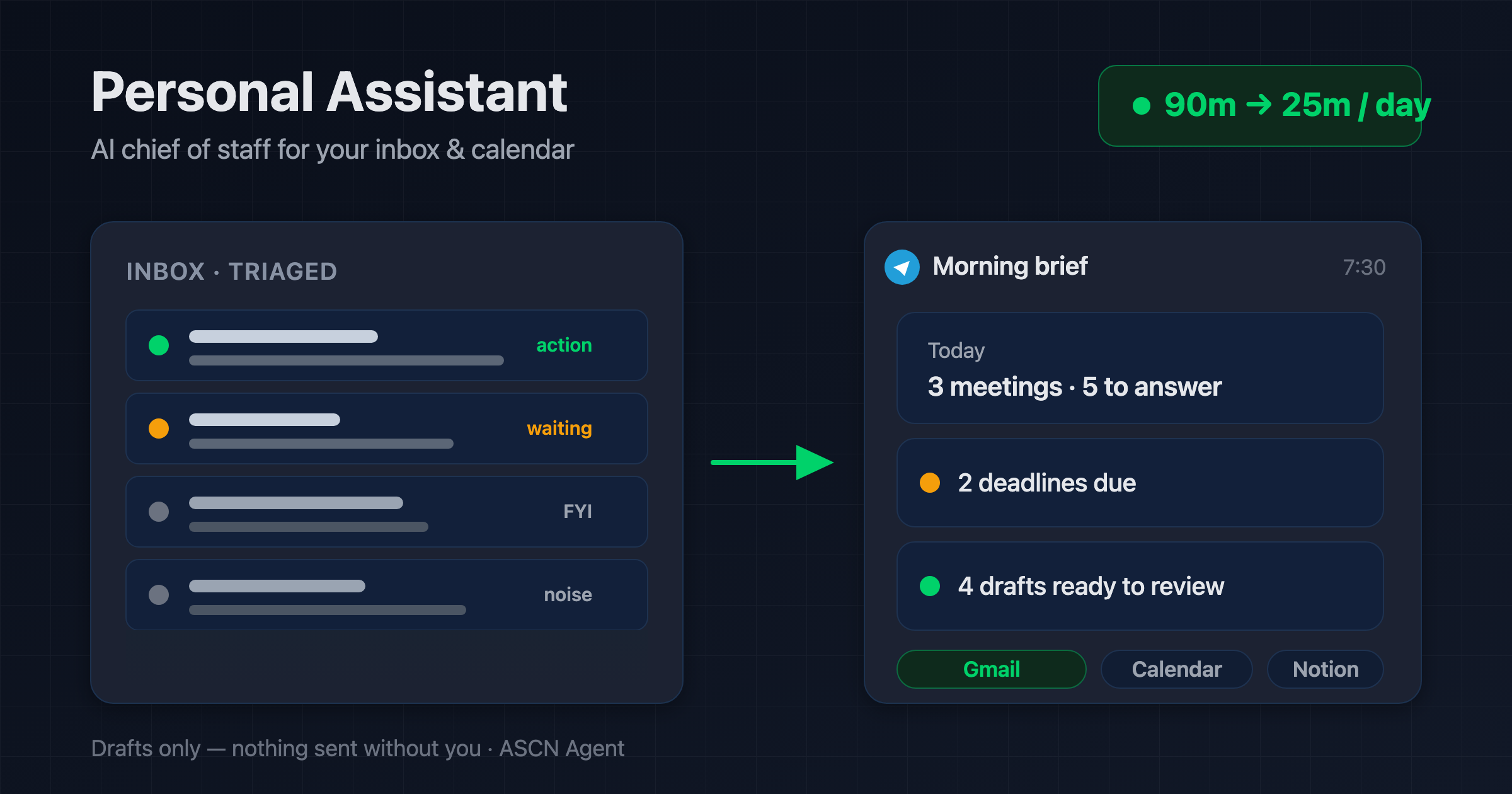

Overview
Email eats around 90 minutes of your day. The messages that matter get buried under newsletters, replies slip to "later", tasks from threads and calls disappear, and deadlines surface at the last minute. A human assistant takes that off your plate — but costs $800–2,000 a month, works eight hours, and takes vacations.
Personal Assistant is a ready-made AI agent for the ASCN platform that handles your inbox, your tasks, and your meeting prep:
- 📥 Triages your inbox into Action needed / Waiting on reply / FYI / Noise
- ✍️ Drafts replies in your voice — you review and send them yourself, nothing goes out on its own
- ✅ Pulls tasks and deadlines from emails and calls into your tracker in Notion or Google Sheets
- 🗓️ Summarizes meetings: decisions, action items with owners, open questions
- 📲 Sends a morning brief to Telegram: today's meetings, emails needing action, deadlines, top tasks
You run it from a normal chat in ASCN or Telegram. There is nothing to build: the agent connects Gmail and Calendar on your request and works on a schedule while you focus on real work.
How the agent works
You don't need to code. Everything runs through a chat — and the agent only drafts email, it never sends without your say-so.
- Install from the marketplace. Open the agent's page, click "Use template", and it lands in your account in under 5 minutes.
- Connect services in chat. Type "Connect my Gmail and Calendar", the agent hands you an OAuth link, and you authorize in one click. No keys or tokens to paste.
- Set it up for you. Tell it who matters and the tone to reply in, then pick your task tracker — Notion or Google Sheets.
- Start the tasks. The agent schedules a 7:30 morning brief and an inbox check on your interval (every 15, 30, or 60 minutes).
- Run it from one chat. Adjust its behavior, read the summaries, and approve drafts right in ASCN chat or Telegram.
Is it safe to connect email to an AI? Access runs through official OAuth, your mail lives in your own tables rather than the agent's memory, and nothing is sent, deleted, or archived without your confirmation.
Why it beats hiring an assistant
- It works while you sleep. The agent triages email overnight and on weekends and has your brief ready by morning — no overtime, no sick days.
- One subscription instead of a salary. A virtual assistant runs $800–2,000 a month. The agent covers the first pass on your inbox for the price of the Start plan — $29/mo as of July 2026.
- Deadlines stop slipping. Every due date from an email or call lands in your tracker with a link back to the source, not in your head.
- Nothing goes out behind your back. Every reply and invite waits for your click — by design, an assistant that sends on its own is a liability.
What results users see
Across rollouts the agent's first pass on email saves roughly 45–60 minutes a day and handles up to 80% of routine replies to standard messages. No deadline from a thread goes missing again.
Results depend on your email volume, the quality of the rules in the agent's knowledge base, and how precisely you describe your key senders. The agent guarantees the execution; your setup determines the payoff.
Rollout snapshots
Startup founder — SaaS
- Connected: personal Gmail, Calendar, a Notion tracker, a Telegram channel
- Result: zero missed investor emails, a 7:30 brief, same-day replies
- Saved: around 5 hours a week on the inbox
Team lead — consulting
- Connected: work Gmail, Google Meet for call summaries, a Google Sheets tracker
- Result: up to 15 reply drafts a day to review, meeting tasks logged automatically
- Saved: about 10 hours a week on email and meeting notes
What you get
- A configured agent: role, behavior rules, and three skills (inbox triage, meeting summaries, morning brief) already written; install in under 5 minutes.
- A control guide: how to connect services, set the schedule, and adjust behavior through chat — no programming.
- A knowledge base for you: the agent remembers your priorities and reply tone and applies them to every draft.
- A personal manager: helps tune the agent to your work (on the Personal plan and up).
- A private community: help from other users and fast support answers.
While others pay an assistant to sort email, hand the routine to an agent that works 24/7. 🔥🔥🔥
Set it up once — and every morning your brief is waiting in Telegram while the emails that matter never slip past you.
