



- Русский
- English
- Português
Messenger Concierge: an AI front desk that answers customers 24/7
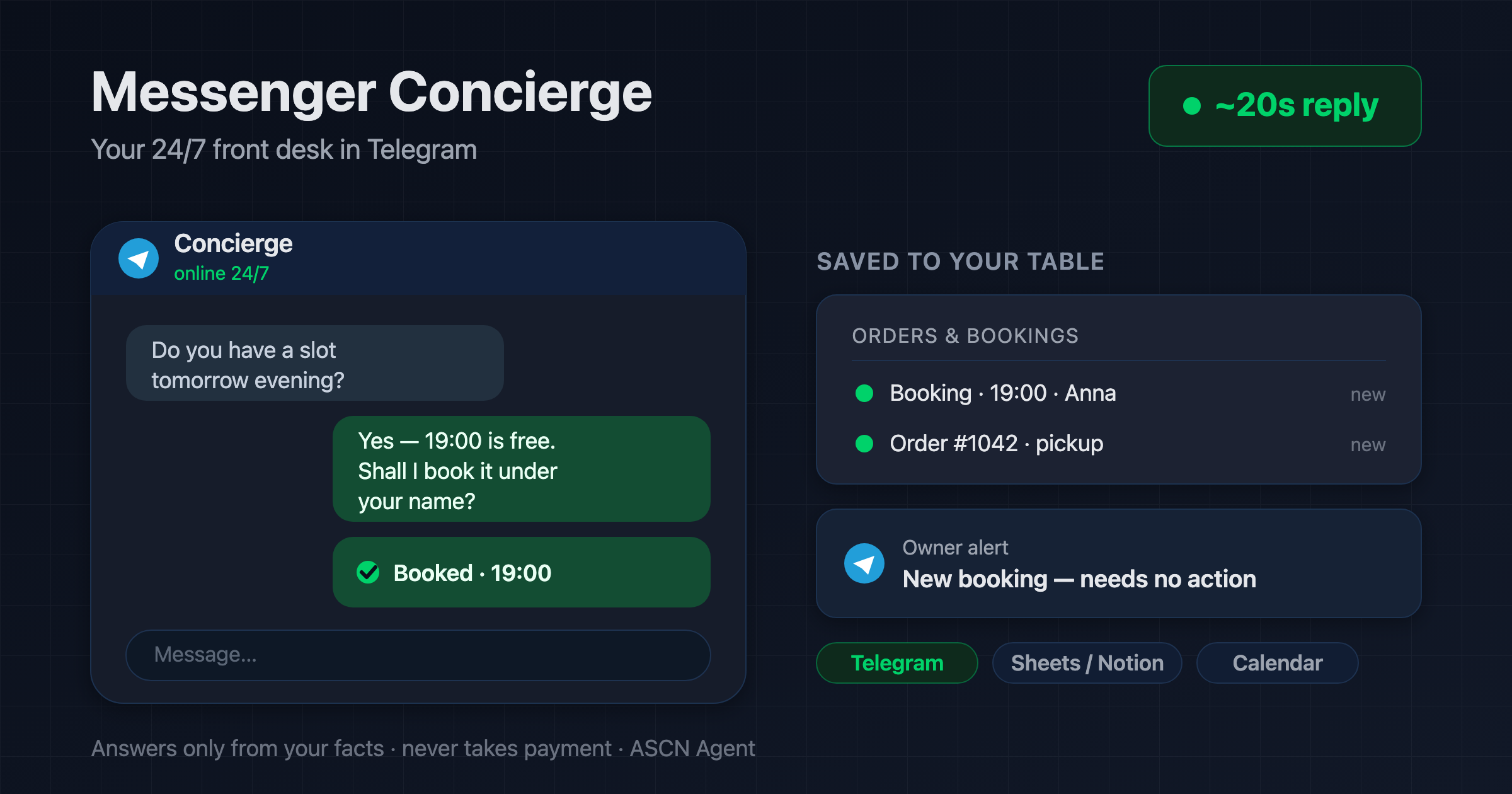
An AI front desk answers customers in Telegram in seconds, takes orders and bookings from your facts, notifies you, and sends reminders. WhatsApp is a paid add-on.

Overview
A customer messages you in the evening or on a weekend — and hears nothing back until morning. By then many of those inquiries have already gone to a competitor: lead-response studies put the drop in conversion after the first hour at more than half. Staffing a person to watch chat around the clock is expensive, and routine questions about prices and hours eat one to two hours of their day.
Messenger Concierge is a ready-made AI front desk for the ASCN platform that greets customers in your messenger instead of a reception desk:
- 💬 Replies in seconds, 24/7 in your tone — at night, on weekends, and during the rush
- 📋 Speaks only from your facts: services, prices, hours, location, promos, policies — it never invents
- 🛒 Takes orders and bookings: collects details, confirms to the customer, and logs to your "Orders and Bookings" table
- 🔔 Notifies you of every order and hands complaints or off-script questions to you
- ⏰ Sends booking reminders, if you turn them on, so customers show up and no-shows drop
Telegram is the core channel and works out of the box. WhatsApp is available separately as a paid add-on through an external provider. You run everything from a normal chat: the agent connects Telegram and your table on request.
How the agent works
No coding needed — and the agent never handles money: it collects the order and points to your payment step, but never touches a card.
- Install from the marketplace. Open the agent's page, click "Use template", and your front desk lands in your account in under 5 minutes.
- Connect the channel in chat. Type "Connect Telegram" and the agent walks through a two-minute setup — no keys or tokens to paste.
- Load your business facts. Enter services, prices, hours, location, and policies into the business profile and set the tone of voice.
- Choose where orders land. Notion or Google Sheets; optionally a Google Calendar event for every booking.
- Go live. The agent starts replying to customers, notifies you of each order, and escalates anything it isn't sure about.
What if the agent makes up a price or an offer that doesn't exist? It won't: if a fact isn't in your business profile, it doesn't guess — it says it will check and passes the question to you.
Why this sells better than "we'll reply in the morning"
- Replies while your competitor sleeps. A first answer in about 20 seconds any hour — orders and bookings stop leaking to overnight silence.
- Takes the load off the front desk. The agent closes routine questions and bookings itself, freeing a person one to two hours a day for the guests in front of them.
- One subscription instead of a night shift. A round-the-clock chat operator costs a full salary line. The agent holds the front for $29/mo (Start plan, as of July 2026).
- Never an invented promise. The agent answers only from your facts and escalates the rest — accuracy over "just say something".
What results users see
Across rollouts the agent answers an incoming message in about 20 seconds and closes up to 70% of routine questions and bookings with no human involved — and recovering a handful of after-hours inquiries a week pays for the subscription many times over.
Results depend on how complete your business profile is, your average order value, and how precisely your services and policies are described. The agent guarantees the instant reply; your setup determines the conversion.
Rollout snapshots
Beauty salon — appointment-based services
- Connected: Telegram, a bookings table in Google Sheets, events in Google Calendar
- Result: 24/7 booking, a reminder the day before each visit, fewer missed slots
- Effect: up to 70% of questions and bookings handled without the front desk, evening customers recovered
Small online shop — retail
- Connected: Telegram, "Orders and Bookings" in Notion, owner notifications
- Result: orders placed at night and on weekends, the owner sees each one in chat
- Effect: a reply in seconds instead of a morning queue of unread messages
What you get
- A configured agent: role, tone, and three skills (answering questions, taking orders and bookings, reminders) already written; install in under 5 minutes.
- A control guide: how to connect Telegram, fill in the business profile, and turn on reminders through chat.
- A business profile and fact base: the agent answers strictly from it and keeps your tone in every message.
- A path to WhatsApp: add the channel through an external provider when you need it — facts, orders, and reminders work the same.
- A personal manager and community: help tuning the agent to your niche (on the Personal plan and up).
While your competitor replies "tomorrow morning", your agent already took the order overnight. 🔥🔥🔥
Set it up once — and a customer gets an answer in seconds any hour, while you see every new order in your own Telegram.
