



- Русский
- English
- Português
SMM Content Factory: an AI agent that runs a week of social content
An AI agent finds trends, writes posts per network, generates an image for each, and publishes after your approval. One agent runs up to 25 brands in agency mode.
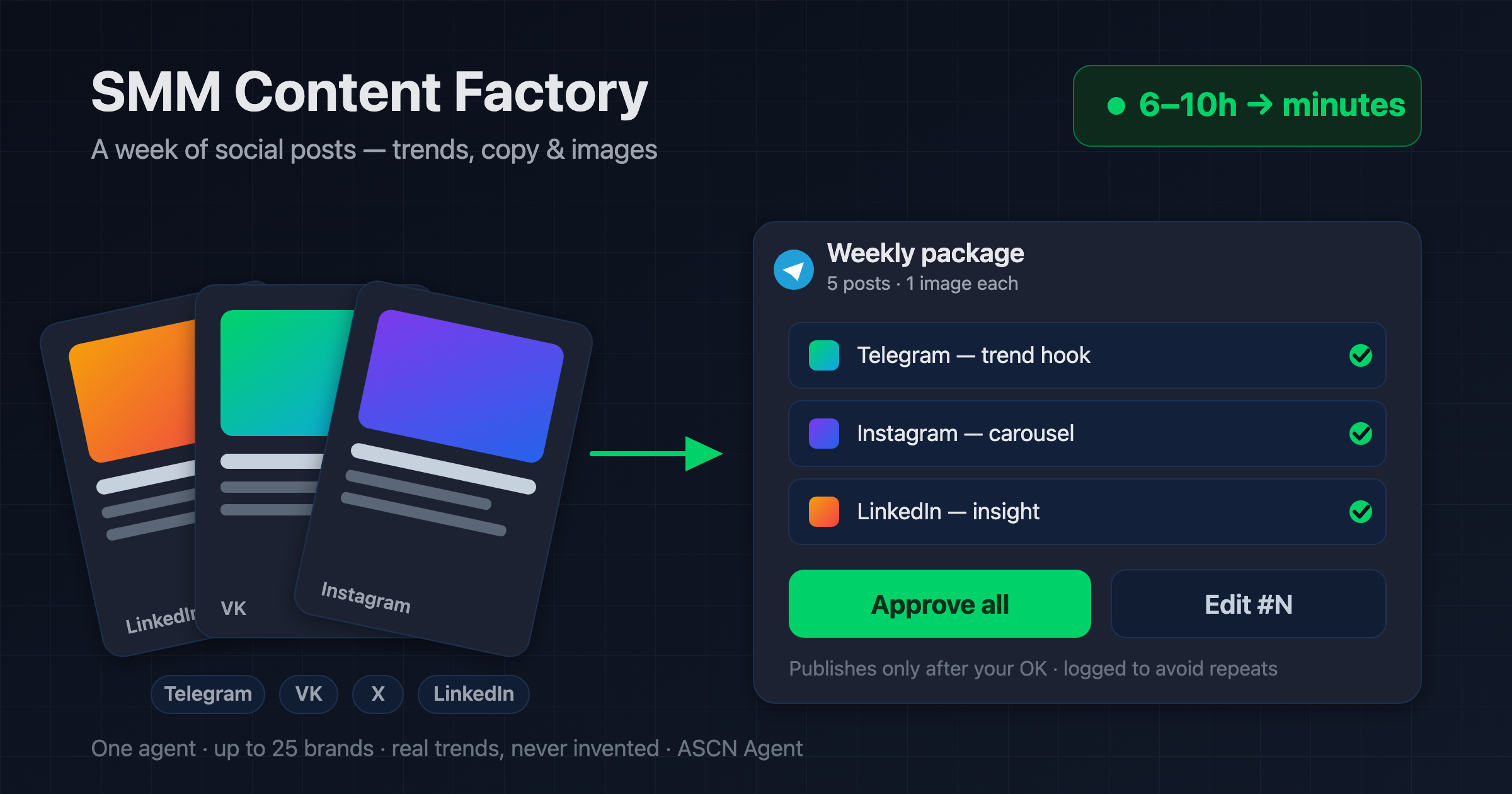

Overview
Social content eats 6–10 hours a week: find a topic, write a post for each platform, source an image, avoid repeating yourself, and remember to publish. A freelance SMM manager runs $600–1,500 a month, an agency retainer costs more, and doing it yourself means giving up a workday every week.
SMM Content Factory is a ready-made AI agent for the ASCN platform that runs your content — for one brand or many in agency mode:
- 🔍 Finds real weekly trends in your niche via web search — no invented news hooks
- ✏️ Writes a batch of posts adapted per network: Telegram with no hashtags, VK up to 3, Instagram up to 10, X under 280 characters, LinkedIn in a professional tone
- 🎨 Generates an image for each post with an AI model — original, no stock, no borrowed logos
- ✅ Sends the whole package to Telegram for approval — "approve all" or "redo #N"
- 📤 Publishes after your OK: Telegram and VK directly, closed networks through a third-party posting service or as a ready package
You run it from a normal chat. The agent keeps brand profiles and a content log in Google Sheets so topics never repeat, and it can assemble the package every week on its own.
How the agent works
No coding needed, and nothing hits your feed unasked: the agent shows the full package in Telegram first, and publishes only after you approve.
- Install from the marketplace. Open the agent's page, click "Use template", and it lands in your account in under 5 minutes.
- Brand profile. Describe the niche, audience, tone, and banned topics; for an agency, add several brands in one sheet.
- Connect channels in chat. Telegram for approval and posting, Google Sheets for profiles and the log — authorize in one click.
- Images and closed networks. Image generation and posting to Instagram, X, and LinkedIn use an external service — the agent explains how and what it costs.
- Package and publish. The agent gathers trends, posts, and images, sends the package to Telegram; you approve, it publishes and logs everything.
Why do Instagram, X, and LinkedIn go through a third-party service? Those networks have no open publishing API. It's a platform limitation, not a shortcut: without an external service the agent hands you a ready package (text plus image) that you post in a couple of clicks.
Why it's cheaper than an SMM manager
- A weekly package in minutes of work. Trends, copy for every network, and images are ready for one approval instead of six to ten hours of manual work.
- A subscription instead of a retainer. A freelancer runs $600–1,500 a month. The agent runs your content for $29/mo (Start plan) plus about $1/mo for images — prices as of July 2026.
- One agent, 25 brands. For an agency that's a fleet of client profiles in one sheet, not a separate manager for each.
- No repeats, no invented trends. The content log keeps the history, and the agent pulls topics only from verifiable sources.
What results users see
Across rollouts, preparing a weekly package of 5 posts drops from 6–10 hours of manual work to a few minutes plus your approval, and the image cost stays around $1 a month at five posts a week.
Results depend on the niche, the number of networks, and how precisely the brand and tone are described in the profile. The agent guarantees the content flow; your topic and platform determine the engagement.
Rollout snapshots
Local brand — café and delivery
- Connected: Telegram and VK directly, profile and log in Google Sheets
- Result: 5 posts a week across two networks, an image for each, publish after approval
- Saved: about 7 hours a week on content with no SMM manager
Content agency — outsourced SMM
- Connected: several brands in one sheet, a third-party posting service for Instagram and LinkedIn
- Result: weekly packages for several clients from a single agent
- Effect: running up to 25 profiles in parallel without a manager per client
What you get
- A configured agent: role and three skills (trend research, post writing, generation and publishing) already written; install in under 5 minutes.
- A control guide: how to connect channels, add brands, and start the weekly task through chat.
- Brand profiles and a content log: tone and history in Google Sheets so content stays on-brand and never repeats.
- Agency mode: up to 25 client profiles in one agent.
- A personal manager and community: help tuning the agent to your networks (on the Personal plan and up).
While others pay an SMM manager for a post a day, hand a week of content to an agent and approve it with one tap. 🔥🔥🔥
Set it up once — and every week a package of posts with images waits for your OK in Telegram.
