



- Русский
- English
- Português
OpenAI Dots Explained: Always-On ChatGPT Agents, Pricing, and How to Run Your Own 24/7

Key takeaways
OpenAI Dots are always-on AI agents inside ChatGPT, announced at DevDay on September 29, 2026. Each Dot gets its own cloud computer and browser, so it keeps working after you close the chat. Access starts with ChatGPT Pro at $100/month or a Business Premium seat at $125/month; Pro is not offered in the EEA, Switzerland or the UK.
- What it is: a persistent agent with its own cloud environment, approval rules and three surfaces: ChatGPT, Slack and Microsoft Teams.
- Entry price: Pro 100 at $100/month, or Business Premium at $125 per seat per month with a 2-seat minimum.
- Who's left out: Pro users in the EEA, Switzerland and the UK, plus everyone on Plus and Free for now.
- If you need an agent for customers: Dots don't list WhatsApp or Telegram, but you can build a 24/7 customer-facing agent there without code in ASCN Agent. Steps below, plus an 8-point comparison of Dots and ASCN Agent in Why ASCN.ai.
Contents:
- What is OpenAI Dots?
- Dots vs ChatGPT agent mode: what's the difference
- OpenAI Dots pricing and availability
- Dots vs Google's Gemini agent
- What makes an AI agent always-on: 7 checks
- Can't get Dots, or need an agent for customers on WhatsApp and Telegram?
- Risks of always-on agents
- Why ASCN.ai: OpenAI Dots vs ASCN Agent
- FAQ
- The bottom line
What is OpenAI Dots?
OpenAI Dots are persistent AI agents in ChatGPT that run on their own cloud computer and browser, so they can keep working on tasks between sessions without you. OpenAI introduced them at DevDay 2026 in San Francisco on September 29 (The Neuron, SiliconANGLE).
A Dot runs on GPT-6 Astra and, according to Decrypt and Business Today, connects to 4,000+ apps through OpenAI's plugin ecosystem (Decrypt, Business Today). Shut your laptop and the task carries on on OpenAI's servers. Why agents need an isolated environment is covered in our piece on the AI agent sandbox.
The model naming caused some confusion. At the same event OpenAI showed GPT-6.1 Sol, pitched as "Near-Astra level intelligence at a fifth of the price" (Simon Willison's live blog). Dots still run on GPT-6 Astra, which Willison called "an expensive default model!" GPT-6.1 Astra was held back: according to OpenAI's head of safety, it "didn't quite meet the bar of staying within scope and authorization" (CBS News).
For now each user gets one primary Dot. OpenAI says specialist Dots and teams of Dots come next, and it is working with Microsoft on an Agent 365 integration (TechCrunch).
Where a Dot works
You can talk to a Dot in ChatGPT on web, desktop and mobile, and in Slack and Microsoft Teams. Setup happens on desktop only. Try it on a phone and ChatGPT tells you: "Dots work best on your desktop computer. Please get set up there instead." Simon Willison logged that line during DevDay, and OpenAI's help article, as summarized by DataCamp, says the same.
Texting is murkier: some outlets say it's coming soon, DataCamp describes a limited US beta for Pro users, and reports on calls and email contradict each other. Plan around ChatGPT, Slack and Teams. WhatsApp and Telegram are not on the list.
How Dots ask for permission
You decide how independent a Dot is with Custom Rules. For each type of action you pick one of four modes:
- do it on its own;
- do it after approval;
- ask first;
- hand it back to a human.
Auto-review adds a second check on sensitive actions. Some limits are fixed: only a human changes a password, proactive research is read-only, and local computer access is off by default (The Neuron, DataCamp).
Dots vs ChatGPT agent mode: what's the difference
ChatGPT agent mode runs a one-off task that you start in a chat. An OpenAI Dot is a persistent agent with its own environment, rules and channels that keeps working between sessions. If you searched for ChatGPT agents and landed on agent mode tutorials, that's a different product.
OpenAI shipped agent mode in July 2025 (OpenAI announcement). Every task starts with your prompt in a specific chat: you ask, the agent does the work, you get the result. A Dot doesn't wait to be asked. It has a standing environment, rules about what it may do alone, and channels where it reaches you.
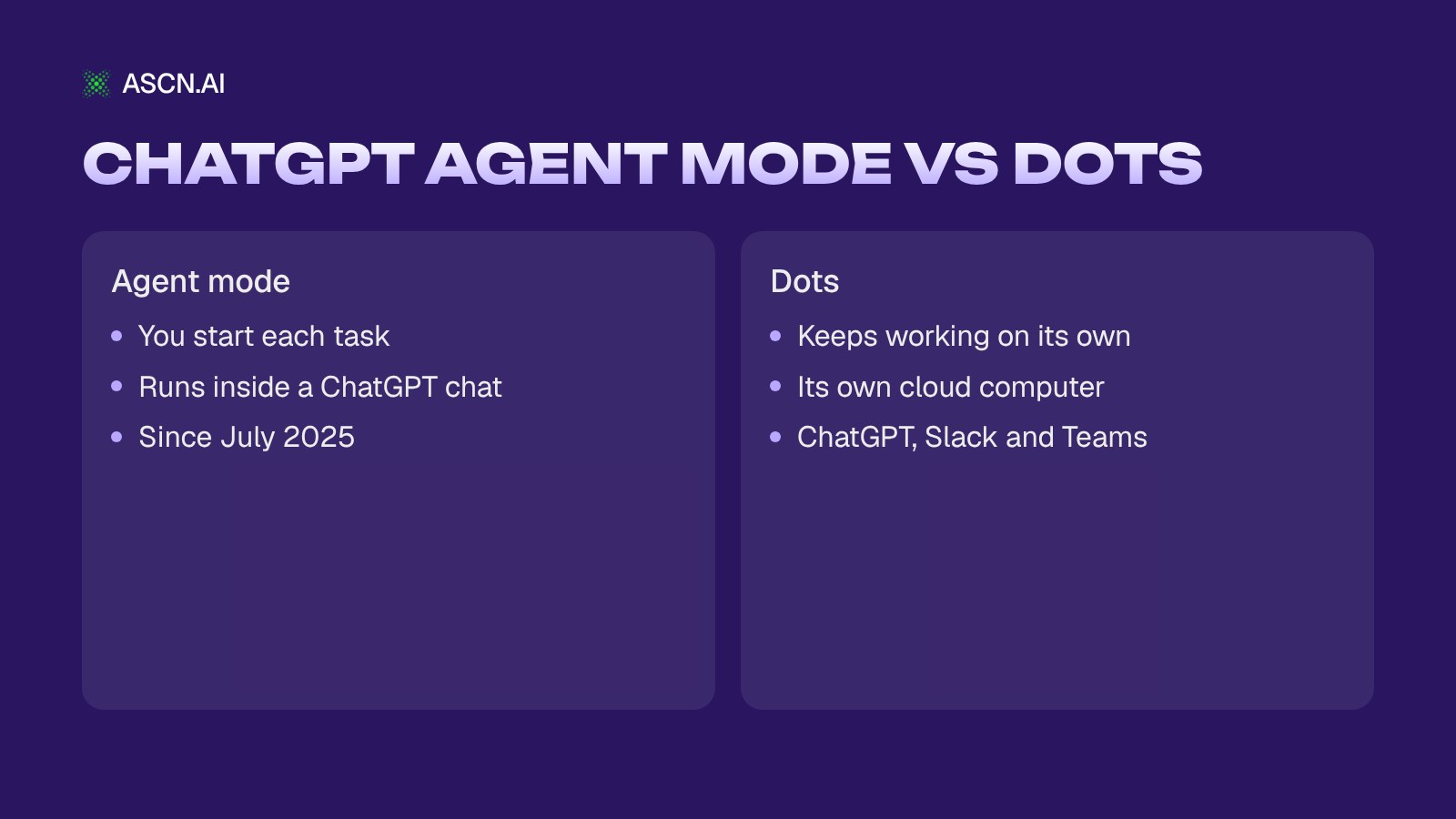
A rule of thumb: for a one-time job like pulling data or filling in a form, agent mode is enough. For recurring work like morning email triage or reacting to new events, you want a persistent agent. For a broader view of where ChatGPT fits in a company, see our guide to using ChatGPT in business.
OpenAI Dots pricing and availability
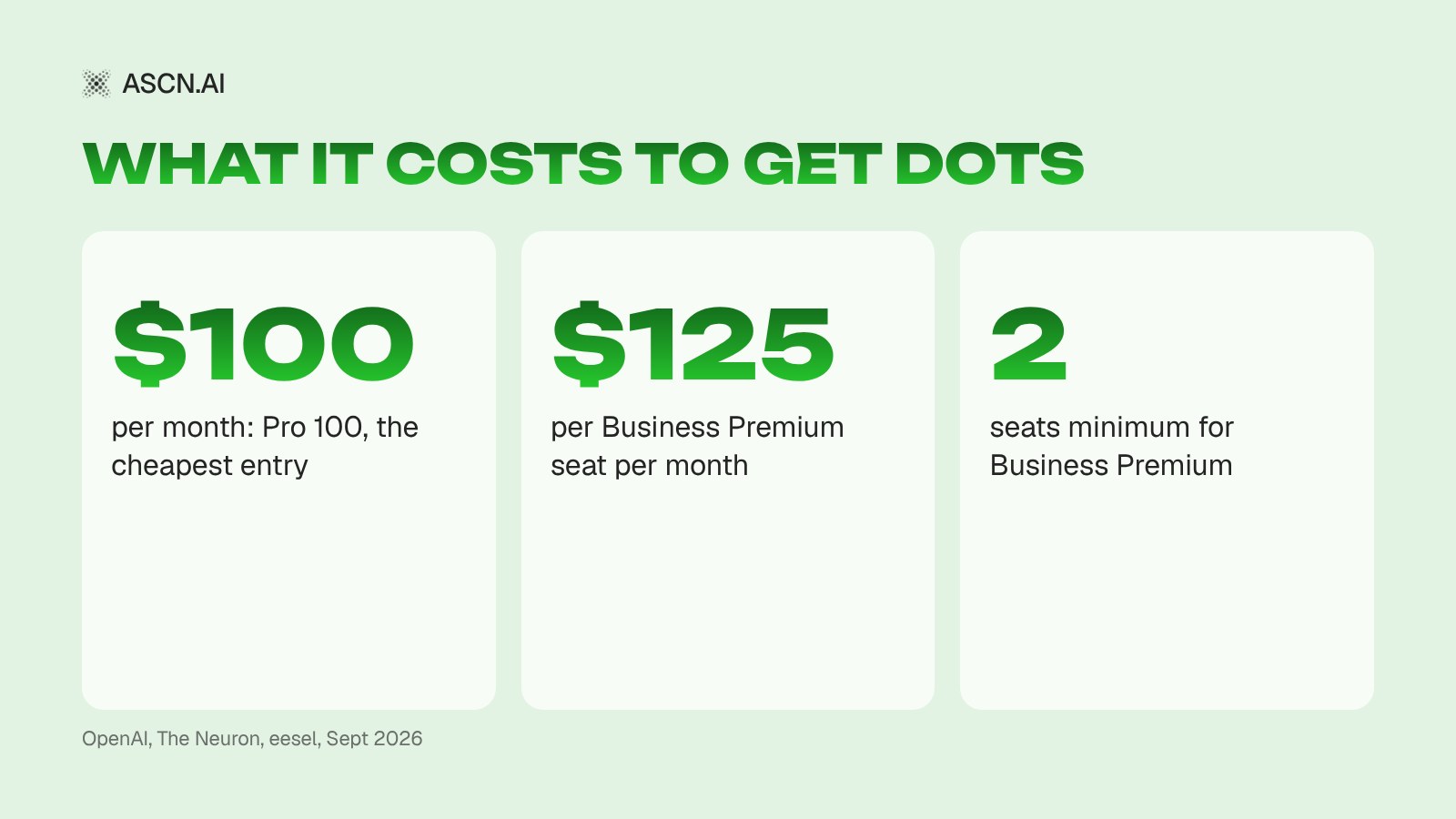
The cheapest way into OpenAI Dots is ChatGPT Pro 100 at $100/month. Teams can buy a Business Premium seat at $125/month. Your first Dot is included at no extra charge (The Neuron, eesel).
| Plan | Price | Dots | Regions |
|---|---|---|---|
| Pro 100 | $100/mo | First Dot included | Excl. EEA, CH, UK |
| Pro 500 | $500/mo | Included | Excl. EEA, CH, UK |
| Business Premium | $125/seat/mo | Included | All ChatGPT regions |
| Plus, Free | — | Not yet | — |
Business Premium drops to $100 per seat billed annually, with a 2-seat minimum per workspace (OpenAI, eesel). OpenAI hasn't published a price for additional Dots. Chatting with your Dot doesn't count against ChatGPT usage limits, while tasks it runs in Codex and ChatGPT Work do, and limits are boosted for the first month. There is no public API (DataCamp).
Rollout is staged and can take a few days per account. Plus and Free aren't included at launch, and OpenAI says it will widen access without giving dates (Tom's Guide). Enterprise, Edu and Healthcare are unclear: OpenAI's help article, as summarized by DataCamp, describes an admin-enabled beta that is off by default, while other reports describe access differently.
Price is what people argue about most. A r/OpenAI thread titled "Barrier to entry with dots is kinda absurd" compares the $100/month floor with Meta's free Muse agent (Reddit).
Can you get Dots in the EU, Switzerland or the UK?
In the EU, Switzerland and the UK, OpenAI Dots are available only through Business Premium, not Pro. ChatGPT Pro access to Dots excludes the EEA, Switzerland and the UK, while Business Premium is listed for all supported ChatGPT regions, per OpenAI's help article as summarized by DataCamp. For a European team, Business Premium is the realistic route.
Do the math first. With the 2-seat minimum, Business Premium starts at $200/month billed annually or $250/month billed monthly. That's a lot for a solo founder who wanted one assistant, and European users said so in the r/codex DevDay thread, where some also called the launch underwhelming (Reddit).
Dots vs Google's Gemini agent
The main difference between OpenAI Dots and the Gemini agent is whose agent it is. A Dot is a personal assistant for one ChatGPT user, while the enterprise Gemini agent Google showed on October 8, 2026, nine days after DevDay, gets its own Workspace account and works as a member of the team.
Don't confuse it with the older Gemini Agent feature in the Gemini app, available to AI Ultra subscribers in the US since November 2025 (Google Help).
Google Cloud CEO Thomas Kurian said the agent should "answer questions but also get things done", and that users set it "objectives, not just instructions" (TechCrunch). It plans the work, uses skills and delegates parts of a task to sub-agents.
| Agent | Access | Works in | Model | Price | Status |
|---|---|---|---|---|---|
| OpenAI Dots | Pro, Business Premium | ChatGPT, Slack, Teams | GPT-6 Astra | From $100/mo | Rolling out since Sep 29 |
| Gemini agent | Workspace business customers | Gmail, Docs, Slack, CLI | Auto, incl. Claude | Not announced | Private testing |
Sources: TechCrunch, Sep 29, TechCrunch, Oct 8, The Neuron. According to TechCrunch, Google's agent has its own Workspace account and email address, knows teams, time zones and "who needs to approve items", and its activity log is recorded under the agent's own identity.
Google says tasks can run for "hours or even days", with spending limits tracked in real time. It connects to Workspace, Microsoft 365, Slack, Jira, BigQuery, Snowflake and any MCP server. Businesses get it first, consumers later, with no pricing or dates yet.
The always-on category is filling up fast. Meta launched its Muse agent in the US in September, including inside WhatsApp (TechRepublic), and open-source Dots clones such as OpenDots and Open Dot have already appeared (The Register).
What makes an AI agent always-on: 7 checks
An always-on AI agent is an agent that runs in the cloud on schedules and events, not only when you message it. Any product that sells itself as a 24/7 AI agent can be tested against seven checks:
- Cloud environment. The agent lives on a server, not your laptop. Your computer is off, the work goes on.
- Schedules. It starts itself at set times: every morning, every Monday, every hour.
- Triggers. It reacts to events without a prompt: a new email, a calendar change, a new file.
- Channels where people already are. It shows up in the messenger or team chat you and your customers already use, not only in its own window.
- Memory across sessions. It remembers context and past decisions, so you don't re-explain.
- Approval rules. It's written down what the agent does alone, what needs sign-off and what goes to a human.
- Activity log. You can see what it did, when and why. Without a log you can't debug a mistake.
Our rule: if an agent has no schedule and no channel, it's a chatbot waiting for instructions. The other five checks decide whether you can trust it with customers and money.
Can't get Dots, or need an agent for customers on WhatsApp and Telegram?
If you can't get Dots or need an agent that answers customers on Telegram and WhatsApp, you can build one without code in ASCN Agent on ASCN.ai, starting from a ready-made template. A Dot is a personal assistant for the person paying for ChatGPT, and its listed channels don't include WhatsApp or Telegram. Most small businesses need the opposite: an agent that answers customers, takes orders and bookings, and sends reminders.
A customer-facing agent
The Messenger Concierge template is an AI front desk: it answers customers within seconds, takes orders and bookings based on your facts, notifies you and sends reminders. Setup looks like this.
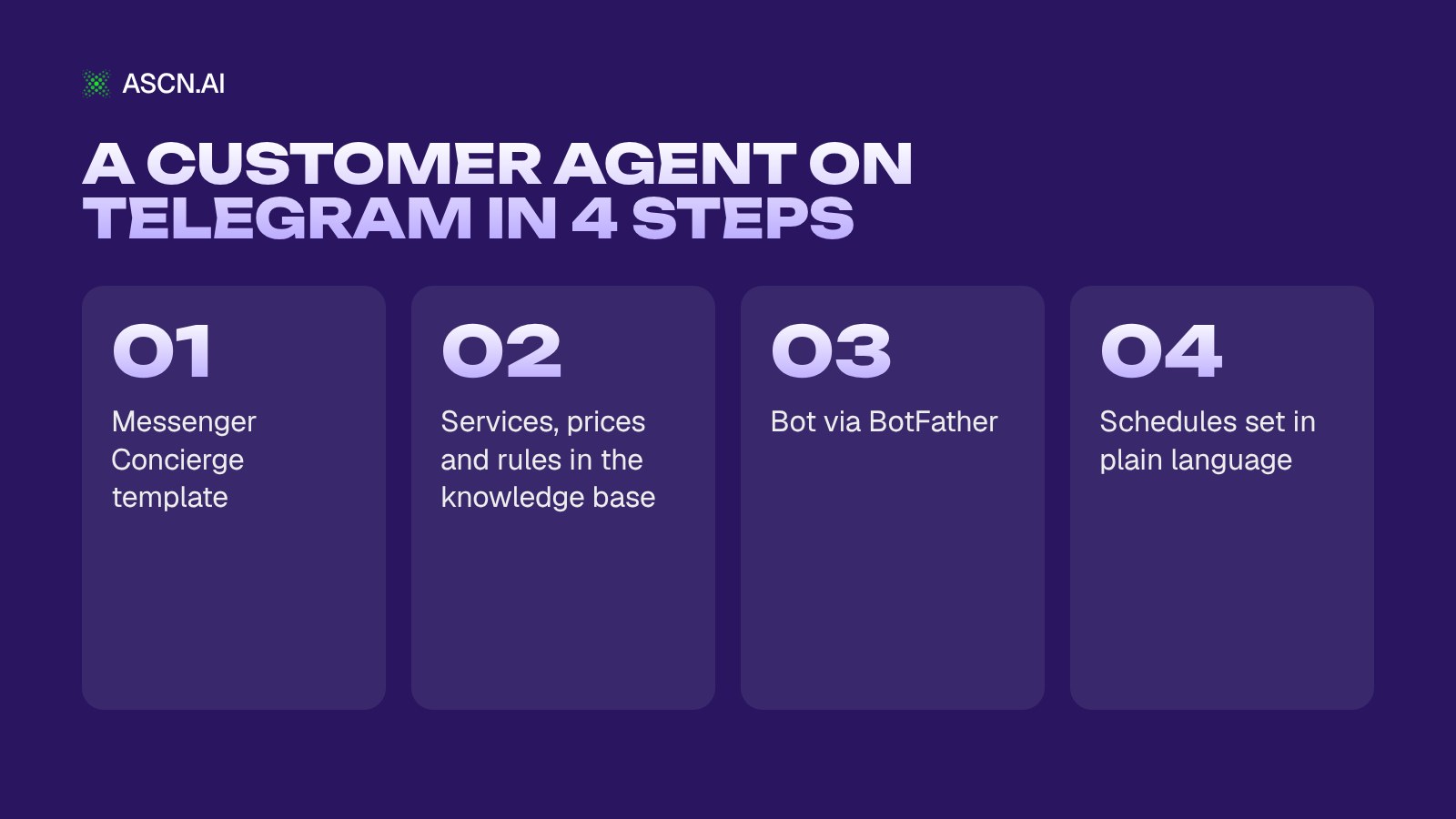
- Sign up at ASCN.ai and open the Messenger Concierge template.
- Add your services, prices, opening hours and address to the knowledge base. Put hard rules, for example "never confirm a refund without the owner", in SOUL.md or IDENTITY.md: the knowledge base overrides whatever you say in chat. By default the agent drafts and asks for approval before sending, much like the "after approval" mode in Custom Rules.
- Connect Telegram: Channels → Telegram, send /newbot to @BotFather, paste the token into ASCN and press Start in your bot. In a group the bot only answers @mentions or replies. WhatsApp is a paid add-on in this template; support will walk you through it.
- Set tasks in plain language, for example: "Every weekday at 9:00 a.m. Eastern, send me a Telegram summary of yesterday's orders and bookings." Event triggers are currently available for Gmail, Google Calendar and Google Drive.
For broadcasts across both messengers there's also the Telegram & WhatsApp Broadcasts template; for group and channel scenarios, see our guide to Telegram chat automation.
A personal agent like a Dot
If what you want is an assistant for yourself, start with the Personal Assistant template. It triages your inbox, drafts replies in your voice, logs tasks and deadlines to your tracker and sends you a morning brief in Telegram.
A trigger example from the docs: "When a new email arrives in Gmail, check whether it needs a reply, and if so, draft one and send it to me in Telegram for approval." For Slack, connect the Slack channel and, separately, the Slack integration under Brain → Integrations; without the integration the agent can't post to channels. More in our guide to the Slack AI agent.
Which plan to launch on
Build and test the agent on Free: 500 credits per week and 1 active agent, with answers checked in the ASCN chat. Before you put it in front of customers, move to Start at $29/month, or $18.85/month billed annually: that's where 24/7 operation, scheduled tasks and Telegram and Slack connections begin, with 10,000 credits a month and up to 5 active agents. Credit usage depends on the model and conversation length, so there's no fixed price per conversation. You can pay by Visa, Mastercard or USDT.
The docs promise a first agent in 5 minutes; the steps are in the quickstart.
Risks of always-on agents
The biggest risk with a persistent agent isn't that it breaks. It's that it gets something wrong quietly, over and over.
Dots had a rough first week. On October 7, 2026, The Register collected reports of failed tasks, dropped connections, Dots that "disappeared" and refusals that looked like abuse filters firing, and OpenAI didn't respond to the publication's request for comment (The Register). Even the DevDay demo stalled: "Dottie is having a slow morning" (Simon Willison).
The second risk is autonomy itself. A persistent agent can carry a wrong assumption through ten steps (rohitai). Approve every click and you've built remote-controlled automation; approve too little and one mistake spreads across your systems (remio).
| Risk | How to reduce it |
|---|---|
| Wrong assumption | Drafts plus approval |
| Errors in other systems | Minimum permissions |
| Burned usage limits | Schedules over triggers |
| Silent failures | Activity log, spot checks |
| Regional lockout | Check eligibility first |
Start with drafts and approvals, and widen permissions after a couple of clean weeks. Frequent checks burn through limits; the ASCN docs recommend checking hourly, not every 15 minutes. For access rules in more depth, read our overview of AI agent security frameworks, and for day-to-day oversight, our guide to AI agent monitoring.
Why ASCN.ai: OpenAI Dots vs ASCN Agent
For a 24/7 agent that talks to your customers, ASCN Agent is the easier fit: it works on Telegram and WhatsApp, where customers already message you, you build it without code from a ready-made template, and you don't need a $100/month subscription to start. You can build and test on Free; 24/7 operation and schedules start with the Start plan at $29/month.
| Criterion | OpenAI Dots | ASCN Agent |
|---|---|---|
| Channels | ChatGPT, Slack, Teams | Telegram, WhatsApp, Slack, ASCN chat |
| Entry price | From $100/mo | Free; Start $29/mo |
| Answers customers in messengers | Not listed | Yes, 24/7 |
| Schedules and triggers | Works between sessions | Yes, from Start |
| Models | GPT-6 Astra | 7 families, one-click switch |
| Ready-made agents | One primary Dot | Ready AI employees |
| Entry in EU, CH, UK | Business Premium, 2 seats | Free; Start $29/mo |
| API / MCP | No public API | API and MCP |
Dots data comes from the sections above (TechCrunch, DataCamp, eesel); the EU and UK limits are explained in the EU and UK section. ASCN data is from ascn.ai and the docs, as of October 2026. WhatsApp is a paid add-on in the Messenger Concierge template, and event triggers cover Gmail, Google Calendar and Google Drive. ASCN Agent models: Qwen, Claude, DeepSeek, Kimi, Xiaomi MiMo, GPT and Gemini.
- A cloud agent, 24/7, no server. No server, Mac Mini, terminal or deployment: the agent lives in the ASCN cloud and keeps working when your computer is off.
- Tasks in plain language. Describe what you need and the agent builds the workflow and connects the services. For a service outside the catalog it uses an API or MCP: give it a link and it writes the script and signs in itself.
- Memory across sessions. It remembers your name, time zone, preferences and past decisions, so you don't re-explain.
- Ready-made AI employees. Max for business strategy, Ella for email marketing, Daniel for SEO, Vera for GEO, Leon for ads, Clara for customer support, Sima for social media, Lara for legal work. Pick one and adapt it.
- Human support, 24/7. A real person answers support requests, and the team will set up your first agent with you over chat or a call.
Which one fits whom: a Dot is a personal assistant for a ChatGPT user inside the OpenAI stack, and it makes sense if you're already on Pro or Business Premium and live in ChatGPT, Slack and Teams. ASCN Agent is an agent for a business that talks to customers in messengers, takes requests and runs on a schedule, with your choice of model and a free plan to start.
Start with the Messenger Concierge template: it answers customers 24/7, takes orders and bookings based on your facts and sends reminders. You can build and test it for free.
FAQ
What is OpenAI Dots?
OpenAI Dots are always-on AI agents inside ChatGPT, announced on September 29, 2026. Each Dot has its own cloud computer and browser, so it keeps working after you close the chat. Dots run on GPT-6 Astra, connect to 4,000+ apps through plugins, and talk to you in ChatGPT, Slack or Microsoft Teams.
How much does OpenAI Dots cost?
Dots aren't sold separately. Your first Dot comes with ChatGPT Pro from $100/month or a Business Premium seat at $125/month, or $100 per seat billed annually with a 2-seat minimum. OpenAI hasn't published pricing for extra Dots, and Plus and Free plans don't include access at launch.
Is OpenAI Dots available in the EU and UK?
In the EU and UK, OpenAI Dots are available only through Business Premium: ChatGPT Pro access to Dots excludes the EEA, Switzerland and the UK. Business Premium is listed for all supported ChatGPT regions and starts at two seats, which works out to $200/month billed annually or $250/month billed monthly.
What's the difference between Dots and ChatGPT agent mode?
ChatGPT agent mode, launched in July 2025, runs a one-off task that you start in a chat. A Dot is a persistent agent with its own cloud environment, approval rules and channels, and it works between sessions without a fresh prompt. Use agent mode for single jobs and a Dot for recurring work.
Can a Dot send texts or make calls?
OpenAI Dots have no confirmed texting or calling at launch: a Dot works in ChatGPT, Slack and Microsoft Teams. Reports differ on whether texting is coming soon or already in a limited US beta for Pro users, and reports on calls conflict too, so don't plan a customer phone line around Dots until OpenAI confirms it.
Does OpenAI Dots have an API?
OpenAI Dots have no public API, so you can't embed a Dot in your own app or CRM. An agent inside your product has to be built on model APIs or a no-code platform. For the code route, see how to build a GPT agent on the API.
Can an always-on AI agent answer my customers on WhatsApp?
An always-on AI agent can answer customers on WhatsApp, but not OpenAI Dots, which don't list WhatsApp. In ASCN Agent on ASCN.ai, the Messenger Concierge template answers customers on Telegram, with WhatsApp as a paid add-on. You can build and test it on the Free plan; 24/7 operation and schedules start with the Start plan at $29/month.
The bottom line
OpenAI Dots set a new baseline: an agent works on its own, follows written rules and shows up where you already talk. Google's agent brings the same idea to the enterprise, and both are still gated by price, region or a private beta.
The always-on recipe doesn't depend on who sells it: cloud, schedules, channels, approval rules. If you need a 24/7 agent for customers on Telegram or WhatsApp, start with Messenger Concierge; for your own inbox and calendar, try the Personal Assistant. You can test both free after you sign up for ASCN.ai.
Slack AI Agent: Automating Routine Tasks with a Smart Assistant
AI Agent Sandbox: How to Keep Autonomous Agents in a Secure Environment
AI Agent Monitoring: Management, Security, and ROI of Autonomous Systems
AI Agent Security Frameworks: Access Control Architecture and Protection for Autonomous Systems

How to really use ChatGPT in business - without water and templates
How to Automate Chat in Telegram: A Complete Guide