



- Русский
- English
- Português
AI for Product Listings: Photos, Infographics and Copy for Marketplaces

AI for product listings does not pay off by drawing a nice picture. Any free generator will draw one picture. It pays off when forty listings come out of one template in an evening instead of two weeks with a designer.
A marketplace listing has four parts: a photo on a clean background, an infographic with specs, copy written for the platform's search, and the whole set redone for the second marketplace. Each part is quick on its own. The trouble starts at the fortieth SKU.
The short version
An AI agent for product listings takes the source photo and the specs from a spreadsheet and builds a set for each SKU: background, infographic, copy, translation. Everything lands on Google Drive in per-SKU folders, with a report in Telegram. A human uploads the listings: ASCN has no integration with marketplace seller accounts.
Contents:
- Why an image generator does not solve this
- How the agent works
- What to connect
- Building it in five steps
- What it saves
- What the agent will not do
- Frequently asked questions
Why an image generator does not solve this
A generator works one image at a time. You open a tab, write a prompt, wait, download, rename, file it. Two minutes per product. Across forty it becomes a working day, and by the twentieth SKU the style has drifted, because you phrase the prompt slightly differently each time.
A listing is more than the image. It needs specs in the infographic, copy tuned to the platform's search, a second set of dimensions for the other marketplace. That is assembly rather than generation, and assembly is what eats the time.
An agent differs in that the prompt, the style and the rules are written once, and then it walks the list itself. Nothing drifts, because the instruction does not change between SKUs.
How AI for product listings works
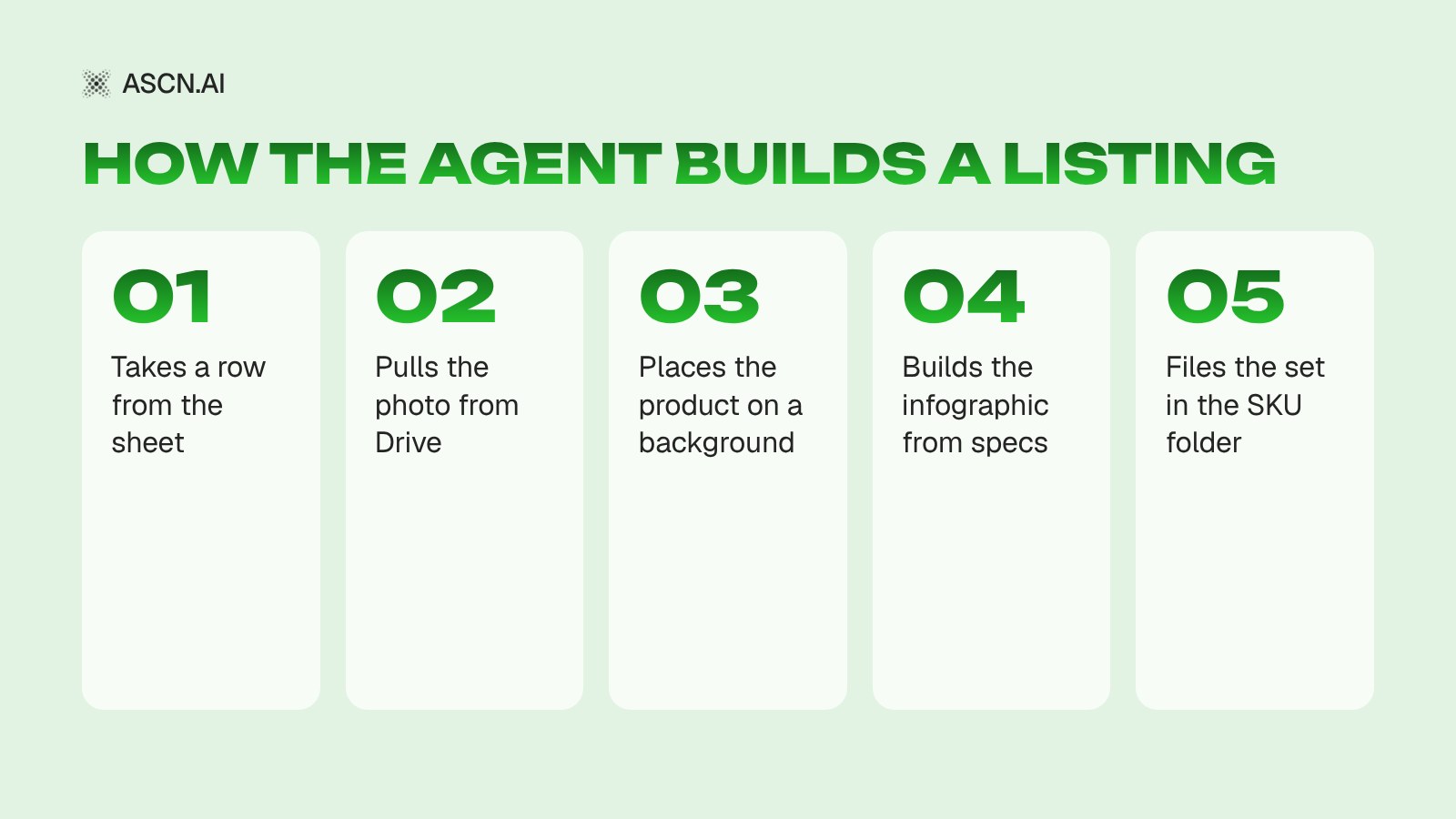
The source data sits in Google Sheets: SKU, name, specs, price, link to the source photo. Photos live on Google Drive, one folder per product.
The agent takes a row, pulls the photo, places the product on the required background, builds an infographic from the specs in that same row and writes copy around the keywords you set. The result goes back to Drive into the SKU folder, and the spreadsheet gets a status.
It does not improvise on gaps. If a row has no dimensions and the infographic needs them, the agent marks the row as needing data and moves on rather than inventing numbers. On a marketplace, a made-up spec costs more than an empty listing.
What to connect
| Component | Purpose | Required |
|---|---|---|
| Google Sheets | Product list and specs | Yes |
| Google Drive | Source photos and finished sets | Yes |
| Image generation | Backgrounds, infographics, scenes | Yes, built in |
| Telegram | Reports and data requests | Yes |
| Page reading | Checking competitor copy on the platform | No |
Image generation is built into ASCN, so there is nothing separate to connect. Under the hood you get Nano Banana, GPT Image, Grok Imagine and other models; the choice affects both the style and the credit spend.
Building it in five steps
- Build the spreadsheet: SKU, name, specs, price, photo folder. This is the longest part, and you would have to do it by hand anyway.
- Create the agent and connect Google Sheets and Drive.
- Describe the style once: background, product placement, infographic fonts, what goes front and centre. Attach two or three reference listings you like.
- Set the copy rules: keywords, length, banned phrasing, how the text differs between the two marketplaces.
- Run it on five products, look at the output, and only then queue the whole list. The first run almost always shows that the style brief is missing a detail or two.
How platform agents work in general is covered in the piece on AI agents for marketplaces and in the breakdown of marketplace sales automation. For picking a model, there is the comparison of image generators.
What it saves
A worked example. Assumptions: forty new SKUs a month, around forty minutes per listing by hand including revisions, done by the seller or a freelance designer.
| Metric | Manual | With the agent |
|---|---|---|
| Time per listing | 40 minutes | 8 minutes to check |
| Hours for 40 SKUs | 27 | 5.5 |
| Style consistency | drifts by the end | set by the brief |
| Second marketplace | done from scratch | from the same row |
This is a calculation on the assumptions above, not a measurement from a client. The last row usually surprises people most: the second platform stops being a separate project.
What the agent will not do
It will not upload listings to your seller account. There is no documented marketplace integration in ASCN, so the upload stays with a person or with your own script against the platform's API.
It will not replace product photography. A bad source gives a bad listing: the agent changes the background and builds the infographic, but the product in the photo stays what it was.
And it does not decide what goes on the first screen. That is a marketing call, made once and written into the brief.
Frequently asked questions
Can I try it for free?
The Free plan gives 500 credits a week and one active agent. How many listings that is cannot be stated in advance: the spend depends on the model and the number of generations. It is usually enough to test the scenario on a handful of products.
Will the agent invent specs that are missing from the sheet?
No, and that is an explicit rule. The row gets a "needs data" status and you fill it in yourself.
What about platform requirements for size and background?
Requirements go into the brief once: canvas size, allowed backgrounds, where text is not permitted. The agent follows them, but you still check the output, because platform rules change.
Does this work for clothing and complex textures?
Background swaps and infographics are fine. Recolouring fabric or altering a cut is not worth it: the buyer will see the mismatch with the real item and send it back.
How long does setup take?
An evening, if the spreadsheet and reference listings are ready. Most of that goes into describing the style rather than the mechanics.
The bottom line
One image costs two minutes and changes nothing. Forty listings in a consistent style every month is a process, and a process can go to an agent: a spreadsheet in, finished sets on Drive out, a human checking and uploading.
Ready-made content and marketplace agents are in the ASCN marketplace, with style and rules tuned to your own range. For help building one around your platforms, message a manager on Telegram.
AI Chatbot for Instagram: A Furniture Showroom Case and 2.7x More Bookings

AI Agents for Inventory Management: Automation Solutions and Key Benefits

Marketplaces on Autopilot: How AI Agents Increase Sales and Free Sellers from Routine
The Best AI for Image Generation: A 2026 Ranking and Comparison of Neural Networks

AI Agents for Marketplaces: What They Are and How They Work

How to Create a Telegram Bot for AI Image Generation