



- Русский
- English
- Português
Advanced Telegram Ticket Bot — A Comprehensive Solution for Ticket Sales and Support
Is your team burning out from manually answering the same Telegram inquiries? Every missed message is a lost sale. In this guide, we explore how a Telegram Ticket Bot transforms your communication from a chaotic stream into a structured, 24/7 sales and support engine. Discover how businesses are increasing conversion rates by over 200%, reducing support workloads by 70%, and scaling operations without hiring more staff—all through smart automation and CRM integration.

Consider the following nightmare scenario: Your business is expanding rapidly, and you are inundated with messages from clients on Telegram. Orders are coming in faster than you can answer questions, and you're still laboring over manually typing responses to the same types of inquiries. You lose potential sales, forget who you promised what to, and your whole staff is burned out. Does this sound a little too familiar?
The Telegram Ticket Bot saves the day! The Ticket Bot not only eliminates the chaos of communication, but helps you to significantly reduce sales loss due to lack of automation, and most importantly, eliminates team stress.
I can relate to this from my previous experience with Crypto Marketing. There were days when I had over 100 clients sending messages. My only option was either to hire a huge staff of managers to handle my clients or automate the process.
Over the past 8 years of running my own business, I've learned one very important but scary truth: If there's a process that can be automated, it should be done now — today! Every day that you're not automating is essentially a day that you're paying for either your own laziness or knowledge that you cannot pay for like a printer or computer.
Telegram Ticket Bot For Ticket Sales & Management
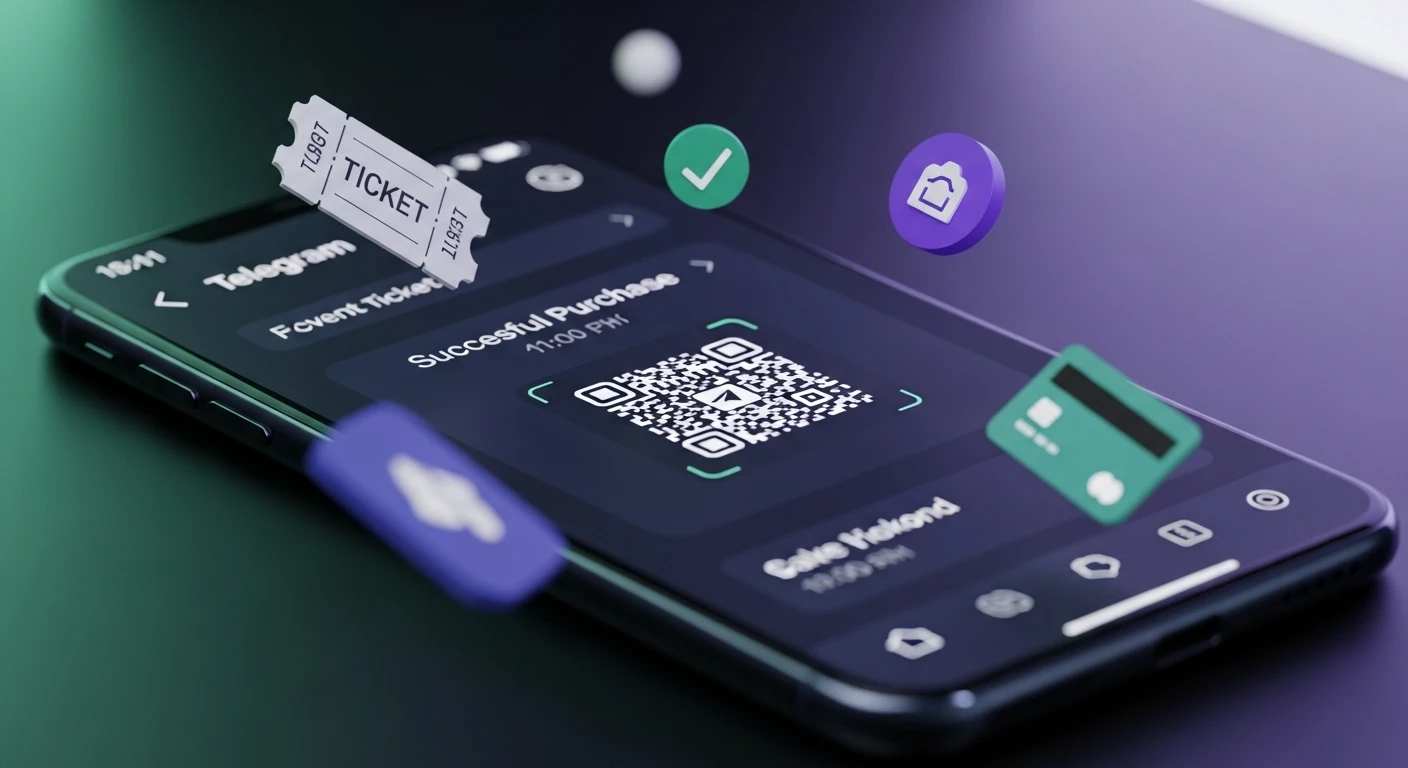
The Ticket Bot operates as a full-fledged box office that operates 24/7. The client can communicate with the bot, choose a ticket, pay for it, and receive the ticket immediately. There are no long wait times or phone calls required to get tickets.
Here's how it works — No Fuss!
- Simply open the bot, and you will have access to an extensive list of events i.e. concerts, webinars, workshops etc. and you can simply browse through them for anything that you'd like.
- Select a ticket type (VIP, Standard, or Economy) along with your chosen date and time; once you make your selection, you will receive an invoice generated by our Bot allowing you to select your method of payment from one of the many options available through Stripe, YooKassa or crypto (via API).
- Once payment has been successfully completed, a unique QR Code/PDF containing your ticket is sent directly to your private message account.
- All purchase information is added immediately to either your CRM or Google Sheets, making processing the information easy.
- The ticket is directly associated with the user's Telegram ID, making it easy for users to access their tickets from anywhere at any time, by simply entering the command
/my_tickets.
Real-world example: The event company in Moscow that recently held a blockchain conference with 15,000 attendees is an excellent example of how successful live events can be created from simple processes that allow customers to purchase tickets with little to no human interaction. After launching its ticket sales through its Bot, the company sold more than 3,000 tickets within the first two days, and no live staff member was needed to handle customer inquiries. The conversion rate was extraordinarily high — 22% compared to approximately 8% for a typical landing page with a form. This was largely due to the simplicity of purchasing tickets, as customers needed only two clicks to complete their purchase and they could access their tickets immediately after payment was made.
⚠️ It is important to note that all tickets for official events must be accounted for according to Federal Law No. 54-FZ, and this is accomplished by integrating with either a cash register system or a fiscal operator via API.
Live Chat for Customer Assistance
Live Chat allows customers a quick and convenient method of contacting our customer service representatives while remaining within Telegram. Customers do not have to create complicated CRM records or experience lengthy waits for responses through email.
What Live Chat can do:
- Allows customers to switch between conversation types, e.g. finance, technical, etc. Customers will be automatically redirected to the appropriate specialist.
- Previous record of conversation: The operator immediately sees the total value of purchases and all prior inquiries from this user which will assist in resolving inquiries more rapidly and with improved quality.
- Operator response templates: Reduces operator's required typing time by up to sixty percent; therefore, they will not need to write the same content letter for letter again.
Business benefits:
- Speed of response: Client receives feedback in minutes rather than hours. Eighty-two percent of users expect a response within 10 minutes according to HubSpot (2023).
- Contextual information: Operator has instant access to complete user information; allowing for personal, and productive, communication.
- Reduction of operator workload: Automatic responses for common types of inquiries will free operators to handle only complex cases.
Example: In one cryptocurrency project, the average response time decreased from 12 minutes to under 4 minutes, and their NPS score increased by 18 points; while half of the negative reviews were eliminated.
⚠️ One key consideration: Customer support will deteriorate drastically if the operator does not have access to the customer's interaction history, and they are at increased risk of losing that client. Integration with CRM systems is essential.
User and Profile Management
Users that communicate with the bot are automatically entered into a database that captures the User's Telegram ID, Name and Username; the date when the user first contacted the bot; and all of the purchases and actions associated with the user.
How to use user profiles:
- Segmentation: Grouping Users into categories: New Users, Active Users; Users who abandoned a cart; and VIP customers; for each type of user, send targeted mailings or offers.
- Roles and Permissions: Define user levels of access (regular users, operators, moderators and administrators), and the different authorities that come with each level.
- Blocking Users: Quickly block the ability for users that cause problems within the Bot to prevent ongoing communication.
| User Role | View Tickets | Reply to Clients | Change Settings | Access Statistics | Bulk Mailing |
|---|---|---|---|---|---|
| Regular User | No | No | No | No | No |
| Support Operator | Yes (own) | Yes | No | Partially | No |
| Moderator | Yes (all) | Yes | Partially | Yes | Yes (limited) |
| Administrator | Yes (all) | Yes | Yes | Yes | Yes |
Example: In the arbitrage project, user segmentation and role assignment allowed managers to focus on 'hot leads' and increased the level of conversion for renewal from 14% to 31% in a two-month period.
⚠️ Data Security: Requires compliance with both the General Data Protection Regulation (GDPR) from Europe and the Federal Law 152-FZ from the Russian Federation. The sharing of users' personal data will only be with the express consent of the user.
Mass Mailings
The Mass Mailing (Broadcasting) functionality allows users to rapidly send messages to thousands of subscribers and to deliver the most relevant and effective messaging based on the subscribers' segmentation.
The following are the functions of Mass Mailing:
- Segmentation allows for messages to be sent to specific groups.
- Planned Delivery allows the ability to schedule a message to be sent at a future date.
- A/B Testing allows users to send multiple message types to assess how subscribers will respond to various messages.
- Users can opt-out from receiving advertisements at any time except for when they receive system notifications.
Examples of Mass Mailing Use Include:
- Reactivating 'dormant' subscribers who receive personalized discounts.
- Offering supplements or add-ons following events.
- Sending urgent alerts regarding natural disasters and changes in the user's subscription.
According to Telegram, the average open rate for bot-generated messages is between 40% and 60%, which is approximately 4–5 times greater than the average email newsletter (10%–15%). This higher open rate is a result of push notifications sent to a user's mobile device when a new message arrives and the user receiving multiple notifications per day for all incoming messages.
ASCN Case: On October 11, 2024, during the flash crash, subscribers were able to safeguard their funds with the aid of instant notifications sent via broadcasting. As a result, in the month after receiving notifications, subscriber renewals increased by 40%.
⚠️ Issues Associated with Mailings: Over-spamming can cause subscribers to lose loyalty to your brand. Studies show that you should send no more than 1–2 mailings per week. The need for removal of inactive and fake accounts will slow the progress of your business. Therefore, it is imperative that you routinely clean your database.
Integrating with Your Ticketing System and Related Services
The integrations listed below will enhance the power of the bot by increasing the capability of the bot when integrated with another system.
Examples of Possible Integrations:
- CRM Applications: AmoCRM, Bitrix24, HubSpot — users of such CRMs will automatically receive notifications about any activity related to their clients or purchases from the bot.
- Google Sheets: Basic option for smaller-sized companies to be able to develop dashboards and analyze real-time data.
- Databases: PostgreSQL, MySQL — best suited for major projects that handle high volumes of requests.
An example of what your bot could handle:
- When a client types the
/buy_ticketcommand, the bot will send an HTTP request to the CRM. The client's Telegram ID will be stored in a newly created contact with the status "interested in purchase." - The client chooses a ticket and makes the payment, at which point the status will change to "Paid" and the order will be added to the contact within the CRM.
- The CRM automatically sends reminders and other offers via email.
To integrate your bot with another system, you need the ability to access an API or configure a webhook. ASCN.AI is a no-code platform that allows you to connect to another system without the need for a programmer.
Salesforce Statistics (2023): Companies that have integrated both CRM and Communication Channels see an increase of 27% in their lead to sale conversions and a decrease of 32% in the amount of time it takes to close the deal.
Automation of Ticket Workflow
Services work without any need for continuous assistance from a customer representative:
- Once a message is received, a ticket gets created with a unique ticket number.
- The incoming message is automatically categorized based on the defined categories (return, complaint, technical question).
- The system then routes the ticket to the correct department according to the defined route.
- All tickets that have a high priority (urgent requests) go to the top of the queue and are processed first.
- Predefined automated replies are sent, and response time is guaranteed.
- For inquiries that go beyond the system-defined timeframe for expected response, tickets will automatically be escalated to management level.
- There is an option to close the ticket with a customer satisfaction survey.
ArbitrageScanner Case: The ArbitrageScanner system receives as many as 300 ticket requests per day. Prior to implementing this workflow, it was very difficult to process this number of requests as there were many confused inquiries, and a number of tickets were going unprocessed. After the ticket processing workflow system was implemented, first response time reduced from 40 minutes to 8 minutes. There were no longer any lost inquiries and the level of workload within the team was reduced by one-third.
User Experience Tip: Too many categories will clutter an interface. It would be best to use AI to automatically categorize tickets and hand off more complex inquiries directly to a Customer Service Representative.
Technical Features of Bots and Using the Bot API + Webhooks
Connecting your Bot to the Telegram platform via the Bot API allows bots to send messages, respond to commands, and allow payment transactions. Bots can receive updates using one of the following methods:
- Long Polling — The bot requests updates from Telegram on a regular basis. Considered suitable for smaller projects.
- Webhook — Telegram sends an update to the bot server immediately. Requires the bot to be hosted behind an HTTPS connection and have a Public IP assigned to it. Suitable for high capacity, high load projects.
Setup example for Webhooks using cURL:
curl -X POST "https://api.telegram.org/bot{TOKEN}/setWebhook" -d "url=https://yourserver.com/webhook"⚠️ Security: Keep your Token a secret; use HTTPS for your connection; verify the authenticity of the request before acting. API Limits: The maximum message rate (30 messages per second per chat, 20 messages per minute in groups) and file size limit (50 MB) set by the API are very important to keep in mind.
Common threats to your bot include:
- Token leakage, which gives an attacker control over your bot.
- Failure to store sensitive data in a secure manner may lead to hacking or breach.
- Failure to have encrypted traffic on every part of your communication gives opportunity for an attacker to intercept sensitive information.
Security Recommendations:
- You should always keep your keys and tokens in a secure "secrets" location.
- You should use HTTPS for all communications and limit access to machines, as well as use two-factor authentication.
- You should continually update all software and libraries to ensure you have the most current version and as many security features as possible.
Key Use Cases
Event Organization and Ticket Selling Automation
- You should have as simple a bot menu as possible, and typically, you will want to have 3 to 4 key buttons for your clients to select from.
- The categories of tickets you sell (VIP, standard and economy) will need to be clearly labeled so that clients have a clear understanding of the differences in price.
- Creating a booking timer for tickets gives clients a sense of urgency and will increase ticket sales overall.
- Integrating a calendar into your bot helps reduce no-shows on the day of events.
- Sending automatic reminders to clients 1 week, 1 day and 1 hour prior to an event reduces the chance of a client forgetting about the event.
Example: A fantastic example of this use case occurred at the recent Blockchain Life in Dubai. At this event, 60% of all tickets sold were through the bot, with the average purchase time being only 2 minutes, and the cart abandonment rate was extremely low (8%). In addition, this event saw a 40% reduction in the number of customer service inquiries that would normally have been generated during a large event.
⚠️ Risk Mitigation and Solutions: For very high-volume usage, a stress test is required, and you may also want to consider binding tickets to your clients' Telegram ID and verifying their identity in addition to the verification of the payment made.
Providing Customer Support through Live Chat and Ticketing Systems
- E-commerce: For e-commerce sites, you can use a bot and its associated database to instantly generate answers to your client's questions about their order status without a client having to stand in line for long periods of time.
- SaaS: When an error inquiry is received, it is automatically submitted to a bug tracker, and the client is given a ticket number.
Example conversation with support:
Client: "I'm not receiving my confirmation code."
Bot: "This is your ticket #789. Please check your inbox and your spam folder for the email from us."
Client: "I've checked — everything is correct."
Operator: "The email provider is filtering out our emails. I will send you the confirmation code by SMS."
Client: "I received it, thank you!"
Operator: "Your ticket has now been closed. Please rate your support experience from 1 to 5."
Zendesk Report (2024): Chatbots are able to decrease the workload of operators by 40%–70% and to reduce the amount of time taken to resolve a question from 24 hours via email to 30 minutes via live chat.
Frequently Asked Questions (FAQ)
Configuration and Setup
Question: Do I need to be a programmer?
Answer: No-code platforms provide an opportunity to launch a bot within hours without the use of code; on the other hand, custom development does require programming skill.
Question: How long does it take to set up my bot?
Answer: From a couple of hours on no-code platforms to several weeks for custom development.
Question: How do I protect user data?
Answer: In order to protect user data from potentially being compromised or intercepted, it is necessary to encrypt any collected data, use SSL when transferring it from one location to another, and request consent from the end-user.
Question: What should I do if I discover errors in my data?
Answer: Verify that data was correctly formatted and transferred to the client.
Question: How do I avoid creating duplicate records?
Answer: Make sure you add deduplication based on update_id.
Question: I can't make payments?
Answer: Check your API key, test mode, and payment system limit.
Specific Functions
Question: Can I sell NFT tickets?
Answer: Yes, it is possible to sell NFT tickets through integration with smart contracts. NFT tickets are not able to be counterfeited.
Question: How can I add multiple languages to my bot?
Answer: Upon the first time your bot is launched, the user will be able to select the language that they wish to use, and the bot will then download the appropriate language files for that language.
Question: Is it possible to collect reviews?
Answer: Yes, when a ticket is closed, you will be able to provide feedback on your support experience.
Custom Bots and Helper Bots
- Analytical bot allows for the collection and distribution of stats to administrators.
- Moderation bot can remove spam and block users who violate policies.
- Notification bots allow for the sending of alerts for announcements and reminders.
All bots are integrated with each other through API.
Integrating with Analytics
- Track bot actions and events utilizing Google Analytics 4.
- Amplitude and MixPanel provide advanced analytical insight into user behaviour and sales funnel creation.
- Custom Dashboards can be built with Google Data Studio, Tableau, or Metabase.
Comparison and Recommendations
| Function | Telegram Ticket Bot (Custom) | ManyChat | Botpress | ASCN.AI NoCode |
|---|---|---|---|---|
| Ticket Sales | ✅ Fully Customizable | ⚠️ Limited (fee-based) | ✅ Customizable | ✅ Yes |
| Live Chat with Operators | ✅ Yes | ✅ Yes | ✅ Yes | ✅ Yes |
| User Management | ✅ Complete Control | ⚠️ Basic | ✅ Functional | ⚠️ Limited |
| Bulk Mailings | ✅ No limits | ⚠️ Charged per user | ✅ Yes | ⚠️ Limited |
| CRM Integration | ✅ Any via API | ✅ Many | ✅ Webhooks | ✅ HTTP Requests |
| AI Agents | ⚠️ In Progress | ❌ No | ✅ Yes | ⚠️ In Future Development |
| No-Code Editor | ❌ Code only | ✅ Yes | ✅ Yes | ✅ Yes |
| Price (base) | Free (server + development) | From $15/month | Free | From $29/month |
| Launch Speed | 1–4 weeks | 1–3 days | 1–7 days | 2 hours – 2 days |
Conclusion: No-Code Solutions are Ideal For Startups and Small Businesses, Custom Bots Are Ideal For Big Companies, Botpress is a Good Option For Fast MVP Development.
Avoiding Common Pitfalls
- Keep your menu simple by limiting the number of buttons to a maximum of 3–4 (more than that will confuse people).
- Always have an option to speak to a human when the bot gets confused, immediately switch the user to a live agent.
- Collect and review feedback to enhance the bot's performance.
- Find the right combination of automation and human support.
Expert Recommendations for Successful Implementation
- Start off small with ticket sales, then FAQs, followed by operator handoffs.
- Before fully releasing, test it with real users.
- Automate your repetitive tasks while ensuring that the messages are presented in a friendly, easy-to-understand manner.
- Monitor your KPIs (i.e., conversion rates, response times, customer satisfaction rating (CSAT)) and consider using a No-Code platform for quick and easy implementation, although it may come at a cost.
Case Studies, Successes, and Numbers that Demonstrate ROI
Case Study #1 — Event Agency — 200% Increase in Revenue Every Quarter
A festival organiser created a Telegram ticketing bot that integrates with YooKassa and provides tailored offers. The results speak for themselves:
- Conversion rate increased from 5% to 18% (over 3.6 times).
- Average Ticket Price increased by 40% to 4200 roubles.
- Cost of running the operation decreased by 71%.
- Return on Investment (ROI) in first quarter was +320%.
Case Study #2 — SaaS Product — 60% Reduction in Support Load
ArbitrageScanner created a ticketing bot with an AI agent based on GPT-4, which successfully managed 60% of inquiries without human intervention, reduced response time from six hours to three minutes, and achieved a CSAT rating of 4.7/5.
Case Study #3 — Crypto Project — Saved Users' Deposits During Market Crash
In October 2024, via a Telegram broadcast bot, an action strategy was communicated to all subscribers within 15 minutes. 50% of subscribers saved their capital and made a profit of +12%. 40% increase in subscription renewals the following month.
How to Use No-Code Platforms to Make Money with ASCN.AI
Situation: Missing opportunities due to delayed decision making and lack of data analysis.
For example: When communicating via Telegram, the user will be advised to contact the ASCN AI Assistant for business purposes. The user will instantly receive information such as market analysis of news, social media activity and blockchain transactions. This timeliness will allow the user to take advantage of opportunities that others may miss during their analyses.
ASCN.AI is revolutionising the way that traders and arbitrageurs conduct their business by providing sales automation and instant access to data through the use of artificial intelligence.
Conclusion: The ASCN.AI solution allows traders to have access to the comfort and speed of an AI agent without requiring an in-depth understanding of how to program or implement complex solutions into their daily operation.
