



- Русский
- English
- Português
Call Analyst
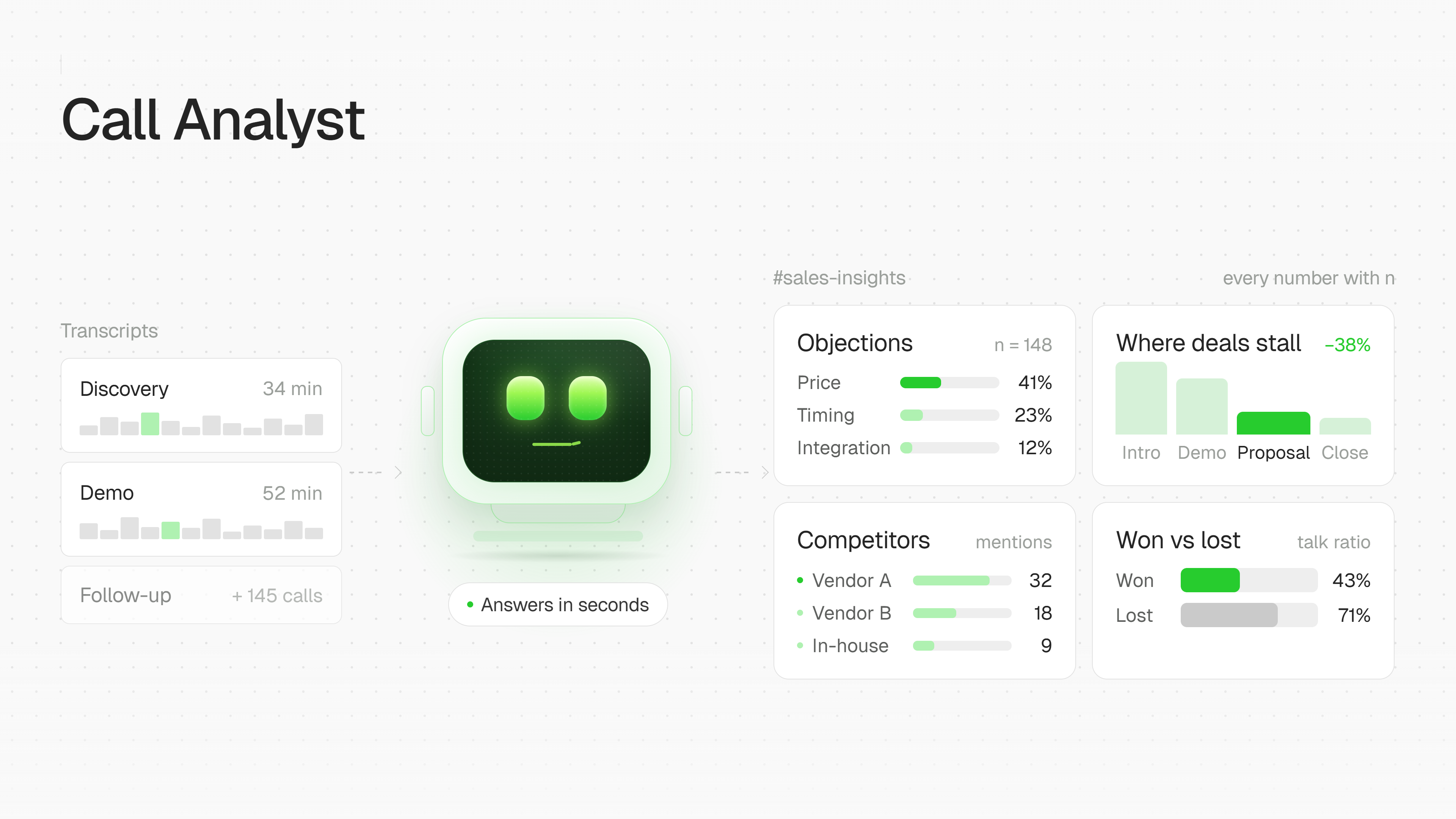
The agent reads sales call transcripts and answers questions about them right in Slack. It shows which objections keep recurring, at what stage deals get stuck, what's said about competitors, and how won deals differ from lost ones. It breaks down individual calls using BANT, MEDDICC, GAP, or SPIN and flags what remains unclear. Every number comes with its sample size, and every quote is verbatim with attribution to who said it. A review of a specific rep is sent to them in a DM, not to the shared channel.

Call Analyst
What it does. The agent reads sales call transcripts and answers questions about them right in Slack — in plain language, with no special prep needed from reps. It connects to Gong (or, if that's not available, to Fathom, Read AI, or Zoom — or just accepts transcripts as files) and turns conversations into answers you can actually rely on.
🔍 What it shows
- Recurring objections — which doubts keep coming up from customers, again and again.
- Where deals get stuck — at which stage of the funnel momentum most often stalls.
- What's said about competitors — direct mentions, comparisons, concerns.
- How won deals differ from lost ones — the most useful question to start with, in the agent's own view.
- A single call breakdown — using BANT, MEDDICC, GAP, or SPIN, with an explicit note on what the methodology says is still unclear.
📏 Evidence standard
No bare claims:
- Every number comes with its sample size ("across 34 calls," not just "often").
- Every quote is verbatim, with attribution to exactly who said it.
- A trend isn't declared if the sample is under 10 calls — instead, the agent honestly says "too early to draw conclusions" and shares observations instead.
💬 Typical questions it answers
- "what are the most common objections in lost deals"
- "at what stage do deals get stuck"
- "what are people saying about [competitor]"
- "break down the call with [company]"
- "how is [rep] doing" → the answer goes to a DM, not the channel
🎯 What the customer ultimately gets
- Answers instead of manual listening — no need to sit through hours of calls to understand what's happening in sales: ask in Slack, get an answer with numbers and quotes. ⏱️
- Visibility across the whole funnel — which objections recur, where deals stall, what's blocking closes, how wins differ from losses. Decisions get made on patterns, not gut feel. 📊
- Objective breakdown of every call — via BANT, MEDDICC, GAP, or SPIN, with an honest note on what the rep didn't find out. This doubles as training material on its own. 🧭
- Careful team coaching — personal feedback goes to a DM, not out in public, so it doesn't hurt anyone's standing or create awkwardness in the shared channel. 🤝
- Trustworthy numbers — every claim is backed by a sample size and an exact, attributed quote, not a vague "people say" with no evidence behind it. ✅
- Data security — the agent only reads; it never writes to CRM/Gong, and it never forwards full transcripts — only specific quotes. 🔒
