



- Русский
- English
- Português
Sales Cadence with Evening Recap and Morning Outreach
This sales automation process involves two simple routines: the evening recap for summarizing daily work and the morning outreach to ensure the next day begins effectively. Designed for founders and managers, the template enhances team productivity and accelerates customer response times.


The sales automation process includes the deployment of two simple routines: the evening recap and the morning outreach.
General Description
The “Sales Cadence with evening recap and morning outreach” template is aimed at founders and operational managers who want to make use of the advantages of this process. This template consists of two essential components: the evening recap, aimed at summarizing the day's work, and the morning outreach, which makes sure that tomorrow's day begins effectively. The difficulty of implementation of the system is medium, which means that it is accessible for all users regardless of their level of expertise.
The introduction of the two routines significantly enhances the effectiveness and quality of work done by the team. It will allow everyone to focus on more essential tasks at work, like the development of the strategy or establishing links with partners. A founder of a SaaS team applied the template and saw that the team responds to customer requests faster, which has a positive impact on sales.
How the Automation Works
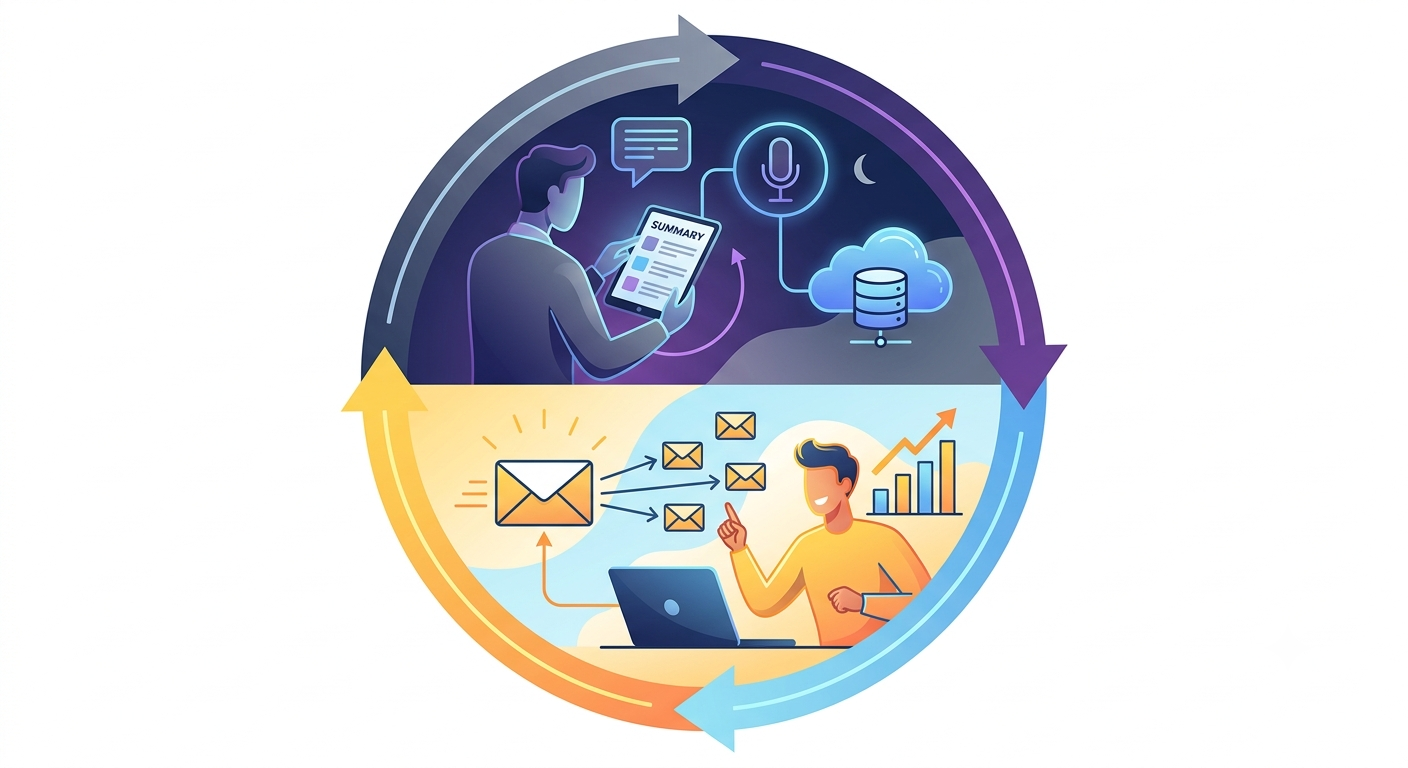
The process of sales automation is based on two key routines. They perform different functions, thus increasing work efficiency. The first routine is the evening recap. This is a short interactive summary of everyday sales that gets published in HubSpot, letting you keep records of your voice remarks about the day's sales and prepare for further actions.
The second routine is the morning outreach. You can switch it on and forget about it because it sends out follow-up emails. You will also get the summary of your sales pipeline so that you can easily understand the present situation and choose the next step. These processes always stick to the predetermined schedule, which creates opportunities for you to focus on significant problems. It should be noted that automation is able to eliminate the common errors made due to human factors, and thus enhance the effectiveness of communication.
Why It Is More Effective Than Manual Work
Automation of sales with the help of an agent saves much time spent on repetitive tasks and allows one to put time and effort into more crucial business spheres like strategies and relationships with clients. Users state that thanks to the automation of their routine task they can focus on really important matters and thus enhance the productivity of the whole team.
Results Users Achieve
Besides, automation ensures high quality of communication with customers. Teams are able to respond to their customer inquiries more promptly and adjust to the changes happening in the market. One of the teams that utilized this template mentioned that they noticed a 20% growth in the conversion rates due to the fact they manage to interact with their customers faster and more accurately. At the same time, the users of the template state that they observe high levels of customer satisfaction because they can communicate more confidently and accurately. Automated operations minimize the occurrence of mistakes connected to the human factor and enable them to provide better service. That also results in trust from the customers and makes the company’s image stronger.
Implementation Examples
Although there is no precise data about the examples of the use of the “Sales Cadence with evening recap and morning outreach” template, there are several points confirming its efficiency. Many companies share information about the improvement of time management and quality of communication with customers after the introduction of this template. The automation of the processes of evening recap and morning communication allows them to save time on processing the information and concentrate on more important issues. This inspires confidence in the company among customers and guarantees improved reputation. Take, for example, a startup founder who stated that since they started using this template, the number of their returning customers has increased, which turned out to be beneficial from the point of view of revenue.
The application of this template also increases the productivity of the team. Users say that due to automation they can focus on more important things in their work, such as strategic decision-making and building relationships with customers. This leads to higher sales volume and business development.
What You Get
Using sales automation with the help of this template participants gain a lot of benefits. First, you get two scheduled tasks: evening recap and morning outreach. Both of these tasks help to organize the process of the sale in a better way.
Secondly, together with integration with HubSpot, you will have at your disposal a proper CRM system that helps to track interactions. Users can easily record important things thus increasing efficiency. For instance, an operations manager said that with the help of the template they could reduce the time on the CRM data entering by 40%.
Moreover, the system creates personalized email templates in your style. This will greatly contribute to building trust and strengthening relationships with customers. Thus, the automation will give you the opportunity to save time and at the same time increase the efficiency of work of the team.
Launch Instructions
To successfully implement sales automation with the help of the template “Sales cadence with evening recap and morning outreach”, do the following. First of all, install the plugin by typing the command: /plugin marketplace add <github-org>/sales-cadence-plugin. The necessary options will be opened.
Then, proceed to the installation using the command: install sales cadence. The installation process will guide you through the process of answering a number of questions necessary for the correct adaptation of the system to your use.
Once the installation is over, you will be able to use the evening recap and morning outreach thus improving sales management. Remember that the system will adjust to your modifications.
