



- Русский
- English
- Português
Pinterest Traffic Agent: pins and Pinterest traffic on autopilot
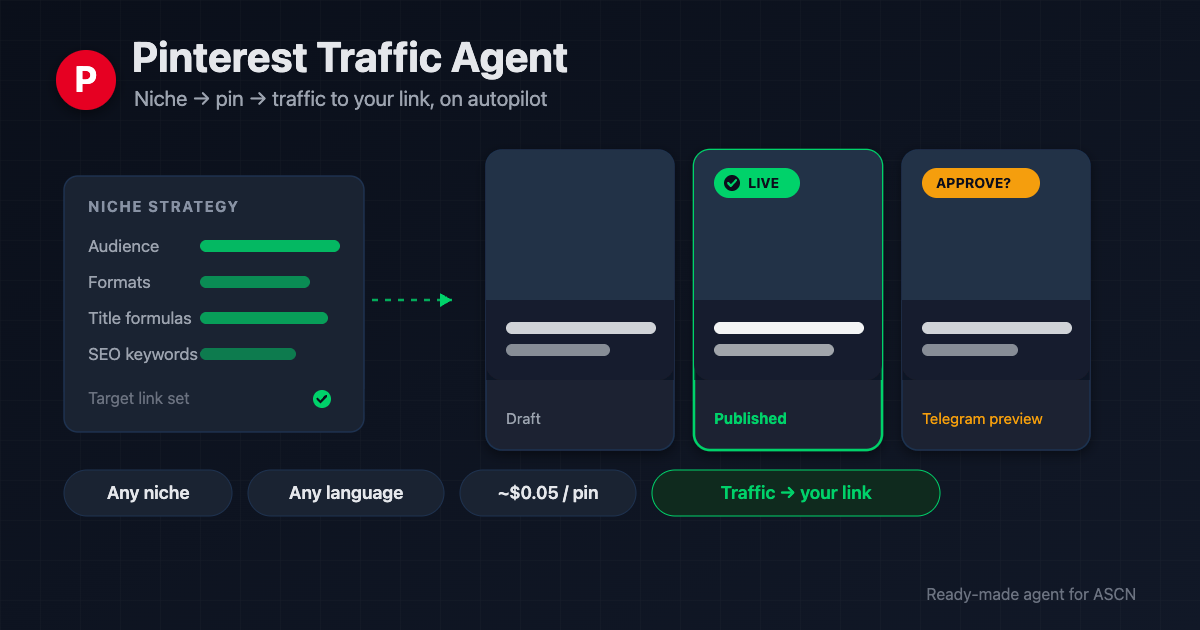
The agent researches your niche, designs premium captioned pins, writes the SEO copy, and publishes to Pinterest. Approve each pin in Telegram or turn on autoposting.

For new users: your first ASCN subscription payment doubles the term. [Use template] [Ask a question]
Overview
Pinterest keeps sending traffic to old pins for months — but only if you publish pins in volume. Every pin means keyword research, a headline, an image, a description, and publishing. By hand that's 15–25 minutes each. A freelance Pinterest manager charges $500–2,000/month; a starter package of 10–15 pins a week runs $300–700.
Pinterest Traffic Agent is a ready-made AI agent for the ASCN platform that runs the whole pin pipeline for you:
- 🔎 Researches your niche with web search: audience, pains, formats that work, headline formulas, and Pinterest keywords
- ✍️ Writes the full pin — the caption headline, an SEO title, and a description with a clear call to click
- 🎨 Generates a premium image via OpenRouter (Gemini 2.5 Flash Image) and overlays the caption — Latin and Cyrillic work out of the box
- ✅ Sends a Telegram preview and publishes to Pinterest only after your approval
- 📌 Drives traffic to your link — every pin works for the click, not just the like
You run it in plain chat, in ASCN or Telegram. Nothing to assemble by hand: the agent walks you through connecting each service and builds the first pin during onboarding.
How the agent works
No coding. You run everything from a chat.
- Install from the marketplace. Open the page, click "Use template" — the agent is in your account in under 5 minutes.
- Tell it your niche and link. The agent researches the topic and saves a strategy: audience, formats, headlines, keywords. You review and edit.
- Connect services in chat. The agent walks you through access to Pinterest, image generation, and Telegram. Keys are stored in ASCN's encrypted vault, never in the chat.
- Get a test pin. The agent writes and renders a real pin, sends a preview, and waits for your approval before publishing.
- Then on command or on autopilot. Say "generate a pin" or "make 3 pins about X." Want it hands-off? Turn on scheduled autoposting and the agent publishes on its own.
Why it beats hiring a Pinterest manager
- A pin in a minute, not half an hour. Keywords, headline, image, and description come together in one pass — you just approve.
- One subscription instead of a retainer. A freelancer costs $300–1,500/month. The agent covers the same work for the price of a plan plus a few cents per image.
- Any niche, any language. The agent tailors the strategy and copy to your topic; headlines are written in your audience's language.
- You decide what goes live. By default no pin publishes without your approval. Autoposting only starts when you ask for it.
- A second channel without a second hire. Need an agent for another niche or board? Spin one up in minutes.
What users get
Across setups, the agent prepares a finished pin in about a minute of work instead of 15–25 minutes by hand. At one pin a day that's 8–12 hours saved a month, plus a steady stream of fresh pins Pinterest keeps surfacing for months.
Actual traffic depends on your niche, the landing page, and how the board is set up. The agent delivers a stream of quality pins; your niche and link decide how many clicks convert.
Adoption snapshot
Food blogger — recipes and nutrition
- Connected: Pinterest, image generation, Telegram
- Result: 1 pin a day on autoposting, headlines tuned to seasonal searches
- Effect: roughly 10 hours a month saved on design and publishing
Handmade shop — made-to-order goods
- Connected: Pinterest plus a pin log in Google Sheets
- Result: pins for product pages, each approved before it goes live
- Effect: a steady 20–30 new pins a month with no in-house designer
Online-course creator — info product
- Connected: Pinterest and Telegram
- Result: pins to the course landing page, headlines from the niche formulas
- Effect: a new traffic channel to the landing page with no ad spend
Figures are illustrative — an expected effect for the niche, not a guaranteed result.
What's included
- A ready-configured agent: role, rules, and three skills (niche research, pin writing, publishing) already written.
- Niche strategy and pin settings: two reference files the agent fills during onboarding and keeps updating.
- Publishing under control: a Telegram preview, approval before anything goes live, and an honest report on every pin and its cost.
- Optional autoposting: a scheduled task the agent creates only with your consent.
- Personal manager and community: niche-setup help on the Personal plan and above.
While others pay a Pinterest manager for a batch of pins, hand the pipeline to an agent that makes them in minutes and drives traffic to your link. 🔥🔥🔥
Set the strategy once — then pins ship on command or on their own while you focus on the product.
FAQ
Do I need coding skills?
No. The agent installs from the marketplace and is set up in plain chat: tell it your niche and link, and it walks you through connecting services and builds the first pin.
How does the agent publish to Pinterest?
Through the official Pinterest API (v5) with your access token. No browser automation — just the legal API with pin-publishing permission.
How much does one image cost?
About $0.03–0.10 per image via OpenRouter (depends on the model and volume). At one pin a day that's roughly $1.5–3 a month on top of your ASCN plan. The agent shows each pin's cost in its report.
What language does the agent write pins in?
Your audience's language — English, Russian, or any other. The image prompt is always in English (models render more reliably that way), while the headline and description are in your chosen language.
How is my data kept safe?
Tokens and keys live in an encrypted vault and never reach chats or logs. Each agent is isolated, and you can revoke access to any service at any time.
Will Pinterest ban me for autoposting?
The agent publishes through the official API and makes every pin unique — a new headline and a new image each time. You set the frequency; the agent reminds you that posting too often burns both credits and platform limits.
Can it publish without approval?
Yes, if you enable autoposting — that's your standing consent to scheduled publishing. By default the agent still asks for approval before every pin.
What do I need to start?
A Pinterest account with API access, a key for image generation, and optionally Telegram for previews. The agent points you to each one during onboarding.
Use template · Ask a question · Order a done-for-you setup
