



- Русский
- English
- Português
Personal Assistant in Telegram
This is a 24/7 virtual concierge in Telegram. It responds to customers within seconds: questions, orders, bookings, reminders. As a result, you get a concierge agent in Telegram that handles customer requests faster and without days off, taking routine work off your staff and preventing customers from leaving for competitors due to slow responses.
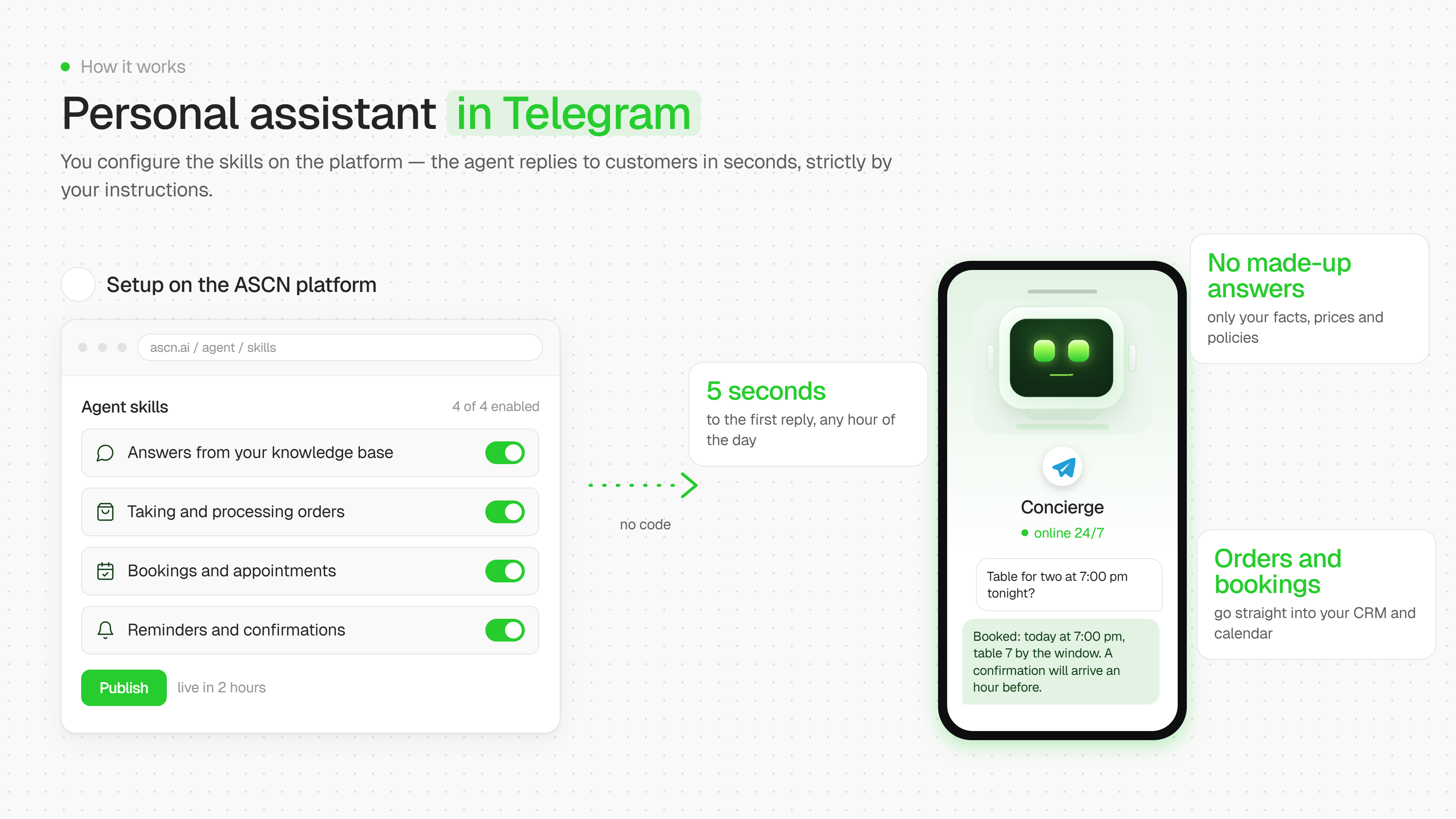

What is this
A personal concierge assistant in Telegram that responds to business customers 24/7 — based on facts the owner has provided themselves, without making things up or distorting reality. Setup takes about 5–8 minutes ⏱️ and is designed so the value is visible right away.
Key benefits
1. Instant replies to customers at any time of day ⚡ The agent takes on the first line of communication — questions about prices, services, hours — and responds within seconds, even at night or when the owner is busy. This takes the load off the human and keeps customers from "cooling off" while waiting for a reply.
2. Accuracy instead of improvisation ✅ The agent only answers with what's actually in the business profile (website, manually entered facts). If there isn't enough data, it honestly tells the customer "I'll check and get back to you" instead of inventing a price or a condition. This protects the business from reputational risks caused by incorrect information.
3. Automatic business profile collection No need to fill out a questionnaire from scratch — just provide a link to the website or social media 🔗, and the agent extracts the facts itself (services, prices, hours), flagging any gaps for further setup.
4. The brand's voice and tone, not a generic bot Through calibration (step 3–4), the agent adapts to the owner's communication style — formal/friendly, formal/informal address, etc. — so replies sound like they're "from the business," not a faceless script.
5. Order and booking intake with a structured log 📋 The agent collects the necessary order details (name, contact, service, time, specifics) and automatically saves them to Notion or Google Sheets in a single table with statuses — nothing gets lost in the conversation.
6. Smart filtering — what can be trusted to the agent and what can't The owner specifies upfront which topics (complaints, non-standard orders) the agent must hand off to a human rather than decide on its own. This keeps sensitive situations under control.
7. Calendar and reminder integration (as needs grow) 📅 Gradually, without overloading the initial setup, the following are connected:
- Google Calendar — bookings automatically become calendar events;
- reminders to customers about upcoming bookings — reducing no-show rates;
- a daily digest of conversations — a summary of the day's questions and orders.
8. Notification control The owner receives push notifications about new orders and escalations within a set window (default 08:00–22:00) — not about everything, only what actually needs their attention.
9. Flexibility and simple commands after launch Prices, tone of communication, or connecting a new service can be changed with a single phrase — "update prices," "change the tone," "connect Notion" — without redoing the setup from scratch.
10. Transparency at every step The agent never passes off unfinished work as done: it doesn't promise integrations that don't exist yet, doesn't hide gaps in the facts, and doesn't resolve customer questions beyond what it actually knows.
Bottom line 🎯
This isn't just a chatbot with canned phrases — it's an operational layer for first-line customer service: it saves the owner's time, keeps customers from leaving due to slow responses, eliminates the risk of misinformation, and gradually — without overwhelming the user — expands automation (orders → calendar → reminders → analytics) as the business's real needs grow.
