



- Русский
- English
- Português
Marketing Agent Package (SEO, LinkedIn, Social Media)
This marketing agent bundle automates procedures across SEO, LinkedIn, and social media to optimize workflows for greater efficiency. By significantly decreasing time spent on repetitive tasks, it allows marketers and founders to focus on strategic growth and quality content.

A set of agents designed to automate marketing procedures, including SEO, LinkedIn, and social media, can assist you in automating your marketing procedures. This can allow for the optimization of workflow for greater overall efficiency and therefore a significant decrease in the amount of time spent on business functions performing these tasks.
General Description
The marketing agent bundle includes agents that will enable you to automate marketing processes in the areas of SEO, LinkedIn, and Social Media. As a result, both marketers and founders can use these agents to streamline their workflow processes and therefore reduce the time they spend on repetitive activities. Agents are scheduled to perform actions automatically according to a specified time and frequency, with no requirement for ongoing supervision of agent performance on these tasks. This is particularly useful when it comes to managing inbound email and creating posts for social media. Users are given the ability to configure their agents in any manner they wish based on their company's business needs; therefore, agents can be customized to address a wide array of workflows associated with different businesses.
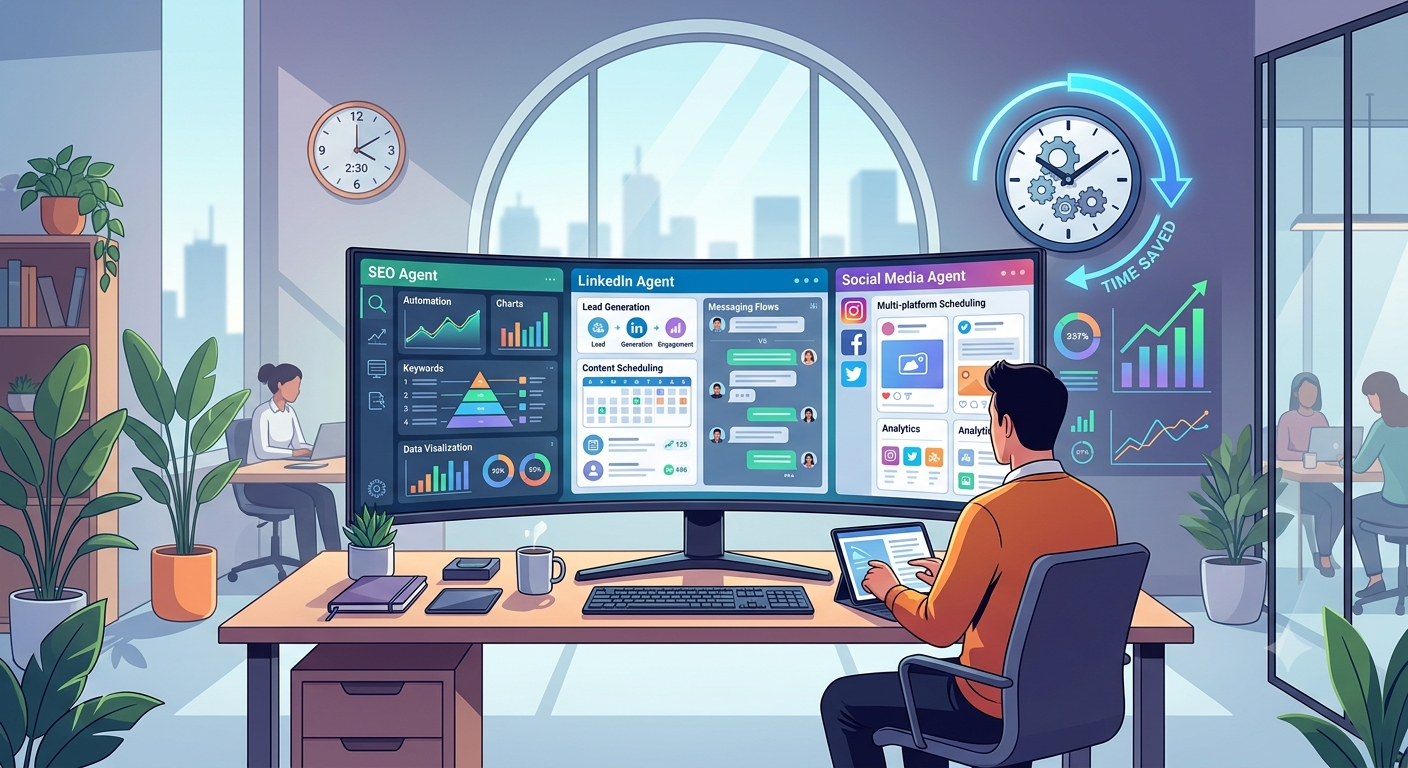
Utilizing a suite of marketing agents can increase team productivity by as much as 40-60 minutes per day by automating the execution of daily tasks. By saving over 15 hours a month performing routine tasks, the time spent on developing new business and producing quality content can now be allocated toward these priorities. For example, one of the users reported that the automation of processing inbound email dramatically reduced their workload by providing additional time to develop long-range plans and strategies.
How Automation Works
Marketing process automation will be accomplished through the use of pre-established workflows designed specifically for use with each individual task of your marketing department; all of the scheduled actions conducted by the agent will occur without you having to monitor the agents. Agents are especially useful when it comes to managing content being created for social media and processing inbound email.
Lastly, automation has the greatest impact on how much time is required to complete daily routine tasks. For example, it may take you as much as 60 minutes to process and create inbound mail each day. Flexible configuration of agents enables adaptation to all business processes, creating a universal marketing and founding tool. An example of this is a user who automated the process of content publication and reduced the time from 100 hours to 50 hours per month.
Why It Is More Effective Than Manual Work
Manual operations rely heavily on resources and are time-consuming; inbound email processing and content management are examples of operations that require many hours to complete. Using the agent system can significantly reduce the amount of time spent each day on these types of operations; a user reported that he was able to reduce his daily time spent processing emails from 1 hour to 40 minutes, by using the range of automated systems.
The ability to schedule work with your agents reduces the need to continually monitor the progress of task execution. Marketers and founders rely on timely data to help them focus on strategic business decisions. Additionally, pre-made workflows allow the agent system to quickly adapt to the particular business needs. All of these factors contribute to automation being an effective universal solution for automating business processes—something that cannot be accomplished through manual labor. One example is a user who reported that after automating their inbound email processing and content management, their team was more highly productive and focused on key tasks.
What Results Do Users Get?
Users of the marketing agent bundle experience a significant increase in efficiency in their marketing processes. Automated routine tasks, such as inbound email processing and content management, can save up to 40-60 minutes per day of time spent; thus, the savings can equal up to 15 hours a month that may be redirected to business development. When you have systems that routinely do a repeatable task on a given date/time you do not need to constantly watch those systems as they can be automated. Many businesses have also indicated that this has improved the quality and interaction level that they have with their audience(s). There is also flexibility built into Agents so these can be customized specifically to each individual business process making them a flexible option for founders/marketers looking to automate marketing efforts. A user indicated that by using Marketing Automation they are able to enhance their level of interaction with their customers.
Implementation Examples
Many companies are successfully implementing Marketing Automation through the agent bundle. Most marketers are citing that by using the Marketing Automation system they have managed to use this system to gain substantial reductions in their inbound email and social media content workflows and they have been able to focus their time on executing higher level functions that require more input from them. In addition to being able to manage their tasks with scheduled agents (no need to continually monitor), these agents provided additional opportunities to complete other work assignments or work on other important projects.
Many users of the Marketing Automation products have expressed various benefits from their use of this system during their implementation period including:
- Work Process Times have been reduced due to Automation by the user(s) an average of 40-60 minutes per day.
- Users have saved approximately 15 hours/month now meeting the goals for developing the strategic components of their business.
- They are able to automate a digest of published content through Telegram which has enabled them to improve their levels of interaction with their customers.
While the above examples show how their use of Marketing Automation can streamline the processes of an individual business; the use of Agents can improve the overall impact and efficiency of the business unit. Agents can also be configured in a flexible manner. One user reported that using automation helped them improve the quality of their content significantly, which made customers happier as well.
What You Get
Using the marketing agent bundle opens up the possibility of automating many areas of your marketing process. This means you will have a great way to cut down the amount of time spent on the day-to-day tasks of handling incoming email and managing your social media. You can effectively free up approximately 15 hours per month that you can utilize to achieve strategic goals, create new opportunities for business, and more, by using this solution.
Additionally, you will complete all tasks according to a scheduled timeframe, without needing to supervise the tasks throughout their execution, thanks to automation. Automation will allow you to have each task completed on schedule. Users are able to configure their agents to send out digests to Telegram automatically so they can get the latest relevant information and updates promptly.
As a result, using the marketing agent bundle, you will be provided with:
- A potential reduction in time spent on daily responsibilities of 40 to 60 minutes daily.
- Automation allows for easier communication with customers via automated notifications.
- You will have the flexibility to customize agents for the specific processes you have in your business.
Because of the above reasons, we classify using the marketing agent bundle as an essential tool for marketers and founders who are trying to increase efficiency by supporting quality content creation. One user also stated that due to the automation, they were able to divert the full time and resources of their whole team towards more effective uses of their time and resources, which led to increased revenue.
Launch Instructions
To effectively launch the marketing agent bundle, please follow the instructions listed below. Please note that no complex setup will be required, and the system works great for users with different levels of experience with technology. For the first step, users will need to select the appropriate agents that will represent the functions they wish to automate and then assign them to the specific tasks they need to complete. For example, one agent could automatically process incoming email and another agent could schedule automated posts to social media.
Once users select agents, they will need to designate their schedule for the agents. Since agents will work automatically based on a set schedule, users will not need to continuously supervise their activities. When assigning agents, users will want to ensure that the integrations to other services are performed correctly in order to receive timely updates and other information.
Finally, users should continually assess how well their agents are performing and adjust their configurations when necessary. By doing so, the efficiency of the agents will remain maximized as changes occur. For example, one user suggested that by periodically reviewing how well the agents are doing, users can better optimize their configuration and improve their functionality.
We believe that following the guidelines above will allow you to utilize the marketing agent bundle to effectively automate your business processes for SEO, LinkedIn and social media.
