



- Русский
- English
- Português
Personalized outbound lead automation using CrunchBase data, AI-generated emails, and Gmail
Learn how to combine CrunchBase data, the power of AI, and the Gmail API to fully automate B2B sales and lead generation. This article reveals the secrets to creating hyper-personalized emails that increase response rates by up to 23% and save hundreds of hours of routine work. Optimize your cold outreach with modern no-code tools and automation strategies.

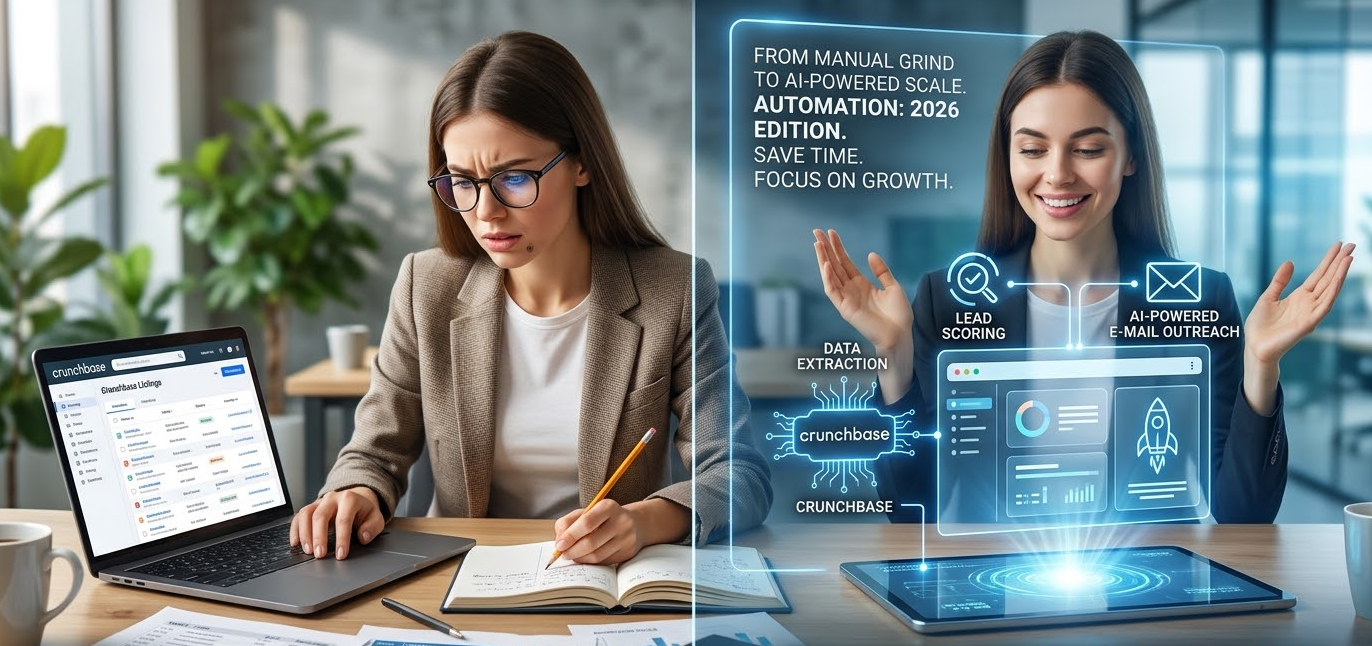
To be honest, the vast majority of sales professionals still manually sift through data in CrunchBase: copying contacts, building spreadsheets, and then sending cold emails one by one. Sound exhausting? It is. Yet, now in 2026, tools have been developed that allow you to do this in a matter of seconds—provided you know how to work with them.
Automation isn't just about "sending an email." It’s about stripping away routine tasks, freeing up time you could spend on things that actually matter: negotiations, strategic issues, and relationship building.
In execution, there are two zones:
Creative — listening to the client, asking questions, reaching agreements—all those things without which sales are just physical activity.
Mechanical — finding companies, checking their fit, and sending the first message.
Automation handles the mechanical part, allowing you to focus on creativity. It is implemented in practice as follows:
- CrunchBase performs an automatic export of firms based on specified filters;
- Artificial Intelligence determines whether they match your Ideal Customer Profile (ICP);
- Unique, personalized emails are generated based on the data;
- Sending is handled via the Gmail API, taking limits into account.
Established systems and rules allow for monitoring which emails remain unread and which receive a response. The system tracks all of this and initiates follow-ups without your involvement.
Teams that automated their processes increased productivity by 14.5% and reduced marketing costs by nearly 12%.
And perhaps the most brilliant part? Scalable personalization. Not just 10 identical emails, but 100 completely different emails hitting the inboxes of 100 different recipients, each of whom feels the message was written specifically for them.
Why use CrunchBase for lead generation?
What makes CrunchBase relevant for lead generation? CrunchBase is one of the world's largest databases of businesses and entrepreneurs—over 3.7 million organizations with all their associated data. The choice is obvious. Here are several reasons that stand out as the most important:
- Fresh funding signals. New companies that have just secured capital are often ready to spend, meaning you can target them effectively;
- Growth indicators. Job openings, office expansions, product launches—it’s all on the surface;
- Key stakeholder contacts. Often, the email addresses of managers and executives are available right there;
- Tech stack. It is also possible to tailor solutions based on the technologies companies are already using.
For example, instead of just searching for "SaaS companies," you can filter by parameters: "SaaS in Austin, 20-50 employees, $2-5 million in investment over the last six months, open sales positions, and using Salesforce." With such a profile, your outreach will certainly hit the mark.
Leads from structured databases show a 34% higher conversion rate than chaotic LinkedIn outreach.
Benefits of AI Personalization in Email Campaigns
Standard cold emails usually garner only a 1-2% response rate. An AI-personalized email using real company data can achieve up to 23% in some cases. That is a serious difference.
Why is this? AI can study company data—news, investments, open vacancies—and write an email as if you spent hours researching the company yourself before writing.
Compare for yourself:
| Email Type | Example |
|---|---|
| Broad template blast | "Hello, we help SaaS companies grow their revenue. Would you like to chat?" |
| AI-personalized email with CrunchBase data | "Hi Sarah! Congrats on the $4M Series A from Sequoia. I saw you are actively growing your sales department. We help automate lead generation..." |
The difference? You believe a message like that because it was written for you, rather than being a mass blast that flies straight to spam.
ASCN Experience: Thus, artificial intelligence has once again demonstrated that specialized AIs integrated with CrunchBase significantly outperform standard ChatGPT solutions using unsystematized data.
Overview of Gmail Integration for Email Automation
Using the Gmail API, you can automatically send thousands of unique emails with a high probability of deliverability.
- Emails sent through Gmail land in "Trash" significantly less often compared to those sent via paid marketing platforms;
- The API itself is open and well-documented;
- Google Workspace allows you to run campaigns from different accounts;
- It is inexpensive to use, especially in the B2B segment.
However, there are limitations:
- Regular Gmail is limited to 500 emails per day;
- Google Workspace allows for sending up to 2,000 emails per day.
For most B2B outreach, this is more than enough.
According to 2024 Mailchimp data, emails from Gmail Workspace corporate accounts are opened 26% more often and clicked 14% more often than mass mailings.
Setup takes only a few hours, and thereafter, advertisers can use no-code platforms like ASCN. With the help of AI, you can build chains from the CrunchBase API, AI for writing, and the Gmail API—all without a single line of code.
Overview of the Lead Source — CrunchBase
CrunchBase is a proven aggregator of information on companies, investors, funding rounds, and key people, with a focus on startups and emerging businesses.
Information is pulled from public sources and validated by both the community and venture capital funds, making the database reliable and up-to-date.
Access parameters are simple and clearly defined:
- Free — basic profiles and search;
- Pro (from $29/mo) — advanced search, export, API access;
- Enterprise — maximum set, bulk export values, and real-time updates.
For proper automation, you need the API, which means at least a Pro subscription.
Available Data and Its Importance for Customer Acquisition
| Data Class | Example Fields | Why is this important? |
|---|---|---|
| Key Data | Name, description, website, social media | For identification and verification |
| Investments | Amount, date, who invested | Budget assessment and development stages |
| Team | Founders, key figures, headcount | Finding contact persons, growth signals |
| Tech Stack | Platforms, integrations | Precise product positioning |
| Positioning | Sub-industries, competitors | Tailoring the offer to demand |
| Events | Launches, expansions | Entry points for contact |
73% of B2B clients choose sellers who thoroughly understand their business.
Standard techniques include filtering:
- By funding stages — from Seed to Series B;
- By recency — the last 3-6 months;
- By industry, category, and geography;
- By company size and technology stack.
A typical example is a Seed-stage SaaS company from the US, with 20-100 employees and cloud infrastructure. Thanks to filters based on thesis, activity, portfolio, and deal volume, investors can easily find the hottest investment opportunities.
Furthermore, firmographic filters reduce the deal cycle by as much as 41%.
Using AI for Automated Email Campaigns
In applying AI to automated email campaigns, there is no replacement for the human; rather, the use of artificial intelligence acts as a superpower that takes over all the boring and voluminous work of data analysis and email drafting. The human is left only to adapt and fine-tune, then proceed with the deal.
Here is what the AI does:
- Collects information from CrunchBase, news, and job openings;
- Digests the context and intent of the email;
- Forms several template variants;
- Develops the tone of voice considering the target audience;
In reality, AI doesn't create original content from scratch; it skillfully populates pre-defined templates with the necessary information.
Example AI Prompt:
You are an expert in B2B sales. Using the following data (name, description, funding, team, technology), write an email that:
1. Demonstrates understanding of the company's current development stage;
2. Identifies a problem;
3. Explains how our product solves it;
4. Makes the email friendly and professional.
5. Is under 150 words.
This approach allows for the creation of a more structured message based on existing specifics. Quality is influenced by the specificity of the prompt, the completeness of information, training examples, and human oversight.
AI saves up to 2.3 hours of time per day and adds 18% to the response rate.
Generating AI Summaries to Improve Emails
Generating AI summaries is exactly how you can significantly improve an email. The bot receives company information as input and can highlight their core essence, then briefly formulate it. All of this can be inserted into the email, which increases trust and the accuracy of the outreach.
The approach in brief:
- Collect the most important fields: name, funding, news, stack, key figures;
- Structure the prompt with conditions: if there is funding—write about it; if not—write about news or positioning;
- Insert figures, dates, and names—without them, the email is hollow;
- Create industry-specific variants for different niches;
- Conduct A/B testing and monitor quality.
Examples of Successful AI-Generated Emails
Example 1: SaaS company at the Series A stage
Subject: A moment to discuss scaling FlowMetrics sales

Hi Jessica,

Congratulations on raising $3.5M and growing the team from 28 to 42 in three months.

How is the new recruiting team handling the increased workload? Most companies at this stage get bogged down in manual tasks.

We helped similar analytics firms reduce full data entry from 5 hours to 20 minutes and increase new recruiter onboarding by 40%.

Would you be open to chatting for just 15 minutes?

Best regards,
[Your Name]
Example 2: Crypto startup ChainBridge
Subject: Congratulations on the ChainBridge testnet launch

Hi Marcus,

I see that the Ethereum-Solana bridge testnet has launched—quite an ambitious task for cross-chain infrastructure.

I assume your current priority is the security audit and preparation for the mainnet launch. Very often, projects like yours face headaches related to transaction monitoring.

We have automated monitoring for similar projects. For example, ChainFlow eliminated the struggle with manual chain checks: we simplified their process with notifications.

If you're interested in monitoring, I'd be happy to share our experience.

Respectfully,
[Your Name]
Integration of CrunchBase and Gmail for AI Email Automation
Technical Overview of Integration Capabilities
- CrunchBase API: Fresh, structured data from the service;
- AI Services (OpenAI or Claude): Generation of personalized emails;
- Gmail API: Reliable delivery of email outreach.
- No-code Platforms: Assembling individual components into a single automated chain.
This is what a standard flow looks like:
[Trigger] → [CrunchBase Request] → [Company List Processing] → [Email Search] → [AI Email Generation] → [Gmail API Send] → [Logging and Delay]
Instructions for Working with Gmail through CrunchBase with AI
| Component | What is needed | Price |
|---|---|---|
| CrunchBase | Pro/Enterprise API Key | $29–499/mo |
| AI Service | OpenAI/Claude API Key | ≈$0.002 per email |
| Gmail Account | Google Workspace | $6–18/user |
| No-code Platform | ASCN.AI, n8n, etc. | $0–99/mo |
Authentication Features and Limits
- CrunchBase requires an API key in the request headers;
- Gmail requires OAuth 2.0 with a refresh token;
- AI service — API key or token;
- Request limits: CrunchBase approx. 200 per minute, Gmail — 250 quotas per second, OpenAI — 10,000 per minute.
For 50-200 emails a day, this is perfectly manageable.
On Security when Working with Data
- Store keys in encrypted vaults;
- Use environment variables and manage secrets;
- Catch API errors and log only metadata;
- Do not store email text in logs.
ASCN.AI offers a no-code platform—it's one of those platforms that unites everything: CrunchBase, AI, and Gmail into a single whole, the point of which is that you don't even have to think about writing code.
Step-by-Step Workflow Implementation
- Request an API key from CrunchBase;
- Set up the Gmail API via Google Cloud and OAuth 2.0;
- Obtain a key from an AI service.
- Create a trigger on a no-code platform to start the scenario.
- Configure CrunchBase requests with the necessary filters.
- Process the resulting companies and search for emails.
- Connect the AI to generate a personalized email.
- Send emails via the Gmail API, strictly and carefully observing limits and pauses;
- Log the sending with dates and statuses—check twice;
- Test on a small volume at the start so as not to make mistakes later on a larger scale.
Workflow Diagram
[Trigger] → [CrunchBase API] → [Loop through Companies] → [Email Search] → [AI Generation of Email] → [Sending via Gmail] → [Logging] → [Wait/Pause]
Examples of Automated Email Outreach Scenarios
Scenario 1: Software Sales after Series A
- Filter: Series A, employees;
- The AI email has a personalized format and congratulatory content focusing on scaling issues;
- Volume of 10 to 20 emails per day;
- Goal: 15-20% open rate;
- Automatic follow-up after 5 days if there is no response.
Scenario 2: Partnership with Cryptocurrency Platforms
- Filter: Crypto/DeFi, Seed-Series B, global geotargeting;
- AI emphasizes integration tasks and on-chain analytics;
- 10 emails per day, tight targeting — response rate of 20-25%;
- Emails mention the ASCN.AI case study for trust.
Scenario Number Three: Searching for Seed Investors
- Filter for active Seed investors by industry over the last six months;
- High degree of personalization (up to 120 words), 3-5 emails per day;
- Request for a brief 20-minute meeting;
- Additional filter by portfolio companies for a warm contact.
Scenario Number 4: "Recruiting for a Fast-Growing Startup"
- Full slice by filter: competitors with similar headcount and technologies;
- AI email emphasizing fast team growth;
- 20-30 candidates per day;
- Response rate of 8-12%, which is higher than the market average.
Advantages of Automated AI Lead Generation
Leading data on the effectiveness of automated AI lead generation shows that for AI personalization based on CrunchBase, the open rate is 35-50% and the response rate is 15-23%. For standard templates, the open rate is only 15-25% and the response rate is 1-3% respectively (Mailchimp, Instantly.ai, 2024).
Factors that Influence Outreach Success:
- Subject line created from a template that hits a nerve, starting with a mention of the company name and a life event that occurred there;
- The first lines of the email, characterizing the sender by their news of funding or team growth;
- The timeliness of the outreach—ensuring the moment is truly appropriate and relevant. For example, immediately after receiving another million in funding.
| Method | Open Rate | Response Rate | Meetings per 100 emails |
|---|---|---|---|
| Manual personalization | 45% | 18% | 7 |
| AI with CrunchBase | 42% | 16% | 6 |
| Template with merge tags | 22% | 3% | 1 |
| Mass mailing | 18% | 1% | 0 |
Time and Resource Savings
Typical manual work takes, on average, about 25 minutes per lead: 10 for research, 8 for drafting, 5 for practical writing, 2 for searching for email and sending/logging. For 50 leads, this is >20 hours of mindless manual labor daily.
Automation requires about 4 hours for setup and thereafter only 15 minutes a day to assemble what is needed. In the end, 50 emails a day are sent practically without your involvement.
According to the cost analysis conducted, we obtained these figures:
| Indicator | Manual Work | Automation |
|---|---|---|
| Number of FTE | 2-3 | 0.25 (one operator) |
| CrunchBase Subscription | $150/mo | $49/mo |
| Email CRM Expenses | $600/mo | $100/mo |
| Annual Budget | $120K-$230K | $65K |
In the end, we can save up to $16,500 per year, and most importantly—free up time for things that really matter.
Comparison of Manual and AI-Automated Approaches
| Parameter | Manual Approach | AI-Automated Approach |
|---|---|---|
| Data | Stale, up to 15% errors | Fresh, accuracy over 95% |
| Personalization | Varies in quality | 84-90% of manual quality, consistent |
| Speed | 2-3 emails per hour | 50-100 emails per hour |
| Cost per Lead | $648 | $8.75 |
Ideally, leave negotiations to humans, while AI and automation handle the preparation and sending.
Guide to Drafting Individual Cold Emails Using Artificial Intelligence
A good cold email contains:
- Subject — 6-10 words with the company name in the subject line or a relevant event;
- Intro — reference to a specific fact or news item;
- Client Problem — pain point that appears with the company's stage of development;
- Solution — how your esteemed organization could help them with this trouble; Specify what the product consists of;
- Social Proof — case studies, industry examples;
- Call to Action — proposal for a 15-minute meeting, a simple "yes/no."
Example:
Subject: Question about scaling the [Company] team

Hi [Name],

Congrats on the $X round and growing the team from Y to Z in Q months. How are you handling lead generation automation to help new sales managers ramp up faster?

We helped [similar company] reduce manual lead searching from 6 hours to 20 minutes. Their AEs became 40% faster.

Worth a 15-minute chat? Best regards,
[Your Name]
Best Practices — AI Summary from CrunchBase Data
- Extract key information: Name, description, funding, employees, news, stack, executives;
- Structure queries with conditional blocks: "if there is funding—write about it; if not—news or category";
- Show specifics: figures, dates, names—this adds trust;
- Prepare sub-industry templates, especially for SaaS, crypto, e-commerce;
- Monitor and re-generate emails if they don't turn out well;
- Conduct A/B tests to improve performance.
Methods for Maximum Personalization of Actions and Decisions using AI Capabilities and CrunchBase Data
1. Multi-level Personalization by Priority
| Level | Email Volume/Day | Human Role |
|---|---|---|
| High (10%) | 5-10 emails | Manual review and refinement of AI drafts (5 min) |
| Medium (40%) | 20-40 emails | Check subject line and intro (1 min) |
| Standard (50%) | 50-100 emails | Full AI generation and automated sending |
2. Pattern Clustering
Group organizations by set parameters—for example "recently funded," "fast-growing," "launched a product," etc. The artificial intelligence then sorts organizations into these clusters and finds matching templates for them.
3. Modular Email Builder
The email is formed from constructive blocks (greeting, problem statement, advice, call to action), which allows for easy structure changes depending on current data.
4. Sequences with Increasing Depth
The first email is basic information from CrunchBase, the second is a news analysis. The third stage is a vacancy check. Since money and attention at this stage are directed only toward those who are truly interested, it takes a lot of time.
5. Feedback and Machine Learning
AI analyzes response statistics and adjusts style, data, and approach for different audience segments.
6. Multi-channel Approach
In addition to email, try to use CrunchBase and data for LinkedIn, Twitter, and other social networks to build complex multi-touch campaigns.
7. Filtering Negative Signals
AI filters out companies with problems (layoffs, bankruptcies) to avoid sending an inappropriate subject line in an email.
FAQ
Is CrunchBase Pro necessary?
Of course, without it, you won't be able to use API access and full automation. The Free version is only good for trials and manual actions.
Which AI service is best to use?
OpenAI GPT-4 is suitable for most tasks. Claude only accepts strictly regulated industries at the moment. Open-source models with their additional settings and lower quality are less suitable.
How to avoid spam blocking?
- Implement Google Workspace;
- Set up SPF, DKIM, and DMARC;
- Gradually increase volume (email warmup);
- Add an unsubscribe link and follow content rules;
- Validate emails for deliverability.
Does automation comply with laws (GDPR, CAN-SPAM, CASL)?
If you do everything openly, give people the chance to opt-out, and use B2B public contacts, it is perfectly legal. In Europe, if there isn't enough connection to the client, you need confirmation. Ensure automatic processing of "unsubscribe" requests and permanently exclude such users' addresses from future mailings.
Is it possible to automate LinkedIn?
Technically possible, but the risk of a ban is high. Generate AI emails for manual sending instead.
What to do with outdated data in CrunchBase?
Use additional sources. Build in automatic completeness checks. Set tasks for manual verification of doubtful cases.
How to measure ROI?
- Evaluate savings, calculate the math of your time and money costs;
- Track your mailing volumes, email open rates, and conversions;
- Calculate profitability based on your average check and successful deals.
