



- Русский
- English
- Português
Auto-posting to LinkedIn, Threads, and X
ASCN.Agent automates social media delivery to LinkedIn, Threads, and X, saving you time and simplifying your marketing efforts. This guide explains how to implement automated posting to improve consistency, reduce manual errors, and scale your content strategy effectively.

ASCN.Agent can help automate the delivery of your social media posts to save you time and simplify your marketing.
General Overview
Using this template will allow you to automate your social media posting and is perfect for individuals and businesses that want to create and execute their content marketing strategy more efficiently. The implementation complexity for the product is considered average, so users without advanced technical experience can still utilize it. Automated posting will save you time while at the same time improve your interaction with your audience. Automated posting also enables you to set a schedule and plan your posts so you will avoid being rushed and reduce your risk of making errors. As a result, automated posting becomes an essential tool in reaching your marketing goals as well as helping to improve the overall effectiveness of your social media delivery.
How Automation Works
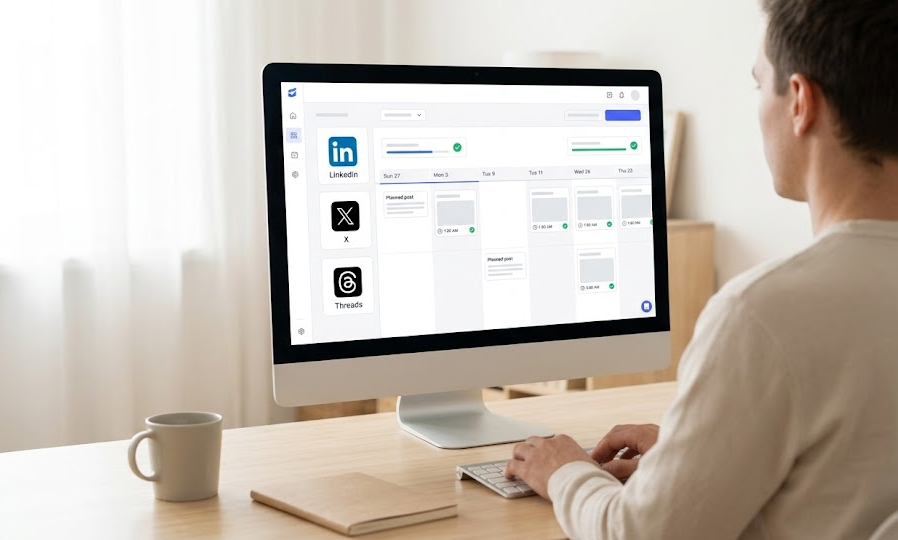
The automation of social media posts through the agent will start by establishing a connection to your LinkedIn, Threads, and X accounts to facilitate the integration of your profiles into the content management system. Once profile connections are established, a schedule for the posting will need to be established for automatic content delivery. Establishing a posting schedule will allow you to determine the time and date of when you want content published automatically, which is particularly advantageous for businesses that are run by one owner or entrepreneur who is working to optimize their marketing efforts.
The ability to use pre-defined commands to create and manage posts will dramatically simplify the process of posting content. You can quickly create content and concurrently publish it to multiple platforms simultaneously, thus saving both time and significantly decreasing your probability of making any mistakes. Automated posting will allow you not only to schedule the posting of your content but also modify the contents of the post to meet the specific specifications of each network and as a result, will improve the effectiveness of your engagement with your audience.
Why It Is More Effective Than Manual Work
Social media automation makes managing your content much easier than doing it manually in two key ways. First of all, automating your posts saves you time on both the creation and publication of your social media posts. Secondly, when you use automation, it greatly reduces the likelihood of making errors because there will be no more chance for you to manually enter the data on your website or in your social media accounts. When you manually create your social media posts, the likelihood that you will make mistakes such as typing errors or posting content that has been formatted incorrectly is very high. Using automated tools will help to eliminate or greatly reduce these types of mistakes, which ultimately leads to having more accurate and reliable information displayed in your posts.
In addition to the time savings achieved by automating your social media posts, another advantage is being able to create your content ahead of time. You will be able to determine the topics that you want to post about and when you want to post them, which gives you the ability to create a much more consistent and strategic content marketing plan for your business. By providing you with a system that allows you to schedule your social media posts in advance, automation has become a tool for being more strategic about your social media efforts.
Results Users Achieve
Reports from users indicate a vast reduction in time spent managing social media. Automation of posts has freed users to focus more on the things that truly matter in their business, such as creating quality content and building relationships with other people. With the flexibility provided by posting content in advance, all users have the ability to eliminate the stress of trying to monitor their posting schedule, which creates another level of stress caused by having to meet a deadline.
In addition, automation allows users to produce better quality content for their social media accounts. By being able to create and edit all of their social media posts before they are published, users have plenty of time to avoid the last-minute rush and mistakes associated with publishing their content. This is especially beneficial to solo entrepreneurs and marketers who want to build and maintain a high level of credibility and professionalism across all of their social media channels.
Post automation provides two major benefits for marketers and business professionals; they save time and make marketing efforts more effective overall. Feedback from users tells us that post automation has resulted in increased levels of audience engagement and improved interactions with customers, both of which assist in reaching their business goals.
How to Implement
Post automation using your own automated social media poster has worked very effectively for those who are solo entrepreneurs/marketers. Because of that, users have found that it has simplified the way they manage their content, resulting in them having more time to concentrate on higher-value activities. For example, many users have incorporated social media post automation into their marketing strategies, which has allowed them to substantially increase the number of posts they create and how well they connect with their audience.
Post automation will also help you to avoid the last-minute rush that often occurs when you are trying to create content, especially if you are working under a strict deadline. Users continue to increase the number of posts they create by pre-planning their posts using post automation, ultimately resulting in greater engagement with their audience. Because post automation minimizes the potential for human error in manual data entry, your company’s reputation will remain positive.
Though specific case studies are not presented, based primarily on user experience, the conclusion that social media post automation is quickly becoming a necessary tool to help you achieve your marketing objectives and support your efforts to improve the efficiency of using social media is being documented. In addition to providing your company with improved process efficiency, it is also helping your company to become more flexible to accommodate the ever-changing demands of the market.
Benefits of Post Automation
There are many advantages to using a social media post automation solution in your business as a solo entrepreneur/marketer: First up, you'll have access to an automatic way of publishing content across several sites at one time (i.e., LinkedIn, Threads, and X). This saves you a lot of time and energy as compared to manually managing your posts.
The system will also integrate with some of the most popular social networks to allow for easy setup and content management. You won’t have to worry about compatibility because the automation does all the work for you (e.g., the features of each social network). You can focus on producing great content instead of worrying about how to get it up on the web.
Furthermore, you can set up your posting schedule as needed based on your own preferences. This means that you can plan out your content ahead of time and to better tailor your posts to your target market. This is particularly useful in an ever-changing marketplace where it is important that any given piece of information is up-to-date and relevant when it’s time to publish.
Launch Instructions
To complete your social media automation launch successfully, follow these simple steps. First, clone the repository in order to obtain the needed files and then change into the project directory, where you will run all commands related to the project. Create a virtual environment to isolate all project dependencies from other projects and keep your project running efficiently.
Next, activate the new environment and install all the required dependencies necessary for this system to function properly. Lastly, be sure to correctly configure the MCP server with your access tokens to allow for integration with your LinkedIn, Threads, and X accounts. This will allow you to use the automation process to efficiently publish your content.
- Clone repository:
git clone https://github.com/your-username/sns-automation.git - Change to directory:
cd sns-automation - Create virtual environment:
python3 -m venv .venv - Activate virtual environment:
source .venv/bin/activate - Install dependencies:
pip install -e ".[dev]" - Configure MCP server with your access tokens.
By following these steps, you will be able to launch your post automation system quickly and easily, saving you significant amounts of time in regard to your social media activity.
