



- Русский
- English
- Português
AI Video Generator with Google Veo3 API — Order Service and Integration
Scaling video production in 2026 is seamless with Google Veo3 API. Create personalized, high-quality 4K videos in minutes and integrate them into your CRM or website using no-code automation.

With an ever-growing number of programs that do not meet the needs of most modern businesses, time has come where most companies will not find suitable programs for their new products.
The AI video generator, combined with Google Veo3 API has changed the way people conduct business, create digital media, communicate and streamline the overall business process.
At ASCN.AI, we went from being an advertising agency specializing in cryptocurrency marketing to developing a complete ecosystem of AI products. Over the last several years, we have indexed Blockchain-based data, established Nodes and created a platform that allows anyone to create their own AI workflows in just ten (10) minutes. Following the launch of the Google Veo3 API, we are now one of the first content creators to utilize this technology to generate marketing, educational and sales videos directly from chatbots and CRMs.
The Google Veo3 API provides a unique opportunity to simplify the video creation process and fundamentally change the way people interact and communicate with businesses, thereby speeding up processes.
What Is an AI Video Generator?
An AI video generator is a technology that uses deep learning algorithms to produce video content from text input. Unlike traditional video production where a team of people is needed to shoot, edit, assemble and distribute the final product, an AI video generator can produce high-quality video content in a matter of minutes. To create a video, you input a prompt, and then the AI model processes the input and produces a finished product that includes animation, effects, and transitions.
Therefore, the benefits of using an AI video generator can be measured beyond just its time savings; however, it can have a tremendous impact on the overall economics and profitability of a project. Before, a promotional video created sourcing costs ranging from 50,000-200,000 Russian roubles with production taking around one month. As compared with today, one such video would cost approximately 500 Roubles per individual API request and would take about 30 minutes to construct. This allows for marketers to evaluate numerous various creatives daily instead of only one once every three months. Likewise, Human Resources departments have the ability to generate distinct and tailored training videos for each employee. Moreover, product and development teams can use videos to show off new features that have yet to be launched as if they were truly available, helping to save time and resources on recruiting.
To understand these advancements, it is important to recognize the essential building blocks of transformer architectures, diffusion processes, and GANs (Generative Adversarial Networks). The transformer model translates textual content into visual ideas; while diffusion models (i.e., Stable Diffusion & DALL-E) create the images step-by-step by eliminating noise, and adding additional layers of detail. Finally, GANs learn from millions upon millions of images to produce high-quality and realistic frames. Combining these three technologies allows the Google Veo3 API to analyze each individual's text prompt, create a sequential frame set in the appropriate rhythmic and stylistic context, and then produce a complete video.
In a study conducted by OpenAI, published in 2024, it was determined that businesses which implemented AI capabilities reduced their overall time-to-market by 70% and their content-producing costs by 5x. We performed a case evaluation for a client who acted within eCommerce and launched 40 different ads during a single week; during the previous quarter, the client had launched only four. The results from mass-hypothesis testing with regards to the 40 newly launched ads resulted in increased conversion rates by 34%.
How Google Veo3 API Works

The Veo3 API is able to determine not only what to show in a video but also how to show it by taking into consideration all aspects of the presentation such as which angle to shoot from, which lights to use, how to use camera motion and ultimately how fast to edit.
Its architecture is built on top of multimodal transformers utilizing an attention mechanism. When you provide the algorithm with a text prompt, it breaks the prompt into semantic block segments, identifies the key objects/actions that compose the prompt, generates a sequence of 24–60 frames per second based on the chronology of these objects/actions, and then generates a final video from these frames through a process of Diffusion while at the same time maintaining temporal consistency and synchronizing audio with the video file.
APIs offered by the service include:
- Video lengths of 3–120 seconds.
- Resolution max 4K (subject to plan).
- Stylistic Options: Realistic video; animation (2D/3D); cinematic film.
- Camera controls: zoom; pan; move in trajectory.
- Editing of video: replace an object; change background; apply color correction.
- Adding voice-over using text models and sound models.
The API can be accessed via REST or via software development kits (SDK) developed for both Python and NodeJS. You will submit your request to the server through an asynchronous POST to be processed with your prompt and any parameters; the server will return either a link to the completed video or notifications through a web-hook.
Within the ASCN.AI ecosystem, Veo3 acts as a tool for AI-related workflows such that when a client communicates a script using a chatbot, an AI Agent prepares, sends, receives, uploads and delivers the link of the completed video to the client through the same chatbot, helping save 2–5 minutes for a large majority of the time previously taken to achieve these tasks.
Version 1.1 of Veo3 improved video quality by 40 percent (in terms of Fisher Divergence Index "FID"), and improved smoothness of animations created by the API by 60% (citing Google DeepMind, 2025).
Integrating AI Video Generator with Google Veo3 API
With this service, the AI video generator is an engine based on the API to create video content from text. As an illustration, consider the following prompt: "Close-up of Hand Opening Product Package. The camera pulls back at the end to reveal a satisfied customer." Each scene was created and then parameters such as resolution, frames per second and style were added before processing it through an API to produce a final video clip.
Now let's look at some examples from real life.
E-Commerce: Mass Production of Product Cards
A client with 500 SKUs was previously manually filming their product videos. This took them one week and cost one thousand rubles for each video produced. Now, through the Veo3 API, they can automatically create 15-second clips complete with voice-over and music, on behalf of their customers. In 48 hours, 500 videos were created, costing 300 rubles per video. The company saw a 22% increase in conversion rates as a result of these new video clips.
Educational Platforms: Personalized Video Lessons
The Online Coding School generates video lessons tailored specifically to each student. When a student takes a test, the school uses an AI Agent to receive prompts from the Veo3 API to generate video lessons based on the results. In only twenty minutes, the coding school can create a 5-10-minute video lesson, compared to three days previously. Due to this customization, students have a retention rate of 84%.
Corporate Training: Automation of Onboarding Video Guides
The HR department of a large corporation used the Veo3 API along with animation and recorded voice-overs to automatically create onboarding video guides using the company's internal data. The amount of time that it took to prepare new employees for work was reduced by five days, the amount of work that HR had to do was decreased by 60%, and now, 90% of new employees complete their orientation training on time.
In all three of these examples, the Veo3 API is part of an AI workflow that allows companies to scale routine video production tasks while still retaining human creative thought and direction.
We Create Professional-Quality Video with Google Veo3 API
Capabilities and Benefits of Our Services
Our video creation services allow you to produce clips that are anywhere from 5 to 120 seconds long, in whatever style you like, whether that be realistic, 2D or 3D animation or even cinematic-style; we also integrate voiceover capabilities via integrations with ElevenLabs and Google Text-To-Speech. You will have a choice of voice, language and intonation for your video voiceover as well as video editing features including background, objects, colour correction and text overlays.
By utilising our API, you will be able to generate up to 500 clips with various prompts during a single session. You will also have the ability to integrate your video creations with your CRM, marketplaces and educational platforms via API or use ASCN.AI's no-code platform.
The Business Benefits of Our Services:
- Speed: You will receive a video ready for viewing within 2-10 minutes, instead of weeks spent filming and producing a video. Ad campaigns can be launched the same day that the brief is received.
- Cost: The cost of creating a video using our service will be approximately 200-2000 rubles; this is several dozen times less than using a traditional studio. One creative director using Veo3 can replace a department of five.
- Flexibility: You can create dozens of different versions of your ads, and then test all of them to determine which perform best.
- Personalisation: You can create different videos with specific content for each audience segment based on the style and message.
- Scaling: We can create and deliver thousands of videos simultaneously; through asynchronous processing, we can produce multiple videos at once.
According to HubSpot (2024), Videos can increase engagement by 80%. One of our clients in the fintech industry improved their conversion rates from 2.3% to 4.1% by creating 120 creatives in one quarter. A crypto exchange automated the production of educational videos, moving from 2/month to 15/month and experienced a 40% improvement in retention.
File Types and Available Formats of Videos
Video Formats:
- MP4 (H.264/H.265) – The go-to video format for YouTube, Instagram, Telegram, and more.
- WebM (VP9) – The lightest video format for use on the web.
- MOV (ProRes) – Ideal for professional editing.
- GIF – Short loops of video for social sharing or presentations.
Available Resolutions: 720p, 1080p, and 4K (depending on your account plan). Frame rates are available at 24fps through 60fps.
Video Types:
- Promo Clips (15-30 seconds) – include product close-ups, solid color backgrounds, and a clear call to action.
- Educational Videos (2-10 minutes) – demonstrate your product with text and voiceover narration.
- Social Clips (15-60 seconds) – capture the attention of viewers by sharing funny or emotional videos that people can relate to.
- Corporate Presentations (1-2 minutes) – highlight statistics, charts, office layouts, and accomplishments.
- Personalized Videos – utilize your customers' names and other information when creating newsletters and retargeting.
- Animated Explainer Videos – assist your audience in understanding complex ideas via characters and metaphors.
Steps for Integrating Google Veo3 API with Client Projects
- Register and obtain an API key – create a project through Google AI Studio and enable access to the Veo3 API.
- Obtain the SDK or do the HTTP Setup – Install either the SDK via pip/npm for Python/Node.js or the no-code ASCN.AI platform.
- Send a request – Submit a JSON file with prompt, duration, resolution, and style parameters.
- Process the response – check for the jobId and either poll or use webhook to get updates.
- Download and store video clip – download video and upload to storage or send clip to client.
- Handling Errors – Keep a record of errors or failure reasons and alert team.
Use Cases of Industry Integration:
- Real Estate: 40% of clients who see your virtual tour schedule an appointment to see the home in person.
- Restaurants: ordering food over the internet increased 28% after video menus were created.
- SaaS: conversion rates from demo to subscription rose from 12% to 19% after using personalized demo video clips.
- Education: mini-courses for marketing — 50 video variants in 10 minutes. A basic workflow takes 15-30 minutes to set up; a complex one — up to 2 hours. ASCN.AI provides ready-made templates.
Practical Examples and Use Cases
Example 1: Crypto Exchange Promo Video
Prompt: Animated cryptocurrency price changes shown dynamically along with a crypto exchange interface displayed on a smartphone screen. Close-ups of hands tapping on tokens were included with the text "Trade Like A Pro" in an animated backdrop using futuristic imagery.
Results: A 20-second video produced in a cyberpunk trend for targeted advertising increased CTR from 1.8% to 3.4%.
Example 2: Training Video for SaaS Product
Prompt: Open a Dashboard, highlight graphs, use captions, and voiceover.
Results: A 90-second video with Bilingual Voiceover reduced account activation time by 30%.
Example 3: Social Video for Instagram Reels
Prompt: Vertical video of the unboxing experience of a product by a woman with textual overlays including "Your Must Have", energetic music included in the video.
Results: 120,000 views in the first week and 3,500 clicks to the site.
Example 4: Video Presentation for Corporate Use
Prompt: Animated Images That Show Company Growth, Map of Offices, Corporate Branding Colour and Minimalistic Ambient Music.
Results: A 60-second video presentation closed a $2.5 million deal.
Example 5: Personalized Video for Email Newsletter Campaigns
Prompt: Text Included Your Name; Your Favorite Product; Discount Amount; Countdown Timer.
Results: Open rates increased from 18% to 34% and conversion rate increased from 3% to 7%.
All of these videos were created without videographers by using one request, the Veo3 API, and automating through ASCN.AI.
Client Feedback and Results
Case Study: E-Commerce Platform With 500+ SKUs
Before: The cost to produce videos was about $1 million per quarter, and they updated them every six months.
Solution: Veo3 API automatically generates videos for product descriptions and images.
Result: 500 videos were produced in 48 hours for a total of 150,000 rubles and saved 850,000 rubles, leading to a 22% increase in conversion rate. Inventory updates occur in two days rather than six months.
Customer Review: "Each item now has a video. Customers now have a better understanding of the product, and we have seen a 15% decrease in returns."
Case Study: Coding School
Before: Two videos were created each month; a team of three people was needed; costs for each lesson were 50,000 rubles.
Solution: Automation using ASCN.AI and the Veo3 API with personalisation by the student's individual learning level.
Results: Increased workload to 15 lessons/month; reduced cost per lesson to 3,000 rubles; retained 84% of student retention rates; NPS rose from 42 to 68.
Customer Review: "Quality has not been affected. Students receive the answers they require. We are implementing more content without the requirement of additional staffing."
Case Study: HR Department of a Large Corporation
Before: HR spent approximately 40 hours creating material each month and each adaptation took up to three weeks.
Solution: The Veo3 API creates animated videos about the corporation from internal resources.
Results: Traditional onboarding times were reduced to 12 days; HR workload decreased 60%; and 90% of new hires completed the program on time.
Customer Review: "We were able to use videos in place of standard presentation styles for onboarding; the content is current and can be updated in a matter of minutes."
Setting Up a Workflow for Video Generation
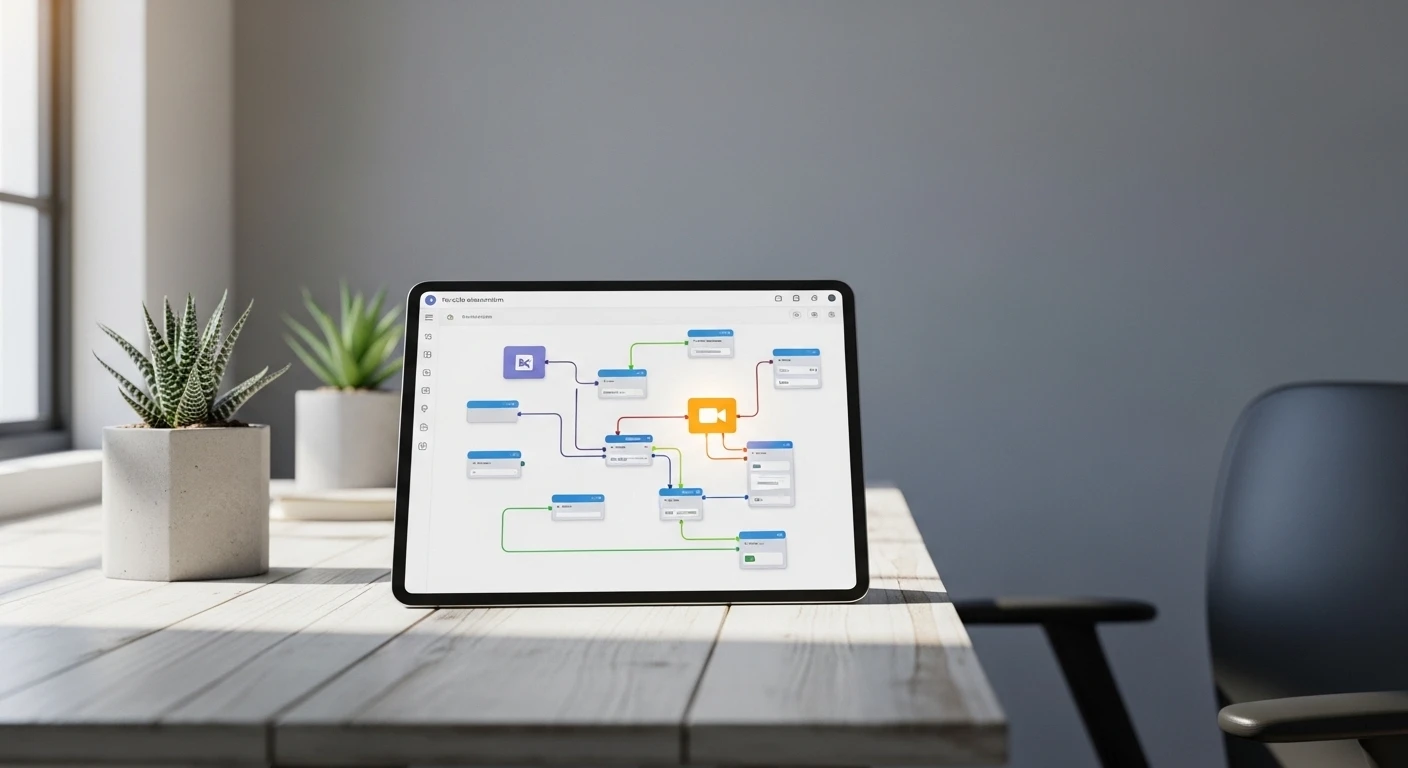
- Go to the Workflows section and either use a pre-built template or handcraft a scenario using the no-code functionality of the platform.
- Connecting Data: Determine what data sources to integrate. Supported connector options include CRM, Google Sheets, Telegram, etc.
- Set up Veo3 API Node: Add an HTTP Request node with the endpoint and an API key, and add video parameters such as resolution, duration, and style.
- Build Logic and Personalisation: Use the "Logic" and "Condition" nodes to build automation logic tailored to your audience.
- Testing: Run a test of your Workflow to see if it produces the expected result.
- Launch Workflow: You may also set up your Workflow to generate new videos automatically when specific events occur.
Recommended Practices:
- The more specific the prompt for your video creation request, the more accurately the video will reflect your intended results. Examples of the types of specifications required are style, angle, lighting and camera angles.
- API Rate Limits: For mass video creation, consider using a task Queue and Rate Limiter to manage your creation requests and stay within Veo3 API Rate Limits.
- Access to Completed Videos: You can download completed video clips from your account for 7 days, or set up your Workflow to automatically send videos that are generated to a cloud-based storage location.
- Plan Your Budget: Based on the length, and the resolution of the completed videos that you will be creating.
- Error Notifications: Make sure you have error notifications turned on in the appropriate nodes to be notified of any video generation issues such as rate limits being reached or other failure notifications.
The average time to set up a simple Workflow is about 20-40 minutes, and we also offer a complete done-for-you setup service as a turnkey solution.
Plans and Pricing
| Plan | Details | Monthly Video Limit | Maximum Resolution | Maximum Clip Length | Monthly Price |
|---|---|---|---|---|---|
| Starter | Designed for testing/very small companies | 10 videos max | 1080p max | 60 seconds max | $29/month |
| Pro | Designed for mid-size companies and monthly marketing needs | 100 videos max | 4K max | 120 seconds max | $199/month |
| Enterprise | Designed for very large companies/unlimited video creation | Unlimited videos | 4K max | 120 seconds max | Starting at $999/month |
| Pay-Per-Use | Pay only for video created | Varies | 4K max | 120 seconds max | Starting at $0.50/video |
Additional Options:
- Personalization: +$0.10/video
- Voiceover (ElevenLabs): +$0.15/video
- Priority Generation (up to 30 seconds faster than normal): +$0.20/video
- White Labeling and Branding: starting at $500/month
- Turnkey Setup: starting at $1,000/project
The potential cost savings are staggering: 50 video clips produced in a studio at an estimated cost of approximately 1,000,000 rubles would only be approximately 18,000 rubles using the Pro plan, which represents a monthly savings of around 980,000 rubles.
Technical Support/Maintenance
Getting help:
- Documentation/Knowledge Base: ascn.ai/docs — guides, FAQs, video tutorials, templates, etc.
- Support Chat: Accessed from within the dashboard; Starter/Pro customers can expect a response within 24 hours, Enterprise customers typically receive a response within approximately two hours.
- Closed Telegram Client Chat: Offers tips and consultation.
- Personal Manager: Dedicated support and integration assistance for Enterprise clients.
- Onboarding: A highly structured 3-step launch process, training and assistance for your team.
Most Common Questions Asked:
- Why is my workflow not starting? Check the following: status of workflow, validity of API key, proper node configuration (i.e., auth).
- Why does it take so long for my videos to be generated? The amount of time it takes for short clips (5-15 seconds) will be about two to five minutes, while longer clips (60-120 seconds) will take about 10-20 minutes depending on server load and other clients using the service. The amount of time it takes will vary.
- What is the policy on refunds? If a technical error directly impacts the required number of generated clips, the company will issue compensation or regenerate the video clips.
- Can I change plans? Yes, you can change plans instantly through the dashboard.
- What should I do if I reach my limit? Upgrade your plan, or configure your task queues.
Frequently Asked Questions (FAQ)
- What is the Google Veo3 API? The Google Veo3 API is a third-generation multimodal video generating from text AI model created by Google DeepMind, which also enables audio generation and can produce videos with maximum quality of 4K.
- What are the requirements for using the Google Veo3 API to create video projects? You need a Google API Key and the ability to send REST requests or work with the SDK; The ability to generate audio & videos will also require access to cloud storage for saving the videos and an optional webhook to notify of the generated videos; You will also need a source for videos (e.g., a CRM or Telegram, Google Sheets, etc.) and logical ways for processing or notifying you of errors; Lastly, you must have a way to store and deliver the generated videos.
- What is the average time for video generation? Five to 15-second clips will typically take 1-3 minutes to generate, 15-60 second clips will take an average of 3-10 minutes, and 60-120 second clips can take anywhere from 10-20 minutes. Each video generation time will vary based on the prompt complexity, video resolution, and the amount of load on the server.
- How do I receive my videos once generated? Video generation is time-consuming; the API will return the Task ID to the client for the client's request, and the client will need to check for the status of video generation with the API or wait for a notification via their webhook to download the video once it is ready.
