



- Русский
- English
- Português
SEO agent: Generating SEO articles based on keywords
Boost your website’s ranking in Google search results using SEO articles. The agent analyzes the search results for the website, identifies keywords based on the target audience’s queries, and writes articles, then saves them in Google Docs


| Agent features |
| Results our users have achieved |
| How to launch the agent |
| Agent case studies |
| Get help setting up the agent for you |
General description
Getting organic traffic has always been a core business task for any company. This agent can analyze your customers' key search queries and pick keywords without hiring an SEO specialist. And then, based on that information, it generates optimized articles that will pass Google's crawlers and won't "spoil" your domain.
While the average market price of an article is $50-100 per piece, the agent lets you create up to 100 articles per month for the price of a subscription (meaning one article costs about $1-2), and it follows a strict algorithm that doesn't allow the mistakes a human makes
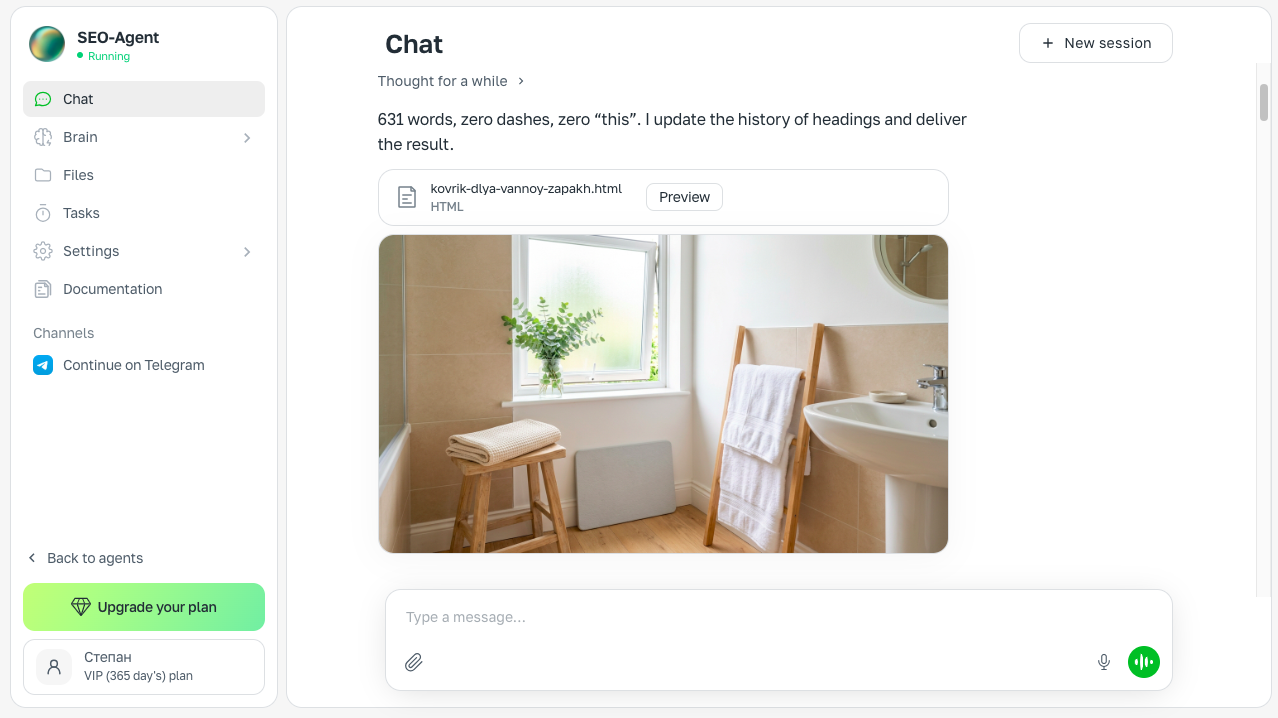
Example of a chat with the agent on the ASCN.AI platform
Results our users have achieved
🔥 Visits grew 2-3 times.
🔥 The site's ranking went up, so it started reaching the top 5 for key queries
🔥 Professional articles are created 5-10 times faster. Preparing a single SEO article went from several days to 10–20 minutes
🔥 The cost per article drops from $10-15 to $2-3.
🔥 The number of articles published per month grows 10-20 times. Where a single copywriter can write 5-10 good articles a month, the agent creates 20-30 a week
Results depend on your niche, the difficulty of the queries, and how precisely your brand and rules are described in the knowledge base. The agent is responsible for execution; quality is determined by your setup and an editor's proofreading.
Agent features
The SEO agent is a perfect fit for companies that need to grow their website and outpace competitors. The AI agent is built on the ASCN platform, so it takes all the routine work off your hands:
🕛 Analyzes the key queries of your potential customers. It continuously analyzes dozens of queries based on your business and your competitors. It tracks which queries your site isn't showing up for in search results.
🕒 Picks keywords based on trends, competitors, and the market. It builds a brief — a page outline — that it will then use to write the article. The main goal is for the article to have a higher number of keyword mentions, while Google's crawlers recognize it as unique content.
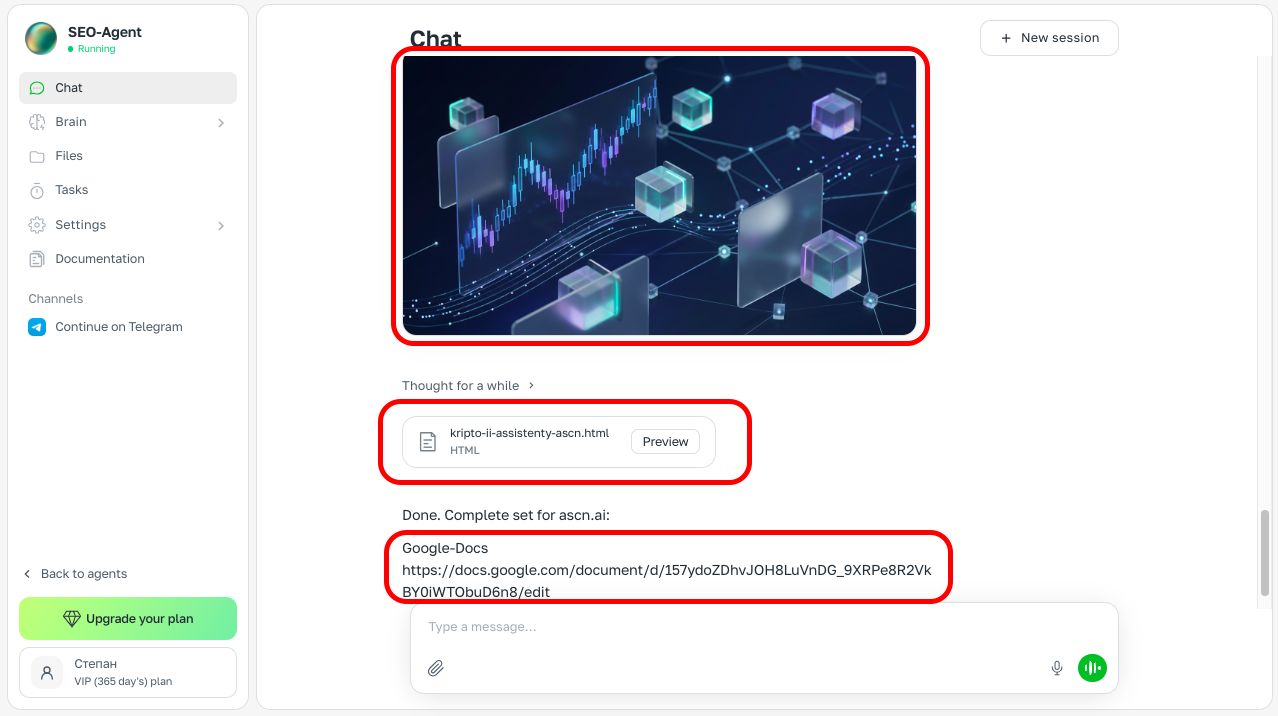
🕕 Generates the article and optimizes it. The most important part of the agent, which will fully help you replace or improve your copywriter. The agent writes an engaging article on a trending topic, then runs an SEO audit on it, inserts the right headings and tags, writes the meta data, and builds internal links — all of which helps promote your website.
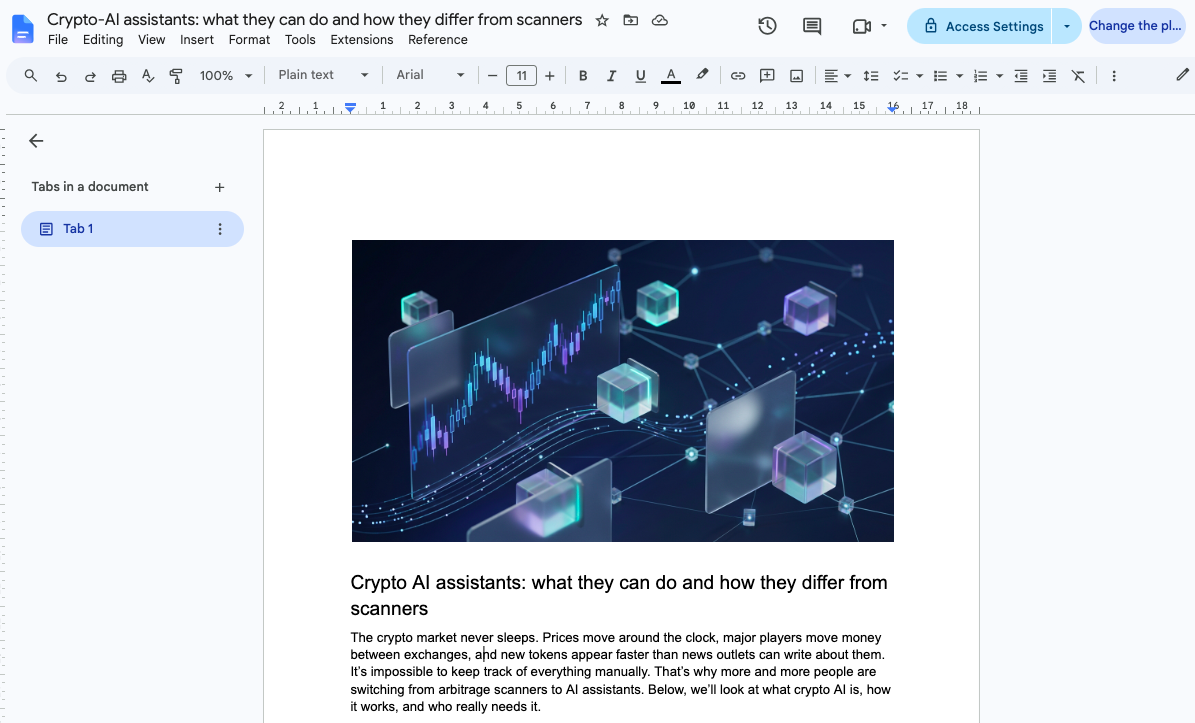
🕘 Saves the result to Google Docs. When the task is finished, it notifies you in Telegram or on the ASCN site. It puts the finished article into Google Docs, from where you can conveniently publish it to your site's blog.
In the upgraded version, the agent can publish articles to your blog automatically. That way you get a full-fledged member of your marketing team. You can learn more from a manager: Find out how to add auto-publishing to your site 🔥
Everything is managed through chat in ASCN or in Telegram. There's nothing to assemble by hand: the agent connects services itself at your request and writes according to your brand's rules.
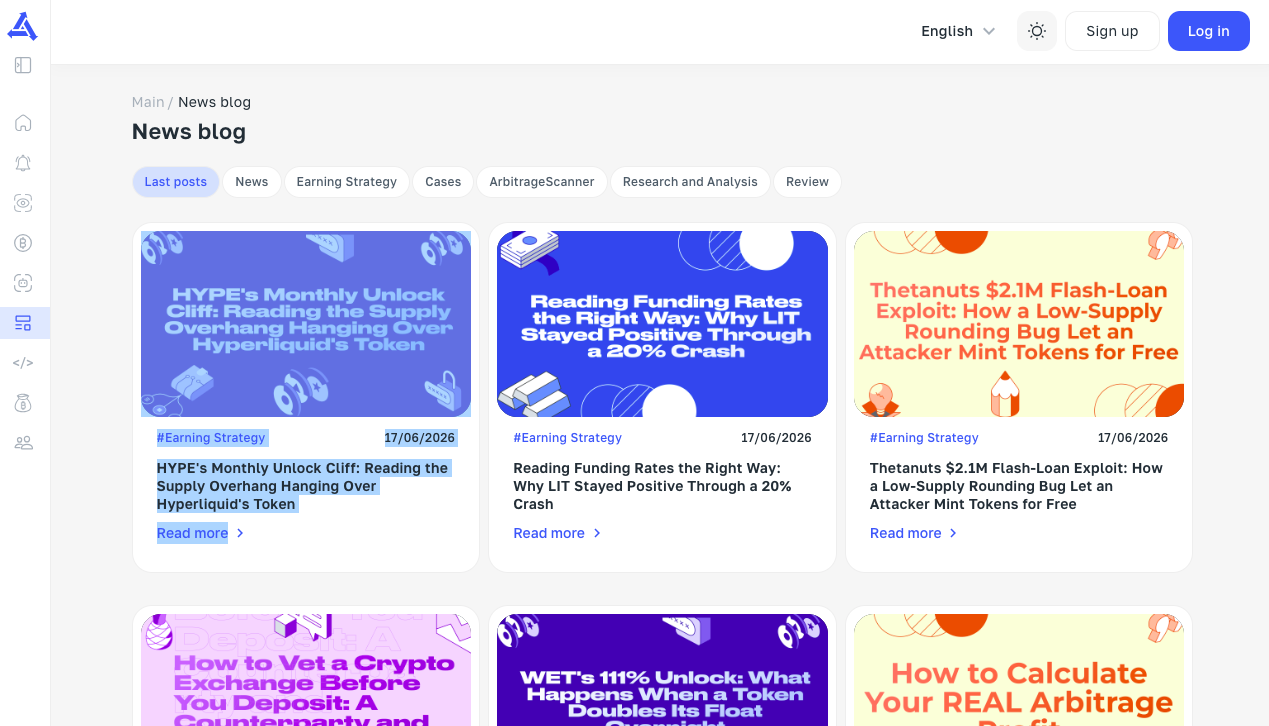
A blog using the ASCN.AI SEO agent
How to launch the agent
No coding needed. Everything is ready. All that's left is to connect a few integrations
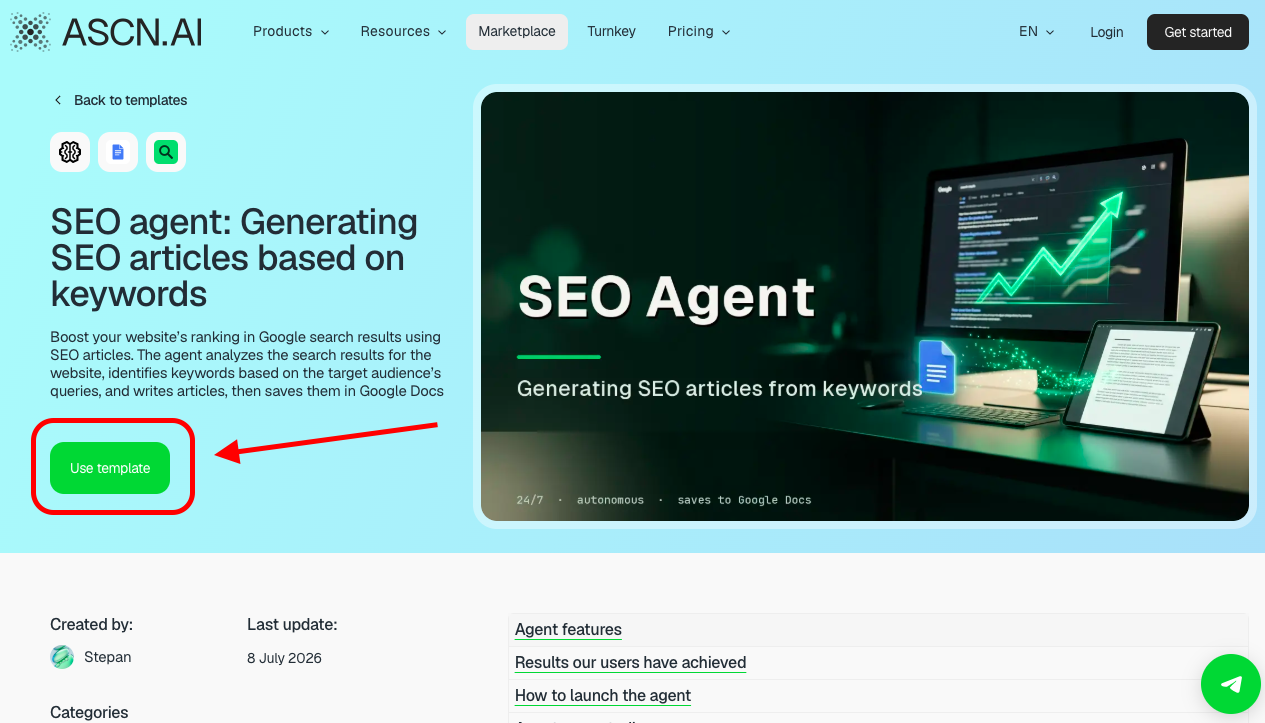
- Install from the marketplace. Open the agent's page and click "Use template". The agent appears in your account in less than a minute.
If you don't have an account yet, you'll be able to sign up on ASCN.AI right away
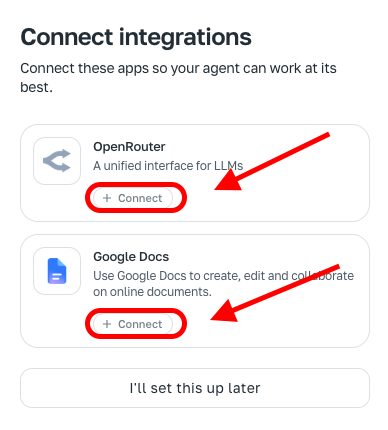
- Connect the services. Web search works right away. You only need to connect "OpenRouter" (for image generation) and "Google Docs" (for saving articles) — one-click authorization.
If you don't need images or saving to Google Docs, you can click "Set up later"
- Configure it for your site. There are several setup options. Option one: send a link to your website and the agent will analyze your audience, customers, and keywords itself. Option two: you can tell it about your product, target audience, and the tone you need, after which the agent records this in its knowledge base and writes in your brand's voice
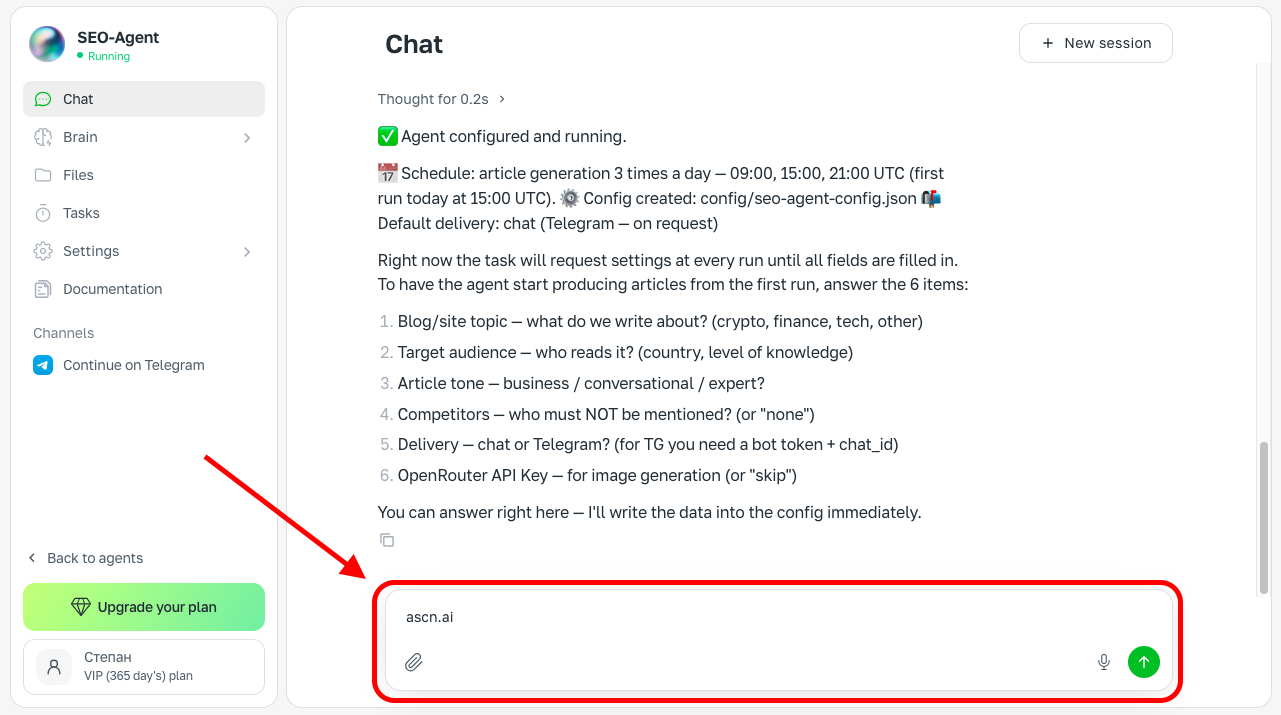
- Your first article. Ask the agent to create an article for you and it will run the analysis and pick keywords or a topic. After that it will check the search results and create a finished article with structure and meta tags.
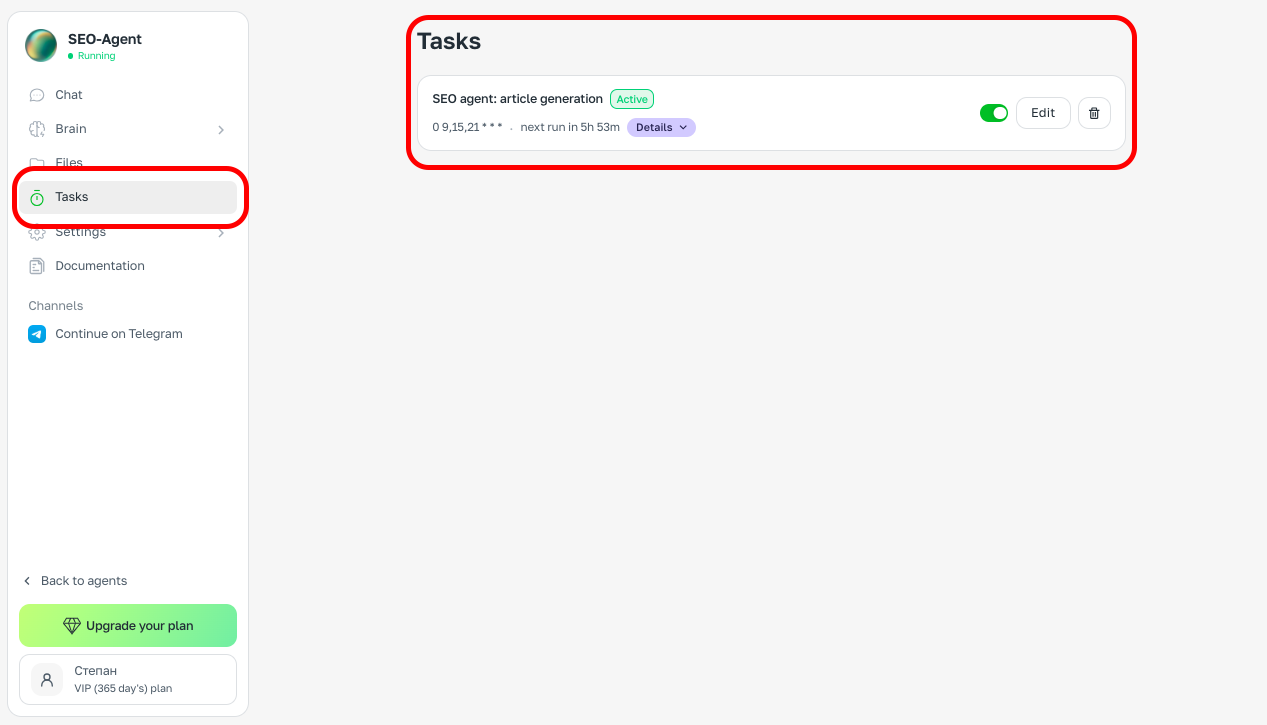
- Scheduled work. If you want, the agent can create articles on your topics and key queries once a day on its own — the task is created automatically when you add the agent
You can turn off automatic generation or adjust the interval through the chat (by messaging the agent) or in the "Tasks" section
- Everything managed in one place. You can always adjust the tone, length, and structure right in the chat in ASCN or Telegram
If you weren't able to set the agent up, or the agent isn't creating articles, message a support manager and your issue will be resolved. Message a manager
Client case studies
Online school
❗Problem: The site wasn't reaching the top 5 for the key query "online school for kids"
💭 Previous solutions: They hired an outsourced SEO agency. Spent $3,000 and 3 months. In the end they only managed to reach the top 10.
⭐ Solution with the SEO agent: They rolled out the agent in 2 days. Connected auto-publishing to their blog through a manager. Created 15 articles in a week. The site started reaching the top 7, and two months later the top 5 for the key query
Online furniture store
❗Problem: Only 2,000-3,000 site visits per day
💭 Previous solutions: The marketer tried creating articles with ChatGPT; in the end the domain's reputation dropped, because the content didn't pass Google's crawlers. As a result, visits fell to 1,100-1,600 per day
⭐ Solution with the SEO agent: The marketer got in touch with a manager. She learned about the "damaged domain". They built the article agent into her workflow. The first month they created 1 article per day — visits grew back to 3 thousand a day. Then they decided to increase the number of articles. Now it's already 5 articles a day and visits have grown to 5,000 per day. They're now rolling out the GEO agent
Online app for entrepreneurs (SaaS startup)
❗Problem: They had just built the site, they need traffic for the app, a large number of competitors are already at the top of the search results, and there's no money for a professional marketer
💭 Previous solutions: Nothing — traffic stayed at 50-100 visits a day and 0 sign-ups
⭐ Solution with the SEO agent: They took a basic subscription and created 10 articles in a month. Traffic grew to 1,000 visits a day on a $29 investment. Sign-ups started coming in at 3-4 a day.
What you get
- A ready, configured agent: the SEO copywriter role, style rules, and boundaries are already written in; installation takes less than a minute
- A knowledge base tailored to your niche: the agent remembers your product, audience, and voice and reproduces them in every text.
- A personal manager: will help configure the agent for your tasks on the Personal plan and above.
- A private community: exchange techniques with other users and get fast answers from tech support.
While competitors wait weeks for articles from freelancers, you hand research and drafts to the agent and ship content every day. 🔥🔥🔥
Configure the agent for your brand once, and every new keyword turns into a finished article while you're busy with the product.
