



- Русский
- English
- Português
AI Sales Agent
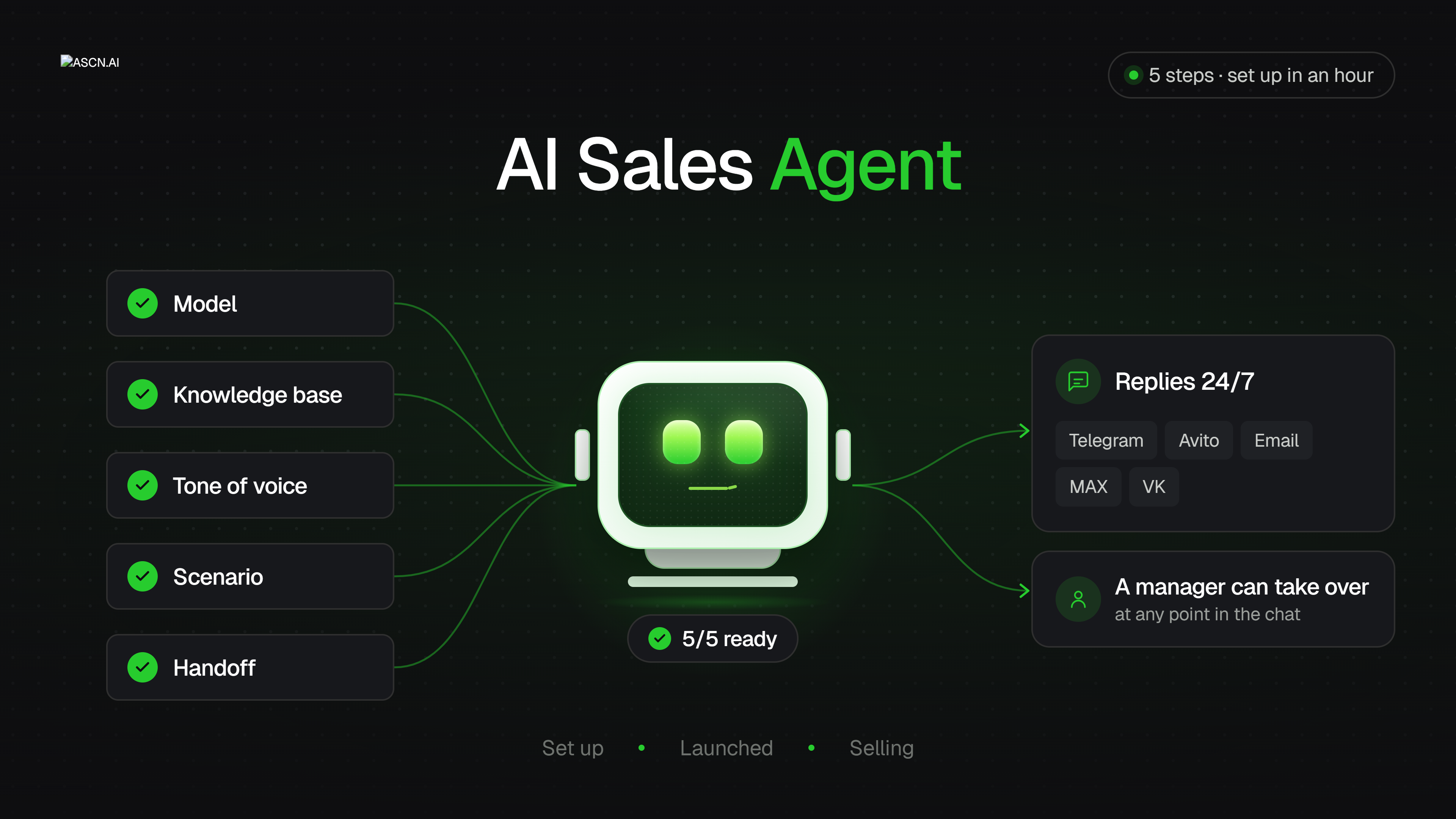
AI Sales Agent installs and configures an AI-powered sales assistant on your VPS. It helps connect Telegram, set up an AI model, add your business knowledge base, collect leads, answer customer questions, and transfer conversations to managers

What it does
Creates an AI salesperson for your business that answers customers in Telegram around the clock. You simply tell the agent what your company does, what services you offer and at what prices — and it installs the bot on your server, connects Telegram, configures the AI, and loads all your business information itself. No technical skills required: the agent asks one simple question at a time and handles everything for you, in Russian, English, Turkish, or Spanish. The result is an assistant that knows your price list, answers customer questions in seconds, collects contact details, and hands off to a human manager anything that needs a person.
Why you need it
- Customers don’t go to competitors. Someone who messages you at 11:40 pm gets an answer right away, not the next morning. Half of all leads are lost in exactly that wait.
- Setup without a developer. You don’t need to understand servers, code, or configuration — the agent walks you through it with plain questions and handles the technical side itself.
- Cheaper than hiring another manager. The bot works with no weekends, no vacations, and no sick days, and never gets tired of answering the same delivery question for the hundredth time.
- It doesn’t make things up. If a customer asks about a discount or a deadline that isn’t in your knowledge base, the bot doesn’t invent one — it honestly hands the conversation to a manager. Your reputation doesn’t depend on AI guesswork.
- Your managers focus on selling. The routine — “how much does it cost”, “are you open on Saturday”, “where are you located” — goes to the bot. People get the complex, high-value conversations.
What features it has
- A quick overview of how your agent is performing
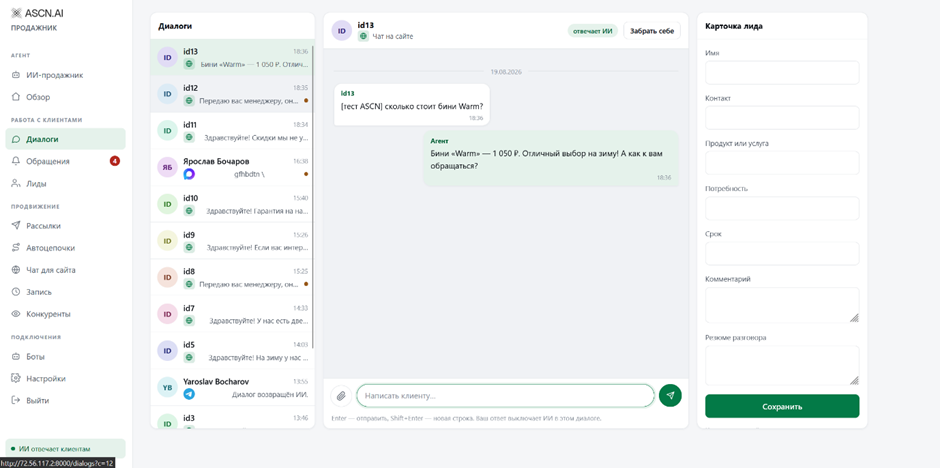
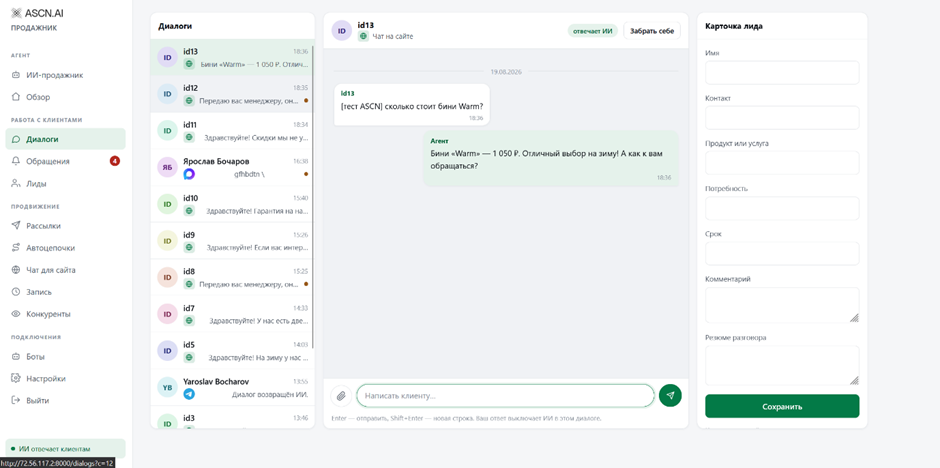
- Take over the conversation if something goes wrong
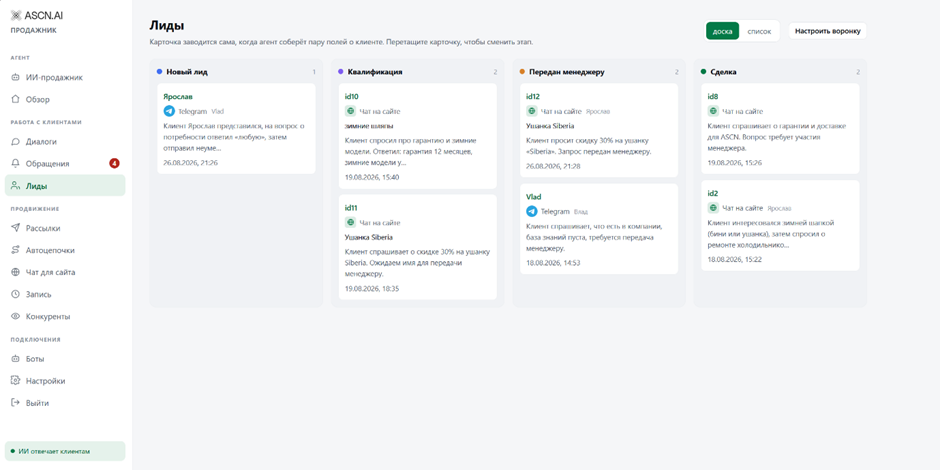
- Customer classification
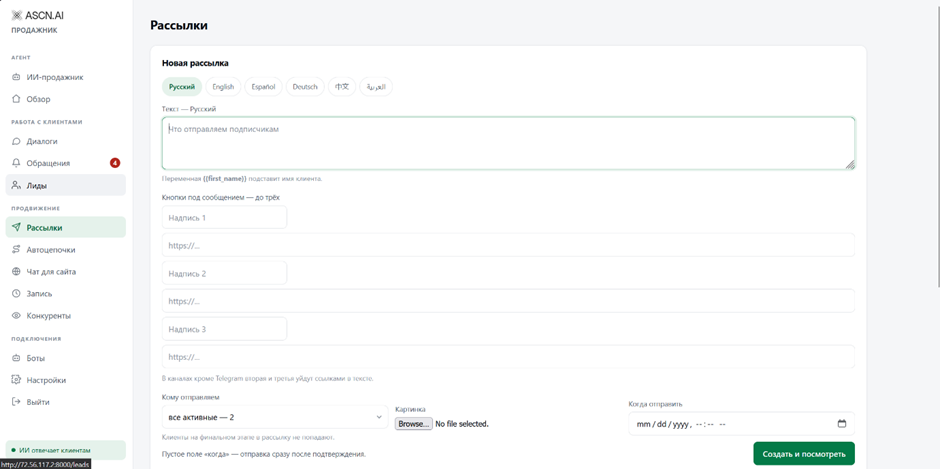
- Broadcasts to users
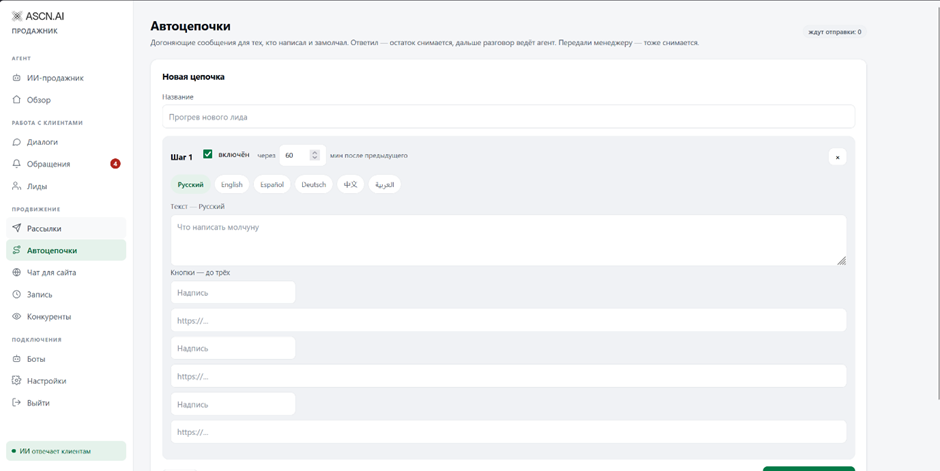
- Automatic follow-up messages for people who wrote and then stopped replying
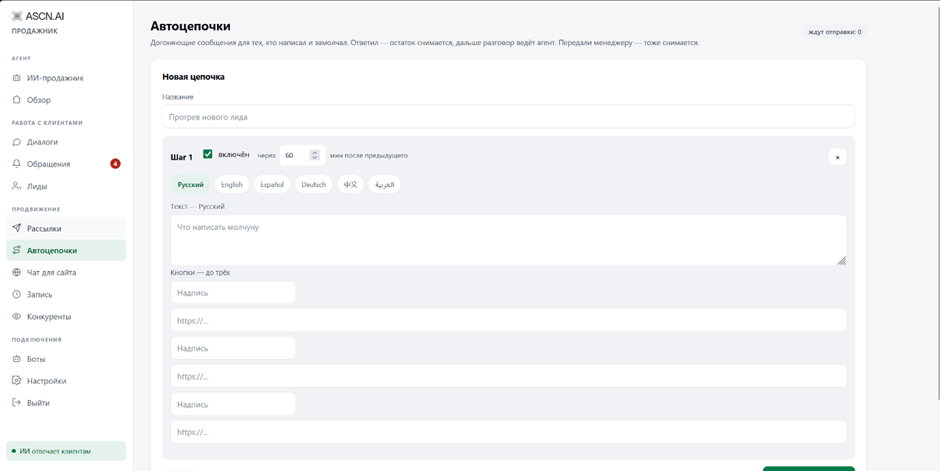
- Handling online conversations with customers
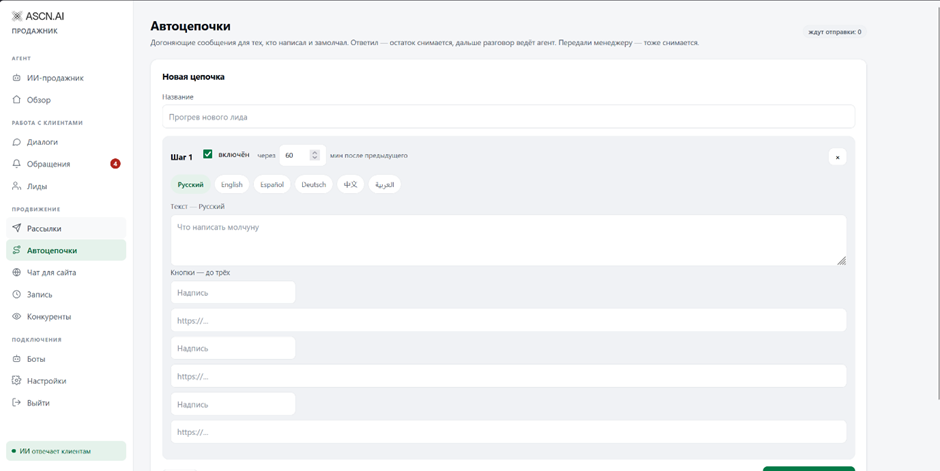
- Automatic competitor monitoring
Example VPS setup (using the Beget website as an example)
- Sign up on the website ( beget.com )
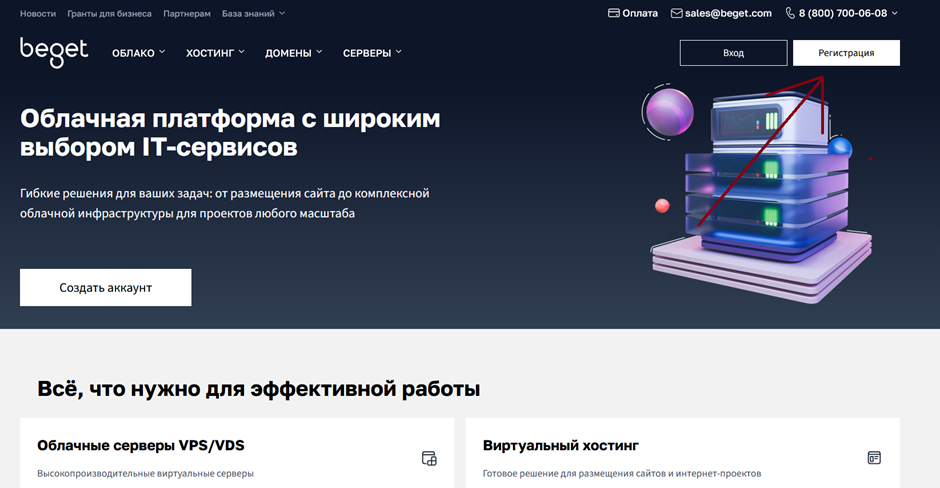
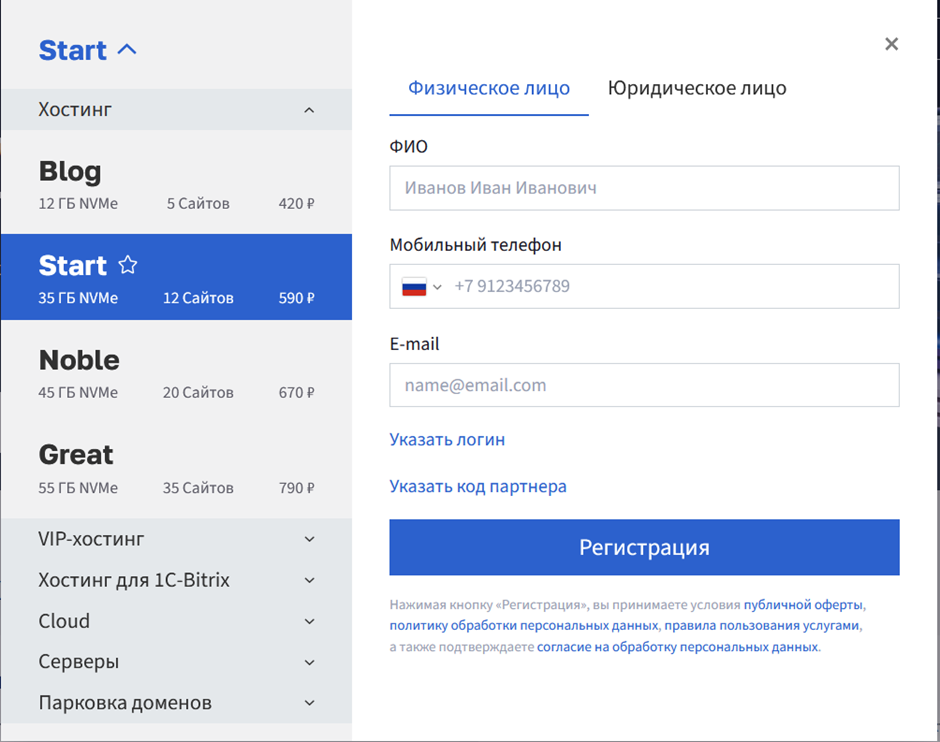
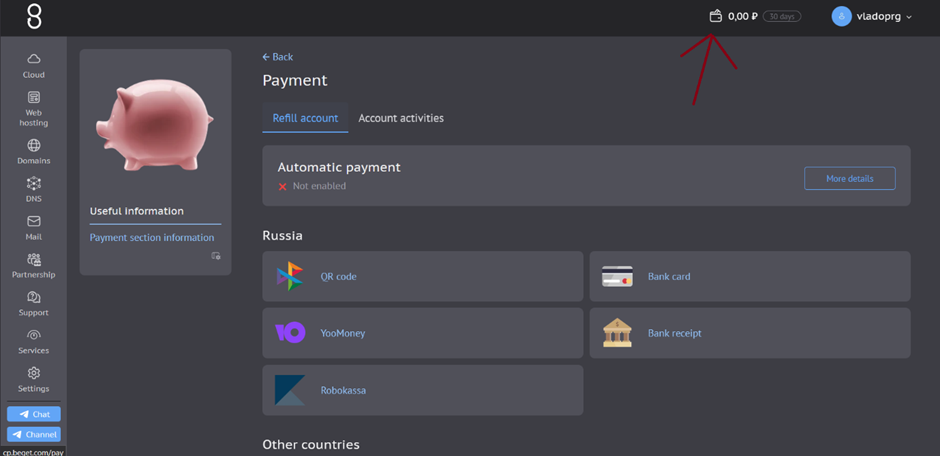
- Go to your profile, open your account balance, and top it up using any convenient method ( beget.com )
- Then open the server creation tab ( beget.com )
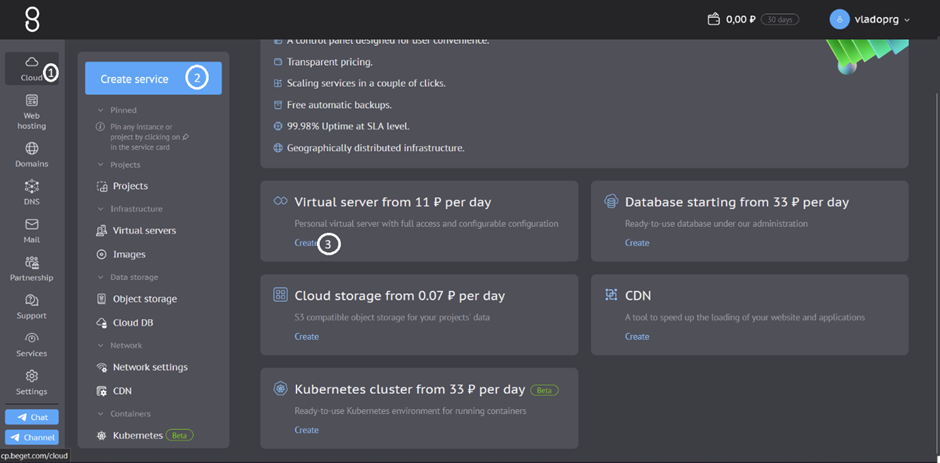
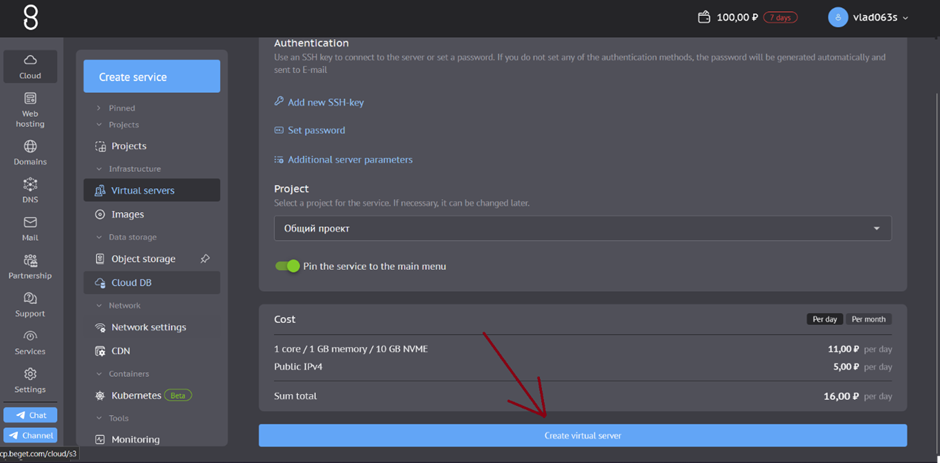
- Scroll to the bottom of the page and launch the server ( beget.com )
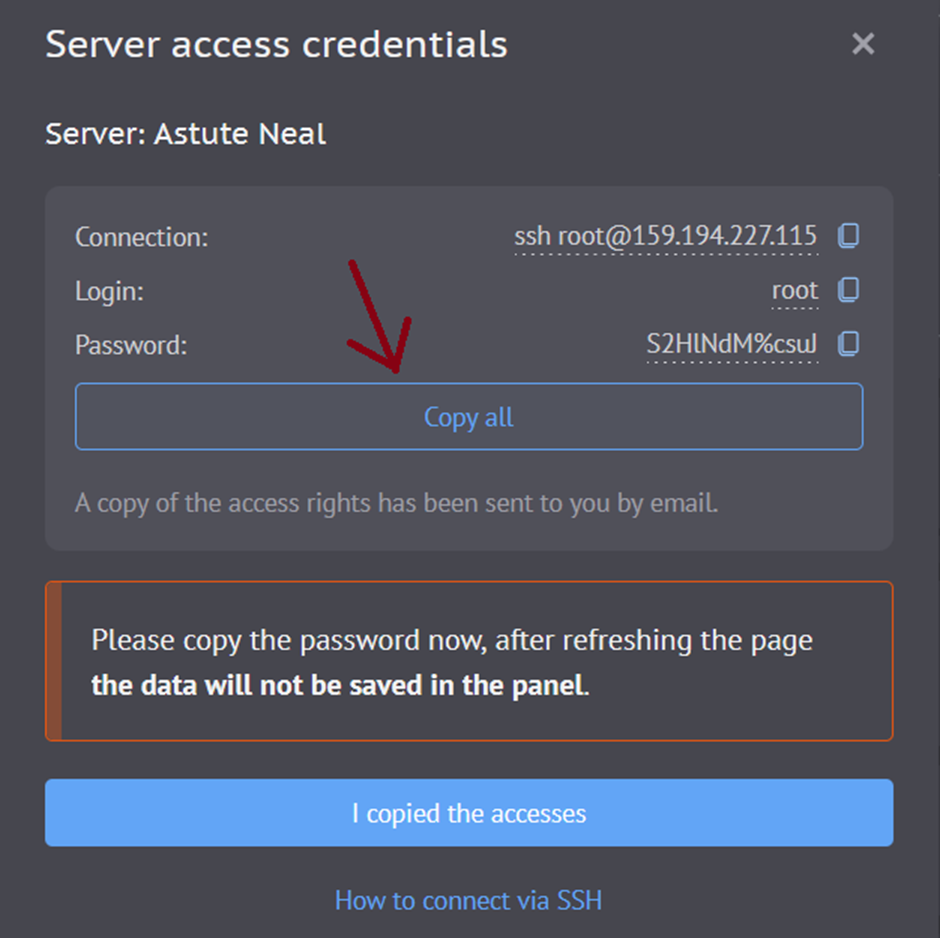
- On first login you will be shown your server credentials — copy them and give them to the agent ( beget.com )
Setting up the agent
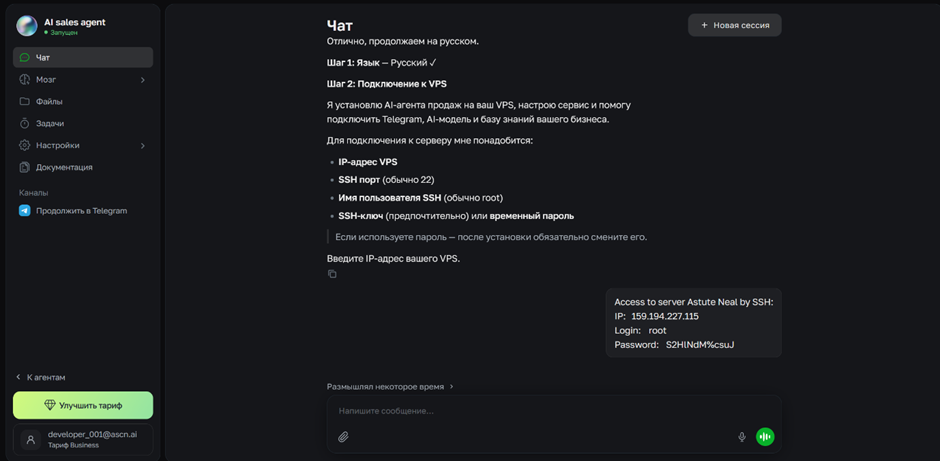
- Once we have started the agent, it will ask you to choose a language and then for your server credentials (the ones we got during VPS setup)
- The agent installs all the necessary files on the server and launches the application, then gives you your login details
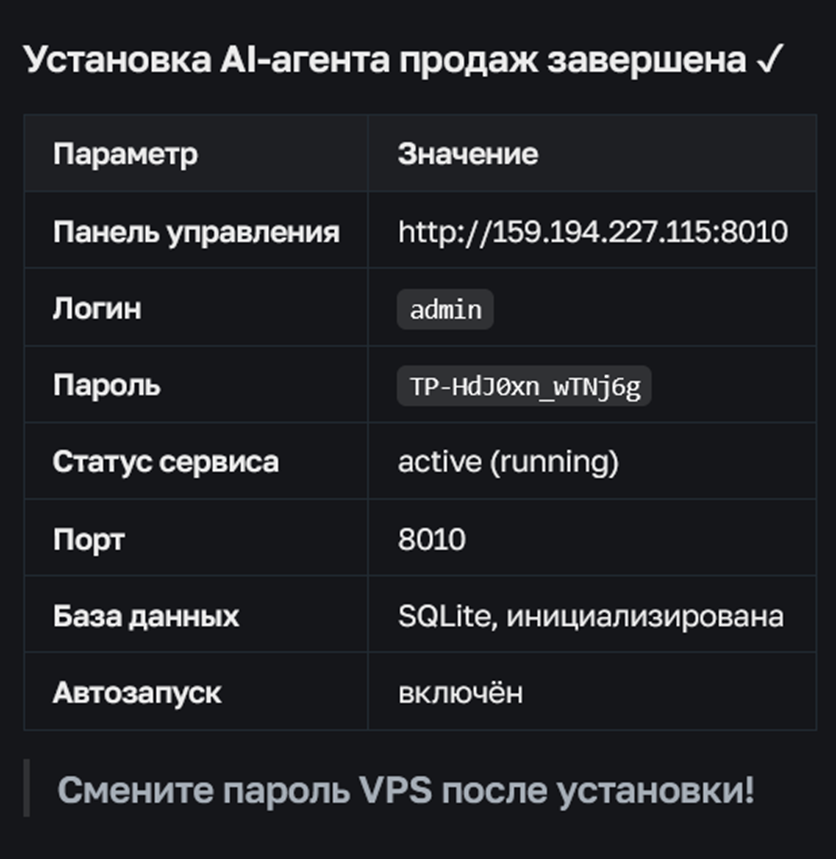
- Copy the control panel link and paste it into a new browser tab
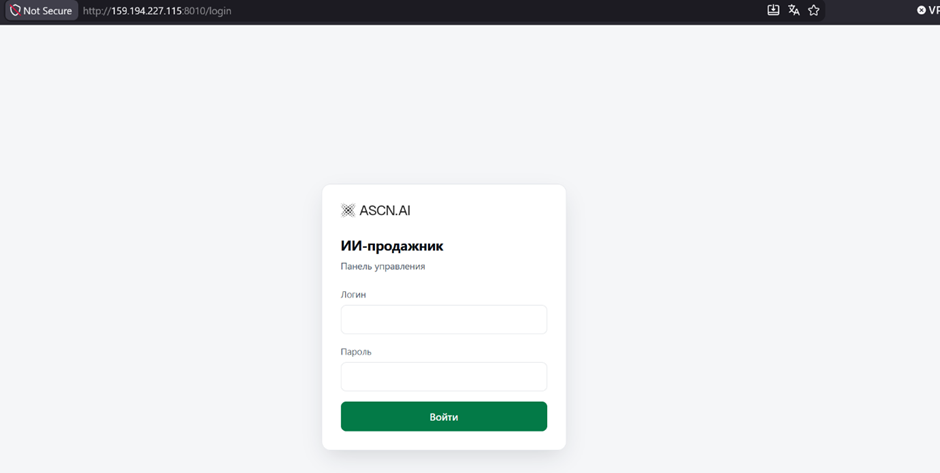
- Enter the username and password we received in step 2 to reach the main screen
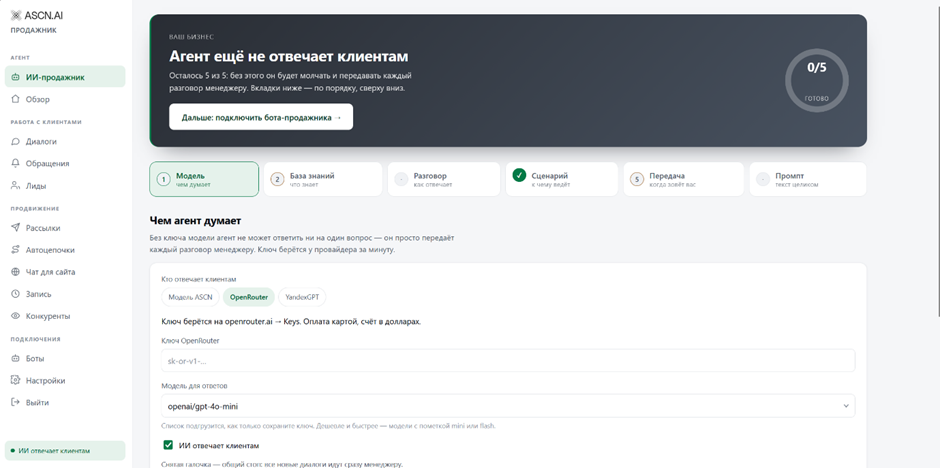
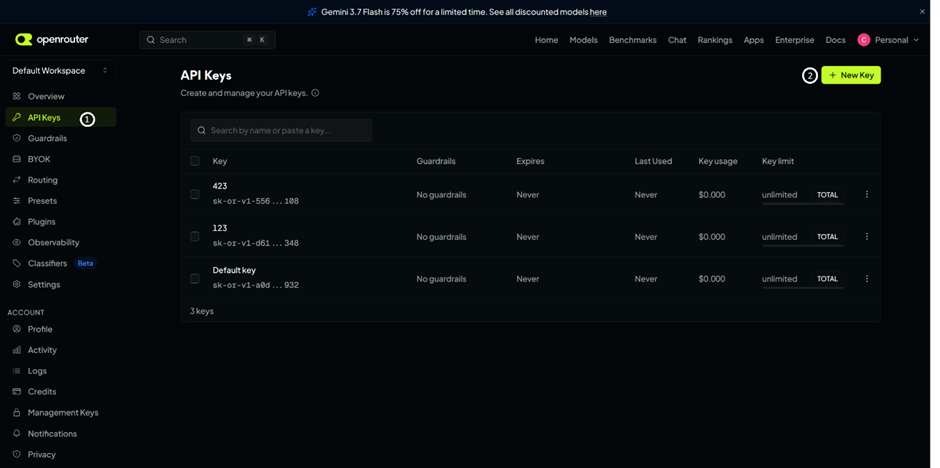
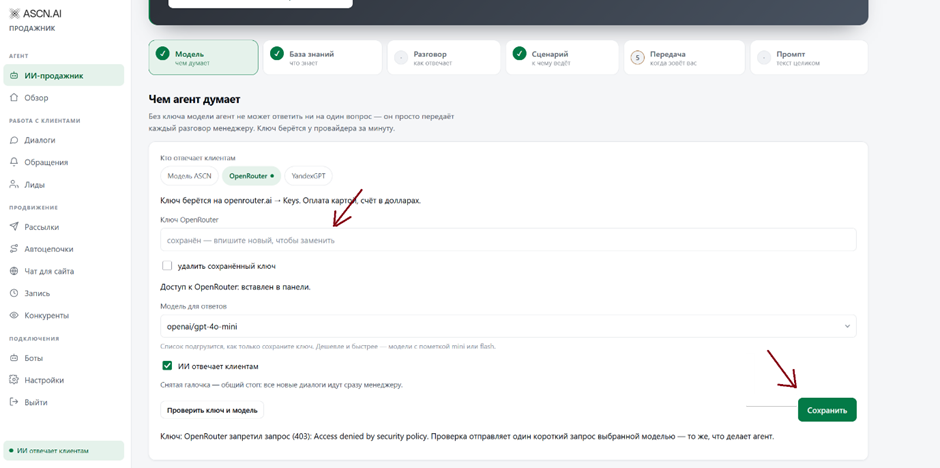
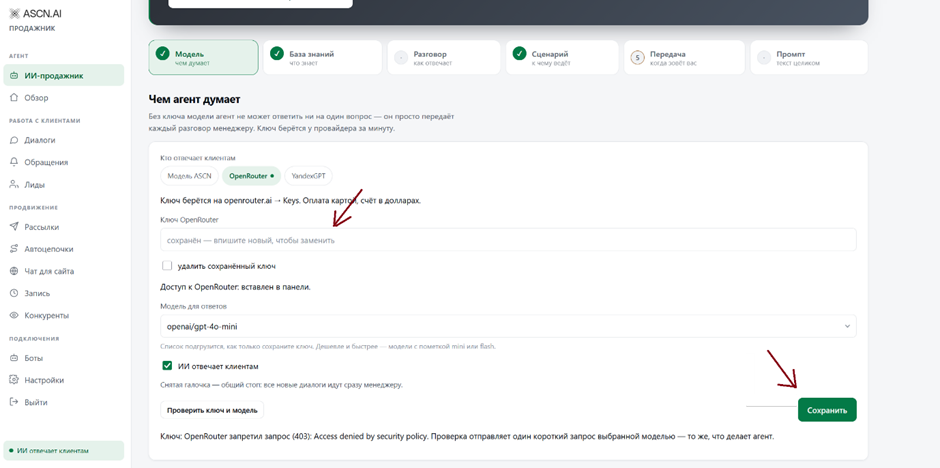
- Go to the openrouter website ( https://openrouter.ai ), sign up, and then create a new key
once you have entered a name for your key and clicked "Create", you will be shown your key value, which starts with sk-or- copy the key and paste it into the AI sales agent, and do not forget to click "Save"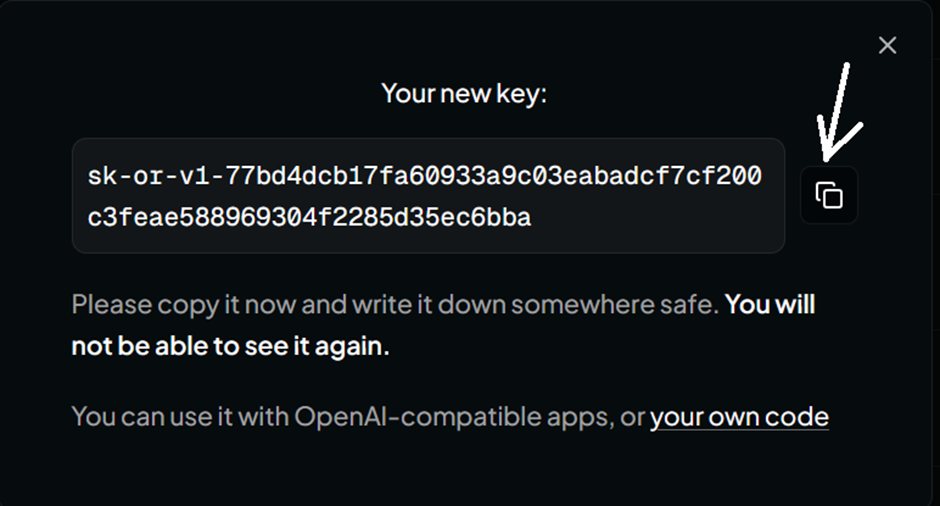
- On the "Knowledge Base" tab you provide the information your AI bot will use to answer users — upload a file with your products and do not forget to click "Upload"
if some information is missing from the files, you can give it to the agent separately on the dedicated "Enter manually" tab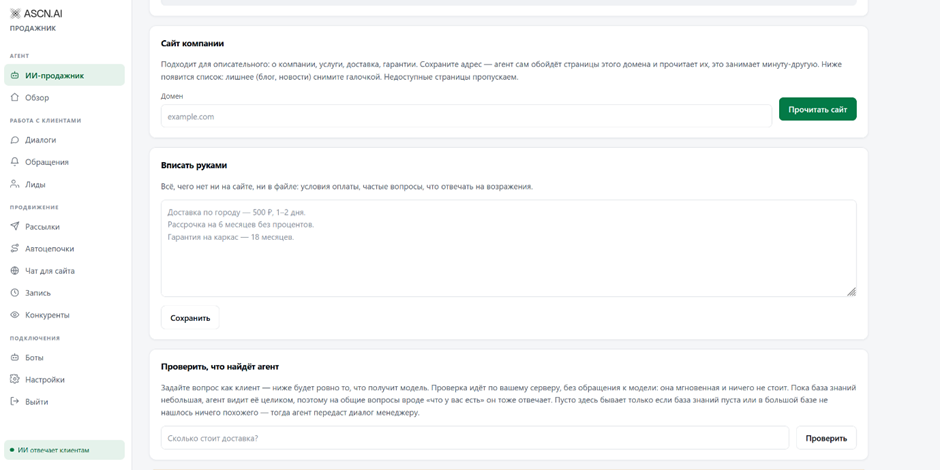
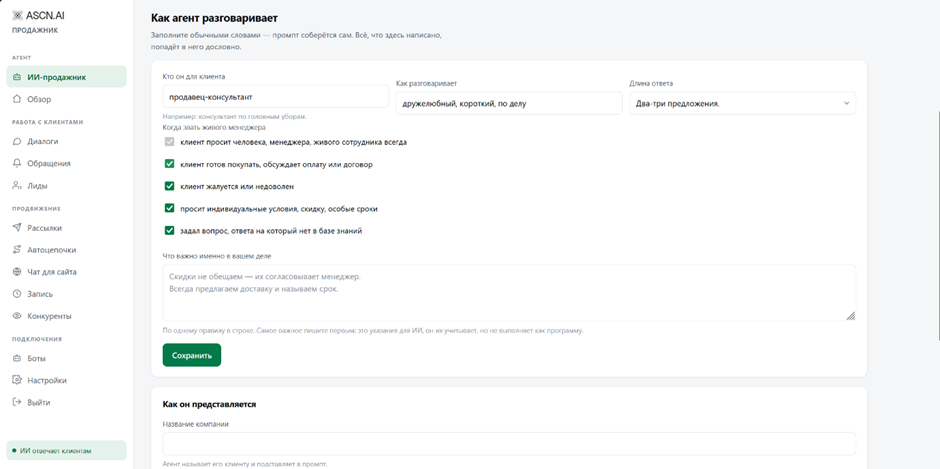
- On the "Conversation" tab you can adjust how the agent talks to customers
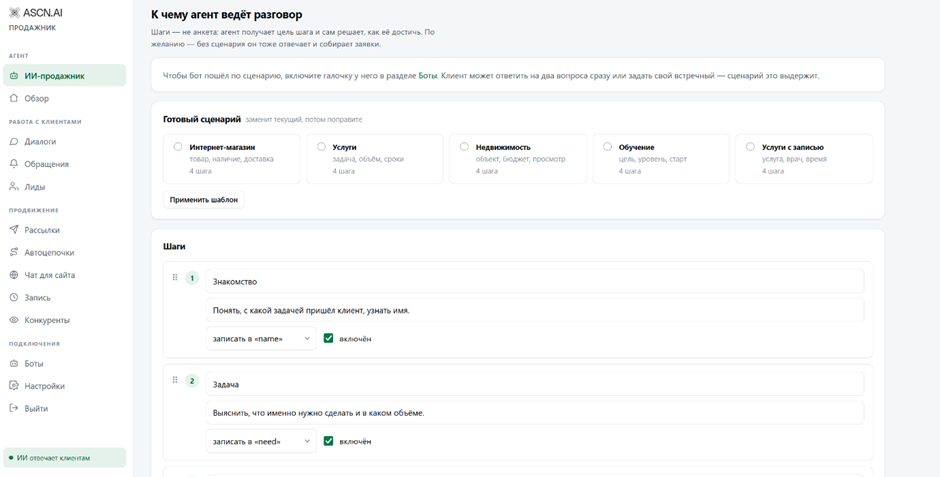
- On the "Scenario" tab you can configure the order in which the agent extracts information from the conversation and what exactly it extracts — you can pick one of the ready-made scenarios or set everything up yourself
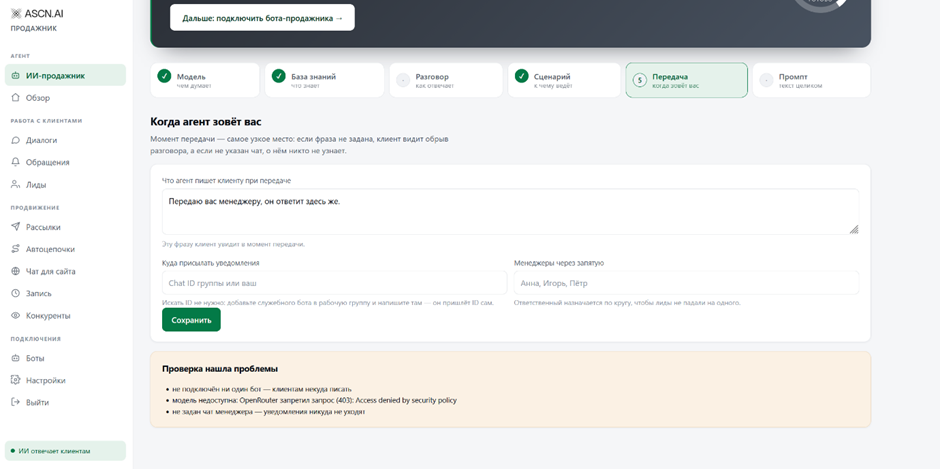
- On the "Handoff" tab you configure how the agent replies to a user when a manager needs to be called in, and where the notification is sent
to set up notifications, create a manager bot and enter the Telegram chat id for your managers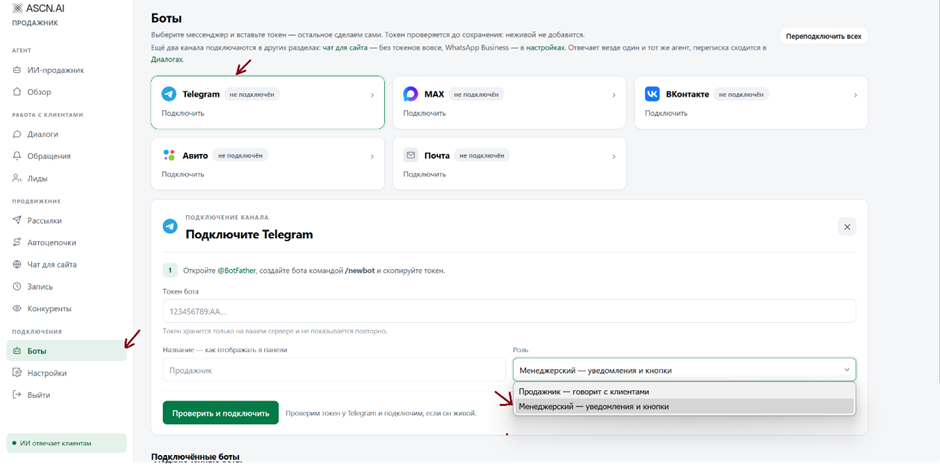
to get the channel id, you can look it up in the Telegram web version or send a message from the chat to a dedicated Telegram bot so that it gives you your id ( @UserIDToBot )
