



- Русский
- English
- Português
AI-powered Product Video Generator — How to Quickly Create Videos for Products
Manual video production is obsolete. In 2026, AI-powered generators turn three photos into high-converting 4K product videos for Shopify, Amazon, and social media in under 120 seconds. Learn how to scale your e-commerce content 1,000x faster.

Are you tired of spending countless hours creating professional videos for your consumer products? Then it's time to try a new type of video creation tool - the AI-powered product video generator! With just a few clicks, these types of generators allow you to create high-quality promotional material that engages and converts potential customers.
What is an AI Product Video Generator?
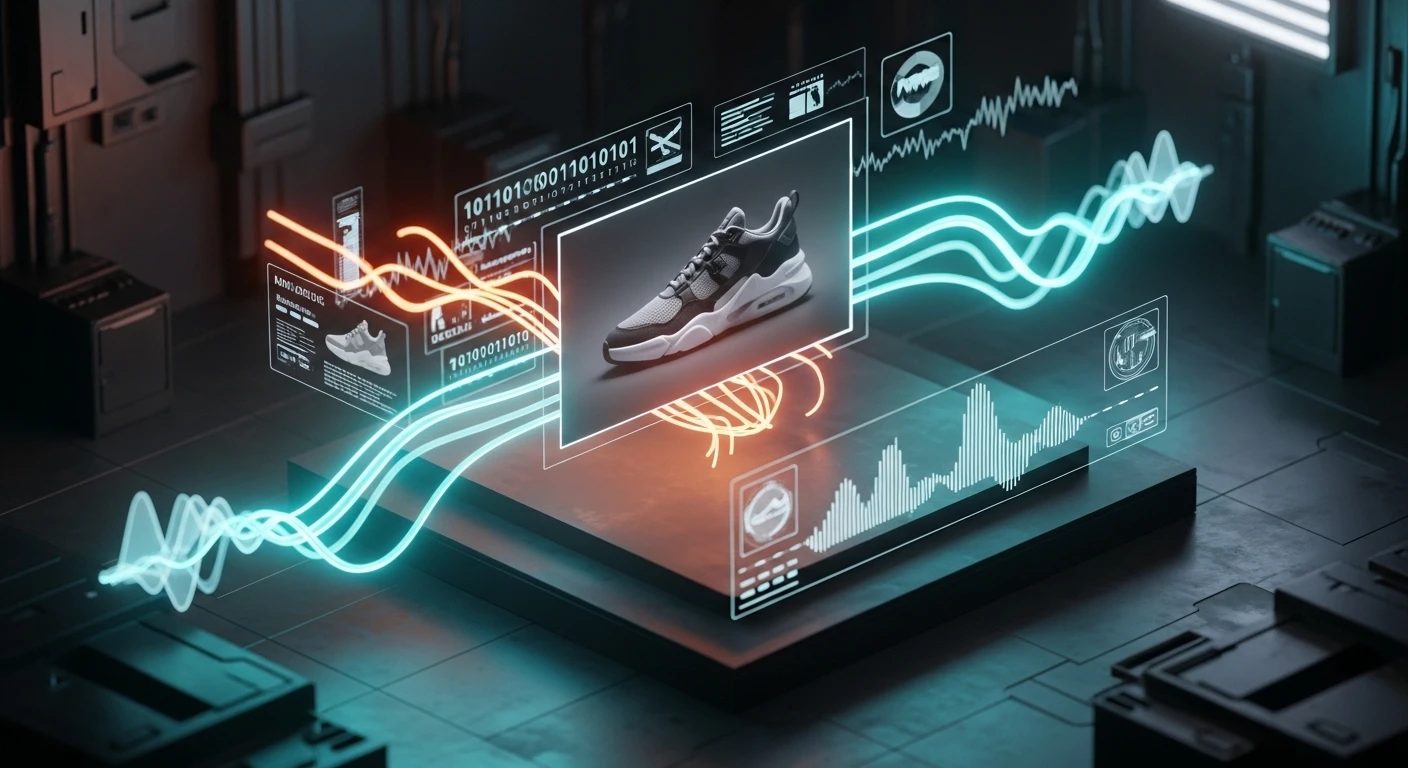
An AI Product Video Generator is an easy-to-use, no-code, marketing video creation platform that generates promotional videos using your product description and images, along with the most important product features. This process takes anywhere between less than 10 seconds to several minutes, depending on the length and complexity of the required promotional video.
The reason AI-powered product video generators produce such high-quality content is because they use generative machine learning models to create your video based on a very large database of commercial videos. AI Product Video Generators have been trained to "understand" the best way to showcase a product, and will produce final videos that look and feel like they were created by a professional video production company.
There are three types of AI at work within an AI Product Video Generator. Computer Vision (CV) is the study and analysis of images and the computer's ability to interpret, manipulate, and analyze them. Natural Language Processing (NLP) is the tool used to generate text and scripts that describe the contents of a video; these text descriptions are then converted to catchy video copy tailored for a specific audience. The generative networks create smooth animation sequences, synchronize audio and video, and add music to create professional-looking videos.
ASCN.AI takes this a step further by capturing the visual patterns of products sold on popular e-commerce sites such as Amazon, Shopify, and Wildberries. This information allows you to produce videos that match the style and design of those e-commerce sites you wish to market to your target audience based on the category of products you will be selling; the video style will be different for electronics than it will be for clothing or cosmetics because different styles are appropriate for each category.
A product video should be created specifically to accomplish three different goals: displaying the product in use, addressing any doubts that the buyer may have, and generating an emotional response to encourage purchasing. A video captures the products in motion and shows how they fit into the environment, whereas a still photograph cannot display the movement, size, or context of the product.
According to statistics compiled by Wyzowl, 84 percent of consumers report that they have been convinced to purchase a product after viewing a video produced by that brand, and product videos convert 80 percent better than those without video. The average length of time consumers prefer to watch a video demonstrating a product before deciding which product to purchase is about 2.7 minutes, which is 5 times longer than the time it takes for a consumer to read through a written description of the product. You can dramatically reduce the time it takes to create and test multiple versions of videos targeted at different audiences on different online platforms with the help of AI. Using AI, you could create 10 adaptive video clips in approximately one hour. This includes videos of varying ages, locations, and formats (vertical for Stories, horizontal for YouTube, and square for Facebook), whereas it would take several weeks through manual means.
How our Service Works - Video Creation
Automatic Generation Process
ASCN.AI has an automatic video creation process which consists of 3 main stages. During stage 1, the user submits a minimum of 3 photos of the item from multiple viewpoints together with detailed text including price, size, material, etc. The uploaded files will then be scanned and processed by an automated computer program to determine the appropriate category and display relevant information regarding the features of the product. The text will then be generated by the Natural Language Processing (NLP) portion of the AI system, identifying the benefits to be listed as subtitles, headlines, and calls to action in the video.
In stage 2, the algorithms in the Program generate the video. The templates and animations are pulled from the database and combined with sound from a music licensing source to build cohesive videos. After production time (10 seconds for short videos, 2 minutes for long videos with complex effects), users can preview their videos and conduct final edits such as change the audio track, rearrange the order of video clips, or insert logos. The final result can be exported directly into the format of choice for each platform: MP4 for YouTube, MOV for Stories, or GIF for advertising via social media.
Required Data for Template Configuration
To use the automatic video creation process, the minimum amount of user-uploaded data must consist of 3 photos, a product name, a brief description (no more than 2 sentences), and the product price. In addition to incorporating audio that you've created, such as a voiceover and an audio track with music, along with video reviews and branded animated graphics, templates are organized according to category and themes. For example, an Electronics template emphasizes functionality and user interface; Clothing and Accessories feature dynamic transitions coupled with detailed texture close-ups; Cosmetics highlight the differences between usage "before" and after; Food focuses on pictures of appetizing food by showing off the ingredients.
All templates contain between five and seven various layout types, animations, and music tracks. In terms of creating a clip, you can choose how long you want the clip to be (between 10-90 seconds). You can also select a tone for your text (be it formal, friendly, or dynamic) and pick a subtitle language (there are up to 12 different languages offered). Finally, you have the option of selecting a video export format. All your customized setting options will save as a preset profile configuration, which allows for rapid production in bulk quantity for one brand.
There are two layers when it comes to personalizing videos; the audience, and the platform. When it comes to how you personalize it for your audience, the wording and the way you highlight certain aspects of your video will differ. For instance, if you are targeting a consumer in a metropolitan market, fast delivery would be highlighted, but in a regional area, low price would be highlighted. Casual writing styles are often preferred when targeting a younger audience base; but calm and trustworthy voice tones are the ones preferred for consumers 40 years and older. When it comes to males, the technical aspect of your product is highlighted; whereas, with females, it's much more emotionally and aesthetically driven.
The format of the video will be determined by which of the social media platforms you are creating the video for; whether it's a vertical 9:16 format for an Instagram Story or Reel, a horizontal 16:9 format for YouTube, or a square 1:1 format for Facebook. In regards to layout arrangement, the most important parts of the video will be rearranged to remain in view regardless of which mobile device or computer monitor they are using to view the video. The AI-powered product video generator provides many benefits for producing videos, including the ability to add a watermark, adjust the color palette according to your brand book, and select from a variety of AI voices with accents. If you have a brand book, the generator can automatically apply all rules established in the brand book to your video clips.
Benefits of Using an AI video Generator to Create Product Videos
Speed Of Video Production
Video production has typically taken weeks to produce content from start to finish; for instance, producing a video generally takes two to three days to meet with the client, one day to shoot the video, three to five days to edit and submit for final approval, and about one week per additional video produced. With the AI product video generator, video production is reduced to about 10 to 120 seconds after uploading. Therefore, the AI video creator produces video clips approximately 500 to 1,000 times faster than traditional video production methods.
AI is increasing the number of video clips produced each month for a clothing marketplace from 20 clips a month to 600 clips per month (providing each product with three variations). The time to go live with advertisements has decreased from 14 days to two days for the clothing marketplace, allowing for seven times more tests of the creative formats used in their advertisements and enabling them to discover effective formats as quickly as possible. This timeframe reduction will allow for much-needed revenue generation from the clothing marketplace during seasonal peaks.
Improvements To Engagement Rate And Conversational Rate
According to Wyzowl's 2024 survey, the average conversion rate of a product listing using video to describe the product is 80 percent higher than that of listings using text and images to present product information. In a study of 847 campaigns, the average growth from video usage was 34 percent when AI clips were added to the campaigns. In the digital economy, visual elements are vital for influencing how shoppers interact with products across all categories—especially for those that are heavily visual (such as Fashion, Cosmetics, and Technology). Studies show that when consumers view product videos, time spent on the page increases by an average of 2.3 minutes and that the bounce rate decreases by an average of 18%. This means consumers have substantially higher potential to add an item to their shopping cart when they can view a product in video format.
In the case of an online electronics retailer, the inclusion of 15-second clips on top-selling products resulted in an additional $47,000 in revenue within the first month, without any additional advertising expenditures. The average order value (AOV) also increased by 12% due to the perception of product complementary offerings seen in the videos.
Cost of Video Production
Standard marketing videos last between 15 and 30 seconds and typically cost between $2000-$5000, which includes all studio rental fees, crew salaries, post-production editing time, and licensing for the music used. Video production companies usually charge according to the quantity produced; therefore, the cost per clip increases dramatically when purchasing multiple copies.
At ASCN.AI, video clips designed to be used exclusively on social media or web-based applications cost $3-$7 each, representing a savings of no less than 30%-100% compared to conventional video production companies. Companies buying 50 clips monthly save an average of $100,000 - $250,000 annually.
Additionally, there is no longer a need for overhead associated with having to wait for approval processes and approvals to use your videos. Instead, all changes—whether you're changing camera angles or text or adding or changing music—can be made and then easily and rapidly regenerated (within ten seconds) at no extra expense.
Case Study Examples
This case study looked at a fashion marketplace that experienced conversion increases of 41%. The photography-only listings accounted for only 1.2% conversion rates compared to the niche average of 2%-2.5%. To solve this, the company implemented an additional 15-second AI clip of the clothing being worn from different angles for the top 300 SKUs. As a result, two months later, conversion rate increased to 1.7% with a nearly 9% increase in average order value and time on page increased from 38 seconds to over two minutes. This produced an incremental increase in revenue of $62,000 based on an investment of only $900 in video costs.
Case Study #2: an Electronics Brand. The Electronics brand quintupled its advertising efforts. The electronics company required 10-14 days to prepare video commercial clips for their campaigns, creating an added delay in starting their campaigns. The Electronics Company switched from creating promo clips in 2 minutes with AI to creating multiple promo clips across multiple platforms. Consequently, the time required to launch their campaigns was reduced to two days, five different creative ads are now tested simultaneously versus one, CPM has decreased by 23% and monthly revenue has grown 18%.
Examples of Demo Clips
- Electronics - 15-second demo clip of a Smartwatch, giving a functional overview of the product with a call to action for the wearer.
- Clothing - 20-second demo clip showcasing a dress available in multiple colours with footage of dynamic movements of the dress and highlighting a 30% discount off the purchase.
- Cosmetics - 25-second demo clip advertising a cream with "before and after" footage and a customer testimonial, branded with the logo.
- Food - 18-second demo clip of food, showing a step-by-step guide for creating the dish along with a "purchase link".
You may view the demo clips to assess their quality before you begin to create your own.
Frequently Asked Questions
Security and Use of AI
How do you secure uploaded materials? Uploaded materials are encrypted and securely stored on servers that have been certified with ISO 27001. We do not share data with third parties or use it to develop AI models without your consent. Only the members of your team and you may access it through your account.
Who owns all the rights to the videos produced? The rights to all the videos belong solely to you and may be used for commercial purposes with no obligation to provide credit to ASCN.AI.
Integration with Platforms
Do you provide an API to integrate with CRMs and marketplaces? Yes. Our Enterprise plan provides access to a REST API to automate the production of videos based on new product addition, with integration into Shopify, WooCommerce, Bitrix24, AmoCRM, and multiple marketplace APIs. Upon production of the videos, they will be automatically uploaded to the product cards.
Can I use the videos for social media? Yes. The videos can be formatted as 9:16 (Stories), 1:1 (Facebook), or 16:9 (YouTube) and will auto-post through Zapier or Make. This will simplify the publication of your video across all platforms.
Support/Training
What should I do if I am new to using the platform? For every plan, we provide written guides and video tutorial resources to assist new users. For the Pro plan and higher, we have a Knowledge Base that includes specific case studies and video tutorial links. For Enterprise level clients, we provide access to personal video training with an expert.
When will I hear back from Support? On the Starter Plan, users can expect to receive an email response within 24 hours. Users on the Pro Plan receive priority support with responses expected within 4 hours. Enterprise clients will have access to a dedicated manager and will receive 24/7 support via Telegram or Slack.
