



- Русский
- English
- Português
Intelligent Customer Feedback Routing Using Gmail and AI
Our AI customer feedback routing solution eliminates the bottleneck of manual email sorting. By leveraging advanced Natural Language Processing (NLP) and Machine Learning, the system "reads" the intent and emotion behind every customer inquiry, instantly directing it to the right department—whether it's Finance for refunds, Engineering for technical bugs, or Sales for new leads. With the ability to automate up to 70% of routine responses and prioritize high-risk or VIP messages, your team can reduce response times by 10x and significantly boost your Net Promoter Score (NPS) without increasing headcount.

Frankly, it is no longer sufficient for companies to either search through emails manually or use basic algorithms. The key considerations are speed and accuracy in customizing responses to customer inquiries. Universal systems are unable to keep up with the overwhelming volume of email that is increasing at an ever-increasing rate, resulting in lost revenue for companies that have not utilized artificial intelligence to assist with customer feedback routing. Why? Because customer service agents are inundated with routine inquiries, and customers may have to wait long periods of time before receiving a reply; therefore, many of the most significant inquiries are frequently lost in the influx of messages.
ASCN.AI is a company that has provided automation and Web3 solutions since 2016, and they have experienced the challenges of maintaining customer feedback routing in the automation era first-hand. To them, AI routing is not just an industry buzzword; it's a necessity to ensure that companies maintain their reputation and revenue.
For example, if a customer sends an inquiry regarding a refund at 9 p.m., that inquiry will remain unanswered until the following morning or at some later time. However, with the use of Gmail and AI routing, the customer's inquiry is automatically forwarded to the appropriate company representative within 10 seconds of receipt. ASCN.AI has explored 43 different methods to automate customer feedback routing and has concluded that response time is critical.
What is Artificial Intelligence Customer Feedback Routing?
AI customer feedback routing is simply a smart routing software application that automatically identifies email messages sent by customers, as well as identifies the correct representatives to receive the messages without the need for time-consuming manual processing. Artificial Intelligence does not solely rely on keywords; it takes into account the content, context, and urgency of interactions.
In the past, all emails were sent to one central inbox where the manager would manually review them and distribute them accordingly; however, due to the sheer volume of emails received this created a considerable backlog and errors. Now, using AI for routing enables refund-related inquiries to be directed to the finance team; technical queries to engineers; and product inquiries to sales.
The benefits of using AI are significant:
- A reduction in wait time for responses from hours to minutes;
- An even distribution of workload between specialists;
- Identification of urgent and priority inquiries;
- Removal of human error related to sorting of emails; and
- Collection of data to enhance products and service.
As an example, if there are 200 emails received daily and 60% are requests asking "How do I pay?" or "Where is my package?" then by implementing AI technology this would save the support team at least 40% of their time. This is an excellent time-saving solution. Now the saved hours can be focused on complicated inquiries or special customers.
AI technologies play a vital role in automating the feedback process.
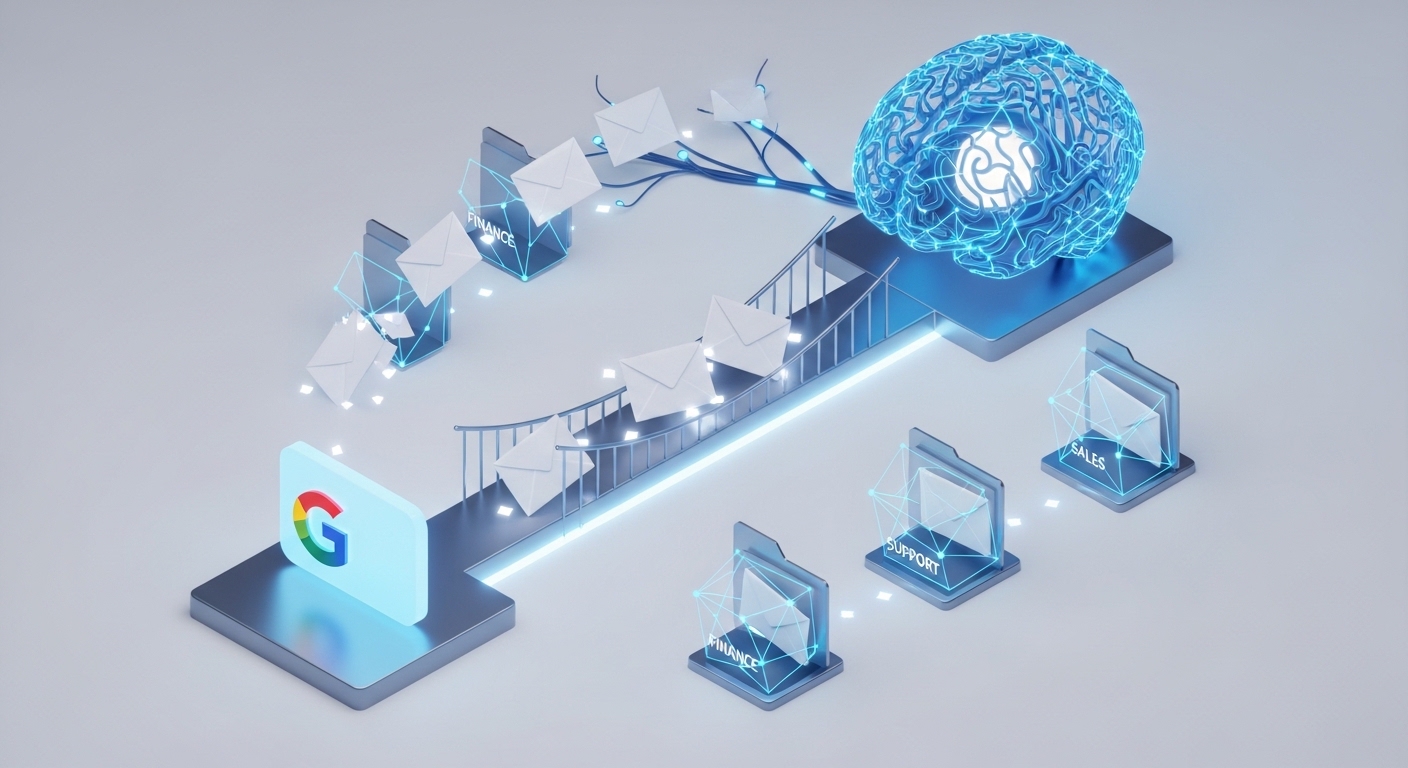
Gmail, in conjunction with AI, becomes more than an email application; it transforms into an intelligent email platform.
In a nutshell, the most significant technology being used for this purpose is Natural Language Processing (NLP) with the addition of Machine Learning (ML). Natural Language Processing (NLP) analyzes text to extract its meaning even if keywords are missing due to incorrect spelling, slang, sarcasm, etc. Machine Learning (ML) utilizes actual data to create a learning model in a matter of weeks with an accuracy rate of 92% to 95%. When performing Sentiment Analysis, this includes identifying the tone of communications (e.g., all negative inquiries will automatically be prioritized). For example: Let's say a client sends an email that says, "My Order #4521 has been delayed for 10 days now; not cool at all." The system processes this request automatically in the following manner:
- Retrieve the order number and load the relevant data from the CRM (Customer Relationship Management).
- Assign the request to Logistics for processing.
- Determine that the client has expressed dissatisfaction and categorize it as (high priority).
- Forward the request to the appropriate manager with a "Churn Risk" note attached.
Previously, the response time to such requests ranged from 6 to 8 hours; however, with the current system, it will be processed within 30 seconds. ASCN.AI uses a similar approach to handle similar inquiries in the cryptocurrency market. For example: If a client sent a message saying "Why hasn't my deposit been deposited into my account?", AI would run through its automated process to check the transaction's status on the blockchain, identify the reason for the problem (i.e., network congestion, incorrect address, low fee, etc.) and provide the client with a response within a few seconds, compared to what previously took 15-20 minutes.
The overall concept of Feedback Routing with Gmail is based on integrating a Gmail-based system with an AI-based system. There are two fundamental components that allow for this type of integration:
- Accessing your inbox using the Gmail API, and
- A model that uses AI to analyze and interpret email messages.
Using the Gmail API, the Gmail system can read emails, extract text and labels from them, and automatically forward, tag and respond to messages using an automated response template. The workflow is set up according to the following system:
- Authorizing with OAuth 2.0 means that everything is fully secure (the password will not be sent).
- You can configure a trigger for either new emails or specific labels, which will initiate the process.
- Next is sending it to the AI where it will analyze the content of the email, see what the urgency of the message is, and suggest which team member should reply to the client.
- The email is then processed automatically—forwarded as-is; labelled according to the company's guidelines; and/or responded to with a pre-approved response to the client.
No-code platforms (i.e., Zapier, Make, n8n) or custom programming in either Python or Node.js can be used to integrate with ASCN.AI. ASCN.AI offers a visual editor for easy configuration and is set up in 15-30 minutes without the need for programming skills. Google Workspace and API Keys for their AI services, such as OpenAI, Anthropic, or proprietary models, are the minimum requirements.
AI will analyze and assign parameters to incoming emails based on various inputs, including the subject; body content; attachments; sender; and the history of previous correspondence with that particular sender.
Parameters assigned will be:
- Categorize incoming emails (Tech Support, Sales, Refund, etc.);
- Priority (Low, Medium, High, Critical—e.g., legal threats; mass error);
- Tone (positive, neutral, negative, aggressive).
Once parameters are assigned, the system will distribute/forward emails according to the rules specified. For example, urgent refund requests will be forwarded to Finance, and Finance will be tasked to respond within one hour, while Partnership inquiries will be directed to Development Manager.
Workflow: Gmail registers email from the client. An email arrives at Gmail. A trigger activates a workflow process. The AI analyzes the text of the email between 3 and 5 seconds after the email is received. After the analysis of the text is completed, the workflow assigns a category and priority to the email. Finally, the email is forwarded to the appropriate employee for response. When a user contacts support via email, an automated response is sent letting them know that their request is being addressed.
When the email contains either an order number or a client ID, the automated Intelligent Agent will pull the necessary information from the CRM database. An example of an email containing an order number and a client ID may say something like, "Client John Doe – Order Number 4521 dated 12.10.2024, for a total of 15,000, payment verified, delivery late." This information is provided immediately for quick use in resolving the issue.
Multiple Use Case Scenarios:
One Online Store Processing Over 800 Emails Each Day
Challenge: The staff consisted of 5 people who struggled to keep up with the volume of emails received each day and were overwhelmed. Many emails with important messages were lost among the routine.
Solution: The Intelligent Agent automatically partitions the emails into four groups: 40% of emails are related to payment and refund issues, 30% are related to order status, 20% are related to technical questions, and 10% are categorized as other. 40% of the payment/refund emails receive automated replies based on FAQs. The remaining emails are assigned to a specialist for further assistance.
Outcome: The initial average time to respond to inquiries has decreased from 4 hours to 12 minutes. As a result, 25 hours of staff time per week has been made available for staff to deal with VIP customers and resolve complex issues.
A SaaS Company Servicing Customers Outside of Russia
Challenge: Emails from customers were received in multiple languages; therefore, there was a delay in responding to customers due to the language barrier with the staff members.
Solution: The Intelligent Agent automatically translates the incoming email into Russian and translates the response to the customer's original language. This process accounts for the difference in time zones around the world and the business hours within the region being serviced.
Outcome: Clients are being serviced within 12 countries without the addition of multilingual staff. The average sale amount is 18% greater, and churn has decreased within Europe and Latin America.
Education Platform with Annual Peaks in Volume
Challenge: Around the beginning of the academic year, the volume of inquiries received during this time increased fivefold compared to the regular school year. Temporary hires were an expensive option for staffing.
Solution: The Intelligent Agent processes 70% of frequently asked questions. The remaining 30% receive priority from the team when assigned to assist with inquiries from new customers. The results of this approach: "the platform managed to keep up with the load with no new hires, increased conversion by 22%, and decreased the wait time to 5-10 minutes." The method is particularly valuable in crypto during market turbulence; therefore, support is inundated with a large number of questions. AI rapidly processes the flood of questions, directing them into appropriate channels for routing to necessary departments and automatically sending out pertinent notifications.
Benefits of Using AI for Processing Gmail Feedback

Speed and Accuracy of Processing
AI completes its analysis/calculation and routing in 3-10 seconds as opposed to many minutes for a human representative (3-5) per email. To compare the differences of handling 100 emails, you could consider:
| Method | Setup Time | Error Rate | Avg. Delay Before Response |
|---|---|---|---|
| Manual Sorting | 3-5 hours to sort | 12-18% | 2-4 hours |
| Gmail Rules | 1-2 hours to setup | 25-30% | 30-120 minutes |
| AI Routing | 5-15 minutes total | 3-5% | 5-15 minutes |
AI eliminates the limitations of the Gmail rules which were based on keywords; therefore, individual clients may phrase their requests differently, but AI recognizes the meaning and nuances in client requests. Due to this, the AI will achieve a 93%-96% accuracy level after one month's worth of training and will continue to be updated/refined through feedback.
Increased Customer Satisfaction
A research study conducted by Zendesk in 2023 found that over 68% of consumers would be willing to forgive an error if they received a timely response from the service; whereas, only 23% of consumers would remain loyal to the business if they were not required to wait more than 24 hours for a response. Due to these advantages, AI significantly increases the speed and quality of service provided to customers, thereby reducing wait times by approximately 5-10 times as compared to traditional methods. In cases of real-world e-commerce examples using AI, response times were decreased and NPS increased from 42 to 61 in one quarter. Furthermore, personalization provides an additional level of convenience as specialists are aware of the entire history of previous correspondence, so they will not require the client to describe their situation again.
Less Pressure On Support Teams
- 40–50% of inquiries are routine questions answered automatically via AI, saving 15–20 hours/week for a team of five people.
- More complicated tasks refer to specialists for better quality and to reduce burnout.
- AI distributes workloads fairly across all employees without preferential overload.
Implementation & Setup Requirements
A. Technical Requirements and Configurations
- Google Workspace or Gmail: Google Workspace is preferred for better API and Security.
- AI Service APIs: OpenAI, Anthropic, or Local Models — Price ranges from $20–200/month.
- Automation Platforms: Zapier; Make; n8n; ASCN.AI NoCode — Starting at $29 for no-code versions.
- Internet and Server: No-Code versions require reliable internet connection to facilitate Cloud-based solutions.
B. Setup Process for Implementing Automated Workflow
- Authorize the Gmail API via Google Cloud Console using OAuth 2.0
- Create your Workflow - "New Email" triggers - send text to AI - Identify Category and Priority - Assign Actions (Forward or Auto Reply).
- Assign Categories, Assign To's, and Priorities.
- Train Model with Human Input - Make Manual Corrections to Speed Up Training Process.
- Set to Automatic Once Accuracy of over 90% Achieved (2–4 weeks typically).
C. Routing Rules
- Referrals: Refunds = Finance; Support = Engineers; Partnerships = Managers.
- Priorities: Critical = Urgent; High = Queue Position; Medium = Normal Processing; Low = Normal Processing.
Sentiment Reaction:
- Aggressive calls are pushed to legal and management through notifications
- Negativity increases priority
- Positive calls will send a copy to our marketing group
Client History:
- Increased priority placed on open cases and VIP clients
Time Management:
- All emails not received during business hours will escalate after 2 hours have passed from when they were sent by the user
Analytics and Reporting Tools
The following queries are tracked for reporting and analysis:
- How many inquiries were received by category, and what trend(s) are we trending in?
- What is the average time to respond to an inquiry, and where are the bottlenecks we need to focus on?
- What is the client satisfaction level and the rate of repeat inquiries?
- How well has our AI performed, and how many manual edits were necessary?
- What are the statistics concerning escalations and critical request processing.
Frequently Asked Questions (FAQ)
Which email services work with AI routing?
AI routing works with more than just Gmail; it also works with Microsoft 365/Outlook and any corporate mail server (e.g., Exchange or Zimbra). While API integrations offer optimal performance, they are not required to use AI routing.
Data Security and Confidentiality
- All data is transmitted via TLS 1.3 with AES-256 encryption for storage.
- There is no passwords transmitted with OAuth 2.0.
- The only access to email with AI routing is from the original email; no contacts or other files.
- There are companies that may need to set up an AI Local Processing server for high-security environments.
- ASCN.AI complies with both GDPR and SOC 2.
- Logs and actions are audited on a continual basis.
Disclaimer: ASCN.AI does not replace professional advice from licensed professionals in legal, medical, or financial fields.
Case Studies and Customer Feedback
Example One: ASCN.AI with Falcon Finance (FF) Collapse – $1,000 for 2 Prompts.
On November 23, 2024, FF collapsed by 87% in less than four hours. The exchange received over 4,000 inquiries every hour. To help manage this disruption, we leveraged AI routing and set up Gmail and Telegram notifications. We created three categories of inquiries, which provided auto responses using the official company information, priority support for technical issues, and risk department contacts for security-related issues. Reaction time from 6-8 hours to 15-20 minutes was achieved, and mass client churn was reduced from 30% to 8%, effectively preserving the company's reputation.
"With two AI prompts, we were able to quickly produce an action plan and a response template for the entire team regarding the FF collapse. The AI was trained on Web3 data and had deep knowledge of how to resolve situations driven by crypto panic. Our experience was that ChatGPT only provided very general types of advice; at that time, we needed specific action steps and a data-driven approach to instill customer confidence."
Example Two: Arbitrage Automation During the Flash Crash, October 11.
On October 11, 2024, a flash crash occurred, with crypto values sharply dropping 15% to 25% over a 20-minute period, followed by a rapid recovery. Arbitrage opportunities due to significant price variances across multiple exchanges—$200 to $500—created a significant challenge for users attempting to navigate the chaotic market conditions at that time. ASCN.AI users took advantage of this by creating an automated process to check market prices via API every five seconds and send Telegram alerts for price variances exceeding 3%. In a few hours, ASCN.AI users executed 15-20 highly profitable trades, generating a total profit ranging from $3,000 to $10,000.
Customer Testimonial of a B2B SaaS Provider Using ASCN.AI
"Our email volume has skyrocketed due to the COVID-19 pandemic, and we are now running an emergency mode on our team. We were responding to emails as fast as possible, taking as much time as 8-12 hours. After implementing the AI routing system through ASCN.AI, our first responses to clients drop to under 15 minutes. AI resolves approximately 40% of our inquiries. As a result of saving time, our team has refocused our efforts to grow our relationships with our larger customers, resulting in an increase in the average check amount by 23% and our NPS has increased from 38 to 57 in a single quarter."
