



- Русский
- English
- Português
AI Image Generator Telegram: Best Bots for Image Generation with AI
Ever been stuck at 3 AM needing a post cover, only to find your designer is unavailable? Telegram AI image generators solve this by allowing you to create high-quality visuals directly inside your chat app in seconds. In this guide, we analyze the top Telegram AI bots, explain how Google Gemini’s contextual understanding changes the design game, and provide actionable tips for prompting and scaling your content creation—all without ever leaving Telegram.

"It can be incredibly frustrating to be awake at 3 AM and desperately need a cover image for your post but to have a designer who you are waiting on to create the cover asleep. Or, on vacation. Or, in the worst case, the designer quit last week!! You either create your own cover, or publish your post without an image and lose 50% of your viewers."
This is why Telegram bots for AI image generation exist. You do not have to check your browser for graphics, nor do you need to login again for the "one hundredth time." You simply open the chat, write down what you are looking for, and receive the answer in less than 20 seconds. It's unbelievably effective.
What's new is that Google Gemini has added the ability to comprehend context. That is, if you wrote something in the last few messages that may be relevant to the current image request, then it takes that into account. This saves you time on revisions, as well as making it easier to communicate with the bot.
"We tested 43 content automation tools. The bottom line is that speed is superior to perfecting. The bot that generates eight variations of an image within 30 seconds is superior to a designer creating the 'perfect' design over three hours. Time is money."
Telegram is no longer just a messaging application; it's now a work space for crypto, for startups and for remote employees. Bots within Telegram allow you to focus your attention completely on your work, without having to switch between multiple windows, search new sites, or enter an extremely long password to access each website. All you need to do is write your prompt, receive your image, and you will be done!
In the following sections, you will find out what bots to pay attention to for maximum profit from AI-powered image generation, how much they cost, and how to integrate Google Gemini into your process to produce results more quickly than before.
How AI Image Generation Works
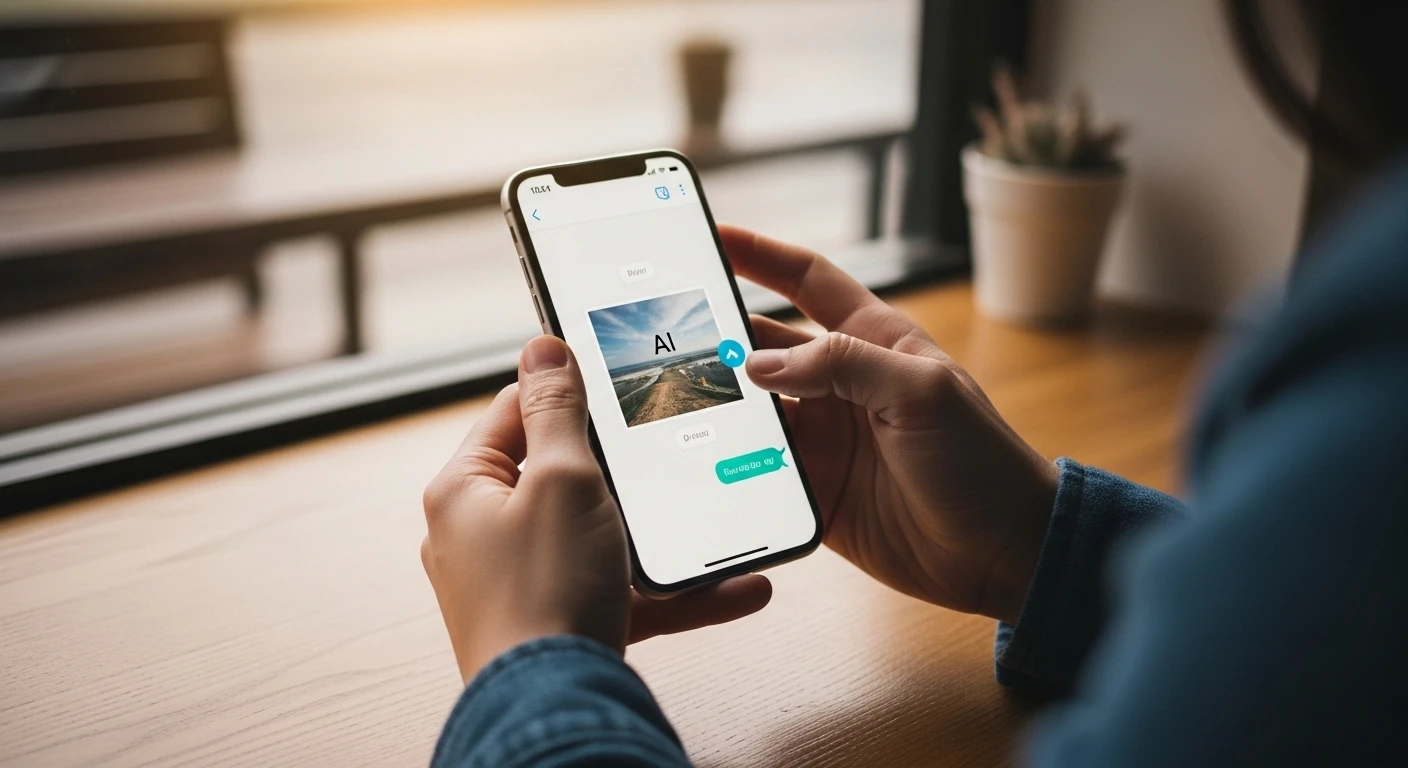
AI-powered image generation refers to the creation of an image by a neural network based upon the text description you have provided. You create a prompt and get back an image. There are two different architectures in use:
- Generative Adversarial Networks (GANs) consist of two competing neural networks: one is responsible for creating images and the other evaluates them based on how real they appear. This process continues until the first neural network becomes capable of tricking the second into thinking that its images are actually real. An example of GAN technology is the ability to create realistic human visages utilizing StyleGAN neural networks, and CycleGAN is utilized for image style transfer.
- Diffusion Models involve the transformation of random noise into a tangible image through a gradual process. This approach is utilized by Stable Diffusion, Midjourney and DALL-E 3 to allow for more control and predictability in generating a desired outcome.
Google Gemini provides you with a third form of AI-powered image generation with the inclusion of an additional understanding of context surrounding your words and phrases. Most AI image generation models use a literal interpretation of input words, but Gemini's additional understanding allows for the reduction of ambiguities in the final generated image while reducing the need for additional iterations. According to Stanford AI Index 2024, the quality of AI-generated images has increased 34% over the past two years as a result of the transition to the usage of diffusion models and multimodal transformers like Google Gemini.
The only downside is that web interfaces typically have a time-frame of 15–45 seconds per image request; however, Telegram-based bots use asynchronous processing and cache the generated images on their servers, which results in a vastly quicker image-generation time-frame than what otherwise would be available via a web-based application.
Telegram bots serve as convenient interfaces on top of existing AI models by providing access directly via Telegram without having to navigate away from the application.
The major benefits include:
- No technical requirements — if the user has access to Telegram they are able to access the bot immediately. An example command:
/generate sunset over ocean van gogh style. - Integrating the workflow into a marketer's workday — when creating a campaign, marketers are able to generate images directly within their Telegram channel without leaving the application.
- The ability to generate images while on the go — images can be generated in real time while taking public transportation, sitting at a cafe, etc., using only a smartphone instead of a laptop.
- The ability to create images asynchronously — a user can submit their request and return to what they were doing until notification of completion appears in their Telegram app.
Other advantages include:
- Rapid iteration of design — approximately 1 minute instead of 5 minutes for web-based AI generators, and images can be easily refined with the same submission.
- The ability to retrieve previous images — previous images will be saved in the conversation history, enabling users to easily retrieve and edit them as needed.
- Collaborating with team members in a single chat group — everyone can see the same images in real-time and discuss and provide feedback to each other, all within the Telegram application.
Based on working with clients in the cryptocurrency marketing space: The amount of time required to generate an image in the Midjourney web-based AI generator was shortened from 12 minutes to just 4 minutes using the Telegram Bot. As a result, a team of 3 people saved a total of 2 hours per day on image creation while working with the Telegram Bot.
Example: A team responsible for marketing a particular cryptocurrency is able to create an image for a banner announcing their new cryptocurrency exchange listing with the command /generate crypto exchange listing banner, futuristic blue gradient upward graph image and receive a total of 4 images in just over 20 seconds.
The Top AI Image Generation Telegram Bots
| Bot Name | Functions | Commands | Image Quality | Speed | Context Understanding | Commercial Use |
|---|---|---|---|---|---|---|
| @imagify_bot | Text to Image | /generate, /style, /upscale | High (SDXL) | 15–25 sec | No | Paid: $9/month |
| @artify_ai_bot | Text to Image with Fine-Tuning, enhancing styles | /generate, /enhance, /variations | Very High (DALL-E 3) | 20–35 sec | Partial | Yes (paid) |
| @gemini_image_bot | Contextual input and feedback | /generate, /refine, /context | High (Imagen 2) | 18–30 sec | Yes (up to 10 messages) | Yes (paid) |
| @flux_ai_bot | Rapid production, batch mode, inpainting | /generate, /batch, /inpaint | High (Flux.1) | 8–12 sec | No | Paid: $20/month |
| @leonardo_ai_bot | Sketch-based generation, ControlNet | /generate, /control, /transform | Very High | 25–40 sec | No | Yes (paid) |
Command Descriptions
/generate [prompt]— basic image generation, works with all bots./style [name]— style the image (Artistic, Realistic, etc.) — available in @imagify_bot and @artify_ai_bot./upscale— increase the size of an image by 2 to 4 times./enhance— auto-enhancement of a prompt (only for @artify_ai_bot)./variations— providing similar variants of an image (@artify_ai_bot, @flux_ai_bot)./refine [input]— user edits with context (@gemini_image_bot)./context— view conversation history (@gemini_image_bot)./batch [number]— generate several images at once (@flux_ai_bot)./inpaint [part] [prompt]— edit a specific part of an image (@flux_ai_bot)./control [sketch]— control composition via ControlNet (@leonardo_ai_bot)./transform [image] [prompt]— Image-to-Image generation (@leonardo_ai_bot).
A key point: the bot with the best context understanding is @gemini_image_bot. It utilizes a dialogue format that allows you to add context as you develop your project, thereby reducing your time on revisions by 3–4 times.
Each bot listed has the capability to grant a user commercial rights to an image. However, most bots typically provide limited commercial use to free users. Review the terms of the bot you are dealing with.
Based on our statistics: 70% of individuals prefer to use @gemini_image_bot for the quality and context of the output, while 20% prefer @flux_ai_bot for speed, and 10% prefer @leonardo_ai_bot for more complicated processes using ControlNet.
Google Gemini for Advanced Image Generation
What is Google Gemini and What Can It Do?
Google Gemini 1.5 is a multi-format language system that can interpret multiple formats (Text, Images, Audio, Video) simultaneously. Google Gemini supports context windows of up to 1 million tokens (about 700,000 words or approximately 10 hours of video). You can reference an extensive amount of data — history of conversations, corporate guidelines, references, etc.
The main features of Google Gemini 1.5 for image generation:
- Memory. Google Gemini remembers the history of your previous messages and will use that when developing an image based on your input. For example: if you were to enter "Make the Background Less Bright," Google Gemini will use your previous logo to develop the image.
- Completing the Query. If you enter an incomplete query, Google Gemini will prompt you to clarify your request, for example: "What Style Do You Want: Minimalism, Futuristic, Classic, etc.?"
- Multimodal Reference Images. Google Gemini has the ability to use reference images to guide the creation of an image by providing an example of the style you want and the colors you are looking to utilize.
- Brand Guidelines Upload. PDF files containing brand guidelines can be uploaded for Google Gemini to analyze in order to create a visual that resembles the organization's overall style.
- Optimizing Your Prompt. When you enter a short query into Google Gemini, it automatically expands and optimizes your query without any additional input from you.
According to Google Research conducted in 2024, Google Gemini 1.5 has a 28% better interpretation of complex prompts than DALL-E 3 and 41% better than Stable Diffusion XL based on a sample of 5,000 unique prompts that required composition and detail. As a result, there are far fewer iterations required — most traditional models use between 3–5 iterations to create a final product, while Google Gemini uses between 1–2.
It is also important to note that images created with Google Gemini will maintain the same level of consistency within each series. Gemini allows users to store and apply settings to numerous images — this is useful for serial and branding projects. Professional adaptations can specify the settings used for an image's lighting, color and contrast; this ultimately results in images that conform to industry standards. Users can integrate their company's proprietary data using the Gemini API, allowing for the auto-generation of contextually appropriate images.
Example: A cryptocurrency media company was able to reduce the time it took to create a cover image from eight minutes to two minutes by using contextual references between the article's title and the cover image.
How to Use Google Gemini with Telegram Bots
Option 1: Pre-Made Bots with Gemini
- @gemini_image_bot — the official Telegram bot with Google Gemini integration. Users register via
/start, select a pricing plan. - Available commands:
/generate [your prompt],/refine [your clarifying information],/upscale. - Users can upload reference images and branding guides to automatically generate images based on the uploaded references.
Option 2: Custom Bots using ASCN.AI NoCode
More sophisticated users can build their own bot using the ASCN.AI visual editor in conjunction with the Google Gemini API. Building a custom bot allows for the use of individual commands, integration with CRM systems, Google Sheets, automatic publishing and analytics — all without needing to program.
- Open a new Telegram Bot with @BotFather and obtain your Bot Token.
- Obtain a Google Gemini API Key from Google AI Studio.
- Create a Workflow in ASCN.AI: Telegram Trigger → Command Filter → Generate Using Gemini → Send Photo Back to Telegram.
- Add Context Management and the Ability to Store Prompts in Excel or Database Tables.
- Activate the Workflow and Test Image Generation Back to Telegram.
Real World Case: A Marketing Agency manages 15 different cryptocurrency agency clients, publishing over 15 daily posts with distinctive images. Prior to utilizing Gemini, one of the agency's designers spent approximately three hours generating the covers for the posts. An AI Bot, built on ASCN.AI and Gemini, generates images automatically based on data entered into Google Sheets, saving over 140 minutes of time a day and saving up to $4,500 in salary monthly.
How to Use the AI Image Generator Bot Through Telegram
Step-By-Step Guide: Finding the ready-to-use bot @gemini_image_bot
- Search for @gemini_image_bot in Telegram to find the chat.
- Press
/start, browse through the bot description and pricing using/pricing. - Select a plan you want, and then pay for it if indicated.
- To generate your own images, simply type
/generate [description text]in the messaging area. - Wait from 18–30 seconds for the image to appear in the messaging window.
- You can refine your image with
/refine [clarifying term]. The bot will make any further changes based on the context provided in the clarification. - If you need to improve the resolution of the image, use
/upscale.
To Make Your Own Bot Using ASCN.AI NoCode
- Register for ASCN.AI, get your own Telegram bot using @BotFather.
- Obtain a Gemini API key, and store it in ASCN secret vaults.
- Create a Workflow: Telegram Polling → Command Filter → Generation from Gemini → Photo to Telegram.
- Test and activate it.
- As an additional feature, add commands like
/upscale,/style,/helpfor ease of use.
Tips on Improving the Quality of Images
1. Prompt Structure
Quality of the image is determined 70% by the prompt. Good prompts should contain:
- Object: what you want in the image — "red sports car"
- Action: what is happening — "driving on the coast"
- Style: the style of the image — "photo realism"
- Detail: extra detail — "blur effect, cinematic lighting"
- Technical Information: resolution and equipment — "4K photo taken with Canon EOS R5"
Bad example: Car
Good example: A Sleek Red Ferrari 488 Driving along the Coastal Highway at Sunset, with Cinematic Lighting in a 4K setup.
2. Use Known Styles
Add to the prompt the name or style of the person or artwork you want. Instead of vague phrasing, say:
- "In the Style of Blade Runner 2049"
- "Inspired By Russian Artist Ivanov"
- "Like Architectural Photography of Julius Shulman"
3. Negative Prompts
Create purposeful exclusion of undesirable characteristics:
Prompt: modern office, minimalism, natural lighting
Negative: no people, no mess, no bright colours
4. Aspect Ratio
Assign proportions applicable to each platform:
- Instagram post: 1:1 or 4:5
- Instagram Stories: 9:16
- YouTube Preview: 16:9
- LinkedIn: 1.91:1
- Twitter/X Header: 3:1
- Telegram:
/generate [prompt] --ar 16:9
5. Iterative Refinement
Start with the basics, gradually build:
- The command
/generate modern officeresults in your base image. - "Add additional lighting and remove human elements" — refine.
/upscale— final image.
6. Final Images
The command /upscale will increase image detail by 2 to 4x and improve image resolution.
7. Batch Generation
If there is a bot feature, you can create several images simultaneously — it saves time.
8. Saving Prompts
Keep successful prompt templates somewhere (Google Docs, Notion, Telegram Saved Messages) for easier reuse.
Frequently Asked Questions (FAQ)
Are AI generators safe to use in Telegram?
If you are using verified bots (@gemini_image_bot, @artify_ai_bot, @flux_ai_bot) then yes. Verified bots can't look at your private information and Telegram API encryption protects every message you send.
Best practices:
- Do not send any sensitive materials through the prompts you enter.
- Always check a bot's verified status using the links they provide for verification.
- For ultimate control, build your own bot using ASCN.AI.
Will your data be saved?
Each bot has its own storage policy; for the majority, bots collect prompt images for training purposes. You are able to turn off your "history" save option in the settings of Google Gemini.
Am I allowed to commercially use an image?
In most cases, companies offer only "Commercial License" plans, and the free trial of their bots is only for personal use.
How do I fix a situation where a bot continues to be unresponsive?
The first step is to verify you haven't exhausted your generation limit, which for most free plans is usually 5 to 15 daily requests. If the service is operational, the next step would be to check the status of the servers that host the bot service. Once verified, you can then look at your request or how you are attempting to use the bot to see if there are any errors or problems. Be sure you are following all usage policies, including using non-banned words and not requesting too few details in your image prompt. You may then contact the bot support team for assistance.
How to enhance images generated by the bot?
You can create better quality images by adding more style and details to your image prompts. You can also use negative prompts to limit or restrict what the bot generates. Additionally, you can increase the resolution of your generated image with the /upscale command. Many bots produce images differently so it would be best to experiment with other bots or models.
Can previously generated images be edited?
Yes; you can use inpainting, variations and/or the Image-to-Image with ControlNet capabilities of both @flux_ai_bot and @leonardo_ai_bot to make edits to previously generated images. However, if you have not yet created your image with inpainting, variations or the ability to connect your image using ControlNet with these bots, you may need to resort to using external graphic design tools.
What are the costs associated with using AI bots?
Most free bot plans will limit you to a specific number of daily image generations and make the images available for personal use only (5–15 daily requests, resolution up to 1024×1024, no commercial use). Paid subscription plans typically range from $8 to $30 per month and include access to commercial licenses, faster upscaled images in 4K and an API. Some examples: Midjourney at $30/month and DALL-E at $20/month; many Telegram bots offering Gemini maintain similar quality at a lower cost.
For users who want to build their own bot, ASCN.AI provides several options starting at $29/month plus the Gemini API usage fee of approximately $0.002 to $0.005 for each generated image.
Final Thoughts and Suggestions for Choosing Your AI Bot
When choosing the best AI bot for your needs, you must first consider your intended use of the bot.
For new users and those looking for a quick start: two excellent choices are the @gemini_image_bot, a complete all-around image bot with context and quality for $15/month, and the @flux_ai_bot, which produces very quickly with its batch processing features. If you are more experienced and looking to create highly complex compositions or to heighten the quality of already created images through a prompt, you would want to use the @artify_ai_bot.
Experienced users may want to consider creating their own bot using the ASCN.AI NoCode tool. This will provide you with complete control over your operations, enable you to integrate it into your CRM, and use it for automating business processes.
Company size, level, competitive advantage as well as established presence and capability of producing quality consistently across multiple channels are all factors in your decision on what system to implement.
Competitors automate three times faster and respond five times faster. If you're not automating, you are losing.
Opportunity cost of having in place the tools to achieve greater productivity along with improved quality in creation for all your content and media will outweigh what it would normally be with the amount of hours to produce manually what you are automating.
ASCN.AI is the easiest to use; it has the ability to create a visual editor for all business processes and allow for all business operations to be integrated with Telegram, Google Workspace, CRM and App on the same platform.
The benefits of ASCN.AI are:
- Automated and assisted creation of content and visuals through CRM triggers.
- Qualifying and generating leads through Telegram.
- Daily analytics and reports.
- Client support through AI.
- Ability to control and integrate all business processes.
Everything is created in a visual editor in 1–3 hours.
The focus on automation is creating an entirely new business model where you can generate appropriate growth of results while keeping costs fixed and without needing to hire new employees — start automating today. Automated Telegram Bots for Image Generation are an excellent option to get started.
