



- Русский
- English
- Português
Prospectus research + personalized cold email
This guide presents an AI-driven model for start-up founders and freelancers to automate their cold outreach process. By employing AI agents for lead research and personalized email writing, users can minimize manual work and significantly increase their response rates.

Cold outreach automation utilizing AI agents for effective client search and email customization.
Overview
The "Prospecting + Custom Cold Email" model is created for start-up founders and self-employed individuals who want to make their cold outreach process more efficient. It is considered medium in terms of implementation complexity, so it can be used by people having the necessary technical qualifications.
The working process is based on the possibility of employing an AI agent for research and writing personalized emails. Therefore, the amount of time spent on emails is minimized, which consequently allows for better communication with clients.
By adopting this model, users will be able to improve their email marketing campaigns and increase the chances of getting replies.
How It Works
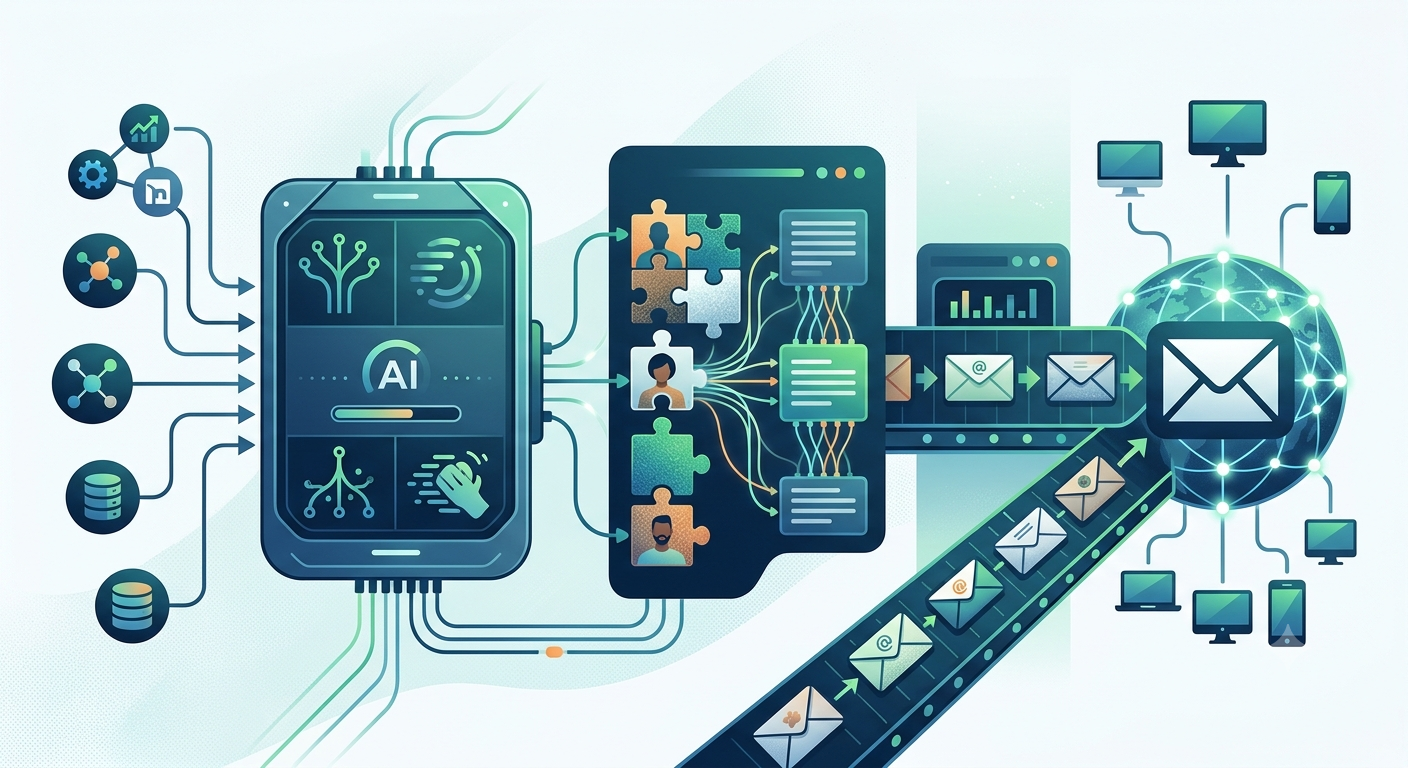
The cold outreach automation process is carried out by an AI agent that undertakes several significant actions. First, it researches potential clients aided by Apollo.io and web scraping technologies. As a result, the latest information about aspirations of companies is obtained.
At the second stage, the AI agent creates personalized emails with the help of GPT-4 technology. It provides a high degree of personalization offered by the emails making them more likely to be positively perceived. Automation streamlines the process of delivery and ensures maximum efficiency of emails at the moment of sending them. The automation process makes cold outreach simpler and quicker thus allowing you to shift your focus on other important matters in your business.
Why it is More Efficient than Performing Everything Manually
Automating cold outreach with the AI agent allows making the process more effective than doing everything manually. First of all, it allows minimizing the time required for research and dispatching emails by 40-60 minutes thus giving time to business owners to concentrate on more important tasks.
Secondly, automation offers more opportunities to send more emails within a shorter time period which increases the chances to get positive responses since more potential clients receive tailored offers. Compared to traditional approach usage of the system enables reaching more leads thus resulting in high conversion rates.
Using AI agent in the cold outreach process not only saves time but optimizes the ways of communicating with prospective clients thus producing better results. There is a substantial rise in the likelihood of getting constructive feedback from possible customers when the AI agent is engaged in creating personalized emails.
What Results Users Get
The people using it also note that they save precious time required to send emails, which could be spent on higher-level activities, for example, doing an analysis of market or networking with current clients. Therefore, the introduction of this method of automation provides these people with an opportunity to increase revenue and achieve better overall business results.
Moreover, it should be noted that automation enables constant communication with clients, an essential aspect of relationship building. By streamlining the cold outreach process, companies can use their resources more effectively. Many users indicate that the AI agent is helpful not only in increasing the quantity of replies but also in enhancing the quality of the communication with clients.
Examples of Application
While specific implementation examples of the AI agent in the cold outreach process are not available, the experience shows that users emphasize several points that are the most important. Automation makes it possible to speed up the process of searching for leads and qualifying them; it is crucial for start-up founders and self-employed entrepreneurs.
Users underline that due to automation it is now possible for them to contact a larger group of potential customers, which results in the increase of replies to emails because recipients are more likely to perceive the personalized emails created with the help of the AI. In addition, automation allows users to manage time better. It has been established that automation greatly decreases the time spent composing emails. This gives users more time to pay attention to other vital areas of the business such as market research and client management. It is significant for the users to share with others their achievements and experiences.
What You Gain
Implementing automation in cold emailing gives you a number of valuable merits and advantages in terms of optimizing your sales process. In the first place, it automatizes the process of searching and qualifying leads, occupying much less time than before. Thus, you have much more time for networking and working on your relationships with clients.
Secondly, it creates personalized emails for each letter. This boosts the chances that the recipient will respond positively if a person knows that the email is tailored to him/her personally. The personalization is reached via such technologies as GPT, i.e. you get a high quality of email content.
Moreover, with the help of Gmail integration, it is possible to make the process of e-mailing even easier. It is possible to schedule the email sending time to make sure that your emails will be delivered at the most appropriate time. This increases the likelihood of success and helps to maintain regular contact with clients, which is crucial for the development of long-term relationships.
Instructions on Setup
If you want to implement cold emailing automation properly, you will need to do the following steps. First of all, you will have to clone the repository to have access to all relevant files and code. To clone it, you have to run the git clone <repository-url> command.
Next, create a virtual environment and activate it in order to isolate all dependencies and install all libraries needed for your project according to the requirements.txt file.
After that, set up the environment variables. Copy the .env.example file to .env and adjust that to input your API keys and other settings.
Finally, execute the command uvicorn main:app, and start working with the service.
