



- Русский
- English
- Português
AI Document Parsing Service Based on Llama Technology
Harnessing the power of Llama for document parsing lets businesses automate complex extraction tasks with precision and speed, turning unstructured data into structured insights seamlessly

“Harnessing the power of Llama for document parsing lets businesses automate complex extraction tasks with precision and speed, turning unstructured data into structured insights seamlessly.” — Team ASCN.AI
Introduction to AI Document Parsing
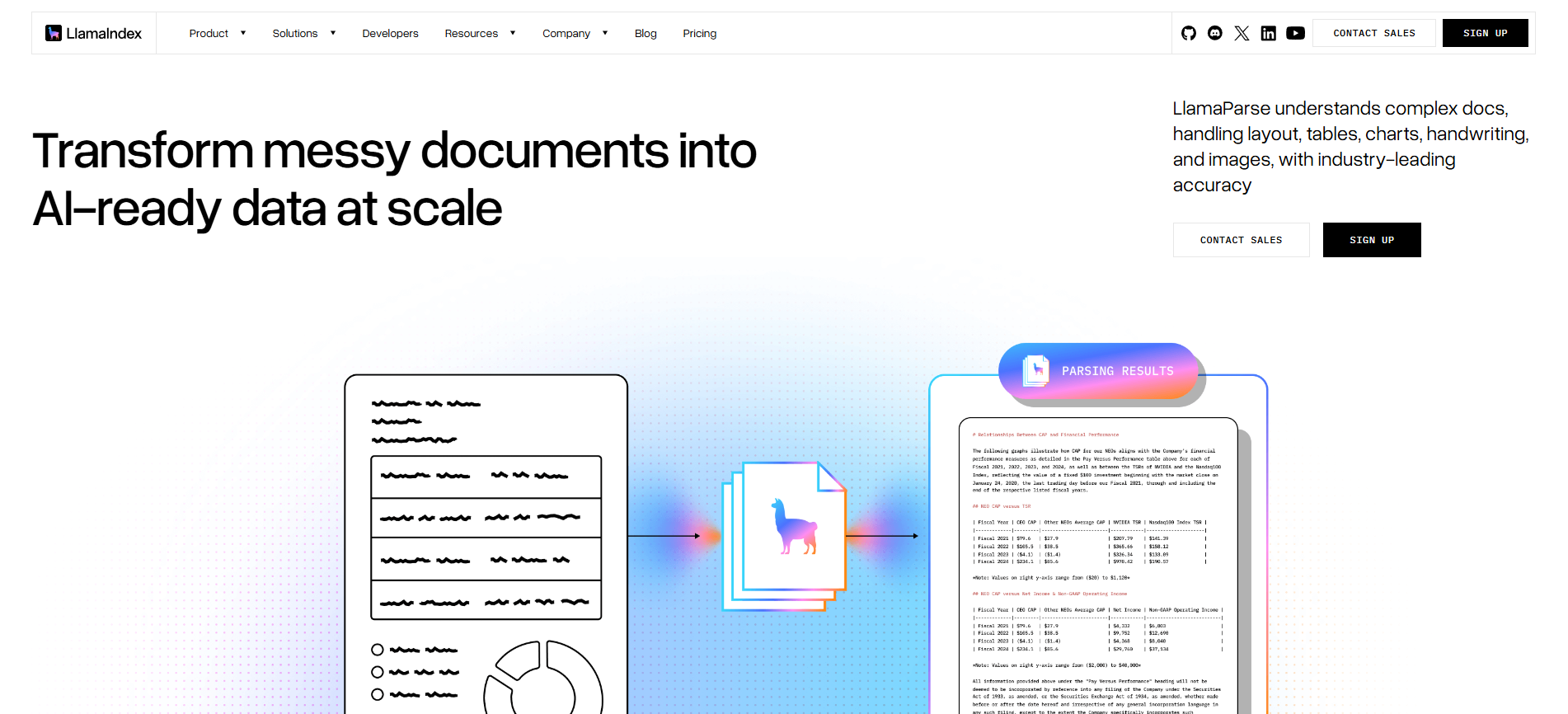
Llama Parser and Llama Extractor are AI-driven tools designed specifically for advanced document parsing and precise text extraction. Built on the Llama language models—powerful AI engines trained on vast and diverse datasets—these tools handle the complex anatomy and semantics of diverse document types with ease. They transform unstructured or semi-structured documents into structured, actionable data that fits neatly into automated workflows.
To put it simply, Llama Parser focuses on analyzing and breaking down a document’s structure, identifying key sections systematically. Meanwhile, Llama Extractor zooms in on extracting specific text snippets or data fields crucial for business needs.
Unlike run-of-the-mill text utilities, these tools shine in scenarios involving complex document processing where accuracy, speed, and flexibility matter. They cut down manual data entry significantly, slashing errors and saving precious time.
AI document parsing reduces manual data entry time and errors much more effectively than traditional approaches.
The Technology Behind Llama in Document Processing
The technology that powers Llama is based on large language model (LLM) architectures, which excel at deeply understanding natural language. These models grasp context and meaning in documents much better than traditional rule-based systems.
Thanks to this, Llama can parse complicated documents — think invoices, contracts, emails, forms, or PDFs that mix text, tables, and scattered paragraphs. It dynamically adapts, learning new data patterns on the fly, making it smarter over time.
Large language models decode document context and semantics with a finesse that outpaces rigid rule-based solutions.
How Llama Parser Differs from Traditional Solutions
Traditional parsing usually relies on fixed templates or handcrafted rules designed for specific document formats. That works fine for stable layouts but quickly breaks down as documents grow more varied or change over time—and maintaining these rules demands constant manual effort.
Rule-based document parsing struggles to keep up with evolving document formats and often needs extensive tweaking.
In contrast, Llama Parser is driven by AI that understands natural language nuances and layout variations, freeing you from rigid templates. It adapts quickly to different document styles with minimal setup and maintenance.
And it’s not just OCR or keyword searching. Llama Parser interprets the relationships and hierarchies in your content — knowing what’s important, what goes where — so the output is clean, structured, and reliable.
Core Capabilities of the Service
Built on versatile AI, the service handles a wide array of document types:
- PDFs, both scanned images and digitally generated
- Microsoft Word and Excel files
- Plain text documents
- HTML pages and email messages
- Images containing text (powered by integrated OCR)
This extensive format support fits snugly into nearly any business document flow you throw at it.
Structured Data Extraction
The service doesn’t just extract bits — it organizes data per your own schema, including:
- Pulling tabular data precisely even from complex tables
- Identifying key-value pairs like names, dates, quantities, and amounts
- Recognizing hierarchies such as sections and subsections
- Adding semantic tags (sentiment, topic classification, and more)
Such structured outputs feed directly into reporting tools, analytics, or automated business processes.
API for Integration and Automation
This service comes with a complete RESTful API designed to slip smoothly into your existing technology stack. Highlights:
- Endpoints let you submit documents and retrieve parsed results effortlessly
- You configure extraction settings tailored to specific types of documents or data
- Supports batch submissions and asynchronous processing, scaling for enterprise demands
- Also offers synchronous calls for immediate results when needed
API and webhook support open the door to automated document workflows, boosting enterprise efficiency.
This means you can embed document parsing directly within CRM, ERP, or your custom apps, making document handling part of your digital ecosystem.
Webhook Support for Reactive Automation
The service supports webhooks for real-time, event-driven automation. As soon as a document is processed, it pushes parsed data to a URL you specify, enabling:
- Immediate downstream processing without polling
- Automatic alerts triggered by key document milestones
- Seamless integration into orchestration platforms managing complex workflows
Technical Features and Architecture
The Llama document parsing API offers a set of key endpoints:
/parseDocument(POST): Upload documents for immediate parsing/parseStatus(GET): Check the status of ongoing asynchronous parsing tasks/parseResult(GET): Fetch structured parsed data using job IDs/configure(POST/PUT): Define parsing preferences and data schemas per user needs
Supported HTTP methods include POST for sending data and configuration, and GET for retrieving status or results. Parameters allow you to specify document types, extraction strictness, output format, and language options.
Output Format and Standards
Parsed data returns in common machine-readable formats like JSON or XML. These formats support nested structures, arrays, and rich metadata, aligned with industry standards to facilitate integration with analytics pipelines or enterprise ingestion systems.
Data Security and Confidentiality
Data protection is taken seriously, with safeguards such as:
- Encryption covering uploads, processing phases, and download steps
- Role-based access governing API keys and webhook endpoints
- Data retention policies compliant with GDPR and other privacy laws
- Secure token-based authentication methods
Note: This information is general and does not replace professional advice on data security.
Step-by-Step Guide to Connecting and Using API and Webhook
- Obtain API Credentials: Sign up on the platform to get authentication tokens.
- Configure Parsing Options: Choose preferred document formats, set extraction parameters, and specify your webhook URL if you want instant updates.
- Upload Documents: Submit your files via the
/parseDocumentPOST API. - Handle Responses: Use synchronous responses or query
/parseStatusto check on asynchronous tasks. - Retrieve Data: Access structured output through API calls or receive them automatically through webhook notifications.
Integration Code Examples
Here’s a simple Python snippet to upload a PDF:
import requests

headers = {
  ""Authorization"": ""Bearer YOUR_API_TOKEN"",
  ""Content-Type"": ""application/pdf""
}

with open(""invoice.pdf"", ""rb"") as f:
    response = requests.post(""https://api.llamaparse.com/parseDocument"", headers=headers, data=f)

print(response.json())
And a basic Node.js example for receiving webhook callbacks:
const express = require('express');
const app = express();
app.use(express.json());

app.post('/webhook', (req, res) => {
  console.log('Parsed data received:', req.body);
  res.status(200).send('OK');
});

app.listen(3000);
These snippets give a straightforward starting point to integrate the service into your stack.
Testing and Debugging
Test with a mix of document types to ensure parsing accuracy matches your schemas. You can use sandbox environments and detailed API logs for quick troubleshooting. Monitor webhook deliveries and confirm your pipelines handle incoming data as expected.
Use Cases and Scenarios
Automate day-to-day document processing tasks like:
- Extracting invoice data for accounting systems
- Pulling contract metadata for review and audit
- Digitizing forms for direct entry into databases
That translates to fewer manual mistakes, faster turnaround, and freed-up staff time.
CRM and BPM System Integration
The structured output from Llama Parser plugs smoothly into CRM and Business Process Management platforms, enriching customer profiles and triggering workflow actions based on documents received.
Automated Multi-Channel Workflow Example
Imagine this: Watch incoming Gmail attachments, upload approved docs to Llama Parser, extract structured data, then:
- Log results into Google Sheets for live tracking
- Send concise summaries over Telegram for quick team review
- Archive originals on Google Drive automatically
This multi-channel rhythm supports swift decisions and nimble operations.
Real Client Success Stories
At ASCN.AI, introducing AI parsing cut document analysis time by up to 60% for a trading firm. This speedup helped them react faster to market shifts and make better-informed decisions.
Learn more in the ASCN.AI case study on Falcon Finance’s downturn.
Frequently Asked Questions (FAQ)
Technical Integration Questions
- What document sizes are supported?
Files up to 100MB each, with limits set by your subscription level. - Can I customize extraction fields?
Absolutely. Custom schema mapping is available via the API. - Does the API support asynchronous processing?
Yes, you can submit jobs asynchronously and poll results later. - How to secure API credentials?
Use role-based controls and keep tokens securely stored. - Are webhook callbacks reliable?
They support retries and detailed logging to ensure dependable delivery.
Pricing and Licensing
- Pricing scales with volume and features — from pay-per-use plans to full enterprise subscriptions.
- Custom quotes and dedicated support are available for larger clients.
Support and Maintenance
- 24/7 ticket-based assistance
- Comprehensive docs and onboarding materials
- Regular updates and feature rollouts
Documentation and Training Materials
- User Guide covering all API features with clear stepwise instructions
- Video Tutorials and webinars on integration and advanced configuration
- Access to a dedicated support team via email and live chat
Additional Insights: How NoCode AI Agents Enable Monetization with ASCN.AI
Pairing ASCN.AI’s no-code platform with Llama-powered parsing creates a powerful combo for document-centric workflows. Visual AI workflows let you automate without writing code, allowing businesses to:
- Automatically extract and analyze incoming document data
- Route insights to teams—sales, finance, compliance—in real time
- Generate live reports summarizing key metrics from documents
This takes thousands of manual hours off your plate monthly, squashes human errors, and speeds up decisions—directly cutting costs and opening new revenue potentials.
“By combining AI document parsing with our no-code automation, clients significantly reduce labor and unlock new efficiency levels—a true advantage for busy teams.” — Team ASCN.AI
