



- Русский
- English
- Português
Welcome to ASCN.AI: Your Next-Generation Crypto Trading Assistant
ASCN.AI provides AI tools built specifically for cryptocurrency work. Crypto teams connect these tools without writing code to streamline their processes and boost productivity. By 2026, teams deal with endless data from exchanges, blockchains, and social feeds. ASCN.AI's no-code platform lets you create AI agents that handle this data, cutting down on hands-on work. You can set up custom connections in minutes, linking services like Telegram, Google Sheets, and email for alerts, analysis, and reports.

ASCN.AI provides AI tools built specifically for cryptocurrency work. Crypto teams connect these tools without writing code to streamline their processes and boost productivity. By 2026, teams deal with endless data from exchanges, blockchains, and social feeds. ASCN.AI's no-code platform lets you create AI agents that handle this data, cutting down on hands-on work. You can set up custom connections in minutes, linking services like Telegram, Google Sheets, and email for alerts, analysis, and reports.
How ASCN.AI Transforms Your Crypto Experience
ASCN.AI helps crypto teams move from constant monitoring to forward-thinking strategies with no-code configurations. Automation takes over routine scans of market data, sentiment changes, and transaction patterns. Teams spend up to 20 fewer hours each week collecting data, so they can concentrate on important choices.
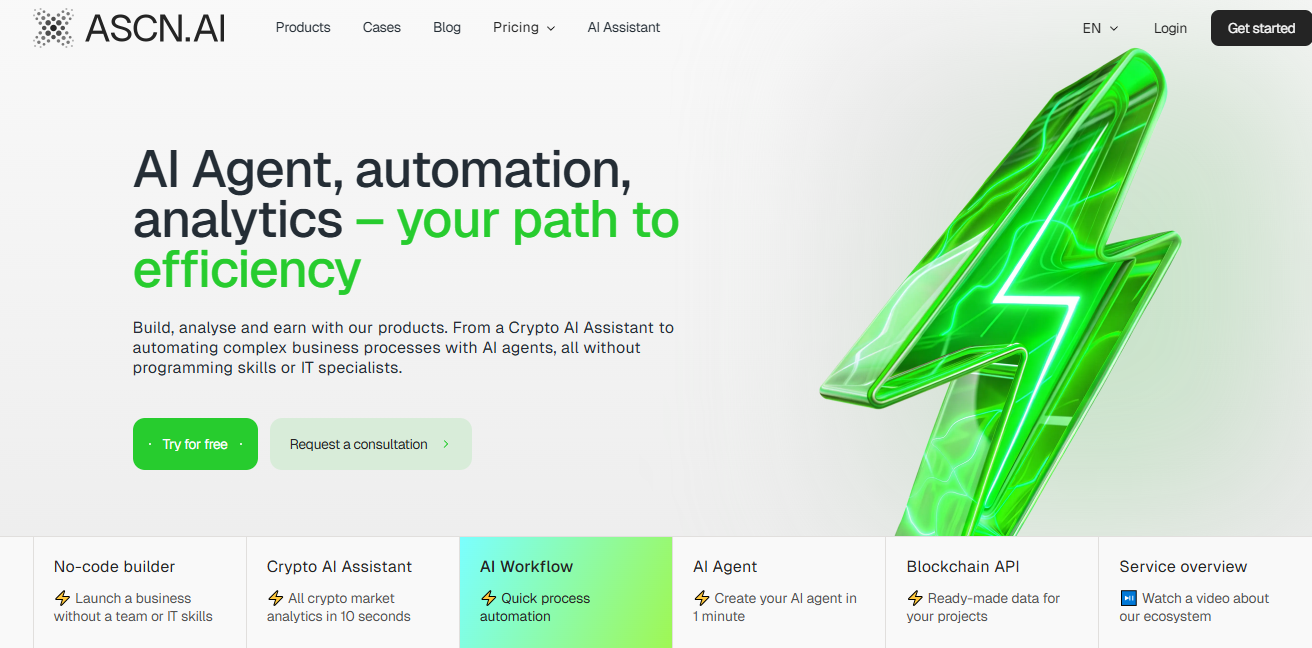
AI in Web3
AI handles on-chain data and market signals quicker than people can by hand. ASCN.AI's no-code nodes connect AI models directly to blockchain feeds, so teams spot patterns in token transfers or large investor moves. For example, one node watches Solana transactions while another AI reviews how they affect token prices. Teams save hours each week by skipping spreadsheet imports and custom code.
Real-Time Data at Your Fingertips
Real-time integration grabs live stats from DEXs and CEXs without coding APIs. ASCN.AI's visual builder hooks up to places like Binance or Uniswap through HTTP nodes. Teams create dashboards that refresh on their own and highlight swings in prices for assets like ETH or BTC. No more logging into several sites every day—this frees up 10-15 hours a week for actual analysis instead of data hunting.
Getting Started with ASCN.AI
Set up integrations in less than 10 minutes with ASCN.AI's drag-and-drop setup. You don't need to code; just pick nodes for starting events, processing steps, and results to create workflows.
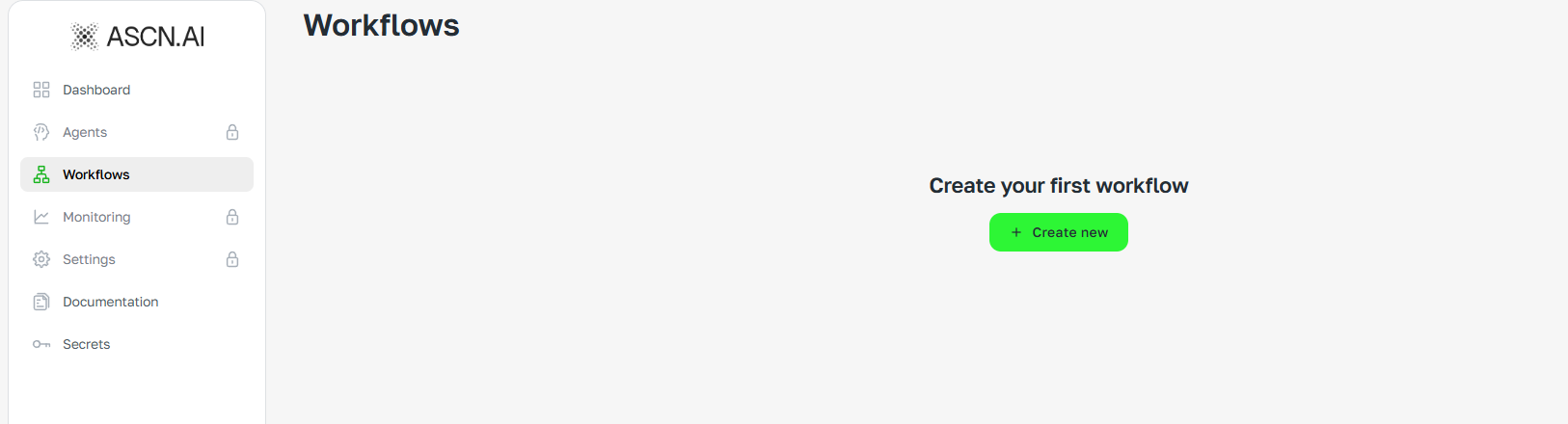
Simple Steps to Engage With Our AI
- Create a new workflow in the dashboard and name it, such as "Crypto Alert System."
- Add secrets for API keys from services like Telegram or OpenAI to secure connections.
- Insert a trigger node, like Telegram polling, to start the process on incoming messages.
- Connect AI agent nodes to process queries, choosing models like GPT for crypto-specific tasks.
- Link output nodes, such as email sends or sheet updates, to deliver results.
- Activate the workflow to run continuously.
These steps connect your tools smoothly and let crypto teams automate everyday tasks.
Example Queries to Maximize Your Experience
Users type natural language prompts into AI agents to get crypto insights. In no-code setups, pair these with connections to other services. For example: "Analyze recent inflows to LINK on CEXs." The agent fetches data through linked APIs, sums up trends, and shares them in a team Slack. Or try: "Generate a report on Solana ecosystem partnerships." Workflows pull from various sources automatically, saving hours of digging.
Here's one in action: "Track whale activity for BTC over the last 24 hours and alert via Telegram if volume exceeds 1,000 BTC." It combines on-chain data, sentiment from Telegram channels, and exchange info, then reports: "Three whales accumulated 2,500 BTC total; sentiment positive due to ETF news. Risk level: low."
Queries like these, built into no-code workflows, deliver useful info without you lifting a finger.
FAQs: Quick Answers to Your Common Questions
How do no-code integrations work in ASCN.AI?
Users drag nodes to connect services; triggers start processes, AI handles logic, and tools execute actions like sending alerts.
Can crypto teams integrate with specific blockchains?
Yes, HTTP nodes link to Ethereum or Solana APIs for real-time data pulls.
What time savings come from these setups?
Teams report 15-25 hours saved weekly on monitoring and reporting tasks.
Is coding ever needed?
Optional JavaScript nodes allow custom logic, but most workflows run purely no-code.
How secure are the integrations?
Secrets store tokens encrypted; data flows via variables without exposure.
Exclusive Features and Benefits
ASCN.AI includes templates and nodes made for crypto tasks, so you can quickly assemble integrations that save time.
Specialized Data Analytics
Analytics nodes handle crypto data from Google Sheets or APIs. Upload transaction logs, for instance, and the AI spots trends like climbing gas fees on Ethereum. Teams connect this to email for daily summaries, swapping out hours of manual graphs. One template checks holder spreads for tokens and flags concentration risks right away.
Budget-Friendly Pricing
Get started for $29 a month, with unlimited workflows and AI uses included. It costs less than juggling separate tools and gives crypto teams full analytics without extra fees.
Why ASCN.AI is Different
Unlike broad AI platforms, ASCN.AI focuses training on Web3 data for outputs that fit crypto needs. No-code tools link to targeted sources, steering clear of vague results that overlook on-chain details.
A Comparison With General AI Tools
| Feature | ASCN.AI | General AI (e.g., ChatGPT) |
|---|---|---|
| No-Code Integration Depth | Drag-and-drop nodes for blockchains, exchanges, social channels | Limited to basic API prompts; requires coding for flows |
| Crypto Data Access | Own nodes for ETH/Solana; real-time on-chain pulls | Relies on public web data; no direct blockchain access |
| Time Savings for Teams | 15-25 hours/week via automated workflows | Manual query handling; no persistent integrations |
| Customization | Templates for alerts, analytics, lead routing in crypto | Generic responses; adapt for crypto manually |
General tools offer wide-ranging replies but skip crypto details, resulting in partial views. ASCN.AI's connections provide exact, hands-off outcomes.
Real Stories: How Our Clients Achieve Success with ASCN.AI
A crypto trading firm used ASCN.AI to automate news summaries from email and Telegram. The no-code workflow checks inboxes every two hours, pulls out major events like listings or upgrades with AI, and puts together reports. Analysts used to spend 12 hours a week on this; now they scan summaries in 30 minutes and focus on planning.
Another team set up a lead sorter for their DeFi group. It starts with Telegram messages, sorts inquiries, sends them to managers through Google Sheets, and tracks details. This manages over 200 messages a day without extra help, saving 18 hours weekly.
Five no-code integrations from client setups:
- Telegram Alerts for Market Shifts: Trigger on price APIs; AI analyzes volatility and notifies teams. Saves 10 hours of monitoring.
- Google Sheets Portfolio Analytics: Pulls exchange data, forecasts trends with AI. Replaces manual updates, cutting 15 hours.
- Email News Digests: Summarizes crypto headlines, flags impacts on holdings. Reduces research from 8 hours to minutes.
- Social Media Sentiment Tracker: Monitors Twitter/Telegram for token mentions, scores sentiment. Automates what took 20 hours weekly.
- CRM Lead Routing for Crypto Projects: Qualifies investor queries, assigns based on availability. Frees 12 hours from manual sorting.
Teams build these from ASCN.AI templates, seeing clear cuts in time for crypto work. Check our AI strategies in crypto or AI and blockchain transformation for more.
You can find even more ready-made automation solutions in the ready-made solutions marketplace.
Contact Us/Customer Support
Chat with support through the dashboard for help building workflows. Crypto teams can book demos to customize no-code setups. Head to our news blog for 2026 updates.
