


- Русский
- English
- Português
Lara. AI Lawyer for Business: Contracts, Claims, Deadlines
Reviews a contract before you sign and shows where you could get burned. Drafts contracts on your terms, breaks down claims and prepares replies, and keeps you from missing contract deadlines
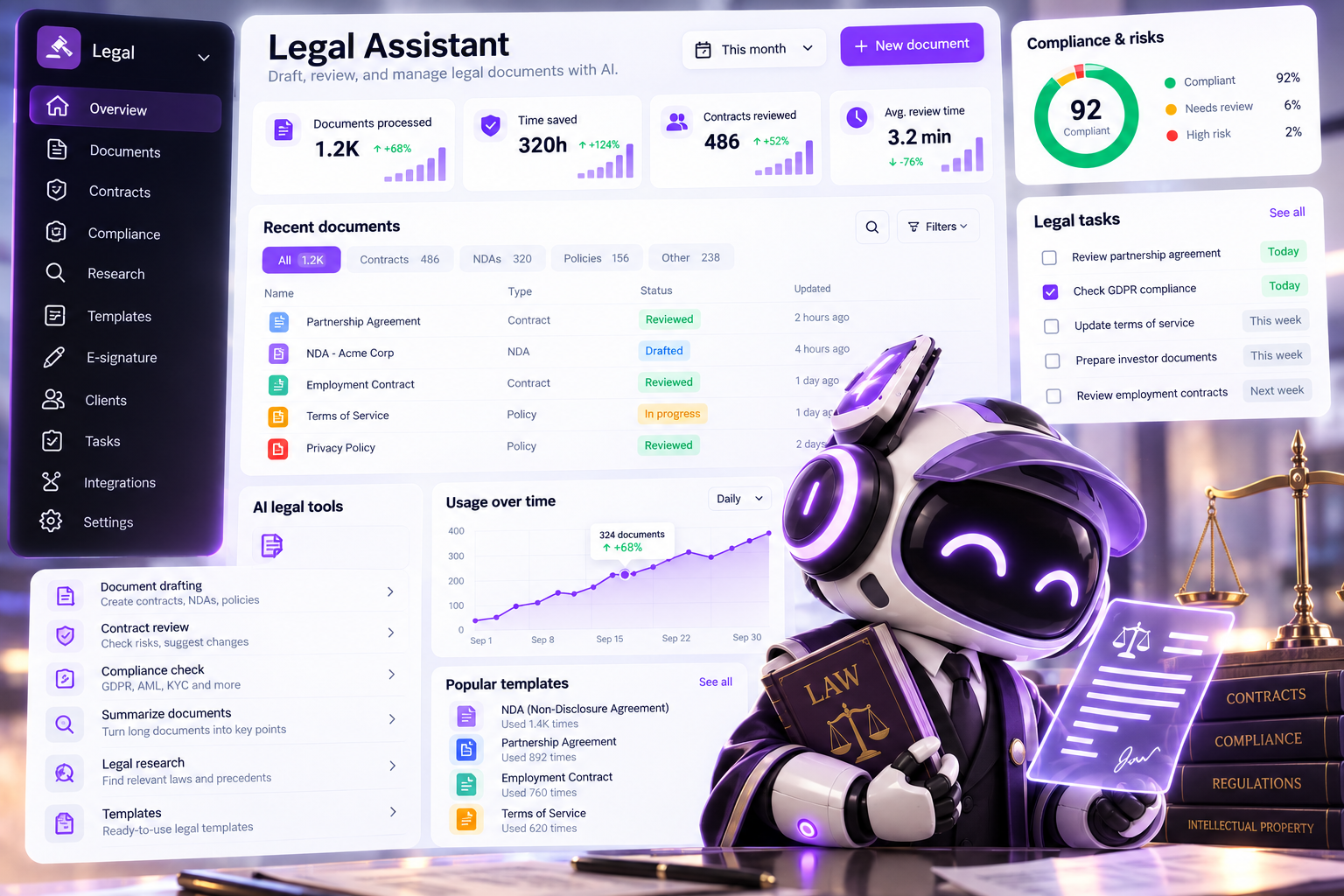

The other side sent you a contract and expects it signed by tonight. You don't have time to reread 20 pages of fine print, and you either don't have a lawyer or yours is busy. In 4 minutes, Lara reviews the contract and shows you where you could get burned: which clauses are dangerous, what to replace them with, and what's missing.
What it looks like
A client received a website development contract from a web studio for $15,000 and sent it to Lara: “Check this, we're the client.”
Lara replied:
Don't sign it as is. Four clauses are flagged red.
100% prepayment with no milestones. If the studio fails the project, they already have your money.
→ Replace with: milestone payments, 30% / 40% / 30% after each stage is accepted.The contractor sets the deadlines. In effect, the contract has no deadlines.
→ Replace with: fixed dates for each stage in an appendix to the contract.The contractor's liability is capped at $150. That's 1% of the contract value.
→ Replace with: a mutual liability cap equal to the contract value.The studio keeps the rights to the website, and you get to use it for one year. After a year, you'll have to buy it back or rebuild it.
→ Replace with: exclusive rights transfer to the client upon payment.What's missing from the contract: a technical specification, an acceptance procedure, and penalties for delays.
Legal basis: Civil Code of the Russian Federation, Art. 708, 1234, 1296, with links to the official legal information portal and the date checked.
The answer comes with a new version of the contract in Word and a “before / after / why” table. The original is never overwritten.
No contract at all? Lara will draft one on your terms
A new client is ready to pay, but you don't have a contract. The template you found online was written for someone else's situation: it protects an abstract contractor, not you.
A designer sent Lara two messages: “I'm doing branding for a coffee shop for $3,000. 50% upfront, two rounds of revisions, rights transfer after full payment.” Lara put together a Word contract with those terms and added what he hadn't thought of: if the client doesn't respond within 5 business days after a stage is delivered, the work counts as accepted, and the third and any further revisions are billed separately.
Received a claim? Lara will show you what holds up
A student at an online school completed half of an $800 course, then demanded a full refund plus a 3% penalty for every day of delay, or else they'd go to court. Lara broke the claim down point by point:
The student can't demand a full refund. They can cancel the service at any time, but the school refunds the money minus the costs actually incurred, meaning the modules already completed (Russian Consumer Protection Law, Art. 32).
The 3% daily penalty most likely doesn't apply here: it covers violations by the service provider, and the student cancelled on their own.
Recommendation: refund $400 for the unused part and reply on time. That removes the grounds for a lawsuit. A draft reply is ready.
Contract renewed itself? Lara tracks deadlines and reminds you in advance
A lease automatically renewed for another year because nobody sent a notice 60 days in advance. People usually find out when it's already too late.
Lara reads contracts from a Google Drive folder and builds a list: when each contract ends, whether it renews automatically, and the deadline for sending a notice. For example: “Three contracts have automatic renewal. For the warehouse lease, the notice window closes on November 14. I'll remind you on October 31 and November 7.”
How it works
Tell Lara about your company and share your terms: what you're willing to agree to and what you're not → send contracts as files in the chat or connect Google Drive → Lara reviews each document against your terms and the law of your country → sends back color-coded risks, ready-to-use wording, and a new Word version with a “before / after / why” table → adds deadlines to a shared list and reminds you about them in advance.
How is this different from a ChatGPT prompt?
| ChatGPT | Lara | |
|---|---|---|
| What rules it checks against | “General practice” — it knows nothing about you | Your terms: what you agree to and what you don't |
| Legal references | Quotes from memory and can get the article or the version of the law wrong | Only from official portals, with a link and the date checked. If the portal didn't load, the conclusion is marked “not verified” |
| Edits | Text in the chat that you have to copy into the contract by hand | A new Word version with a “before / after / why” table, original untouched |
| Deadlines | Forgets them as soon as the chat ends | Keeps a list of deadlines across all your contracts and reminds you in advance |
| Your documents | Upload them again every time | Works with your contract library in Google Drive |
| Sending | Can't do it | Email drafts in Gmail and Outlook; sends for signature via DocuSign only after you confirm |
ChatGPT answers questions about contracts. Lara works with your contracts.
Who it's for
- Entrepreneurs and freelancers who receive contracts from the other side.
- Small and mid-sized businesses without an in-house lawyer.
- Companies with one lawyer and a lot of contracts.
- Online services and schools that need terms of service, a personal data policy, and responses to claims.
How it went for others
Furniture factory, 60 employees, supplying a retail chain. The first review of the chain's contract only produced general comments: Lara didn't yet know what the factory was willing to accept. The director spent an hour uploading the factory's standard contract and writing down its red lines: payment terms of no more than 30 days, penalties only if mutual, no unilateral price changes. The second review caught all three violations: 60-day payment terms, a 0.5% daily penalty that applied only to the factory, and the chain's right to change prices. The factory took the redline table into negotiations, and the chain agreed to 45 days and mutual penalties.
Chain of language schools, 4 locations. Everything worked right away. A student's parent demanded a $1,200 refund for an annual membership plus $2,000 in compensation for “poor-quality teaching.” Lara broke down the claim: the school is obliged to refund the unused months, but the compensation demand isn't backed by anything, as the claim doesn't name a single specific violation. The administrator sent a reply the same day. The dispute was settled with a $700 refund, no lawyer and no court.
Bakery chain, 12 locations. They connected a Google Drive with 34 contracts, but about ten more existed only in email and on paper. Those had to be scanned and uploaded by hand, which took two days. Lara found four automatic renewals. Notices for two of them went out on time. But for the lease on a location that wasn't paying off ($2,800/month), the window had closed two weeks before they started using Lara, and they had to pay for another year. Lara couldn't recover what was already missed, but now every deadline is in one list.
Which countries' law
Russia, Kazakhstan, Belarus, Uzbekistan, the European Union, the United Kingdom, the United States (federal law), and the UAE. For other countries and US states, Lara finds the official legislation portal and names it in the answer. Every legal provision comes with a link to the official portal and the date it was checked. If the portal didn't load, the conclusion is marked “not verified.”
What you need to get started
You can simply send a contract as a file in the chat: the first review takes about 4 minutes. To have Lara review against your own rules, tell her about your company and share your standard contract or your terms. For a document library and deadline list, connect Google Drive or Google Docs. Lara only creates drafts in Gmail and Outlook, and sends documents for signature via DocuSign only after you confirm.
What Lara doesn't do
- Doesn't sign or send documents until you've confirmed the version and the recipient.
- Doesn't quote the law from memory.
- Doesn't overwrite originals: every edit is saved as a new version.
- Doesn't replace a lawyer or attorney: she recommends showing serious risks and court disputes to a professional.
Lara can also: draft NDAs and review them separately, find contradictions across a set of related documents (contract, specification, amendments), and prepare drafts of terms of service, privacy policies, and consent forms for your website.
FAQ
Can Lara sign or send a document without me?
No. Lara only creates drafts in Gmail and Outlook. She sends a document for signature via DocuSign only after you've confirmed the version and the recipient. You always do the signing.
Will Lara share my documents with anyone else?
No. Lara works with your documents only inside your ASCN account, to carry out your tasks. You can revoke access to any connected source at any time in the integrations section. Learn more about how data is stored in the ASCN privacy policy.
Can AI review a contract?
Yes. Lara does a first review in about 3–4 minutes for a contract of average length: she finds risky clauses, suggests new wording, and lists what's missing. The decision to sign stays with you or your lawyer.
Will Lara work without any integrations?
Yes. You can simply send a contract as a file in the chat. Integrations are needed for the document library, the deadline list, and email drafts. Without them, Lara still reviews and drafts contracts, but doesn't track deadlines across all your documents.
Will Lara replace my lawyer?
No. She takes on reviews, drafts and edits. The decision to sign and complex disputes stay with you and your lawyer. And if you do have a lawyer, Lara takes the routine off their plate so they only deal with the contentious clauses.
Where does Lara get legal provisions from, and won't she “make things up”?
Lara doesn't quote the law from memory. Every provision comes with a link to the official legislation portal and the date it was checked, so you can open it and verify. If the portal didn't load, the conclusion is marked “not verified.” Mistakes are still possible, especially in unusual situations, which is why Lara recommends showing serious risks to a lawyer.
What day-to-day tasks can Lara handle?
- Review a contract the other side has sent.
- Quickly prepare an NDA before a meeting with a partner or investor.
- Draft a contract for a new client on your terms.
- Break down a claim and prepare a draft reply.
- Check whether an amendment contradicts the main contract.
- Show which contract deadlines are coming up this month.
What results can I expect after 3 months?
It depends on how many documents you trust Lara with. Typically, after three months a company has its own terms profile that every new contract is checked against, a library of standard contracts tailored to the business, and a single deadline list where nothing slips through. Contract negotiations move faster because edits arrive with ready-made wording and an explanation. We don't promise specific numbers: it all depends on your contracts.
What if I can't set Lara up?
Message ASCN support: we'll help you connect your documents and walk through your first review.
What if Lara gets confused by my documents?
Most often this means she's missing a document, access, or your terms. Ask Lara herself: “What do you need for this review?” — she'll tell you what to send or connect. If she's still confused, start a new session: this clears the context, and Lara will start from a clean slate.