



- Русский
- English
- Português
Best Cold Wallets for Cryptocurrency in 2025: Top 10 — ASCN


about cryptocurrencies.
When it comes to storing crypto, safety is everything. Exchanges can be hacked, passwords can be lost, and sometimes your “safe” app just disappears overnight. That’s why cold wallets remain the gold standard for keeping digital assets secure.
In 2025, the options are bigger than ever: from the classic “USB sticks” to sleek, biometric devices that can handle dozens of blockchains at once.
But here’s the thing — a cold wallet protects you from hacks, not from your own bad trades. That’s where tools like ASCN.AI can actually save you from yourself.
Let’s say you’re about to move some tokens into a liquidity pool, but something feels off. Instead of guessing, you can just ask the ASCN agent the right question. Within seconds, it’ll give you a trust score for the address and recommendations on whether to proceed or walk away.
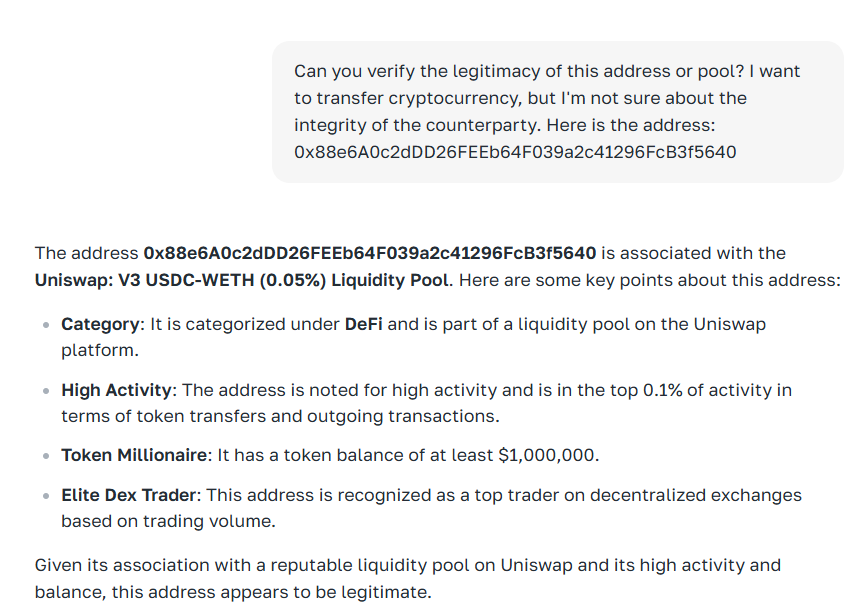
Honestly, go check out the agent’s landing page — it’s one of those rare AI tools that actually makes trading safer instead of just fancier.
So What Exactly Is a Cold Crypto Wallet?
If you’ve only recently dived into crypto, you’ve probably run into terms like “hot wallet” and “seed phrase.” Sounds complicated? Relax — it’s easier than it seems.
Hot vs. Cold: What’s the Real Difference?
Let’s be honest: most people start with hot wallets. They’re easy — install an app, set a password, done. You can trade, send, and stake without ever touching a cable.
So why complicate it?
Because of the one word everyone in crypto learns sooner or later: vulnerability.
A hot wallet is always online, meaning it’s always exposed. One wrong browser extension or phishing link — and your funds are gone.
Cold wallets, on the other hand, live offline. Your private key never touches the internet. It’s generated and stored either on a physical device or even on paper. Sure, it’s less convenient. But you’ll sleep a lot better.
The Main Types: Hardware, Paper, and Offline Software
Don’t think a cold wallet automatically means a $150 gadget. There’s a whole range of choices — from DIY solutions to high-end vaults.
Hardware wallets are still the most popular pick in 2025. They’re physical devices designed specifically for one job — keeping your coins safe.
Paper wallets are literally that: your keys printed on paper or engraved on metal. Great for those who don’t trust any electronics.
Then there’s the third option: offline software wallets. These are apps installed on a computer that never connects to the internet. An old laptop wiped clean and disconnected from Wi-Fi + a tool like Electrum = a fully air-gapped setup.
When Does Cold Storage Actually Make Sense?
Newcomers often ask: “Do I really need a cold wallet if I only have a few hundred bucks in crypto?”
Fair question. Not everyone needs to rush out and buy a Ledger right away.
But here’s when it does make sense:
-
You’re holding long term — bought Bitcoin or ETH and plan to keep it for years.
-
You’ve built enough of a portfolio that a single mistake would hurt.
-
You want full independence — no exchanges, no third parties, no one who can freeze your funds.
In short: if control matters to you, cold storage isn’t optional.
Pros and Cons of Cold Wallets
Crypto isn’t just about chasing profits — it’s about protecting what you already have. So let’s look at both sides honestly.
The Good: Security, Autonomy, and Control
The biggest benefit? Peace of mind.
We know traders who literally couldn’t sleep while keeping BTC on an exchange. Once they switched to a Ledger, they finally relaxed. Why? Because only they held their private key.
Your key never touches the web, even if you’re using public Wi-Fi. That’s maximum security.
Then there’s autonomy — no need for exchanges or middlemen. Even offline, your wallet + seed phrase = full ownership.
And of course, control. No one can freeze or move your assets except you. That’s liberating.
The Not-So-Great: Price, Complexity, and Mobility
Now, it wouldn’t be fair to pretend cold wallets are perfect. They have their drawbacks, especially for beginners.
First, the cost. A good hardware wallet runs $50–$200, which can feel steep next to free mobile apps.
Second, the setup. You have to generate and store your seed phrase carefully — lose it, and you lose access.
Finally, mobility. Using a USB or Bluetooth device every time you send $10 isn’t exactly convenient when you’re on the go.
How to Choose the Right Cold Wallet
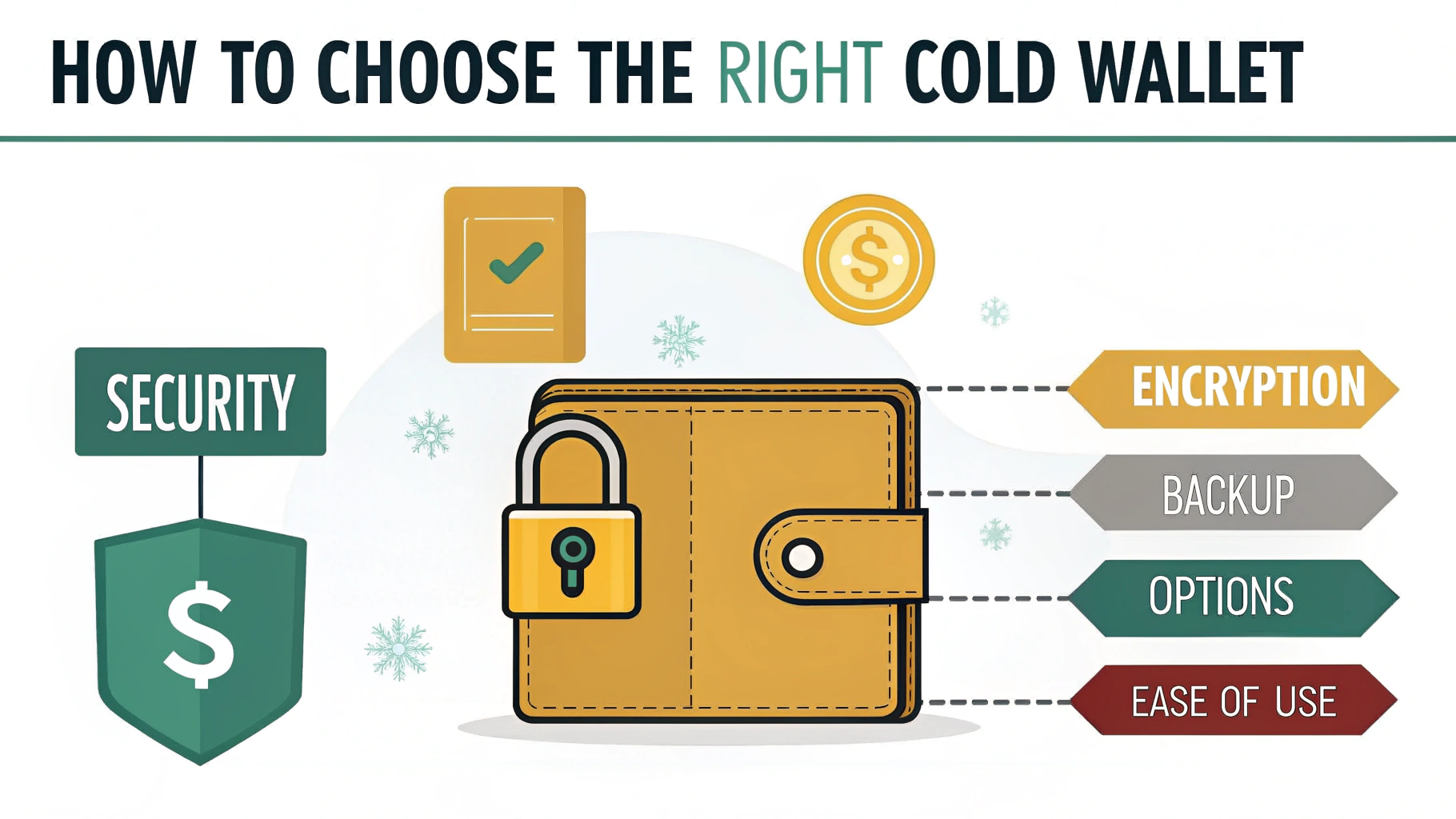
Picking a wallet isn’t just about taste — it’s a real security decision. Think of it like buying a safe for digital gold. You wouldn’t grab the first one you see, right?
Here’s what to pay attention to.
Supported Coins
Not every wallet supports every crypto. Some handle thousands, others just a few majors. Always check the manufacturer’s official site before buying — it’ll save you from awkward surprises later.
Security Standards
Ignore the marketing buzzwords — look for real protection.
Does the wallet use a Secure Element chip (CC EAL5+)? That’s the same tech used in bank cards and government IDs. It means your private keys are shielded against physical attacks and firmware tampering.
Also check: is there PIN or passphrase protection? Can the device verify authenticity at startup? The best ones can.
Ease of Use and OS Compatibility
Many cold wallets used to feel like they were designed for programmers. That’s finally changing.
In 2025, a good wallet should be intuitive — clear menus, simple pairing, nothing hidden behind developer jargon. And make sure it actually works with your system: macOS, Windows, Android — some models are picky.
Brand Reputation and User Feedback
Crypto isn’t a space for random brands. If a company popped up last month with flashy ads and zero track record, run.
Stick to names the community actually trusts — Ledger, Trezor, SafePal, Ellipal. These are proven, tested, and used by professionals.
Top 10 Cold Wallets of 2025
The market is crowded, and everyone claims to be “the safest.” So we cut through the noise and picked a balanced list — a mix of classics and promising newcomers.
Ledger Nano X
Still a fan favorite. Compact, stylish, supports over 5,500 coins (BTC, ETH, Solana tokens, and more). Bluetooth lets you manage assets through the Ledger Live app on your phone.
Downside? The price — around $150–170. But given its reputation and security updates, it’s worth it.
Trezor Model T
Ledger’s long-time rival and arguably more beginner-friendly. Works with dozens of major cryptos and includes Shamir Backup — an advanced recovery option for pros.
No Bluetooth, only USB. Costs roughly $200, but you’re paying for transparency and top-tier open-source firmware.
SafePal S1
A wireless wonder. No Bluetooth, no USB, only QR codes. That means it stays completely offline.
Supports over 1,000 tokens and pairs with a mobile app. The design’s sleek, the screen’s bright, and it’s priced at $70–90 — great value for the security it offers.
KeepKey
Once popular, now a bit dated but still reliable. Simple interface, large screen, solid integration with ShapeShift.
It lacks mobile support and frequent updates, but for around $50, it’s fine for basic use.
Ledger Nano S Plus
The “lite” version of Nano X — no Bluetooth, but supports the same 5,500+ assets.
At $80–90, it’s perfect for newcomers who want quality without overspending.
Tangem Wallet
Looks like a bank card, works via NFC. You get 2–3 cards per set: one main, others as backups.
No seed phrase — everything’s stored right on the card. Lose all cards, and that’s it. But the simplicity is unbeatable.
Supports 6,000+ assets and costs around $40–70.
CoolWallet Pro
Futuristic, slim, Bluetooth-enabled, with a tiny OLED screen. Handles BTC, ETH, XRP, BNB, and DeFi protocols.
It’s waterproof, flexible, and certified CC EAL6+. Around $150–170, but ultra-portable.
Ellipal Titan
The fortress of the bunch. No USB, no Bluetooth, only QR codes. Made of solid aluminum, immune to tampering.
Supports 10,000+ tokens and even NFTs. Big touchscreen, Russian language option, and total offline isolation.
Costs $150–180, but the security level is unmatched.
Keystone Pro
Fully air-gapped, color display, secure chip, and supports multi-signature setups. Works great with MetaMask and Web3.
Price: $130–160. A serious competitor to Ledger — minus the constant internet exposure.
BitBox02
Swiss precision in a tiny form factor. Simple USB device focused on privacy. Works with BTC, ETH, and ERC-20 tokens.
No buttons — you tap the sides to confirm. Includes microSD backup. Costs about $130, built like a tank.
Quick Comparison
| Wallet | Connection | Supported Coins | Notable Features | Price |
| Ledger Nano X | USB, Bluetooth | 5,500+ | Mobile support, secure chip | $150-170 |
| Trezor Model T | USB | 1,200+ | Touchscreen, Shamir Backup | $200+ |
| SafePal S1 | QR (offline) | 10,000+ | Air-gapped, mobile app | $70-90 |
| KeepKey | USB | 40+ | ShapeShift integration | $49-59 |
| Ledger Nano S Plus | USB | 5,500+ | Budget Ledger option | $80-90 |
| Tangem Wallet | NFC | 6,000+ | No seed phrase, card format | $40-70 |
| CoolWallet Pro | Bluetooth | 50+ | Credit-card design, DeFi support | $150-170 |
| Ellipal Titan | QR (offline) | 10,000+ | Metal body, full isolation | $150-180 |
| Keystone Pro | QR (offline) | 5,500+ | Multi-sig, Web3 integration | $130-160 |
| BitBox02 | USB | BTC, ETH, ERC-20 | Swiss-made, SD backup | ~$170 |
Where to Buy and How to Set It Up
Okay, so you’ve picked your wallet. Now — where do you actually buy it?
Only from Official Sources
Never — and I mean never — buy a cold wallet secondhand or from random marketplaces. Counterfeit devices exist, and they can come pre-loaded with compromised firmware. That’s like buying a safe with a spare key already made.
Stick to:
-
Official manufacturer websites (Ledger, Trezor, Tangem, etc.)
-
Verified resellers listed on those sites
You might pay a few dollars more, but you’re buying peace of mind.
Setting Up and Securing Your Seed Phrase
Setup usually takes 10–15 minutes. The key step is generating and storing your seed phrase.
Here’s what happens:
-
You power on the wallet and follow the on-screen instructions.
-
The device generates a unique recovery phrase (12–24 words).
-
You write it down by hand — never on a computer or phone.
-
Confirm it, set your PIN, and you’re done.
Advanced users can add an optional passphrase for extra encryption, but that’s optional.
How to Store It Safely
Remember: your hardware wallet is just metal and plastic. The real treasure is that seed phrase. Lose it, and your crypto’s gone for good.
A few golden rules:
-
Store the phrase on multiple physical copies (metal backups are best).
-
Keep them in separate, secure locations.
-
Never share, scan, or email it.
-
Check the packaging seal before first use — if it’s tampered, don’t risk it.
So, Which Cold Wallet Wins in 2025?
After comparing all the big names, here’s a quick cheat sheet.
For Beginners:
-
Ledger Nano S Plus — reliable, widely supported, well-documented.
-
Tangem Wallet — zero setup, no seed phrase, just tap and go.
-
SafePal S1 — app-based, portable, and fully offline.
For Advanced Users:
-
Ellipal Titan — top-tier isolation and rugged design.
-
Keystone Pro — great for DeFi and Web3.
-
CoolWallet Pro — ultra-portable and travel-friendly.
Still unsure? Let ASCN.AI do the thinking.
You just chat with the agent — tell it your goals, how you manage funds, what coins you hold — and it’ll suggest the wallet that actually fits your lifestyle. It’s surprisingly accurate.
Mixing Hot and Cold Wallets: The Smart Way
You don’t have to pick one side. In fact, the best setup is a mix.
Hot wallets are for quick access — daily trades, small transfers. Cold wallets are your vault, your long-term fortress.
Many traders keep around 10–20% of assets in hot storage and the rest cold. It’s like having both a debit card and a bank safe. Flexible and secure.