



- Русский
- English
- Português
Automatic mailing and its automation: how to set up and implement it effectively

“While working in marketing for 8 years, I came across thousands of companies losing out on millions due to not having any automated mailers set up. Many companies would launch and drive traffic, only to have customers disappear because they were missing basic automated trigger sequences in their marketing. Because of this, those companies ended up experiencing a conversion rate of 0.3% versus the potential 8-12% they could have had. The creation of automated mailings is not only a means of being more efficient with time, but is a critical piece of the business today, in a time where the customer is expecting to hear from you in 3 minutes and not 3 hours.”
What Exactly is an Automated Mailing?
An automated mailing is a system that will automatically send messages to customers from your company without any human input based on their actions and/or a predetermined timetable. You only have to create the process once, then the automated mailing performs as needed: it welcomes new subscribers, reminds customers about incomplete purchases, reengages customers that did not return, and sends checklists, educational content, or personal offers.
Speed in which you can respond & scale are the biggest advantages compared to sending manually. You can send emails to 10 clients or 10,000 clients at the same time, and all of them will receive a personalized email, exactly as if you had written to each one individually.
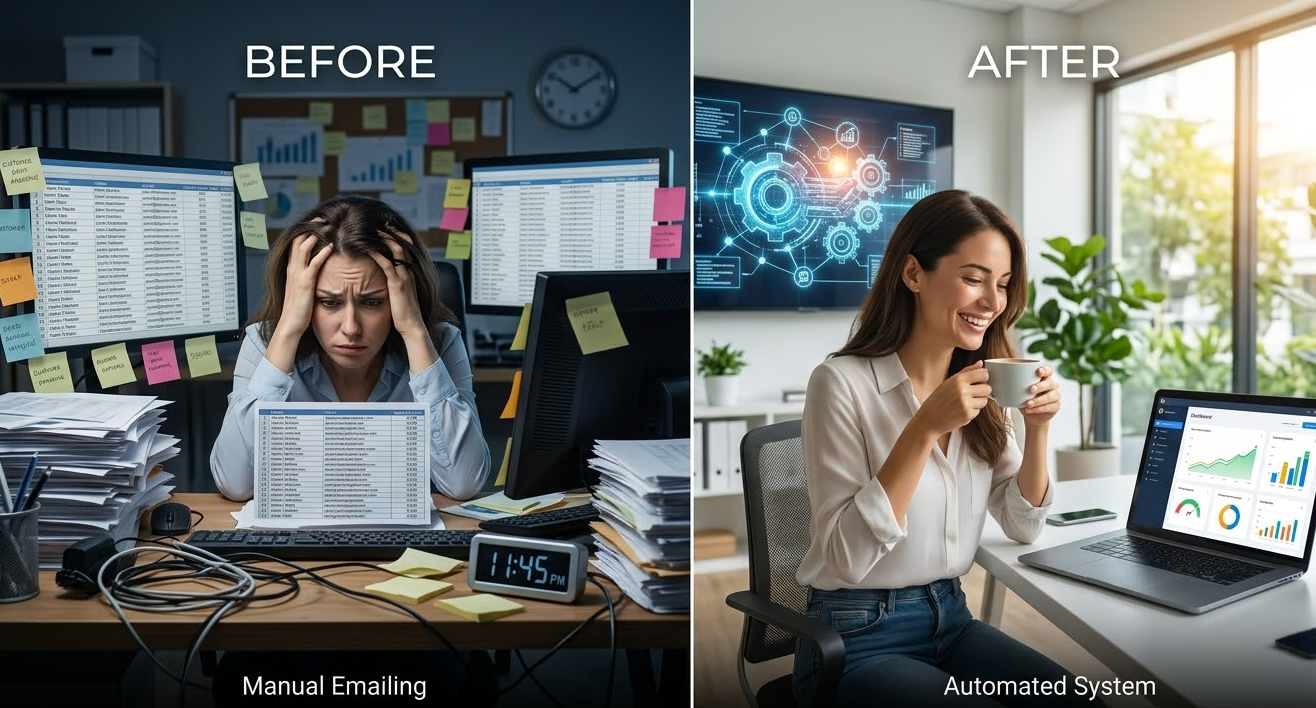
Types of Automated Mailings
There are many different types of automated mailing. However, there are mainly two types of automated mailings: mass (bulk) mailings and triggered mailings. Mass mailings consist of one email that is sent to everyone in your subscriber base. Mass mailings typically include news and promotions, and are used to announce updates. Triggered mailings are a single email that is sent to a group or individuals based on an action: sending welcome emails to new clients, re-engagement emails to lapsed clients, or post-purchase follow-ups. Automation comes in several different formats depending on the format of communication being used:
- Email Mailing — This is primarily used in B2B and when the product’s decision cycle takes longer. The only thing to note with email mailing is that the statistics show average open rates of anywhere from 40-50% and average click rates of 10-15%. An email has the ability to hold a lot of information, interactive elements, and numerous file attachments.
- SMS Text Alerts — This type of communication is great for sending urgent messages such as verification codes, order status, and appointment reminders. An SMS message typically has an open rate of approximately 98% and is generally read within three (3) minutes of being sent. The average cost for sending SMS text alerts is usually five (5) to ten (10) times the cost of email or $0.05-$0.50 per message; therefore, SMS text alerts should be used for very specific, important messages.
- Instant Messengers (IMs) — IMs (i.e. Telegram, WhatsApp, Viber) provide the benefits of email but are cheaper than SMS messages while also having higher open rates (70-80%), higher volumes of information, and lower price per message. The CTR for IMs is 35% higher than the CTR for email marketing campaigns. IMs work particularly well for B2C businesses, crypto projects, and informational businesses.
- Push Notifications — Push notifications are sent via browser or mobile application and are immediately received by the recipient at any time even if the customer isn’t on the website. The average CTR for push notifications is approximately 7%, which is two (2)-to-three (3) times higher than that for email marketing. Push notifications are frequently used for both promotions and personalized recommendations as well as for gamification mechanics.
Why is Mailing Automation Important in Business
Mailing automation provides three key benefits to businesses today: faster response time based upon the customer's actions, the ability for scalable personalized or individualized communications, and the ability to produce consistent results. Without email marketing automation, communicating with every individual customer promptly, sending a targeted message to a specific audience, and maintaining a steady flow of leads and sales would be impossible.
88% of marketers are currently using some form of automation. Organizations who make use of automated email marketing have produced 451% more qualified leads than those who do not. Moreover, 79% of market leaders have been using email marketing automation for three years or longer. Therefore, automation is not simply another passing fad but rather an established method of doing business over the long term.
Main advantages of using email marketing automation:
- Time efficiency. A human can process approximately 20 to 30 inquiries (contacts) per day while the automated system can handle an infinite amount. Once scenarios have been established, they run on their own. As a result, employees save about 6 hours per week by utilizing a marketing automation solution.
- Task consistency. The automated system will not fail to send emails. The automated system will not miss sending emails due to task overload. The automated system won’t take time off or be ill. Therefore, email marketing automation allows for consistency and dependability in message delivery; i.e., customers will receive the same messages in the same manner at any time during the day or week without fail.
- Scalability. When serving 10 times more customers manually, more employees are needed to provide the service. This is an expensive and inefficient method of growing a business. Using automated email marketing allows for an increase in business without a corresponding increase in costs. When used for marketing purposes, email marketing automation has produced a 34% faster sales growth compared to competitors that do not utilize email marketing automation.
- Superior personalization capabilities. By configuring segmentation based upon hundreds of criteria/parameters, you can send exactly the right message to the right customer, e.g., customers who purchased product A are sent emails promoting product A, customers who abandon carts are reminded to complete their purchases using discount codes, and so on.
In the ArbitrageScanner project, an extensive automated onboarding program was introduced. During the first fourteen days following user registration and using real-life examples and supplementary FAQ's, the users received seven email education documents. As a result, the % of users who converted from registering to paying increased to 31%, up from 12%. Moreover, the amount of support needed was reduced by 40% due to the automated response to typical questions asked.
Impact of Automation on Engagement / Conversion Rates
The increase in key business metrics can be attributed in large measure to automated mailings. According to DMA, the average return on investment (ROI) for email marketing is $36 for every dollar spent. Automated trigger email mailings produce results that are 3-5x better than mass, non-targeted mailings.
Trigger emails are opened 152% more and clicked through 497% more, when compared with non-targeted mass emails, because they convey product information at the very moment the customer expresses interest in the product (i.e., one hour after a product is placed in the shopping cart but has not yet been purchased, the customer receives a reminder; this type of an email is 10X more effective than a mass email).
Automation allows for constructing multi-level warm-up funnels. When a user downloads free information, 5 emails with examples and products are generated. If the customer does not purchase within a brief period (ex. 30 days), an email will be sent reminding the user of the offer. If the customer does purchase, an upselling sequence will be initiated. Companies using automated lead nurturing generate 50% more sales-ready leads and experience a 33% decrease in cost per lead. For example, one of the clients in the business world, we helped to increase their conversion from subscriber to purchaser 3% to 18% and increase sales volume by 6 times based on an automated sales funnel comprised of 9 emails that were sent over a two-week period with case studies and objection-handling messages for each email.
How automated messages are sent?
The mechanism of operation is simple and is defined as the "condition-action" formula. The program watches for the occurrence of an event (called a "trigger"), checks for compliance with conditions, and executes some action, for example: send a message, tag a record, or move a record to another workflow. This entire process is done without any human involvement, either in real-time or according to a pre-established schedule.
A typical example: A customer performs an action on a website or in an application (e.g., clicks to view a certain product). The system records the action and sends the data to the vendor platform. The vendor platform reviews the rules associated with the customer and, upon confirmation of compliance with the various conditions related to the customer, proceeds to the next step in executing the sequence (i.e., inserting the customer's data into a pre-defined email template, generating the email, and sending it). The results from the customer's actions are logged in order to analyze the effectiveness of the campaign.
- Tracking events: The system tracks transitions (e.g., moving from one web page to another), clicks, purchases, and completion of forms through the use of pixels, APIs, web-hooks, or other integrations with the customer's customer relationship management (CRM) system.
- Segmentation and logical reasoning: The system identifies which segment of the database the customer belongs to (e.g., new or existing customer), and where the customer originated, and how much time has elapsed since the customer's last purchase. Based on these conditions, the system determines the content of the email to be sent to each customer.
- Personalization of message content using customer data: Customer data is included in every email sent (e.g., customer name, previous order history or other). The open rate for emails with personalized subject lines is increased by 26%, while the click-through rate (CTR) for emails containing some form of personalization in body copy is increased by 14%.
- Timing and sending schedule: Whether immediate sending occurs or delayed sending through a predetermined time frame — is an important factor when determining when to send abandoned cart reminders; ideally, it’s best if this occurs within 1 to 3 hours after an abandoned cart happens versus sending that reminder immediately after abandonment.
- Multi-channel communication: Takes place with each sequence of a user’s purchase experience through email, SMS and then push notifications, at which point if the customer did not open the email after six hours an SMS is sent and if the SMS isn’t opened then a push notification follows; using an omnichannel approach improves the effectiveness of mailings by 250%.
Automated Trigger Mailings & Automation Scenarios
Automated trigger mailings, unlike periodic mailings based on a timetable, are sent when a certain action occurs such as when someone registers or someone makes a purchase; these automated mailing triggers are derived from users’ actions, activity & transaction times, inactivity.
Examples of automated triggered mailings would include when:
- A user registers with your site, they receive a welcome email;
- A user views a product without adding it to their cart, then within two hours they receive an email of that same product along with reviews of that product;
- An abandoned cart occurs, a reminder is sent one hour after abandonment and promo code offer is sent one day after abandonment;
- After a lead magnet is downloaded, an educational sequence is triggered.
Examples of transaction trigger mailings are listed as follows:
- Once Payment is made for the purchase receipt and instruction email is generated;
- Once Shipping takes place tracking email is generated;
- 30 days after the initial purchase, send a loyalty or cross-sell offer.
Inactivity triggers. When inactivity occurs, various types of triggers are defined based on the length of inactivity:
- After 7 days without a visit, we send a reminder about new features.
- After 30 days of not opening an email, we create and implement a reactivation campaign.
- If a user does not purchase within 90 days of becoming active on the platform, we should develop and deliver a special offer to encourage them to return to the platform.
The model used for user interactions is a standard If - Then model. For example: If the user registers for an account - then we will send them a welcome email; if they do open the email - then we will deliver an example of a client case (24 hours later); if they do not open the email - then we will send them an SMS reminder (3 days later); if they click the link - then we will move them into the active user segment and proceed to launch the sales sequence.
At ASCN.AI, we have automated user training for using AI agents through trigger automation:
- 10 minutes after registering, they will receive a video on how to set the basic configurations for AI agents.
- 2 hours after registering, they will receive videos/scenarios of how to effectively use AI agents.
- 24 hours after registering, they will receive examples of how other users have successfully automated business processes with AI agents.
The effectiveness of this training is demonstrated in the fact that we have reduced the time from registration to user's first activation by 75%, from 4 days to 6 hours.
Email Mailing Automation Tools and Technologies
The email mailing automation platform market can be divided into three main categories:
- Specialized Email Services (MailChimp, SendPulse, Unisender) for low-level email marketing initiatives that require simple email marketing automation using basic email marketing features (cost = $10 - $300 per month).
- Comprehensive marketing platforms (Hubspot, Marketo, ActiveCampaign) that offer user an extensive set of email, SMS and social media, landing page, CRM, and analytic features (cost = $500-$5000+). These platforms require an extended learning curve, making them difficult for new or small business to implement successfully and efficiently.
- No code based automation systems (ASCN.AI, Make, Zapier). Business process automation can be done without having any programmers. Visual builders, numerous integrations, and the use of artificial intelligence (AI) for automated, complex processes are just some of the options that are available. You can expect to pay anywhere from free (tier) to $200/mo., which makes this type of automation suitable for small businesses and startups.
Integration with CRM and Other Systems
Integrating an automation solution with a CRM is key for personalizing accurately, tracking the customer's journey, and determining your ROI. Some examples of using an automation solution with a CRM include:
- A new business contact added to a CRM generates a warming communication sequence.
- As soon as a customer pays for a product or service, they are automatically entered into an onboarding process.
- If a customer is rejected, they receive a reactivation mailing.
- If a customer has not engaged for 30 days or longer, they are entered into a campaign to bring them back (win-back).
When analytics are integrated with a payment system, the automated generation of reports and transactional emails occurs; reports and transactional emails have an open rate of 80% - 85%. At ASCN.AI, we have incorporated both a universal API and a webhook builder to ensure automation and integration with CRMs, messengers, spreadsheets, payment systems, and analytics to provide for maximum automation.
Guide To Automating Your Mailings
Six easy steps to effectively automate message delivery:
- Define your goals and segment your audience.
- Choose your tools/platforms.
- Create your templates/content.
- Set up your triggers and automation scenarios.
- Test and launch.
- Monitor/Optimize.
The most common mistake of automating messages is having no strategy and, therefore, receiving no opens and many unsubscribes from your audience.
Step One: Defining Goals And Segmenting Your Audience
Set clear goals that can be measured (e.g., converting leads, reactivating inactive users, increasing sales) and segment your database based on demographics, behavior, funnel stage, and source of traffic. Segmenting Your Customers: As far as e-commerce is concerned, the segments to target can be New (0 to 7 days old), Active (Purchased within 30 days), VIPs who checked out over $500 and Sleeping Customers (purchased over 90 days ago) and those who Completed a Purchases but Did Not Pay (Abandoned Carts). For AI purposes, we used beginner, active trader, and arbitrageur as examples for customer segments, now that we automatically convert from registration to payment with at least a 27% conversion rate.
Step Two - Selecting Tools and Platforms
For selecting services, consider how large your database is, how many tasks to perform by either your own staff or an outside vendor, and your own team members' skill sets. Due to the size of your business would dictate which service provider to choose. SendPulse, MailerLite, and Sendinblue are ideal for small sized businesses while HubSpot, ActiveCampaign, and GetResponse are ideal for medium sized businesses. ASCN.AI, Make, and Zapier help achieve full automation.
Step Three - Development of Templates and Content
A good email should include an attention grabbing subject line, preheader (brief summary), personal greeting, main body of text with information to help the reader make the purchase, a clear call to action (CTA), signature and an unsubscribe link. It is stated that the subject line has the greatest impact on open rate, since nearly half (47%) of all emails opened were based solely on the subject line. Personalization in the CTA can increase conversion up to 202%. For example, testing 12 different subject lines led us to use, "Save $1200 per year..." with a 42% open rate.
Step Four - Establishing Triggers/Auto Scenarios
Common auto scenario examples would be:
- Welcome Email Series (3-5 emails to new subscribers)
- Abandoned Cart Series (2-3 emails with reminders & discount offers)
- Post Purchase (Thank you notes, review requests and cross-sell after 14 days)
- Three-step re-engagement sequence (To reactivate inactive users)
Step Five - Test & Send
Ensure testing of email display, link integrity, and personalized emails. Make sure emails are delivered to the main inbox, and conduct A/B testing on Subject line (Time and CTA). It is best practice to send at least 1,000 emails for each variant. For the launch, begin with a soft launch of 5-10% of the database.
Step Six — Monitoring And Optimizing
Track Your Key Metrics:
- Delivery Rate — 95% to 98%
- Open Rate — 15% to 25%
- Click-Thru Rate (CTR) — 2% to 5%
- Unsubscribe Rate — < 0.5%
- Spam Complaint Rate — < 0.1%
Companies that routinely test email campaigns have an ROI that is 3x larger. In ASCN.AI experience, sending emails with cases increases the CTR by an additional 40%. The open rate improved from 31% to 38%, and the conversion rate to payment improved from 23% to 29%.
Automating Reporting For Reports And Sending Mail
Automating reporting will allow for a significant reduction of time spent on manual collection and processing of data. Reports can be sent daily, weekly, or monthly. Automating reporting can reduce your time spent by 12 hours per week. In ASCN, we export the data from SendPulse to Google Sheets and then send the information via Telegram. Integrating BI systems and CRM can accelerate decision-making by a minimum of five (5) times.
Effectiveness Metrics And KPIs Via The Assessment Process
- Engagement: open rate (15-25%), CTR (2-5%), CTOR (10-15%).
- Conversion Performance: conversion rates (will fluctuate 1-5%), revenue per email, average Return on Investment (ROI) = $36 for every $1 spent.
- Email list performance: consists of numerous metrics such as growth rate (2-5% per month), unsubscribe rate (<0.5%), spam complaint rate (<0.1%) as well as additional metrics (email attribution to campaigns) and engagement over time, deliverability (between 95-98%).
For example, through our experience with ArbitrageScanner, we have found that cases with videos result in deals 2.3 times faster than without videos.
FAQs
What are automated emails?
Automated emails are pre-determined messages sent automatically, without human intervention, based on certain events or on a certain schedule.
What are some of the most common pitfalls when using automated emails?
- Lack of segmentation, resulting in decreased relevance and increased unsubscribe rates.
- Sending too many or too few automated emails, leaving customers confused.
- Not testing sufficiently, leading to errors and/or emails being marked as spam.
- Not utilizing proper analysis and optimization, leading to reduced efficiency.
- Purchasing email lists; a practice deemed illegal and ineffective.
How do I reduce spam and avoid violating the law?
Always use double opt-in, include an unsubscribe option in each email, keep records of all consent received, configure your SPF, DKIM, and DMARC, avoid using spam-related words in emails, and adhere to GDPR (General Data Protection Regulation) and CAN-SPAM requirements.
What are the most important indicators I should track?
Deliverability, Bounce Rate, Spam Complaint Rate, Open Rate, CTR (click through rate), CTOR (click to open rate), Churn Rate, Unsubscribe Rate, Conversion Rates, Revenue Generated per Email, ROI, Email List Growth, and Decay Rates of Engagement with Email Lists.
Conclusion and Recommendations for Successful Email Automation
Email automation is by far the best way to grow your business through effective communication with customers. Start by creating an automated Welcome Sequence, testing it out, and refining it. Also integrate automated emails with other channels and any CRM used within your business. Further, personalization and segmentation techniques can result in a dramatic increase in your conversion rate; 91% of consumers prefer to receive personalized offers. Ongoing A/B testing is one of the best ways to increase your social media marketing ROI.
Finally, ASCN.AI can help you to automate all business processes; automated workflows, connect with third-party technologies, and use AI to assist you with your automated processes. Try ASCN.AI for free, test it, then expand it!
Disclaimer
The information in this document is provided for general information purposes only and is not intended as investment, legal or security advice of any kind. Utilizing any Artificial Intelligence (AI) will require both a focus on how you use the AI and a thorough understanding of how each of the platforms function individually.