



- Русский
- English
- Português
How to Do an AI Photoshoot – A Guide to Creating Photos with a Neural Network

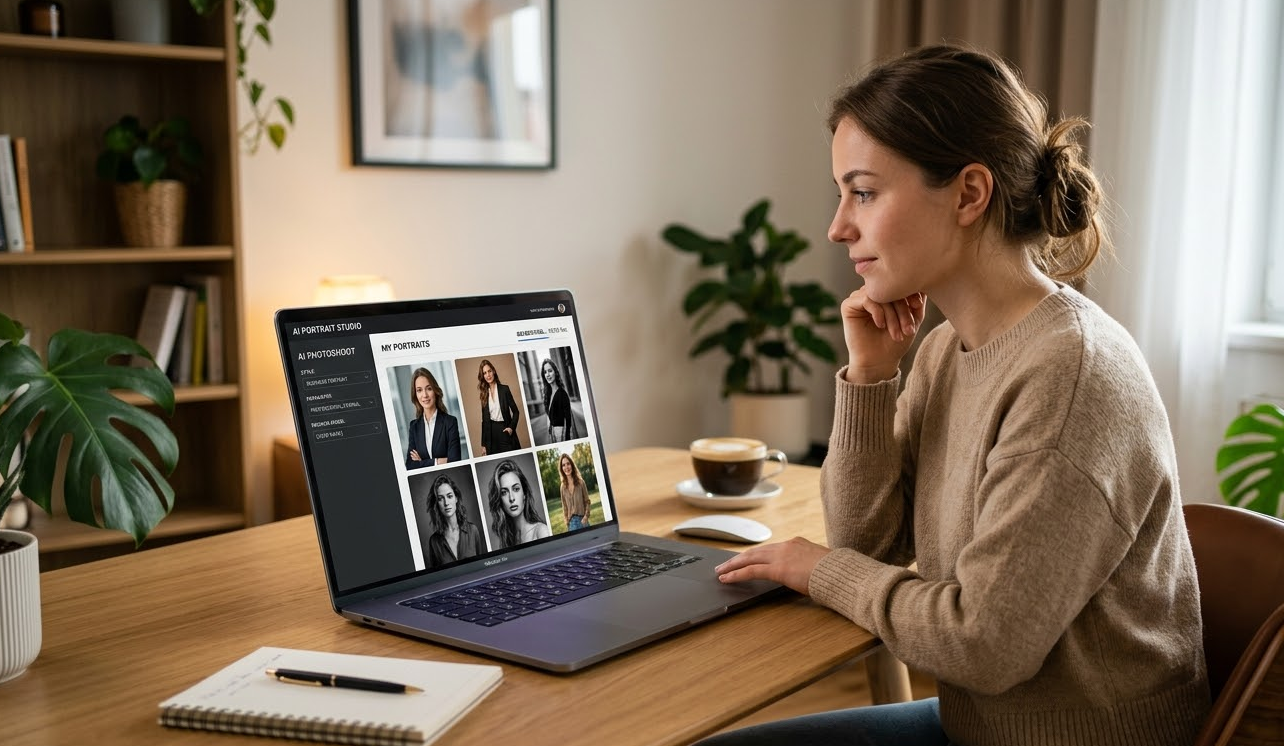
You can utilize the power of studios, professionals, and equipment to create a professional portrait from the convenience of your couch. Using the internet and a good understanding of how to write a prompt, you are now able to capture professional-level photos using AI technologies. AI photoshoots are no longer something seen in science fiction; AI photoshoots are now used as a practical tool for businesses, personal brands, and experimentation with images.
“In the last 2 years, we have tested 27 generative methods of generating images of animals with simple internet searches to generating our own custom models on our hardware. The conclusions are straightforward to arrive at when viewing the technology — all technologies available today are becoming accessible to everyone, and what you receive will depend on how well you’ve learned to use generative AI, how well you understand what generative AI is and how you know which parameters will create which results. You don’t have to write code. You just have to know how to click and type your prompt into the right location.”
So what is an AI photoshoot?
An AI photoshoot produces images of people by using a neural network; the model generates images without any interaction from a photographer. You take your photos, determine the style of image you’d like (fashion, business portrait, creative styling), set your parameters, and receive your final photo(s) within a few seconds to a few minutes.
The main difference is that the AI model uses your distinct features to recreate images of you, rather than generating a generic portrait. Rather than simply requesting 'an image of a woman in a suit,' the customised approach would be: “I want an image of me in a suit, with my eye color and facial shape, and my hairstyle.” It is a customized approach.
Benefits of virtual photography:
- Speed - In just one hour, you can generate 50 different looks in a virtual setting versus up to a week for traditional photography.
- Price - A pack of 100 images will cost between $10 and $50 while working with a professional photographer can be between $300-$1,000.
- Variety - In a virtual environment, you can create looks that are physically impossible (like shooting in an astronaut suit or in a Victorian-era dress) and other elements that are currently inaccessible (like taking photos on Mars).
- Control - If you dislike your avatar, simply regenerate it within 20 seconds versus contacting the photographer and scheduling a reshoot.
While virtual photography does have some drawbacks, there are many advantages that enable the user to create individualized imagery that otherwise would not be possible following the standard methods of traditional photography.
The core elements used by Virtual Photographers to produce images are:
Generative Adversarial Network (GAN) - A GAN architecture consists of two competing neural networks — one network produces images and another determines whether or not the generated image resembles a real person. This method allows the creation of realistic, albeit computer-generated, faces of individuals who do not exist.
Vector Quantization Generative Network (VQGAN) - This technology combines both methods, producing an image with higher detail and allowing faster creation of high-resolution images using an artistic portrait stylization technique.
Contrastive Language–Image Pretraining (CLIP) - Developed by OpenAI, CLIP is a model that allows a virtual photographer to create images based on a text prompt. The model interprets the text and provides guidance to the generative model, helping it generate accurate imagery.
Latent diffusion models are also being used for generating images in Stable Diffusion and Midjourney. Because the generative process happens within a latent space, the process requires less time and effort than traditional image-generating methods and is less demanding on your computer system. Eventually, after progressively reducing noise, a coherent image emerges.
How do these models operate? The following steps will take place for these platforms:
- You upload your pictures and/or descriptions of them.
- The model evaluates the position of the head and how it is oriented, and how light will interact with it.
- A representation of the target image is then constructed in latent space.
- The diffusion stages clarify the picture as you progress through the stages.
- You will receive a finished version of your image, at high resolution.
The time it takes from start to finish of each operation ranges from 5 seconds (for very basic images) to 2 minutes.
A Range of Popular Engines and AI Photo Generation Services
Midjourney - a service for artistic style and high-quality image generation from various sources (like Discord). Subscriptions begin at $10 a month. Provides abilities to set styles, proportions and allows you to create seed images for the replication of the same image numerous times.
Best suited for: creative professionals, designers, and content creators who prioritise artistic style over photorealistic accuracy.
DALL-E 3 (Available through ChatGPT Plus or API) is an OpenAI model that effectively interprets complex text prompts and generates a final image without intermediate steps.
Best suited for: Those who are beginning users, require speed and ease of use, and would not wish to have to adjust any settings.
Stable Diffusion (via DreamStudio, Lexica, Playground AI, etc.) is an open-source model you can use at home and adjust as required to produce images. You will have virtually unlimited ability to customize the image to suit your own parameters and will additionally be able to link other users' models and incorporate community-created models.
One option if you want to take the photos you're interested in where you want them taken is to create an AI photo book. With the use of any of the previously mentioned software or graphic design programs, you could create an AI photo book with images from the AI photo shoot and then print them out.
The same could be said if you're also using AI-generated content. You could make an AI photo book or a photo book full of AI content to share with family or friends after you've created it.
There are many ways you can use AI to create photos or images that are artistic or have a professional appearance.
Finally, make sure you share the results of your AI photo shoot with others. Some people use their photos for social media, while others want to sell them as prints.
Step-by-Step Instructions for Setting Up an AI Photoshoot at "Home":
First, you need to ask yourself a few questions:
- What type of image do you need (office, casual, fashion, art, retro, futuristic etc.)?
- Which details do you care most about (background, lighting, clothing, accessories)?
To help create the right style and aesthetic for your images, find examples on Pinterest and Behance. Look for five to ten examples that you like and save them. The better your description is, the better the result will be.
Budget and Equipment
Establish your budget before starting. How much can you afford to spend on the photos, and how much would a traditional shoot cost? If you want to save money, use your own equipment. If you have little photography experience, that is still a viable option. If not, look for reputable photographers who specialise in artistic photography.
Examples of conceptual images:
- Business portrait for LinkedIn (studio light, neutral background)
- Fashion portrait on street (evening light, vibrant clothing)
- Creative avatar with a futuristic look (unusual background)
Software/Service Selection
These are some things to take into account when selecting the most appropriate software/service:
- AI Experience — Beginners: DALL-E 3 or Midjourney; advanced users: Stable Diffusion.
- Budget — Paid services typically start around $20-$30/month; local or free reviews are available for those working with limited budgets.
- Accuracy — Midjourney offers the best artistic look; Stable Diffusion with fine-tuning provides the best likeness.
- Confidentiality — Use local solutions if you will be using any kind of personal data.
Parameters for Creating/Configuring Images
Examples of parameters in stable diffusion:
- Sampling steps: the amount of time used to refine your image (20-30 is optimal).
- CFG Scale: A scale from 1-20 that indicates how closely the model should adhere to your prompt (7-12 is good).
- Seed: A number used to ensure identical images are generated.
- Image Size: The minimum amount of time required to generate an image should be either 512x512 or 768x768; afterward, the image can be enlarged.
- Negative Prompt: Use as many words as you would like to exclude your images from.
Photos required to train the model (fine-tuning):
- 10-20 images of each object taken from many different angles and many different lights.
- Any image type can be used. When you wish to get photo-quality images of your own people: The images must be high resolution, 512 to 1024 pixels is preferred.
Finetuning the Model (using DreamBooth or LoRA):
- Upload your images to a service that uses account validation to assure that you are not putting others images on.
- Add a token (e.g., 'sks person').
- Training time can take anywhere from 20-40 minutes (cloud services) or several hours (local) to complete.
- Use the trained model in your prompt to create an image (e.g. "portrait of ohwx person in a suit").
- The cost ranges from $5 to $15 to train via a cloud service, or locally for free (requires a GPU with at least 10 GB of VRAM).
How To Create High Quality Images Of Your People
- Give complete info when entering your prompt. Include such things as: age, hair color, clothing style, lighting type and camera you wish to use.
- Use a negative prompt to indicate you do not want cartoonish or flawed images.
- Be specific with how you want the image to be shot and how you want the lighting to appear so that you get a true photorealistic image.
- Always utilize upscaling and face restoration (using GFPGAN or Real-ESRGAN), these are required for after generated photos have been created.
- Produce many seemingly random generations (by using many different seeds), then choose the best images to restore through graphic design software.
| Error | Cause | Solution |
|---|---|---|
| Extra fingers/arms or strange hands | Insufficient training regarding hands | Use a negative prompt (extra fingers) and crop up to above the hands. |
| Blurry faces | Insufficient number of sampling steps and/or low resolution | Increase the number of sampling steps and use face restoration. |
| Unrealistic skin tone | CFG Scale too high in relation to prompt | Decrease CFG scale and add "true natural skin color" as part of your prompt. |
| Backgrounds will have artifacts or no actual background | There are conflicting elements written in prompt | Use one background with no conflicting elements and use inpainting to create. |
There Needs to Be 3-5 Iterations For Each Realistic Portrait Generated (ie. Generation, Reviewing & Correcting Generation and Repeating the Process).
Small Items & Other Suggestions that Boost Quality & Naturalism in AI Images
Styles can be created by using keywords in the prompt or by doing an appropriate selection of models.
- Photo Realism = "Photo Realistic, Professional Photography, High-Detail, Sharp Focus, 8K". The models utilized - Realistic Vision, Deliberate.
- Artistic Portraits = "Fine Art Portrait, Rembrandt Style, Oil Painting". The models utilized - DreamShaper, OpenJourney.
- Fashion/Glossy = "Vogue Magazine Style, Editorial Photography". The models utilized - epiCRealism, AbsoluteReality.
- Cinematic = "Cinematic Lighting, Film Grain". The model utilized - CinematicDiffusion.
Recommended for CFG Scale:
- 5 through 7: > Creativity, less strict adherence.
- 8 through 10: optimal for Portraits.
- 11 through 15: definitive adherence to exactness for strict technical.
The three most common samplers are Euler Ancestral - Fast; DPM++ 2M Karras - High Quality; and DDIM - Stable.
Denoising Strength for img2img - 0.3 through 0.5 - Light Correction & 0.6 through 0.8 - More Significant Changes.
Using Ready-Made Libraries & Custom Models
CivitAI - is the largest collection of Stable Diffusion Models, has many checkpoints, LoRA's, & embeddings.
Hugging Face - is a platform for Open Source Models, host both base & fine-tuned models of Stable Diffusion.
Creating your own Models provides the ability to create Unique Styles based on DreamBooth, LoRA, or Textual Inversion. All Training will take several hours on a powerful Graphics Card.
Examples & Cases of Successful AI Virtual Photoshoots:
- Uses of Hyperrealism with Minor Stylization; Influencing & Professional appear.
- Use of Retro Futurism - Synthwave & Cyberpunk Combining.
- Use of Minimalism - an emphasis on emotion; casual background, & soft lighting.
- Analogue - an AI Business model; virtual images of Employees for websites and presentations.
Specific Examples:
Levi's Advertising Campaign (2023): used AI models of diverse ethnicities.
Although the number of AI users that have created portraits is over 500,000 subscribers, there are many other uses for the technology that the AI industry is only beginning to explore.
For example, course cover images and illustrations can now be created in hours rather than days.
Legal and Ethical Aspects of Using AI for Image Generation
As noted above, AI-generated images should be distinguished as such, and AI-generated images are not eligible for copyright protection under current US law. To clarify: Current AI-generated images in the US will not possess any copyrights at this time.
In Europe, the Artificial Intelligence Act (2024) requires that all AI content be identified as AI-generated content. There may also be some commercial use provided by AI-generated content, depending on the license; however, if there is substantial human creative input, rights may belong to that person.
Since there are currently no legal restrictions against AI-generated content in Russia, the general Civil Code will be applied; therefore, any person or business creating or using an AI-generated image must provide proper attribution.
Tips:
- Read the terms and conditions before using any service to create AI-generated images. The rights, rules and application of each AI service will vary wildly.
- Never create AI-generated images of living persons without obtaining the necessary permissions; this violates the right of privacy of that person.
- Provide proof of your creative input regarding how you looked before creating your AI-generated image(s).
- Do not use an AI-generated image as if you were creating a photographic picture, without providing notification of its origin.
Ethical implications:
- Risk of creating and distributing false information and/or deepfakes.
- Risk of replacing human workers in creative professions.
Recommendations Regarding Ethical Use of AI Content
- Anyone utilizing AI-generated material should, without question, label it as AI-generated by including something like: #AIgenerated.
- Any form of content created with AI, should not be discriminatory or harmful.
- When creating AI content, all models should be checked for bias.
- Individuals’ rights to their likeness and to be used without consent must always be respected by not using similar images of them without their consent.
- AI-generated content should be viewed and used as an experimental tool for saving time on tasks that would otherwise require live professionals to complete.
- When using AI, it is important to understand that the tool does not inherently have ethical or unethical characteristics; it solely reflects the intentions and competence of the user.
Frequently Asked Questions About AI Photoshoots
What is the best service for AI photo shoots?
For anyone starting out; DALL-E 3 through ChatGPT Plus will be the easiest and the fastest way to get your results. For those looking for an alternative to DALL-E 3 and seeking creative artistic images, choose Midjourney. If you like experimentation and hands on processing; there are numerous resources for “local or virtual” control of Stable Diffusion. For anyone needing a professional headshot for social media, photo sharing or other use; there are numerous businesses offering dedicated Professional Headshot/ Portrait generators; examples include Aragon AI and Faceapp—both provide easy to use templates or kits to create pro quality images quickly.
Am I likely to look like a real person?
- Without fine-tuning (DreamBooth & LoRA), there is typically 30–50% likeness without you being a true carbon copy.
- With fine-tuning (considering DreamBooth & LoRA); will provide 70%-85% likeness with substantial amounts of identifiable characteristics as your own.
- With fine-tuning (considering DreamBooth & LoRA) and thus processed by hand; will provide 90%-95% likeness to a true representation of yourself.
- With regards to using photos created through AI on social media; generally 70%-80% of likeness is acceptable; however, if using AI created photos for formal identification (HR/business forms), one generation photo will typically not provide enough likeness (refined will be required).
How quickly do I need to expect my model to finish training?
- If using cloud services: around 20 to 40 minutes.
- If training locally on a good machine: One to eight hours depending on design.
- If you are using a very slow GPU: It could take more than eight hours to complete and not finish at all.
Can I legally use someone else’s photos?
Legally — most often yes, however, from an ethics standpoint and image rights perspective — No. Therefore, use your own image or an authorized image to do so.
Final Thoughts on Future Development of the Technology Involved in AI-Generated Images.
As mentioned, many different projections for technological advances—as it relates to Artificial Intelligence Image Generation— will be one of the fastest growing markets.
- To illustrate, training models by 2026 will require approximately a couple of minutes. Just a couple of selfies can create hundreds of portrait images.
- The emergence of video and photoshoots — as a result of an AI’s ability to generate a short video representing your likeness.
- Integrated into AR and VR enabling a Virtual Photoshoot at any given venue.
- Real-time AI-generated image corrections on your mobile devices.
- Labeling of Artificially Intelligent generated images will become standard in most countries by 2027.
- Subscription prices of $5-$10 per month due to competitive pricing by other companies or cheaper technology.
- The barrier to entry will lower significantly by creating more User-Friendly controls built into the software as well as many automated control settings.
- New hybrid formats based on Artificial Intelligence will emerge combining the use of AI generated images, 3D images exclusively created for that photograph, biometrics, and additional features all designed to produce a personalized avatar or visual story.
- New career choices will allow AI Photographers to create using Generative Models.
Currently, AI photography is similar to Digital Photography in the early 2000s — at first, everyone thought it was a fad; later became accepted. Next step is the mass acceptance of AI Photographs. AI photography will fundamentally transform how visual content is produced.
Disclaimer
This document is used only for information purposes and does not replace or form any binding investment advice, legal advice or security advice; AI Assistants require careful use and understanding of the specific functions of the platform.