



- Русский
- English
- Português
Neural Networks for Document Creation: A Guide to Choosing AI Tools for Generating and Working with Files

Honestly, it is getting harder and harder to find solutions using Google in the old-fashioned way. The algorithms change, but the challenges that businesses are facing do not. You sometimes look at all the companies out there who still do manual data entry and ask yourself, "Why?" According to the “State of AI in 2026” report from NVIDIA, a staggering 53% of companies gained a spike in productivity only after they implemented an AI solution. However, the paradox is that every second entrepreneur still does not know that there is a specialized AI for documents technology, which is capable of handling the entire document lifecycle, from messy drafts all the way through to completed PDFs in 15 minutes, rather than three days.
Business process automation through the use of AI agents is not just for developers anymore, as there are many free and low-cost, easy-to-use tools available to anyone who values their time.
What is going on in the marketplace? It is about so much more than simply "writing an email". Modern AI for documents based upon GPT-4, Claude, or Gemini can understand structure and meaning, and in many cases, better than humans can. They will take chaos and create a nice orderly system: generating text from bullet points, extracting numerical data from scanned documents, and formatting them into a visually appealing file that would be ready for presentation to a client.
“At ASCN.AI we have tested 43 different document-processing services over the course of two years, and the conclusion we have come to is that AI for file processing technology will only be able to help improve productivity for businesses with well-defined/documented document-processing procedures. The model will generate an excellent but useless document if you don’t know what you are asking for or what you want the information to do. Therefore, the first thing to do is not try to find a 'magic pill', but rather to properly format your task: what type of file you need, where will you get your information from, and who will read the file; then the AI can do what took 3 hours previously for you in approximately 10 minutes.”
What is AI for documents and how does it simplify document management?
Essentially AI for documents is a program that “understands” text; it sees the structure and meaning and will perform the work itself by again creating the document from scratch, restructuring its logic, and creating a table from a PDF document. This process involves OCR (Optical Character Recognition) and NLP (Natural Language Processing) technologies.
Unlike in Word where you would type everything manually; AI for document drafting acts differently; you give it a command (or prompt), and it does all the work for you. Example: if you would like a contract; you could type “Create a contract for (Owner and Company Name), for the SEO work we did for $300,000, specify the signed date and everything else should be included in the contract as required by (Owner and Company Name).”
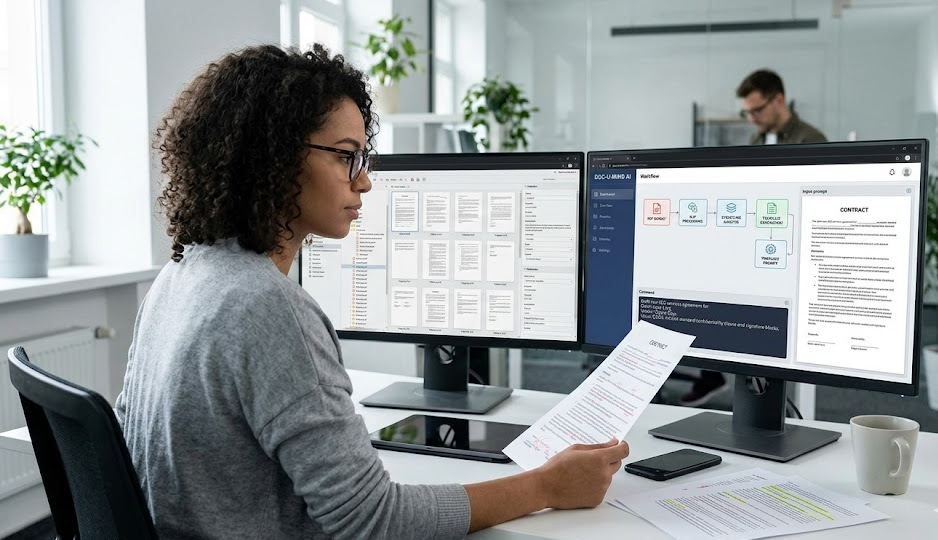
The main advantage is that AI for document structuring is connected in such a way that if you change one number in the technical sections of a document, all the numbers within that document will be updated as well. If you need to create an investor style report from a report to an employee; the AI will make the necessary adjustments without changing any data or details. Sounds cool? It almost is.
Pain Points Solved by AI for Document Creation & Drafting:
- It takes minutes instead of hours to create the first draft of reports/articles.
- It helps organize chaos in notes and provide structure to them with a table of contents.
- An image or scan of a document has the ability to become an editable file (no more typing documents over again).
- Data for an extensive contract can be converted into one table.
- The essence of 50 pages of text may be converted into 3 paragraphs without losing meaning.
Also significant: latest versions of (ChatGPT, Claude) maintain context through the entirety of very large books. Inevitably, at some point there would have been a point where by the end of a very large book all that was read earlier would have disappeared from memory. Now, they read it in its entirety. The difference is colossal.
Key Features of AI for Document Preparation and Processing
In today's age of technology, AI for file processing encompasses nearly the entirety of the document creation process; from conception to final layout with absolutely no switching between applications. One application will draft the document, verify the logic and apply the corporate style guide - without any back and forth - in any manner requested by the function producing the document, thus allows for variances in writing style from multiple authors creating the document.
What does this mean to an organisation in "money terms":
- There is no human factor associated with the placement of commas or indentation of text.
- A continuous source of labour, 24 hours a day 7 days a week, without the need for a smoke break or sick leave for employees.
- 60-80% increase in document creation speed.
- Near-zero potential for technical errors in documents.
They are not templates by any stretch of the imagination. If you provide contradictory information, the AI for documents will identify the conflicts. If you need to expand text, it will add content; if you want to shorten the text, it will eliminate excess. It is an extremely intelligent document creation system.
The AI for document drafting function - Outline to Text
Once the model has the structure, it fills it in itself. For example, if you put "50% prepay," the AI creates a clause with all the correct wording to make it legal and includes the penalties and due dates.
Also, the AI can change the tone of the document. One such option is creating a "Board of Directors" version by removing emojis and substituting some more formal words. Another is simplifying the material with a version for a five-year-old. At ASCN.AI, we do this for newsletters by getting dry facts from the customer and generating three text options (emails, posts, landing page) in 12 minutes. All three are equivalent to what a professional copywriter would produce.
AI for Structuring Documents: Logic & Hierarchy
What do you do when you've thrown together a message comprised of one big "wall of text" and more difficult to read? The AI will solve this problem for you. It will receive the stream of thought and create the H1-H4 headings automatically. In addition, if your thoughts are all over the place, the AI will suggest re-organizing paragraphs and/or adding logical transitional phrases. Order is everything.
A big moment is when the AI performs the re-logicizing process, meaning if you're going to order the arguments logically, but the conclusion is first, AI for document structuring will switch if necessary. For reports, re-logicizing is a saviour, as it increases readability.
Example: A fintech customer from ASCN.AI provided a base CRM export (40 pages) of a mess. The project: get the material looking good enough to present to investors. In 18 minutes, the AI sorted the data into metric, plan and challenges presentations; eliminated any repetitive information and translated all the jargon into plain English. The investor reader spent 7 minutes reading the final document and agreed to fund the project. It’s not magic; it’s business reporting automation.
AI Can Read and Write Using Optical Character Recognition (OCR) Of Any File Type
OCR is an intrinsic capability of smart models. Previously, this functionality was available only via a 3rd-party tool like FineReader to perform OCR on scanned (or photographed) documents to convert text to digital (including OCR for tables) — however now whether you are utilizing AI for file processing (GPT-4 Vision, Claude 3 or something similar), OCR scoring accuracy is 98% for printed text.
There is also direct relationship between voice messages and voice transcription: transcription of voice messages is performed by the same AI used to automatically convert voice messages into text files. Audio to text, text to business.
Value: On one project we previewed crypto projects in January — analyzed documentation (~120 pages) containing ~50% scans — AI utilized through Claude performed extraction of all data points (i.e., TVL, Tokenomics) and created summary report in ~20 mins. While it took 2 days without using AI. Guaranteed.
Automation Capabilities Include Data Extraction Via Summary Reports
The summarize function of the AI is the superpower for life and busy people. Not only does the model reduce document to summary page(s), but it actually searches for the applicable elements of the document (numbers, dates, etc.) and identifies the applicable risks of each; when you summarily view information from a 50-page contract, you can review the summary for the Payment Terms and Penalty and read the other clauses of the contract at your leisure.
Parsing is also a very productive function. Say you need to compile all dollar amounts from a pile of documents into one table; the AI can do this for you in less than 30 seconds versus using Ctrl+F. Ctrl+F can take a back seat.
How to apply this in your business:
- Contracts: Summary of contract terms.
- Resumes: Comparison of candidates skills as compared to job description.
- Financial Statements: Summary of profit and debt from a pile of statements.
In e-commerce, AI will read a customer complaint, pull the order number and send the ticket to the appropriate department. Basically, AI is acting as a secretary to process requests for businesses.
Document Structuring with AI
Structuring is the magic of creating order. So how does it work? In three steps. 1. Breaking it up into meaningful pieces (one fragment = one idea). 2. Hierarchy (determine the primary H1 and the secondary H2). 3. Formatting (style, lists).
What is happening 'under the hood' is as follows:
- Searching for topic changes.
- Styling (using H1 tags with bold typeface for important points as they aid in the understanding of the content being produced).
- Logic (inserting "therefore" and "as a result" when processing the content to help indicate the sequence and flow of ideas).
Example: You upload 15 paragraphs of meeting notes, AI will recognize there to be three separate topics related to budgeting, deadlines, and people and produce a table of contents (with the numbers being in bold lettering). Simple but effective.
Be warned that if you do not properly define the task(s), there is likely to be some level of disarray generated from the activity by AI. Furthermore, if there is any nonsense present within the text (e.g., one location of the document states the number of months to be "3" while another states it as "6"), AI will identify this inconsistency without being dishonest and will reflect this inconsistency within its reports to avoid hallucinations.
Drafting & Generating documents: A Step-by-Step Approach
You probably think you can simply push a button and create a masterpiece; however, this should involve many iterations of writing, correcting and clarifying the piece; however each iteration typically takes approximately 2 minutes instead of the 1/2 hr. that is the average manual process which will save considerable amounts of time (i.e., 10 minutes vs. 2.5 hours in manual mode).
Step 1: Defining the task Be specific about your request. For example instead of saying “write a report” say “provide me with a quarterly report to send to the CEO that contains a summary of revenue, description of the three primary problems I am currently dealing with and my plan to deal with them.”
Step 2: Creating an AI prompt When creating an AI prompt, insert context into the model. If you have a template for what you wish the AI to create, attach it to your request. The AI will match that style while generating your output. It will also be very useful for you to have knowledge on how to create an AI agent that learns from the files you provide to it for processing.
Example of good prompt:
“Contract for marketing. IE Sidorov advertising on Google for LLC Alpha. Three (3) month term ending March 2026. $150K spend, paid in installments. Sections: subject, deadlines, payment terms, force majeure.”
Step 3: Review of draft 1 Check to see if your draft has all required sections. Do not edit the style of the draft — just ensure that it flows logically.
Step 4: Refinement of draft 1 Here is where the fun begins. Make requests such as, “Make this more formal,” “Add to this list of responsibilities” and “Make this section shorter,” and the AI will comply on its first request.
Example: We needed to produce 10 commercial proposals for businesses within 10 different industries (Construction, I.T.). We provided the AI with a master outline/template and the AI converted each industry’s example and provided it within the format of our outline/template — reduced our total time working on these 10 entities from 2 days to 40 minutes.
AI file format types which can be converted by AI
The AI model will convert any file type. It converts PDF, DOCX, XLSX, PPTX files based on their structure; the formatting of those files will be preserved, and all formats will be handled differently (ex. GPT-4 works best with text; Claude 3 is best with large books; Gemini is best with scanned files).
| File Type | AI Capabilities (Tasks) | Recommended AI Tools |
|---|---|---|
| OCR/summarize/contract create/answer questions about text, etc. from .pdf file | Humata/ChatPDF / Adobe Acrobat AI | |
| DOCX / Text | Writing, re-writing, style, grammar | Jenni.AI/Jasper/Microsoft Copilot |
| XLSX / CSV | Analysis of data and spotting anomalies and forecasting | Excel GPT/Formula Bot/Julius AI |
| PPTX | Convert from text to PowerPoint Slide and design. | Tome/Gamma App/Canva Magic Write |
Top 5 AI Tools for Creating Documents - Comparison and Summary
What should I choose for what? Depends on what you need! If you're looking for a multi-tool, Copilot or GPT would be your best bets! If you need long document analytical capabilities then try Humata. If you are creating images and text then try Jasper! Here is my current list of top-5:
Card #1: Microsoft Copilot / ChatGPT Plus
Best for: All-around tool that integrates well into Word and Excel, can reference previous context of file(s). Disadv. Cannot do detailed analysis of large pdf files. Cost: Starting @ $20.

Card #2: Humata/ChatPDF
Best for: Chatting with your document(s). Type in a question and receive answer(s) back based on text with reference/citations of page number(s). Lawyers/researchers will benefit most. Disadv. Cannot produce new text. Cost: Freemium basis or starting @ $10 per month.

Card #3: Jasper AI
Best for: SE Marketing & Sales-Compelling marketing copy. Familiar with AIDA formula, etc. Disadv: Designs of legal documents can be lacking compared to other documents. Cost: Starting @ $49.

Card #4: Gamma App
Best for: Quickly transform walls of text into great-looking presentations within 5 minutes! Disadv. You have limited flexibility to design. Cost: Starting @ $15.
Card #5: Google Gemini Pro
Best for: Free! Pro: If you have a lot of work done in Google Docs or Sheets, this application is convenient. Con: There is less contextual space than some of the leading competitors. Cost: Complimentary (with some limitations).

Evolution: From Text Generation to Autonomous Agents
The goal is not just to write text! We are building robots. An AI Assistant with ASCN.AI functions as a robotic employee. It creates documents, sends out proposals and documents it in your system. You just review the finished product. Less than 8 minutes for the entire transaction compared to 2 hours on average.
A chatbot is waiting until it gets asked, while a robot acts according to the programming rules established for that specific robot.
Case in point: On October 11, 2022, Bitcoin had a flash crash (12% decline in just 40 minutes). There were 47 price gaps between exchanges discovered by our robot at ASCN.AI, allowing the client to close all transactions within 1 hour and earning $1340 ($1000 dollar profit) which no human could complete due to the amount of time needed. If you want to understand how the flash crash produced $1340 in profit, read our flash crash profit case study.
In 2 prompts related to FF drop (Falcon Financial), the client earned over $1000 profit due to price discrepancies discovered by the robot. See more: $1000 for 2 prompts on the FF drop.
How to use assistant in my business: In a short amount of time, (3 minutes) each object can have a complete listing created by the robot after the realtor uploads a picture for the apartment. 40% more deals in a month.
Launch Scheme:
- Describe the process manually.
- Break it down into steps (1 step = 1 agent).
- Links (Agent A sends data to Agent B).
- Test for 1 week.
At ASCN.AI this is done with no code in a couple of weeks. You just take a template, fill in the fields and go. A business process automation platform will allow you to do this yourself. Yes, a subscription starts at $50/month, but this saves at least $800/month on 1 routine employee, with ROI in the first month. You manage AI agents, not employees.
Creating Documents On-The-Go: Mobile Scenario
This is for those who are constantly on-the-go. Open App → Dictate → Get .docx → Send. All done in 4 minutes. For a sales rep in the field, it is essential.
Security & Confidentiality: Protecting Data When Working With AI
A critical point - Uploading your company secrets to a free service is very risky. They may learn from your data; this does NOT mean they are going to publish your client's contract, but they will internally learn the patterns you have.
How to Protect Yourself:
All major platforms encrypt everything (TLS 1.3/AES-256). This is protection against hackers. But to prevent the service from "eating" your files look for Enterprise plans that are marked with "Zero Data Retention". They will process and erase your files IMMEDIATELY.
Golden Rule:
On free plans your data may be used to train the model. On corporate plans it is isolated. The price difference is significant, but peace of mind is worth much more.
What You CATEGORICALLY MUST NOT Upload To A Public AI:
- Trade secrets (money, deals, & clients).
- Personal data (passport, salary).
- Revenue documents that are internal.
Checklist:
- Use a corporate plan for uploading trade secrets.
- Read the privacy policy.
- Replace real names with "Client 1" before you upload.
- Always double check the facts because AI does make mistakes.
At ASCN.AI we use a hybrid model: For articles - Regular AI / For client records - Private local models. Therefore, it is safe.
FAQ - Questions and Answers About Working with AI to Produce Documents
Is it Safe? Depends on where. Free version - logic leak risk. Paid (Enterprise) version - safe - they erase your data. The free version is good enough for draft articles, but if you are writing a book, you should use the paid version.
Will AI Replace Copywriters? No - AI will do the "grunt" work of writing, fact-checking / style are human tasks. Work flow = AIs write & people edit; resulting in 2X faster, but you cannot do it without control. See more about this in the section automation with AI.
What are the Limitations? Context - if AIs try to write a 300 page book AI may not pick up something at the last 10%; AI may not know the slang. Finally, AIs may hallucinate (lie) when they are not certain of the facts; Therefore, whenever you are working with important numbers please check the facts. An AI analyst for big data work may also be good for big data analysis.
How Much Does it Cost? Start free (limited). Regular plans - ($20-$50 per month). Pro plans ($60+) - you should see it pay for itself in couple of months if you have a lot of documents.